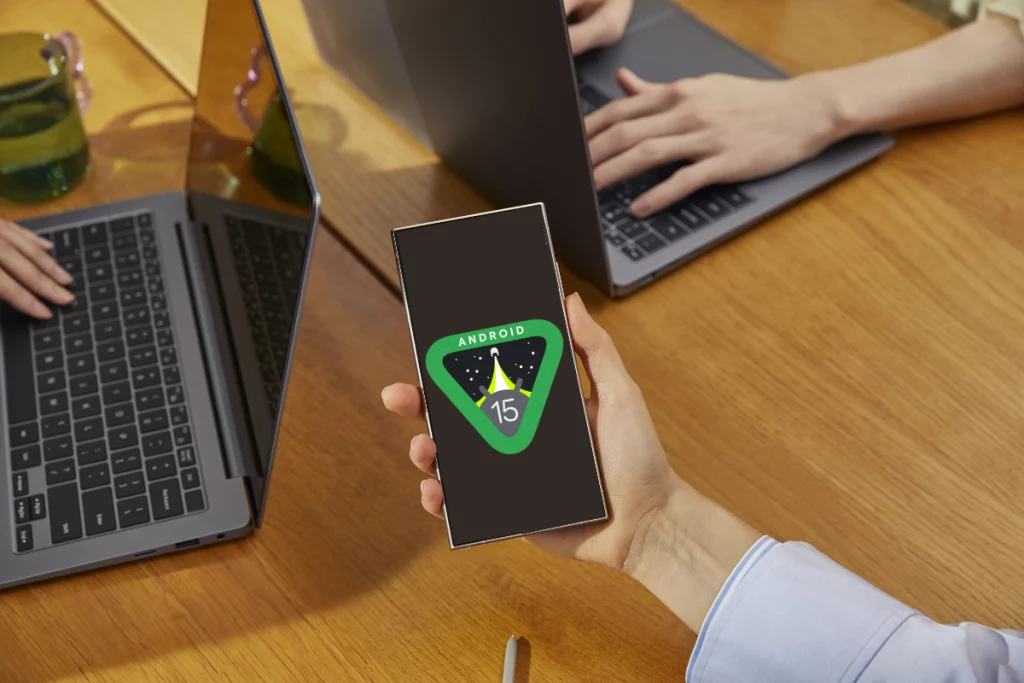
Android 15 Developer Preview 1 version has been released for the Nothing Phone (2a). Note that this update is only available for Phone (2a) users. The regular Phone (2) users do not have access to Android 15 yet. Read our previous article to discover the new features coming with Android 15.
Nothing has released the Android 15 update for the Phone (2a). Before updating, remember to back up your data, as all data will be lost during the update process. Nothing announces the arrival of several new features with Android 15, including Glyph SDK support, new wallpapers, and the Nothing boot animation. Fingerprint recognition and face unlock are currently not working in the Android 15 build for Phone (2a). Additionally, Nothing’s exclusive features (X/Weather/Launcher/Recorder/Widgets) are absent in this build.
Download Android 15 for Nothing Phone (2a)
To install the new Android 15 Beta update for the Nothing Phone (2a), click here (LINK). And if you encounter any bugs, click here to obtain the required package for downgrade back to the previous version (LINK).
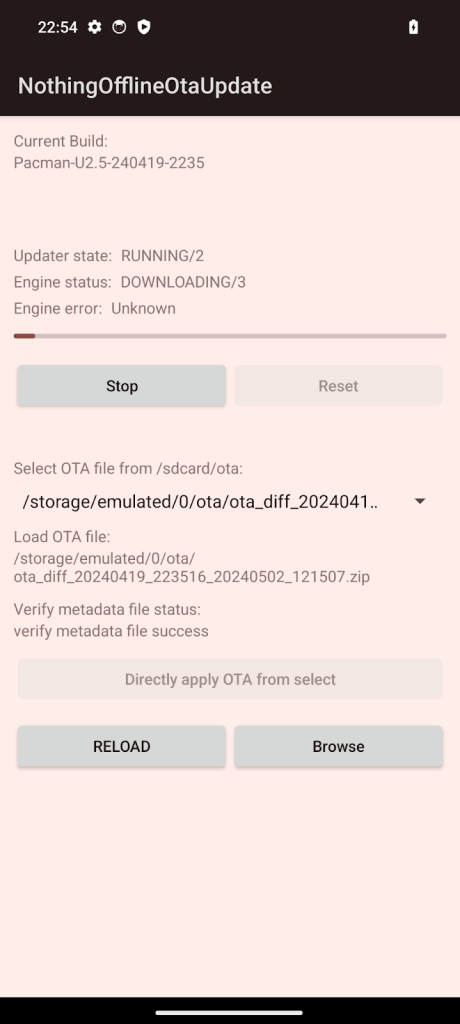
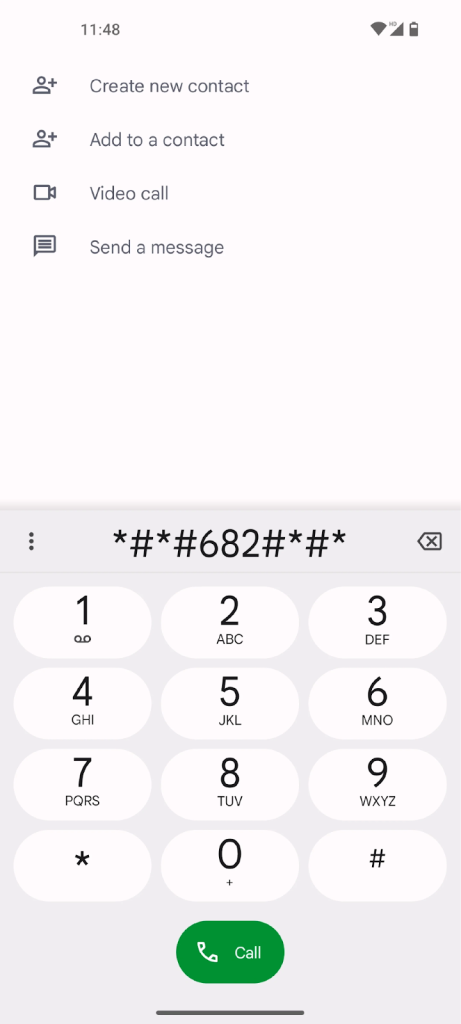
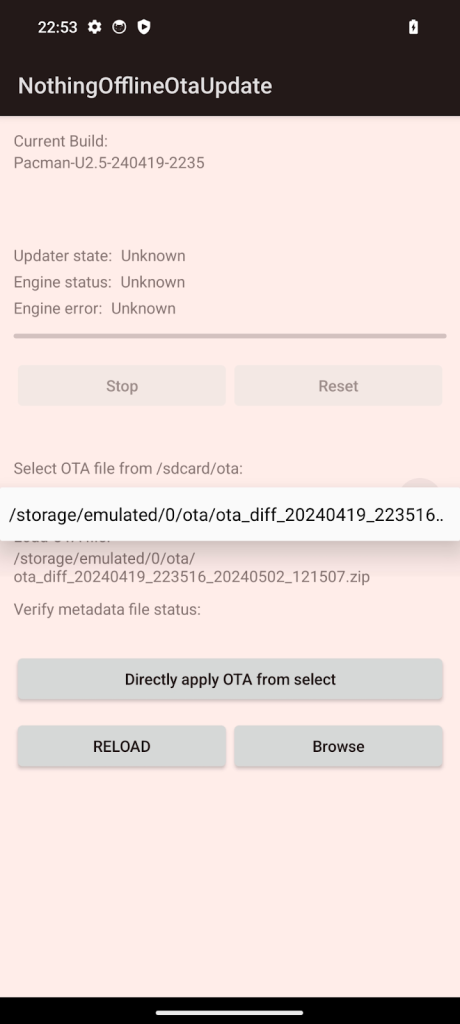
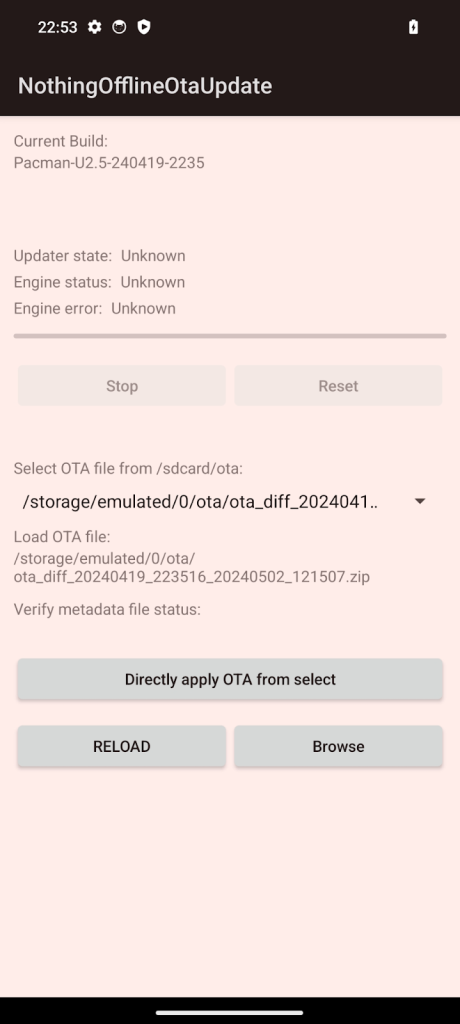
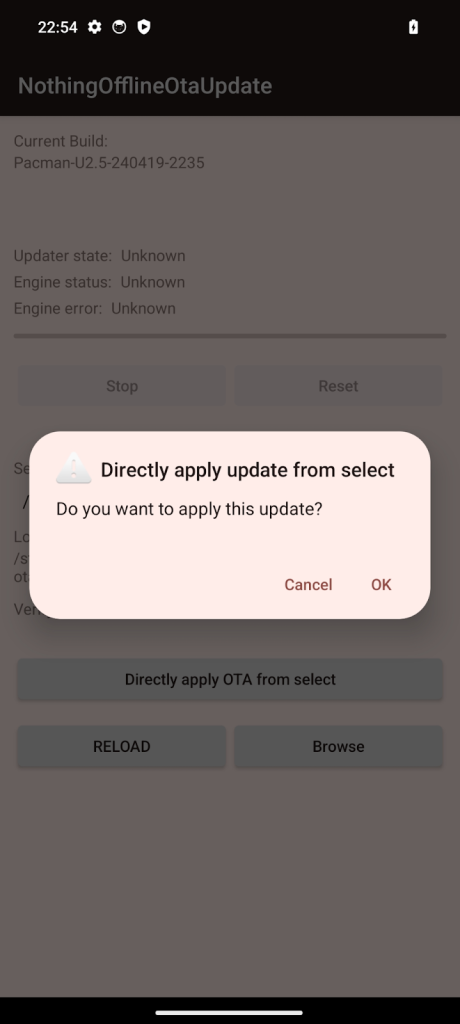
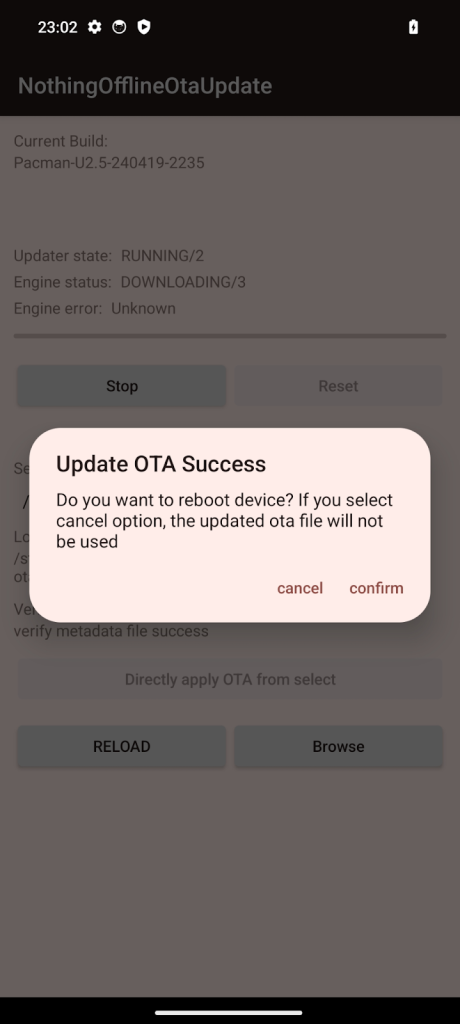
You can install Android 15 on the Nothing Phone (2a) in just a few steps, please refer to the images below as well.
Go Settings > About phone > Software info to confirm that your phone runs the latest software version (Nothing OS 2.5.5a). If not go to Settings > System > System update to check for updates and update to the newer version.
Download the Android 15 package file from the link given.
Create a folder named “ota” in your internal storage directory.
Dial *#*#682#*#* on your phone.
Select the update package you downloaded on the recently opened window.
Tap “Directly apply OTA from selection”.
Wait until the update finishes and then reboot.
Android 15 installation for Nothing Phone (2a)
The Android 15 installation on the Nothing Phone (2a) is quite straightforward, but remember that it’s a Beta software. So you may encounter some issues. You can do the same steps given above to downgrade to the previous version, in case you’re not happy with the new Beta update. You just need to select the rollback package before starting to the process. For more information or if you have further questions, you can visit the official Nothing community.
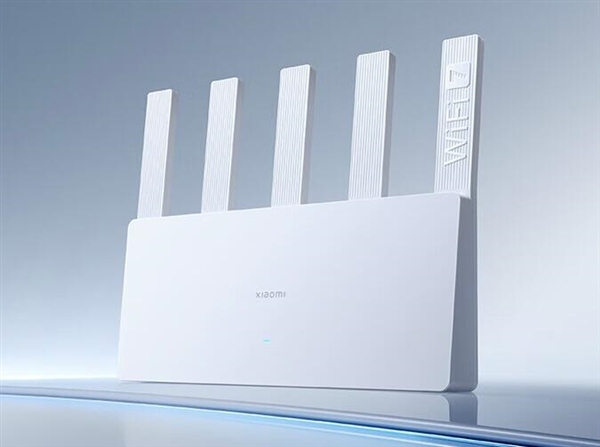
Just a few days back, Chinese tech giant Xiaomi unveiled the BE5000 router in its home market. The new Xiaomi BE5000 router which comes with mesh and Wi-Fi 7 protocol support has now gone on sale in China. The Xiaomi Router BE5000 has a rated data transfer rate of 5,011 Mbps with 2.4GHz and 5GHz frequency bands.
The Xiaomi Router BE5000 has five antennas and its Wi-Fi 7 protocol compatibility means it has throughput and speed that are 68% and 48% better respectively than Wi-Fi 6. It has Multi-Link Operation (MLO) and this allows simultaneous connection to its two frequency bands. The MLO Dual-Channel integration allows the two links to transmit in parallel to better cope with environmental interference. It offers greater stability and reduced latency even with longer distances. The model also comes with Xrange 2.0 technology for enhanced coverage and reduced latency. The signal coverage range of the BE5000 is 4.5 meters.
There are four ports on the router including a 2.5Gbps high-speed WAN/LAN network port and three 1Gbps WAN/LAN ports. The external antennas of the router, in combination with Beamforming, help to deliver stronger and more reliable connections with less interference. The BE5000 router has a 6nm high-performance dual wireless chip that supports up to 128 devices online at the same time.
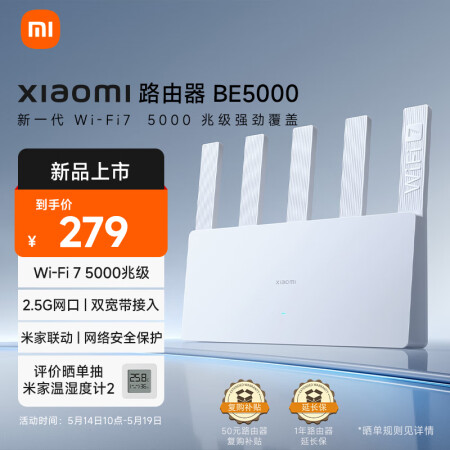
The Xiaomi Router BE5000 offers HyperOS Connect for smart home integration and features a built-in game accelerator. The dimensions of the router are 271.9 x 40.9 x 220.8 mm. The router is available to buyers in China from JD.com for 279 yuan ($40). Xiaomi already sells several router models in other markets including Europe and Asia. There are no indications, however, when the Router BE5000 will be available in other markets.
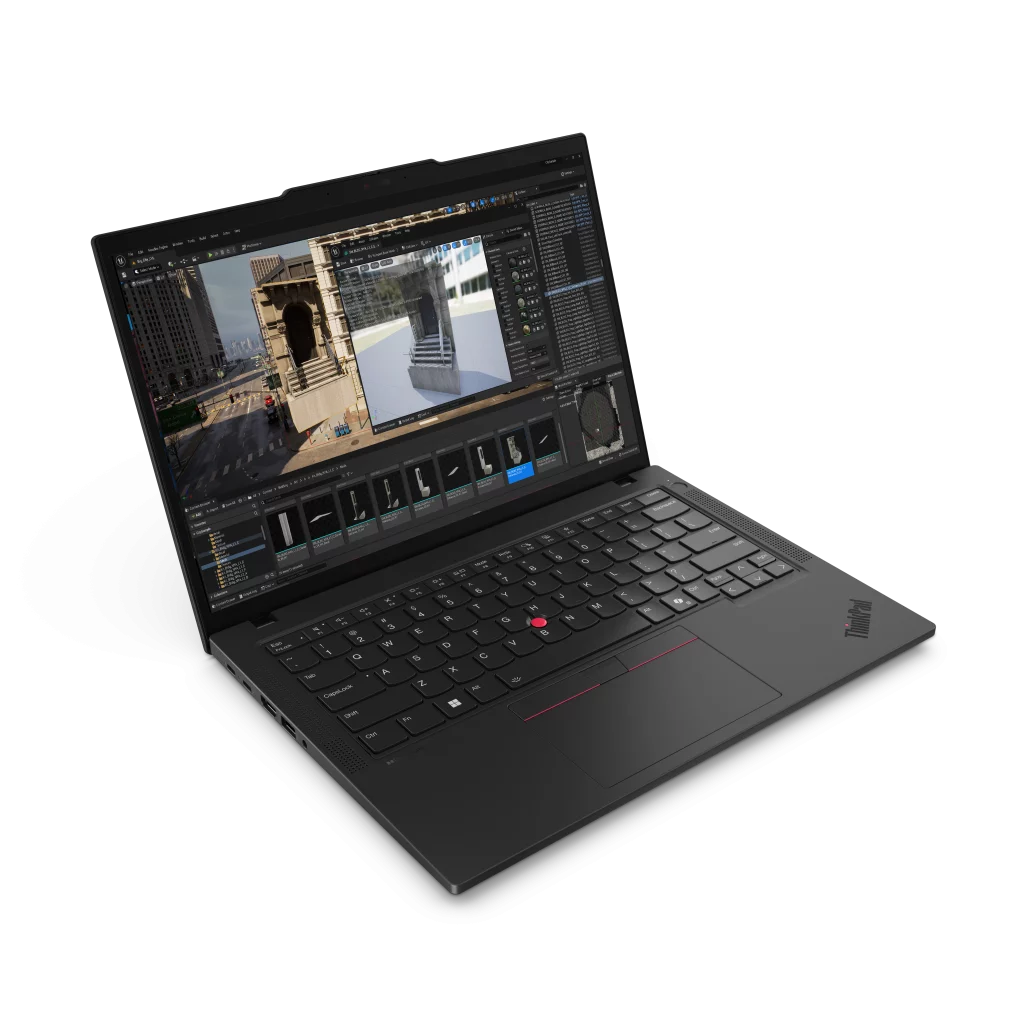
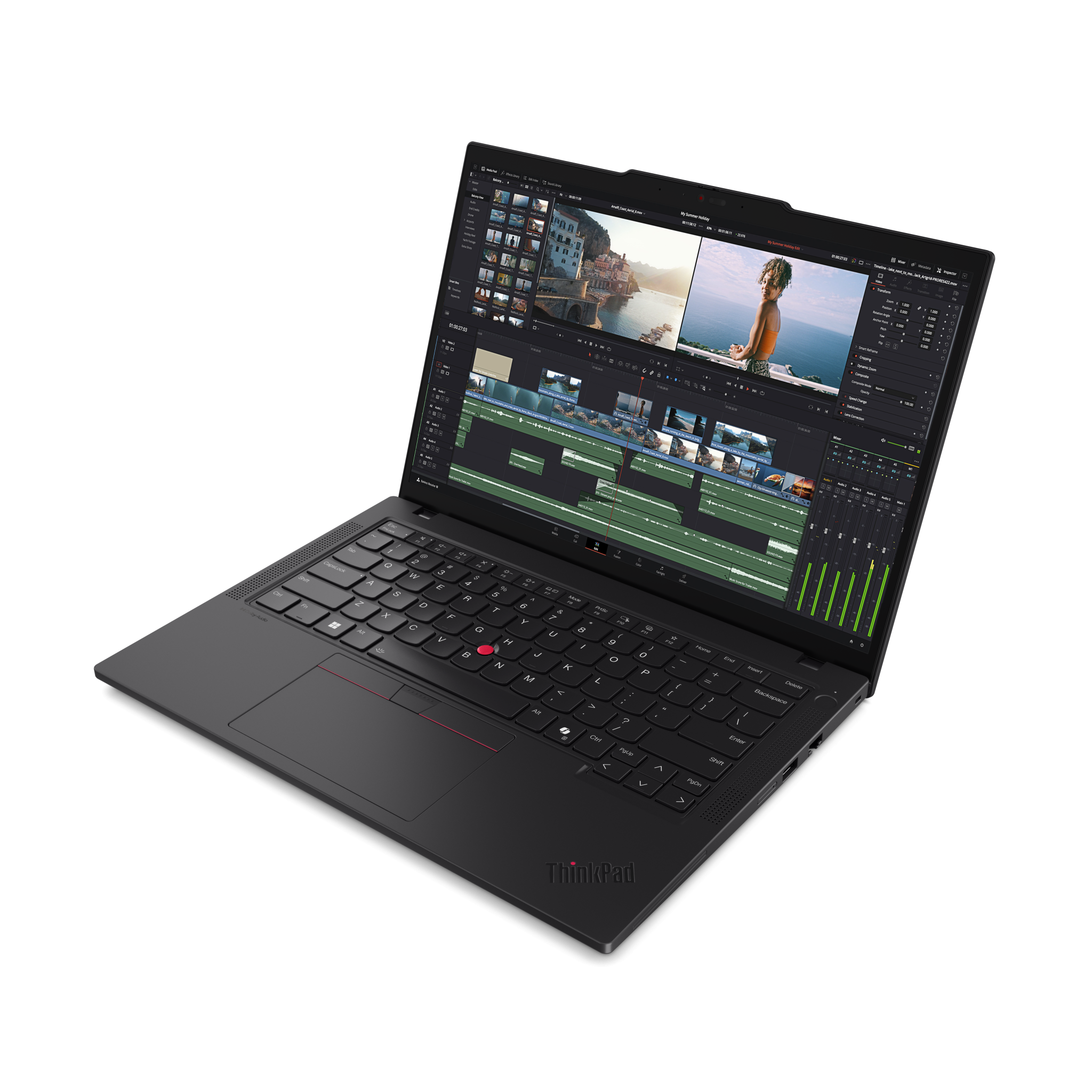
Lenovo has unveiled the ThinkPad P14s Gen 5 mobile workstation, a refresh of last year’s model. The new model comes with a new Ryzen PRO series chip and improved and an improved GPU.
Lenovo ThinkPad P14s specs:
The new ThinkPad P14s offers two display options: a 14-inch FHD+ IPS screen with a resolution of 1920 x 1200, featuring anti-glare and low blue light technologies, and a 14-inch 2.8K OLED screen with improved color accuracy, covering 100% of the DCI-P3 spectrum. Both versions are certified by TÜV for eye safety and are designed to reduce visual strain during prolonged use.
The laptop is powered by the AMD Ryzen PRO 8040 Series processors, offering up to 8 cores and a peak clock speed of 5.1GHz. For graphics, the laptop features an AMD Radeon 780M integrated graphics solution, which is based on the latest RDNA 3 architecture.
The ThinkPad P14s can be configured with up to 96GB of DDR5 RAM and offers storage solutions of up to 2TB NVMe PCIe Gen4 SSD. Its array of ports includes USB-C Thunderbolt 4, HDMI 2.1, and an SD card reader.
For security, the workstation incorporates Lenovo’s ThinkShield features, such as dTPM 2.0, a touch fingerprint reader, and a webcam privacy shutter. It supports multiple operating systems including Windows 11 Pro and several Linux distributions like Ubuntu and Red Hat Enterprise Linux.
Pricing & availability
The Lenovo ThinkPad P14s Gen 5 AMD, available in Eclipse Black, will be on sale starting at $1,379 this month.
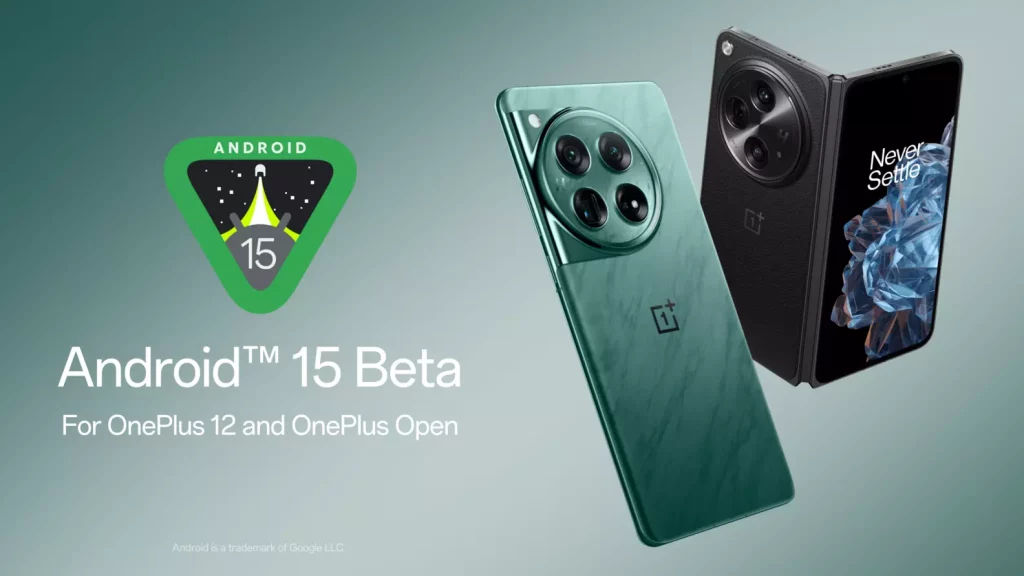
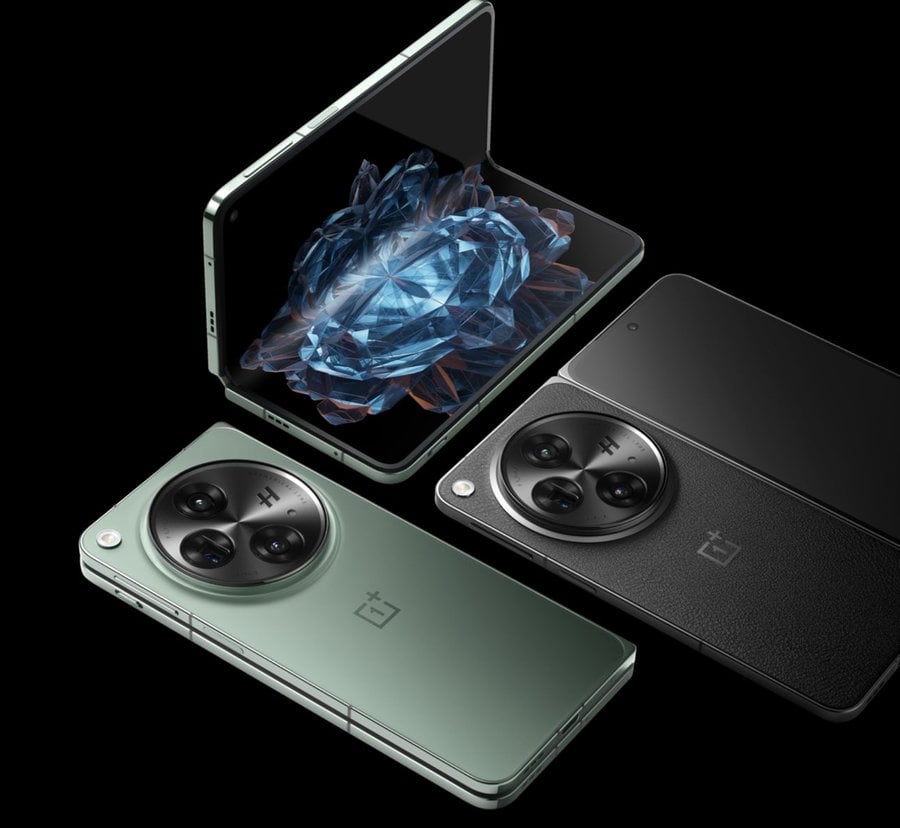
OnePlus has released the Android 15 Beta 1 update for OnePlus Open, and OnePlus 12. While Android 15 may not bring major improvements, it’s definitely worth trying out. Android 15 brings minor UI changes and security enhancements though. Read our previous article to discover the new features coming with Android 15. Android 14 was named UpsideDownCake, and Google’s new operating system, Android 15, is named Vanilla Ice Cream internally. Google continues its tradition of releasing the Android versions with sweet names.
Android 15 update is finally here for OnePlus 12 and OnePlus users, but it’s important to note this is OnePlus’ first Beta release. Keep in mind that backing up your data is essential before installing any Beta software on your main device.
Android 15 Beta 1 for OnePlus 12 and OnePlus Open
OnePlus announced the Android 15 update first on the OnePlus Community website. OnePlus has published a list of known bugs, and the Android 15 Beta 1 update doesn’t seem good for daily use at the moment. However, early adopters and developers are always free to install it. There may be issues with Bluetooth connectivity and interruptions in Wi-Fi connection with a printer. Smart Lock may not work properly, and the camera may behave abnormally. Additionally, third-party apps may crash, indicating that the system is not stable overall.
Android 15 Beta 1 for OnePlus devices
OnePlus has released two different versions: “Stable official version” and “Open beta version,” namely OnePlus MP and OBT. European and Indian device users can follow the guide below for installation. Before proceeding with the installation, back up all your data as this process will format all user data. Moreover, a different guide needs to be followed for North American devices; access the topic on the OnePlus Community from here. Here’s the installation guide EU and IN devices.
Download the ROM from the links given below.
Copy the zip file into the internal storage.
Go to Settings -> About device -> Version -> Click Build number 7 times to enable developer options.
Go to Settings -> About device -> Up to date -> Click the top right button -> Local install -> Click on the ROM you downloaded -> Extract -> Upgrade -> System upgrade
Wait a while and tap Restart.
Android 15 for OnePlus devices – Download and rollback links
If you own OnePlus 12 or OnePlus Open and wish to experience the Android 15 Beta 1 update, you can download it from the list below. Additionally, OnePlus has released a rollback package, allowing you to revert to Android 14 if you’re not satisfied with Android 15.
While the foldable phone market continues to heat up with rumors of next-generation devices from Samsung, Motorola, and others, fans of OnePlus might be disappointed. According to reliable tipsters, the OnePlus Open 2 won’t be arriving this year.
The follow-up to the well-received first-gen OnePlus Open is now expected to launch sometime in 2025. This news comes as a blow to those hoping for a 2024 release, and the Open 2 is rumored to be powered by the Snapdragon 8 Gen 4 chipset.
Details about the 8 Gen 4 itself are scarce, with an official announcement likely happening later this year (October-November 2024). The first phones featuring this chip might hit the market as early as December, particularly in China.
The global launch timeframe for most Snapdragon 8 Gen 4 devices remains unclear, and whether the Open 2 falls into that category is unknown.
In essence, there’s very little concrete information about the OnePlus Open 2 at this point. The lack of details is likely to persist for some time. Historically, OnePlus has rebranded Oppo’s foldable phones for the global market.
Following this trend, the Open 2 is expected to be the rebrand of the Oppo Find N5 – similar to how the original Open mirrored the Oppo Find N3 released last year.
However, the leaked details may ring true, especially considering previous rumors that Oppo delayed the launch of the Find N5 until 2025. Given that the Open 2 is expected to be a rebrand, it’s not surprising that it won’t arrive until 2025.
The Edifier Lolli Pro 3 Bluetooth headset has been released in China. The new Edifier Lolli Pro 3 wireless headset offers significant noise reduction by up to 45dB and 26 hours of battery life. The headset is advertised as supporting 192kHz/ 24Bit codec with Hi-Res Wireless and HWA double gold label certification.
Features
The Edifier Lolli Pro 3 headset is equipped with a 6mm titanium-plated high-frequency driver unit plus a 10mm composite mid-low-frequency unit. The headset supports spatial audio delivery and sufficient noise reduction. As per its previous iteration, the noise reduction capability is increased by 67% in the new headset. Three built-in microphones are featured in each headset and this allows for clear calls even in inclement conditions.
The headset supports dual Bluetooth connectivity simultaneously and can be switched at any time. Each headset delivers up to six hours of battery life and the charging box can provide up to 26 hours of activity. The companion app of the Edifier Lolli Pro 3 is the Edifier Connect app, which can be easily downloaded. You can use the app to customize the noise reduction function button, search for headphones, and others.
The Edifier Lolli Pro 3 Bluetooth headset is available in at least three color options including black, green, and white. The new headset is being offered at a starting price of 339 yuan ($47). It can be purchased via retail outlets in China including JD.com. There are no global availability details for the new Edifier Lolli Pro 3 Bluetooth headset at this time.
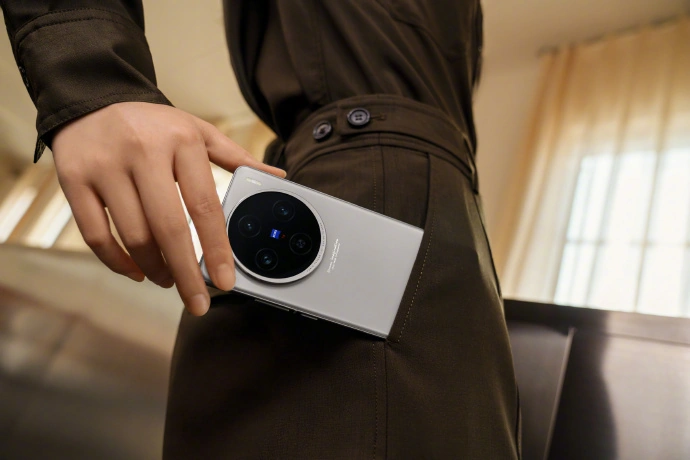
Vivo recently unveiled its latest flagship lineup in China, with the X100s being one of the contenders. But how does this new challenger stack up against the Vivo X100, released in late 2023? Let’s take a deep dive into the specifications, design, camera systems, and other aspects to see which phone might be the better choice for you.
Both models boast a 6.78-inch display, but they differ in terms of screen design. The Vivo X100s features a flat 8T LTPO OLED display with a resolution of 2800 × 1260 pixels and supports a 120Hz refresh rate. It stands out with its ability to deliver 10-bit colors, covering 100% of the DCI-P3 color space and achieving a peak brightness of 3,000 nits. Additionally, the X100s uses 2160Hz high-frequency PWM dimming to reduce screen flicker, which is especially beneficial under low-light conditions.
On the other hand, the Vivo X100 uses a curved 8T LTPO 120Hz AMOLED display that also supports HDR10+ for enhanced color and contrast. Although both models share the same peak brightness and color depth, the curved design of the X100 might appeal more to users who enjoy a more immersive display experience. However, some users may find them prone to accidental touches.
2. Performance
The X100s takes the lead in processing power. It’s equipped with the latest MediaTek Dimensity 9300+ SoC, a slightly overclocked version of the Dimensity 9300 found in the X100. This translates to potentially better performance, especially in demanding tasks and games. Both phones offer 12GB or 16GB of LPDDR5X RAM, ensuring smooth multitasking. Storage options are identical, with configurations ranging from 256GB to 1TB using the faster UFS 4.0 standard.
3. Cameras
Photography is a major focus with both devices offering a similar camera setup. The X100s sports a triple rear camera system featuring a 50MP super-sensitive bionic main camera with an f/1.57 aperture, a 64MP Zeiss super telephoto camera with an f/2.57 aperture, and a 50MP ultra-wide camera. It also includes advanced features like a V2 imaging chip, OIS anti-shake technology, and up to 100x digital zoom.
In contrast, the X100 also includes a 50MP main camera with f/1.57 aperture, a 50MP 150° ultra-wide-angle camera, and a 64MP telephoto camera with f/2.57 aperture that also supports OIS and up to 100x digital zoom. Both models use Zeiss T* coating for improved optical performance. For selfies and video calls, both these devices include 32MP front-facing cameras.
We can’t really compare these cameras based on the specs. Only real-world usage can give a detailed opinion on this.
4. Software and Battery
Both smartphones run on Vivo’s OriginOS 4, based on Android 14, offering a similar software experience with features like Jovi voice assistant and various smart connectivity options.
In terms of charging, the X100s boasts a larger 5100mAh battery compared to the X100’s 5000mAh battery. While the difference may seem small, it could translate to slightly longer battery life on the X100s. However, the X100 edges out the X100s in charging speed with its 120W fast charging, capable of reaching 50% in just 11 minutes. The X100s offers 100W wired charging, still very fast, but not quite as rapid as the X100.
5. Dimensions and Durability
The X100s is slightly thinner and lighter than the X100. The X100s measures 7.8mm and weighs 203g, while the X100 comes in at 8.49mm and 206g. The X100s also boasts a more unique flat display design, whereas the X100 retains the curved display design of its predecessor. Both phones offer IP ratings for dust and water resistance. The X100s goes a step further with an IP69 rating, indicating it can withstand high-pressure water jets, making it potentially more durable in extreme conditions.
6. Pricing
The starting price for both phones is identical at 3,999 yuan ($552) for the 12GB + 256GB variant. However, the X100 becomes slightly more affordable for the higher storage options. Here’s a quick comparison:
12GB + 256GB: Same price (3,999 yuan) 16GB + 256GB: X100s is slightly more expensive (4,399 yuan vs 4,299 yuan) 16GB + 1TB: X100 is cheaper (4,999 yuan vs 5,199 yuan) 16GB + 1TB (LPDDR5T RAM): X100’s most expensive option (5,099 yuan)
7. Conclusion
Both the Vivo X100s and X100 are excellent flagship smartphones with high-end features. The choice ultimately depends on your individual needs and priorities. If raw processing power and a flat display are most important, the X100s is a compelling option. However, if you prioritize a curved display or the fastest charging speeds, the X100 might be a better fit. Consider the weight and dimensions of each phone as well, to see which feels more comfortable in your hand.
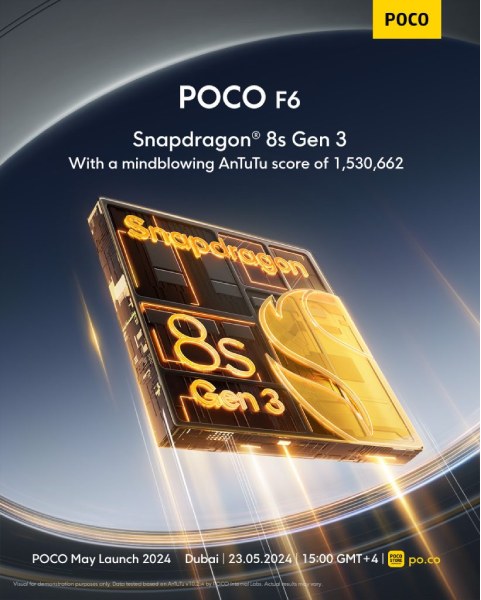
Poco has officially confirmed the launch of its upcoming Poco F6 smartphone in India. Scheduled for May 23rd, the phone will be the first in the country to boast the Qualcomm Snapdragon 8s Gen 3 SoC.
The Snapdragon 8s Gen 3 shares many aspects of its architecture with the flagship Snapdragon 8 Gen 3. This includes the same Image Signal Processor (ISP), display, memory, and modem architecture. It also utilizes the same powerful Kryo “X4” core and is built on the same 4nm TSMC fabrication process.
The Snapdragon 8s Gen 3 also supports a staggering 10 billion parameters and supports features like multi-modal generative AI and compatibility with various large language models (LLMs) including Baichuan-7B, Llama 2, and even Gemini Nano.
In terms of raw performance, Poco claims the F6 achieves an impressive score of over 1.5 million points on the AnTuTu benchmark.
The smartphone will be a direct competitor to the upcoming Realme GT 6T which is also launching in India next week with a Snapdragon 7+ Gen 3 SoC and a similar AnTuTu score of 1.5 million.
Rumors suggest the Poco F6 might be a rebranded version of the Redmi Turbo 3 launched in China last month. If true, we can expect a 6.67-inch 1.5K resolution OLED display with a 120Hz refresh rate.
The camera department could feature a primary 50MP sensor (likely the Sony IMX-600) alongside an 8MP ultrawide sensor. Powering the device will likely be a 5000mAh battery with support for 90W fast charging.
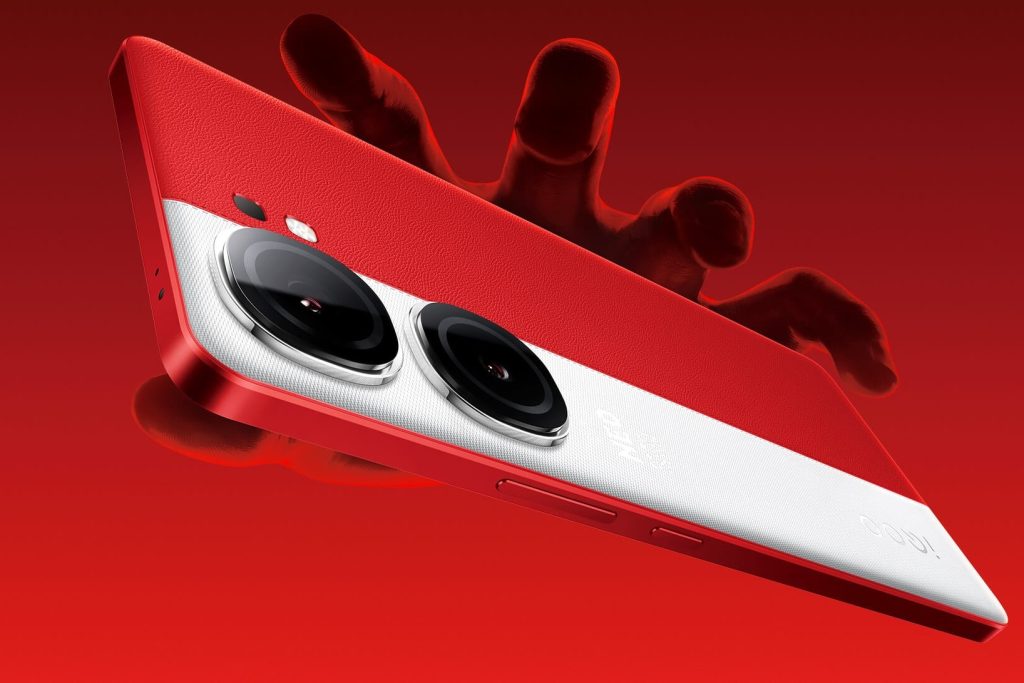
iQOO has released a new software update for its iQOO Neo 9 Pro smartphone, focusing on system security enhancements and performance improvements. The update, identified as firmware version PD2338BF_EX_A_14.0.12.0.W30, requires a download of 238MB.
Key features of this update include the integration of the May 2024 Android security patch, which improves the device’s defense against security threats. Notably, the update removes the background video listening feature from the smart sidebar.
The update addresses several critical issues: it resolves a bug preventing the smartphone from connecting to WiFi networks and fixes a glitch where the home screen would not display correctly when exiting apps. Additionally, it enhances the stability of the MEMC (Motion Estimation, Motion Compensation) and Super-resolution features, which are crucial for video quality and image clarity.
iQOO recommends that users back up their data before proceeding with the update to avoid any loss of information. The company also advises connecting the device to a charger during the update process, as it may consume more power and cause the device to heat up temporarily.
This firmware update is now available for iQOO Neo 9 Pro users and can be accessed through the device’s settings menu.
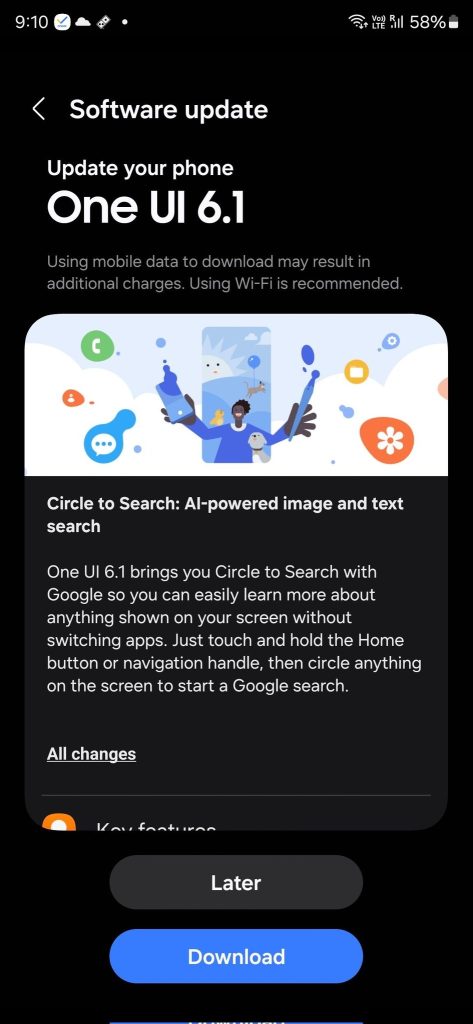
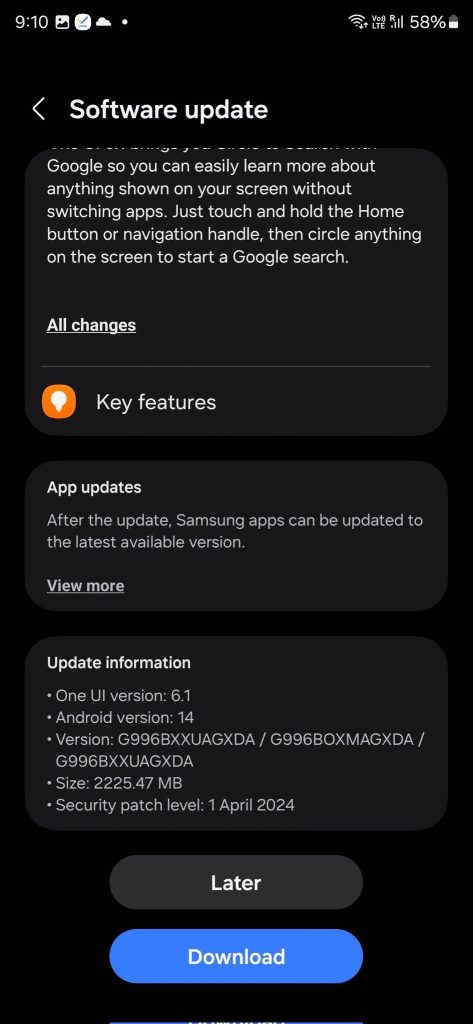
Samsung has just launched the OneUI 6.1 update for the Galaxy S21 series devices in Europe, US, and its home country over the past couple of days. Now the company has released the update in India. Surprisingly, the devices from early 2021 are also getting some of the company’s recently released Galaxy AI features.
The firmware version of the update for the three models is – G996BXXUAGXDA / G996BOXMAGXDA / G996BXXUAGXDA. The update is around 2.2GB in size and also contains the April security patch. Notably, the Galaxy S21FE has not received the update yet.
Galaxy S21 gets Circle to Search and some other AI features with the update
The OneUI 6.1 brings one Galaxy AI feature to the S21 series – Circle to Search. For those unfamiliar, it lets you circle around an object on your screen that you want to know more about. Without leaving the app you can easily search for things you see, copy text from images, and more.
You can tap and hold the home button or the Navigation Handel (depending on which setting you are using) to activate the feature.
With the new update, the latest version of the built-in Gallery app also gets some AI-powered image editing features. Upon tapping the ‘i’ button below an image, you’ll get recommendations such as colorize, star trail, and more. Now the Gallery app also lets you copy an object from an image and paste it somewhere else.
The built-in video editor also has some new features. Now you can change the video playback speed of an entire video or a part of it. The video editor also lets you export files to other Galaxy devices and continue the editing there.
You can also apply frames and effects to the wallpaper such as blurring the background around the subject.
In addition, Samsung Health now lets you compete with yourself through your previous workout records. The Calendar app now lets you add two custom stickers for each date. The Reminders app lets you pin frequently used categories.
Philips has launched the OneBlade Face & Body QP1624 grooming kit in India, targeting GenZ consumers who prioritize ease and safety in grooming. The device is designed with dual protection technology to prevent cuts and nicks and features an ergonomic grip for comfortable handling.
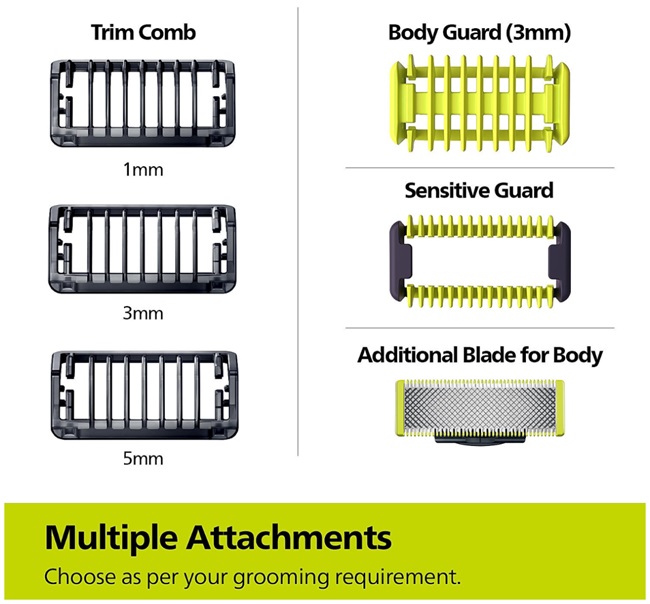
The OneBlade QP1624 includes three stubble combs (1mm, 3mm, and 5mm) that allow users to easily adjust beard lengths. A fast-moving cutter achieves 6000 cuts per minute, ensuring efficient grooming. The device is equipped with a 3mm body comb and a skin guard for trimming sensitive areas.
The grooming kit is fully waterproof (IPX7) and can be used in the shower. It is cordless, supports both wet and dry use, and features a USB-A charging port. A full charge takes 8 hours and provides 30 minutes of use.
Priced at Rs. 2,199, the Philips OneBlade Face & Body QP1624 is available in a charcoal gray color option and comes with a two-year warranty. It is compatible with replacement heads QP210, QP220, and QP230.
The device is now available for purchase on e-commerce platforms such as Myntra, Philips’ official website, and offline stores like Croma.
Keychron has announced the launch of the M2 4K wireless mouse, a new option designed to cater to both gamers and professionals seeking a high-performance peripheral. The M2 4K boasts an impressive feature set packed into a lightweight and comfortable design.
The mouse can be connected via Bluetooth, 2.4GHz wireless and a wired USB
The M2 4K’s heart lies in its PixArt PAW3395 sensor. Renowned for its precision and speed, this sensor offers gamers the responsiveness they crave for fast-paced action titles. Professionals working on design tasks or editing applications will also benefit from the sensor’s accuracy during detailed work.
The M2 4K offers the versatility of three connection options: 2.4GHz wireless, Bluetooth, and wired USB. This allows users to switch seamlessly between their desktop PC, laptop, or other devices depending on their needs. Additionally, the 2.4GHz wireless connection boasts a high polling rate of 4000Hz, ideal for gamers who demand the absolute lowest latency for lightning-fast response times. However, it’s worth noting that using the 4000Hz mode does impact battery life.
Despite its impressive features, the M2 4K prioritizes user comfort. The mouse weighs in at a mere 53 grams, making it a lightweight option perfect for extended gaming sessions or long stretches of work. This helps to reduce fatigue and strain on your wrist and hand, even during intense use.
The M2 4K packs a punch in terms of performance without compromising on battery life. When using the 1000Hz polling rate, the mouse offers an impressive 135 hours of battery life on a single charge. This ensures you can stay productive or dominate online battles without worrying about frequent recharging. The mouse features a right-handed ergonomic design that promotes a natural hand position. This design choice helps to reduce wrist strain and fatigue during extended use, making it ideal for long gaming sessions or productive workdays.
The Keychron M2 4K wireless mouse is now available for purchase at 408 yuan (approximately $60 USD).
HP has introduced a new lineup of laptops designed for professionals who prioritize both performance and portability: the Zhan X Core Edition. The Zhan X laptops boast Core Ultra processors, ensuring they can handle demanding tasks with ease. Specific processor details haven’t been revealed yet, but the “Ultra” designation typically refers to high-performance options from Intel.
The laptops have a variety of configurations for maximum customization
The Zhan X comes in two sizes – 14-inch and 16-inch – and offers a variety of configurations to cater to different needs and budgets. Here’s a closer look at the available options:
Display: Both sizes boast high-resolution displays with smooth 120Hz refresh rates. The 14-inch model features a stunning 2.5K DreamColor screen with an impressive 500 nits of brightness and 100% DCI-P3 color gamut. Opting for the 16-inch version upgrades you to a 2.8K OLED display with 400 nits of brightness and equally impressive 100% DCI-P3 color gamut. The 14-inch model also offers a touchscreen option for added convenience.
Processor: The laptops come in configurations featuring either the Ultra 5 125H or Ultra 7 155H processor.
Memory: All configurations come generously equipped with 32GB of DDR5 memory, expandable up to 64GB of DDR5 5600 for those seeking an extra performance boost.
Storage: Every model comes with a spacious 1TB of PCIe 4.0 solid-state storage for speedy boot times and application loading.
Connectivity: One configuration of the 14-inch model boasts 5G network capability, keeping you connected on the go.
Despite packing a performance punch, the Zhan X laptops maintain a thin and light design. The 14-inch version starts at a mere 1.42kg, while the 16-inch version starts at 1.9kg. This makes them ideal for professionals who need to take their work with them wherever they go.
The HP Zhan X 14 Core Edition starts at 7,499 yuan (approximately $1,130 USD), while the 16-inch Zhan X 16 Core Edition starts at 7,999 yuan (approximately $1,200 USD). Sales kick off at 10:00 am on May 20th in China.
Qualcomm’s Snapdragon series consistently pushes the boundaries of mobile processing, offering diverse options for various market segments. However, in such cases it can be hard to choose which one is best.
Luckily, we are here to help. For example, we recently compared the Snapdragon 7 Gen 3 and Snapdragon 7+ Gen 2. Now, let’s go through Snapdragon 7 Gen 1 versus Snapdragon 7 Gen 3. Here are the details…
1. Snapdragon 7 Gen 1 vs Snapdragon 7 Gen 3 Performance
Both the Snapdragon 7 Gen 1 and Snapdragon 7 Gen 3 are built on a cutting-edge 4nm fabrication process, signifying a leap forward in power efficiency and performance potential.
Examining performance, the Snapdragon 7 Gen 1 features an octa-core CPU with four high-performance Cortex-A710 cores clocked up to 2.4 GHz and four power-efficient Cortex-A510 cores at up to 1.8 GHz.
The Snapdragon 7 Gen 3, however, boasts a heterogeneous octa-core architecture with a high-performance Cortex-X2 core clocked at 2.92 GHz, three Cortex-A715 cores at 2.5 GHz, and four power-efficient Cortex-A510 cores for enhanced efficiency.
The Snapdragon 7 Gen 3 significantly outperforms the Snapdragon 7 Gen 1 in graphics rendering due to its more advanced Adreno 720 GPU, offering superior graphical capabilities compared to the Adreno 644 GPU in the older model.
Feature
Snapdragon 7 Gen 1
Snapdragon 7 Gen 3
Process Technology
4nm Samsung
4nm TSMC
CPU Cores
8 (1+3+4)
8 (1+3+4)
CPU Prime Core
Cortex-A710 @2.4GHz
Cortex-X2 @2.92GHz
CPU Performance Cores
Cortex-A710 @2.36GHz
Cortex-A715 @2.5GHz
CPU Efficiency Cores
Cortex-A510 @1.8GHz
Cortex-A510 @1.8GHz
GPU
Adreno 644
Adreno 725
Memory
LPDDR5 (3200MHz)
LPDDR5X (7500MHz)
Storage
UFS 3.1
UFS 4.0
ISP
Spectra Triple ISP
18-bit Triple ISP
Camera (Max)
200MP
200MP
Video Capture
4K HDR
4K HDR
AI Engine
Hexagon
Hexagon
5G Modem
Snapdragon X62
Snapdragon X65
Wi-Fi
Wi-Fi 6E
Wi-Fi 7
Bluetooth
Bluetooth 5.2
Bluetooth 5.3
Charging
Quick Charge 4+
Quick Charge 5
2. Snapdragon 7 Gen 1 vs Snapdragon 7 Gen 3 Benchmark Performance
Benchmark
Snapdragon 7 Gen 3
Snapdragon 7 Gen 1
AnTuTu 10
866,000
665,000
Geekbench 6
Single-Core: 1139
Single-Core: 1110
Multi-Core: 3375
Multi-Core: 3145
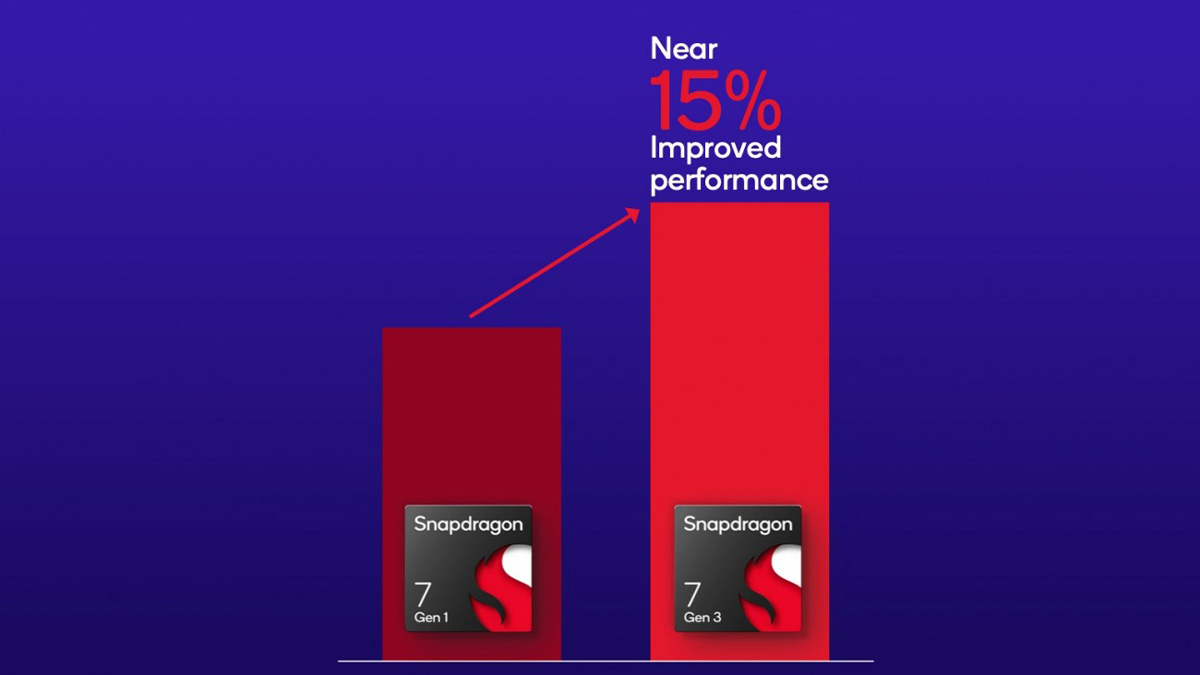
In AnTuTu 10, the Snapdragon 7 Gen 3 scores notably higher with approximately 866,000 points compared to the Snapdragon 7 Gen 1’s score of 665,000 points. This indicates a significant performance improvement of around 30% in favor of the Snapdragon 7 Gen 3, showcasing its enhanced processing capabilities and efficiency.
Similarly, in Geekbench 6, the Snapdragon 7 Gen 3 achieves a single-core score of 1139 and a multi-core score of 3375, highlighting its superior CPU performance compared to the Snapdragon 7 Gen 1. However, it is worth noting that these are synthetic tests and may not accurately reflect real-world performance.
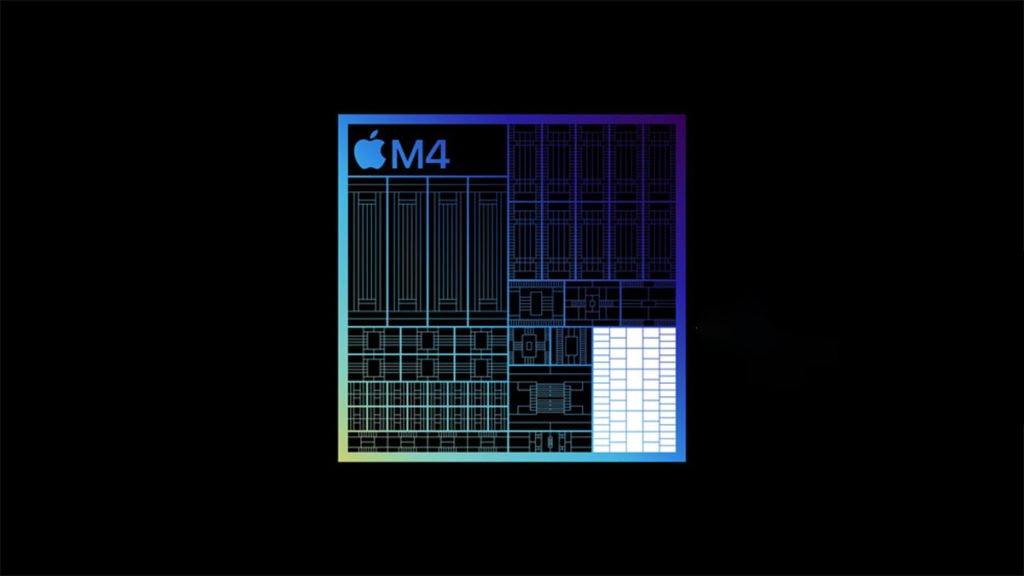
Apple recently surprised the world at an event by introducing the new iPad Pro, powered by the M4 processor. While the iPad Pro itself is a powerful device, the true star of the show was the Apple Silicon M4 chip, making its debut.
As the fourth generation of Apple Silicon chip, the M4 is the company’s most powerful processor yet. But what exactly is the M4, and what features does it bring to the table? Here’s everything you need to know.
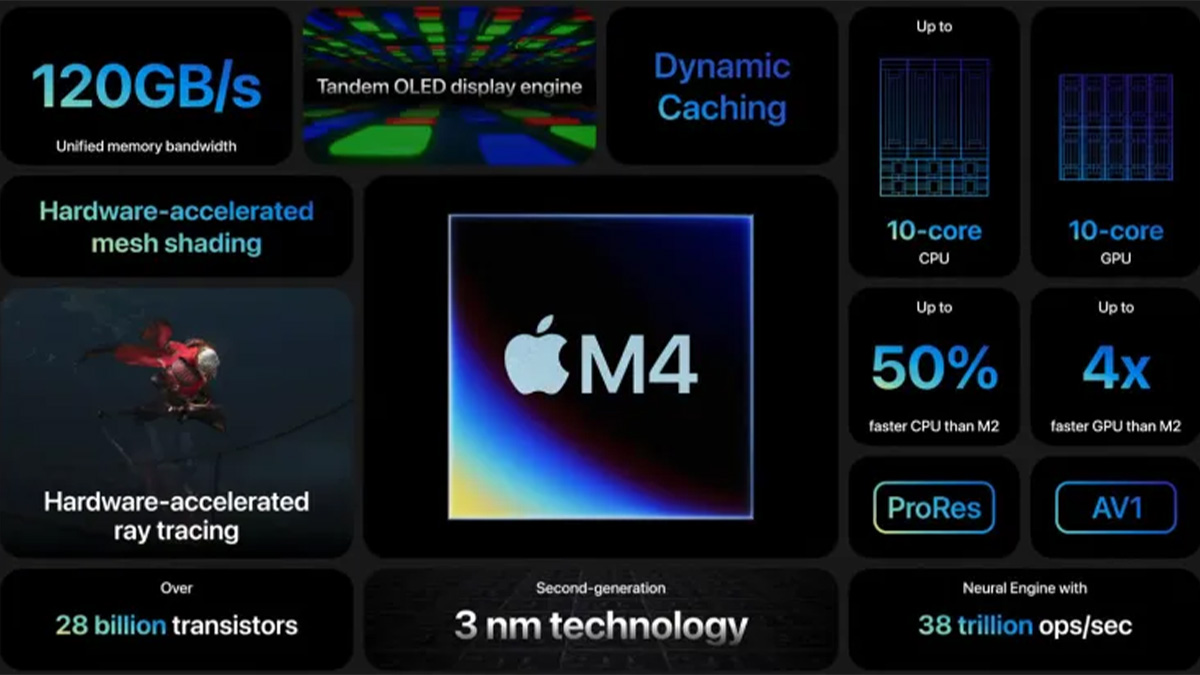
The Apple M4 chip marks a significant advancement in both performance and efficiency. Built on TSMC’s second-generation 3 nanometer process, this chip boasts a remarkable 28 billion transistors, surpassing its predecessor, the M3, with 25 billion. More transistors in a computer chip means it can do more calculations, while using less space and power.
The Apple M4 chip is a big upgrade over the M3, offering improved performance in both CPU and GPU tasks. It features a 10-core CPU, providing a 50% increase in performance compared to the Apple M2 chip. The new chip also introduces several advancements, including a new display engine that enhances the precision, color, and brightness, (for the iPad Pro’s Ultra Retina XDR display).
Hardware-accelerated technologies like dynamic caching, ray tracing, and mesh shading optimize performance across a variety of applications. Additionally, the chip’s 120GB/s memory bandwidth ensures smooth multitasking and efficient handling of data-intensive tasks.
Unfortunately, the M4 chip is currently exclusive to the iPad Pro. However, it is expected to extend its reach beyond the iPad. Rumors suggest it may soon find its way into MacBook Air and MacBook Pro models. Additionally, variants like the M4 Pro and M4 Max are also speculated.
2. Apple M4 vs. M3 Comparison
Feature
Apple M4
Apple M3
Process Node
2nd-generation 3nm
1st-generation 3nm
CPU Cores
8-core (4 performance, 4 efficiency)
8-core (4 performance, 4 efficiency)
GPU Cores
8-core or 10-core
8-core or 10-core
Neural Engine
16-core (38 trillion operations per second)
16-core (18 trillion operations per second)
Memory Bandwidth
120Gbps
100Gbps
Transistors
28 billion
25 billion
Dedicated Display Engine
Yes
No
External Display Support
1 (iPad Pro)
Up to 2 (MacBook Air)
8K Video Support
Yes
No
CPU:
Up to 10-core CPU (4 performance cores and 6 efficiency cores)
Improved branch prediction
Wider decode and execution engines for performance cores
Deeper execution engine for efficiency cores
Enhanced, next-generation ML accelerators
Up to 1.5x faster CPU performance than the M2 chip
GPU:
Up to 10-core GPU
Up to 4x faster graphics performance than the M2 chip
Neural Engine:
16-core Neural Engine
Capable of 38 trillion operations per second
60x faster than the first Neural Engine in A11 Bionic
It’s been a while since the launch of the Galaxy S24 series and already leaks about the Galaxy S25 series have started surfacing on the internet. According to previous rumors, the S25 series may not house the speculated stacked battery for higher energy density. Instead, the series will use AI to conserve power and potentially offer a better battery life.
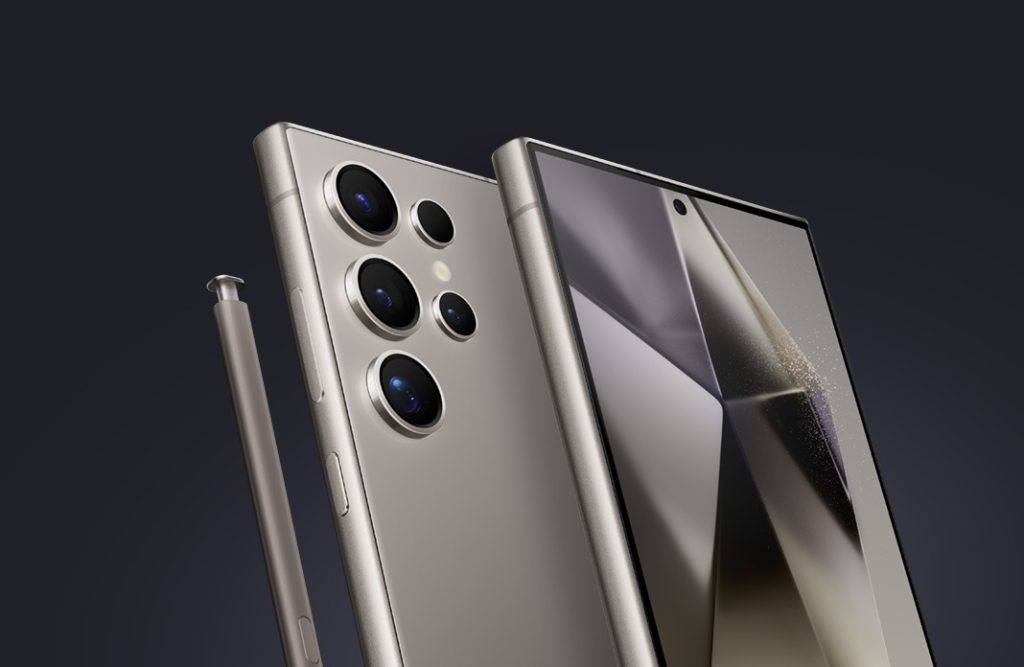
Galaxy S24 Ultra
One less camera along with the introduction of variable zoom
The latest rumor from tipster @ISAQUES81 shares three new aspects of the camera system of the Galaxy S25 Ultra. Samsung is reportedly testing an early prototype of its upcoming Ultra flagship.
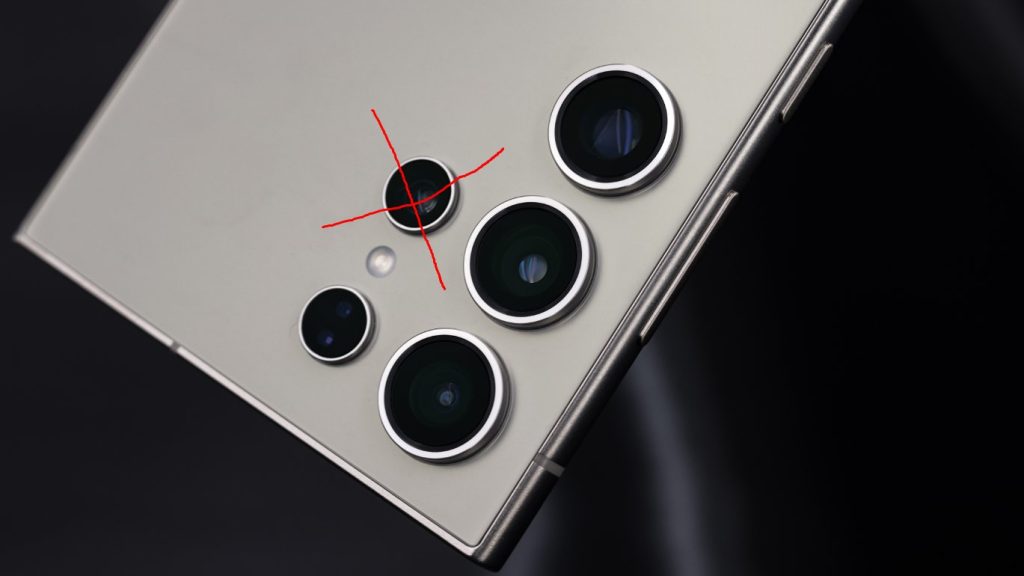
According to him, the S25 Ultra prototype has only three cameras on the back instead of the four that were offered by the predecessors. The three cameras are – main, ultra-wide, and a single periscope telephoto.
Samsung has reportedly ditched the “weak” 3x telephoto module and is aiming to compensate with digital zoom.
The company was already experimenting with the zoom cameras at least since the predecessor, where they ditched the “weak” 10MP 10x telephoto for a 50MP 5x one. And the phone actually does fine with long-range zooms with the high resolution 5x camera and the AI capabilities they have. Applying something similar in the 3x range is not theoretically impossible for sure.
The main camera retains the same sensor size and resolution. However, the sensor will capture more light, possibly with a larger aperture. More light to the sensor is generally helpful for the ISP and in turn, offers a better end result.
The periscope telephoto uses a larger sensor than the Galaxy S24 Ultra, which may improve the detail in zoomed shots. But the most notable change is the addition of variable zoom which is significant to the quality of images in zoomed shots. A variable zoom means using certain mechanisms similar to dedicated cameras that will create a bigger image on the sensor. No cropping means less to no loss of detail in the zooming process.
However, unlike the Xperia 1 V (that boasts 3.5x – 5.2x continuous optical zoom), the S25 Ultra will offer two fixed focal lengths – the first being between 4 and 5x zoom, and the second between 6 and 7x zoom. It’s kind of like merging two different zoom cameras (like it is now) into one module. The phone will still use digital zoom for values between the two focal lengths. Nonetheless, the two fixed focal lengths are quite close to each other and the loss shouldn’t be much noticeable.
Nothing first introduced ChatGPT integration with the launch of the Ear and Ear (a) last month. It arrived on the company’s smartphones including the Phone (1), Phone (2), and Phone (2a) with the Nothing OS 2.5.5 update. Now, the London-based brand has announced the expansion of ChatGPT integration to older audio devices. This is way ahead of the originally planned rollout for June.
Nothing announces expansion of ChatGPT integration for older audio devices
ChatGPT on-the-go.
Alongside Ear and Ear (a), our ChatGPT integration is coming to all of our audio products: Ear (1), Ear (stick), Ear (2), CMF Buds, CMF Neckband Pro, and CMF Buds Pro. Update your Nothing X app on May 21st. pic.twitter.com/KwdzsJSHbp
The ChatGPT integration is not only limited to Nothing audio devices. It is also arriving on the sub-brand CMF’s offerings. The feature will be available on the Ear (1), Ear (stick), Ear (2), CMF Neckband Pro, and CMF Buds Pro. Users will be able to access ChatGPT integration starting May 21. They will have to update the Nothing X app.
It’s worth noting that the ChatGPT integration is only available on Nothing and CMF audio devices when they are connected to Nothing smartphones on OS 2.5.5.
Users will be able to access ChatGPT integration on the supported devices with a new gesture option that needs to be enabled in the Nothing X app. The feature allows users to start a conversation with the AI assistant by simply pinching their earbud stem.
OEMs have been working on integrating AI features into their products. Nothing’s expansion of integrating ChatGPT into smaller audio devices is a welcome move. It won’t be surprising if other brands too follow suit in the near future. If you use a Nothing smartphone and TWS earphones, make sure to update the Nothing X app next week.
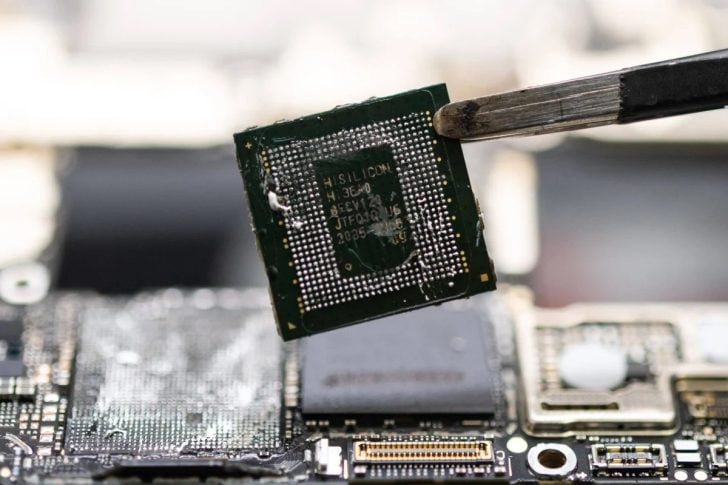
SMIC has been a key manufacturer for Huawei‘s Kirin chips such as the Kirin 9000S and 9010. Both these SoCs are manufactured on a 7nm process while the foundry is said to be developing its own 5nm chip production process.
New reports from Business Korea and Hankyung now suggests that SMIC has successfully achieved this milestone. That means, their 5nm process is now ready for chip manufacturing.
That’s an incredible feat, especially given the infrastructure challenges SMIC has encountered due to US export restrictions. But the reports suggest that the SMIC’s new 5nm node relies on older Deep Ultraviolet (DUV) lithography instead of the more advanced Extreme Ultraviolet (EUV) technology.
DUV lithography uses deep ultraviolet light with a wavelength of around 193nm to etch circuit patterns onto silicon wafers.
EUV lithography, on the other hand, uses much shorter extreme ultraviolet light (around 13.5nm). This shorter wavelength allows for the creation of finer features, enabling the production of more powerful and efficient chips. As a result, EUV is considered essential for achieving the most advanced chip designs.
The reason behind SMIC’s inability to adopt EUV technology lies in the ongoing tensions between the US and China. ASML, a key supplier of EUV lithography machines, is restricted by US export rules from supplying its technology to Chinese foundries like SMIC. Consequently, SMIC has to rely on DUV lithography for its 5nm node.
Despite yield concerns, Huawei is likely to use processors manufactured using SMIC’s new 5nm node on its upcoming Mate 70 series.
Additionally, there’s a rumor of a new Huawei laptop with a Kirin chip for PCs that is said to rival Apple’s M2 in terms of performance. Whether these rumors hold weight remains to be seen.
Poco has announced its plans to launch the Poco F6 series on May 23. The series will come with two models, the Poco F6 and the Poco F6 Pro. Both of these devices are essentially rebranded versions of the China-exclusive Redmi Turbo 3 and the Redmi K70. In this article, we will discuss all the specs and features we expect on the Poco F6 Pro.
Poco has recently confirmed the design of the F6 Pro, revealing that it looks exactly like the Redmi K70 (full review). It features flat sides, a slightly curved back panel for a comfortable grip, and the same rectangular camera module with four cutouts, three of them featuring a camera sensor, and the last cutout housing a flash module.
On the front, we can expect a 6.67-inch 2K resolution (3200 x 1440p) display with a 120Hz refresh rate, up to 2160Hz instantaneous touch sampling rate, and up to 3840Hz PWM dimming. The display will likely offer complete coverage of the DCI-PC color gamut, as well as support for HDR10+, HDR Vivid, and Dolby Vision.
2. Performance
Under the hood, the Poco F6 Pro will most likely come with a Snapdragon 8 Gen 2 processor, which is Qualcomm’s flagship processor from last year. This chip is built on TSMC’s 4nm node, offering a mind-blowing AnTuTu score of around 1.71 million. For comparison, its predecessor, the Poco F5 Pro achieves an AnTuTu score is around 1.05 million.
The phone will also feature upgraded RAM and storage, replacing LPDDR5 RAM with LPDDR5x and UFS 3.1 storage with UFS 4.0 storage. We expect the device to debut with up to 16GB RAM and 512GB storage. For heat management, the brand could include a 5000 mm2 heat dissipation system.
3. Optics
Like the Redmi K70, we expect the Poco F6 Pro to also come with the Sony LYT 800 50MP main camera sensor. This 1″ Type camera sensor was announced last year, and it uses Sony’s cutting-edge stacked sensor technology. It will also come with an f/1.6 aperture and optical image stabilization. The two other cutouts on the back will likely house an 8MP ultra-wide sensor and a 2MP macro sensor.
On the front, the camera device is expected to offer a 16MP selfie snapper. The primary camera will likely support up to 8K video recording in 24FPS, while also offering 4K & 1080p recording in 60FPS. The front camera will likely offer up to 1080p 60FPS video recording.
4. Battery & other details
The battery could be a bit smaller than last year at 5,000mAh, however, it is expected to offer 120W fast charging compared to the 67W of its predecessor. The device could also come with Xiaomi’s P2 fast charging chip and G1 battery management chip.
The phone is expected to feature an in-display fingerprint sensor for security and stereo speakers. It will likely debut with Xiaomi’s HyperOS, which is an Android 14-based operating system. For connectivity, we can expect the device to offer Wi-Fi 7 support, as well as Wi-Fi 6 (dual-band), as well as Bluetooth 5.3, offering support for AAC / LDAC / LHDC 5.0 audio codecs.
Every year dozens of Galaxy devices become ineligible for future Android OS updates after they receive the promised number of OS updates. The same story follows this year, as Android 15 will be the last major OS update for many Galaxy smartphones.
In this post, I have curated a list of those Samsung Galaxy devices that will become ineligible for future OS updates after upgrading to Android 15. Go through the list to check if your device is reaching the end of support for Android updates.
Android OS updates are super exciting, as they introduce a host of new features, improvements, and UI changes that transform the user experience. However, at some point of time, your device becomes ineligible for future updates. Hence, it’s important to keep an eye on the future OS availability for your device to ensure you don’t miss out on the latest and greatest features.
Android 15 Will Be the Last OS Update for These Galaxy Phones
Galaxy S21
Galaxy S21+
Galaxy S21 Ultra
Galaxy Z Fold 3
Galaxy Z Flip 3
Galaxy A14
Galaxy A14 5G
Galaxy A05
Galaxy A05s
Galaxy M14 4G
Galaxy M14 5G
Galaxy F14 5G
This is an unofficial list that we have prepared by taking into account the software update policy for every Samsung Galaxy phone and tablet. These devices may receive Android 15 as their final OS update unless Samsung extends software support. However, in all scenarios, these devices will also get One UI 7.1 incremental update. After that, they will continue to receive security patches for a few more months or years.
The Galaxy M-series and F-series phones typically get two major Android OS updates. Hence, all those launched with Android 13 would receive Android 15 as their last OS upgrade.
As for the Galaxy A-series, Samsung provides two major OS upgrades to older devices. However, the newer models do come with a promise of four OS updates. Select Galaxy A-series phones are eligible for an impressive 4 OS updates.
All Galaxy S-series, Tab S-series, and Z-series phones launched onwards the Galaxy S21, Galaxy Z Fold 3/Flip 3, and Galaxy Tab S8 series are eligible for four years of Android OS support.
Samsung has generous software update policies for its Galaxy smartphones and tablets. No other smartphone brand provides as many as four Android OS updates to its mid-range phone, but Samsung does. Several brands don’t even offer this many OS updates to their high-end devices.
One of the best things I like about Samsung is its clear-cut software update policy. Users know how many OS updates they can expect on their Galaxy devices, while many brands such as Realme, Oppo, and Xiaomi don’t tell their users about the software support for most of their smartphones. Users are left in the dark about the future Android OS availability for their devices until the official list is out, which generally arrives months after the new OS is released.
Samsung had the best software support until Google released its Pixel 8 series with a mind-blowing 7 years of OS updates. The South Korean giant didn’t take much time catching up with Google by offering the same software support for its Galaxy S24 series.
What to Expect from Android 15 (One UI 7)?
If your Galaxy device is eligible for the Android 15 upgrade, I’m sure you must be wondering about the new features it will bring. Well, Android 15 is still under development. However, Google has already announced several features of the new OS and many more have been discovered in the beta builds, promising a bigger and more exciting update than the previous two OS versions – Android 15 and Android 14.
Here are the biggest changes discovered in Android 15 so far:
Satellite Connectivity Support
Android 15 adds support for satellite connectivity. This means you’ll be able to send texts to your friends even if you don’t have cell towers nearby, as long as you have access to the open sky. The new OS supports satellite connectivity for SMS apps and preinstalled RCS apps. In other words, this feature on Android 15 will not be limited to emergency uses only.
Find My Phone Network
Find My Phone is getting a pretty significant update in the new OS. All Android 15 phones can ping each other via Bluetooth and contribute to the network to help someone find their lost device. The nearby Android device part of Find My network can pick up Bluetooth signals from the broadcasting device and upload the encrypted location details to Google’s servers, which can be decrypted by the broadcasting device owner.
Battery Health
Android 15 could bring the “Battery Health” feature, which users have been requesting for a very long time. This feature tells the remaining battery capacity – an important metric that can help users replace the battery at the right time.
Although Google hasn’t confirmed Battery Health as an upcoming feature in Android 15, we might see it in one of the upcoming beta releases.
App Archiving
The app archiving feature lets you uninstall apps while keeping the user data around. So, the next time you reinstall the app, you can continue where you left off.
Google already has the app archiving feature through the Google Play Store. This means you can archive and restore apps only through the Play Store. But Android 15 removes this restriction by allowing any apps to be archived, including those installed outside the Play Store.
Partial Screen Sharing
Partial screen sharing is a useful and privacy-focused addition to Android 15 that allows users to share and record a single app rather than the entire screen. So, you don’t have to worry even if you mistakenly open a secret app while sharing your screen.
Notification Cooldown
Android 15 introduces the “Notification Cooldown” feature to stop people from getting overwhelmed by too many notifications from the same app. This feature lowers the volume of successive notifications from the same app.
Sensitive Notifications
Android 15 brings the sensitive notifications feature to prevent malicious third-party apps from reading your OTPs. This is an important change that could save many people from OTP frauds that steal money from the bank.
Check out this post to for a more detailed look at the new features coming in Android 15. Also, don’t forget to check out our Android 15 section for the latest news and developments around the new OS.
We use cookies on our website to give you the most relevant experience by remembering your preferences and repeat visits. By clicking “Accept”, you consent to the use of ALL the cookies.
This website uses cookies to improve your experience while you navigate through the website. Out of these, the cookies that are categorized as necessary are stored on your browser as they are essential for the working of basic functionalities of the website. We also use third-party cookies that help us analyze and understand how you use this website. These cookies will be stored in your browser only with your consent. You also have the option to opt-out of these cookies. But opting out of some of these cookies may affect your browsing experience.
Necessary cookies are absolutely essential for the website to function properly. This category only includes cookies that ensures basic functionalities and security features of the website. These cookies do not store any personal information.
Any cookies that may not be particularly necessary for the website to function and is used specifically to collect user personal data via analytics, ads, other embedded contents are termed as non-necessary cookies. It is mandatory to procure user consent prior to running these cookies on your website.