
Add GIZMOCHINA as Preferred Source on Google
HUAWEI MateBook 14 2024
This is the new HUAWEI Matebook 14. It’s a very HUAWEI-style mid-range laptop, with straightforward advantages, such as an excellent screen, attentive software optimization for multi-device collaboration, and stable performance output; Meanwhile, there’re also small compromises that make you hesitate.
PROS
- Excellent thermal cooling
- quiet running with less noticeable fan noise
- Outstanding 120Hz OLED screen
- Slim integrated body design with weight control
- Built-in SSD SN740 has great transfer speed and temperature
- Software boosting: HUAWEI PC Manager for managing hardware, driver, performance, and multi-device collaboration.
CONS
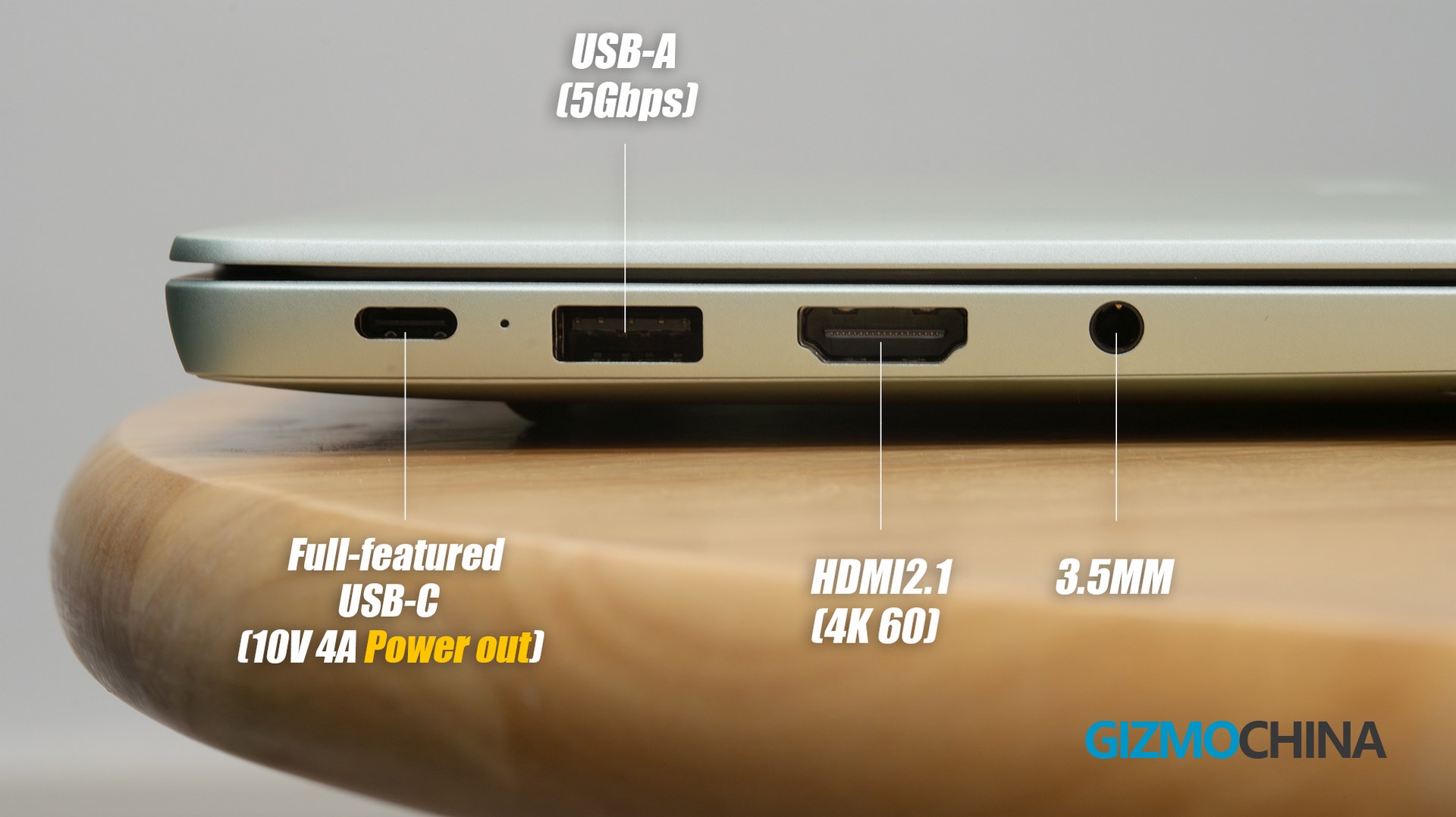
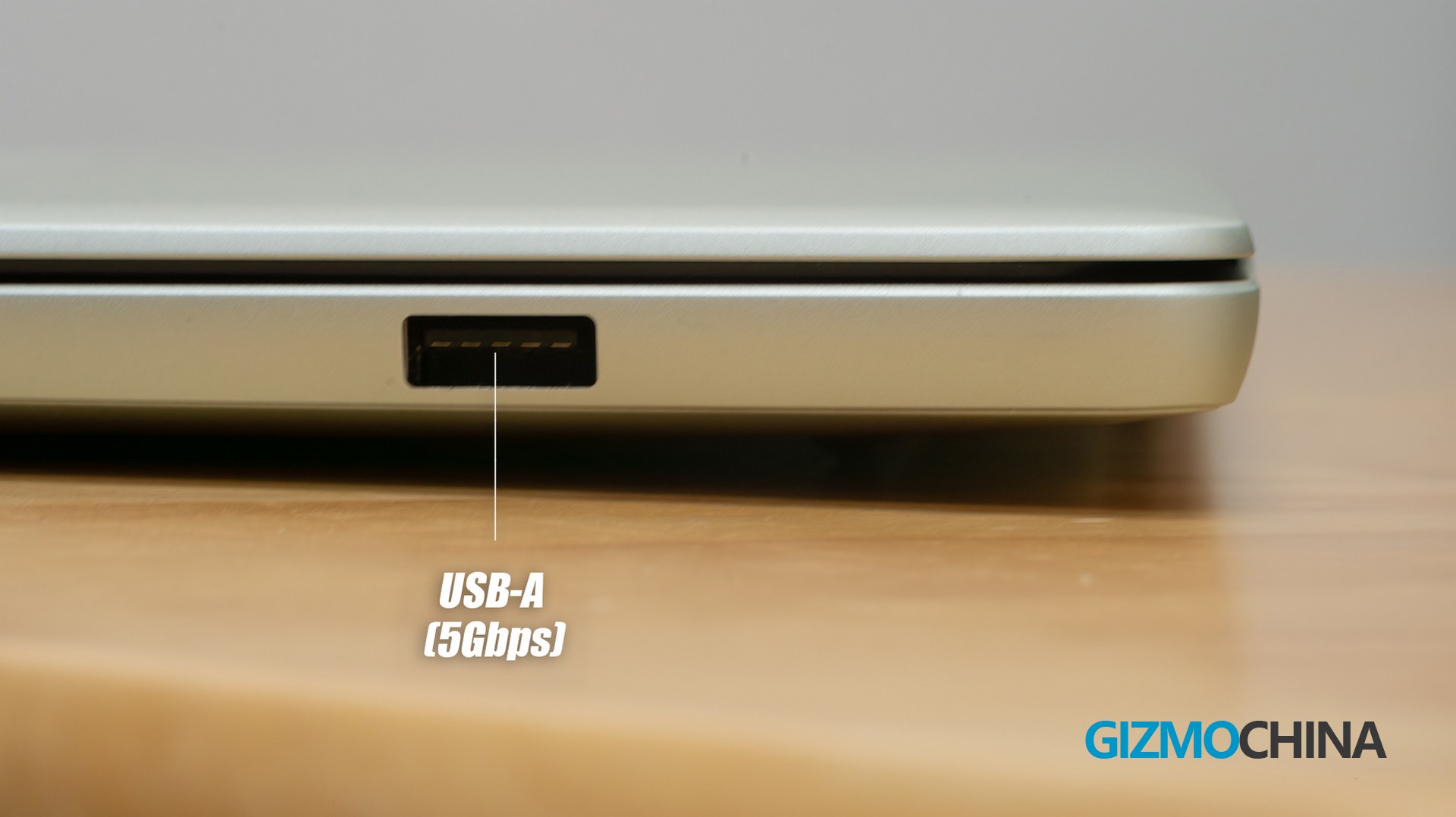
- Limited expandable interfaces, with up to 5Gbps transfer
- Stable 40W power but a bit conservative CPU output
- A bit low RAM frequency for GPU uses – 6000MHz
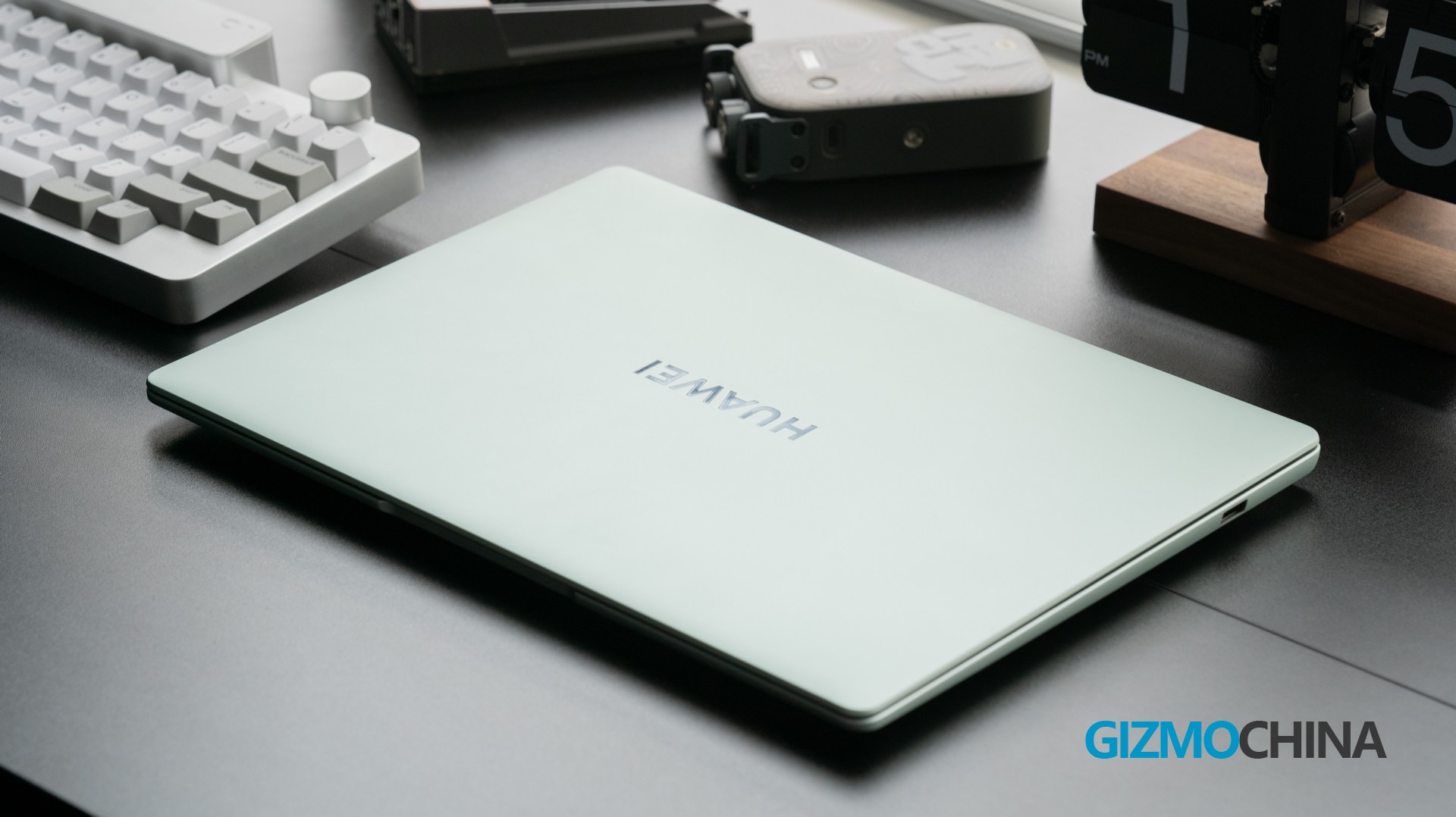
we have reviewed Matebook X Pro 2024 – that high-end slim laptop undoubtedly shows Huawei’s advanced technology. But the price was also too ‘premium’ for some users, so HUAWEI offers the mid-range option for the mainstream market. For users who rely a lot on Huawei’s ecosystem, the software experience could be no different from the X series.
Design
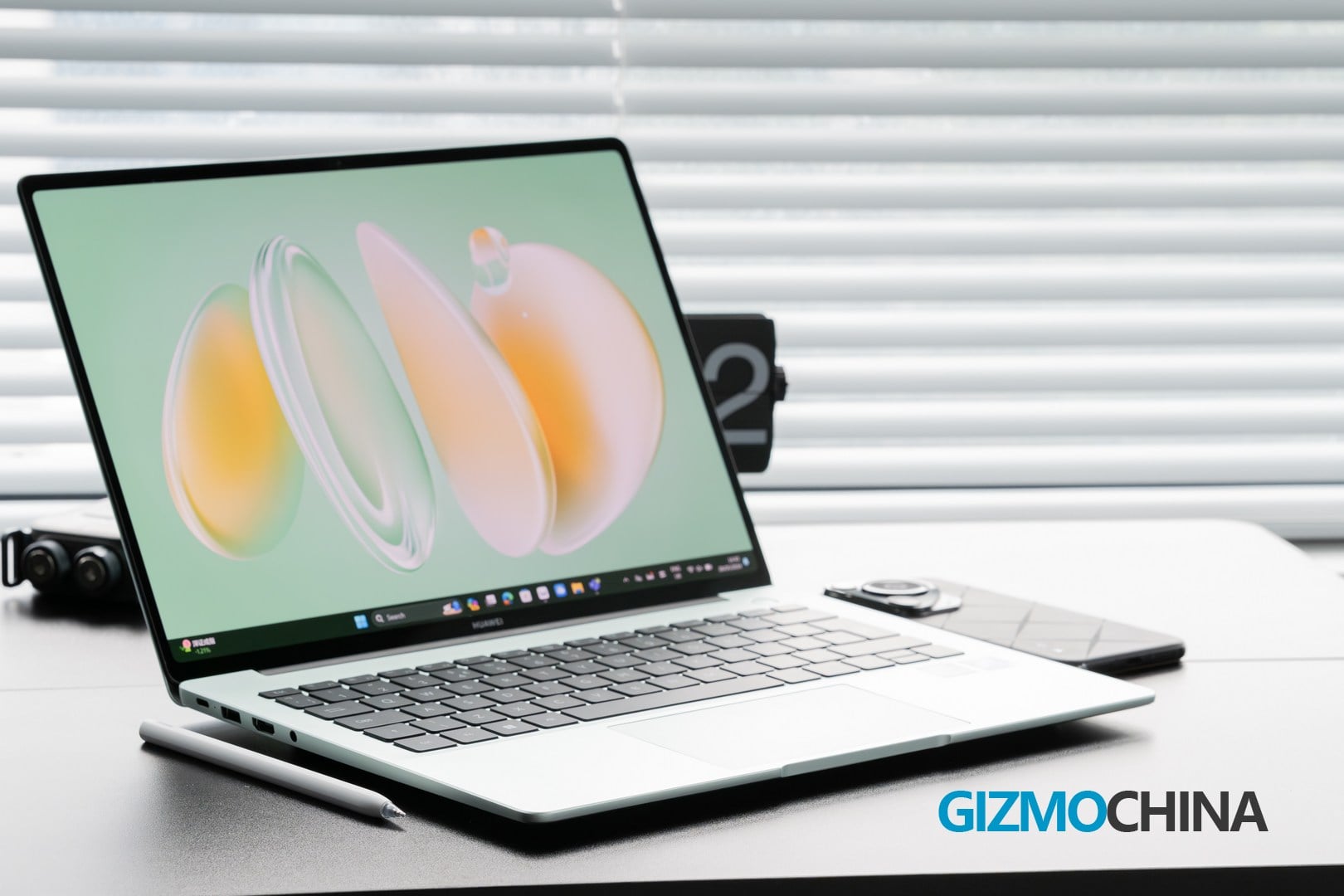
The version we reviewed was light green colored, and as you can see the green is quite special. As Huawei officially says, it’s Fresh and soothing. I personally prefer this vibrant color to the other classic grey variant.
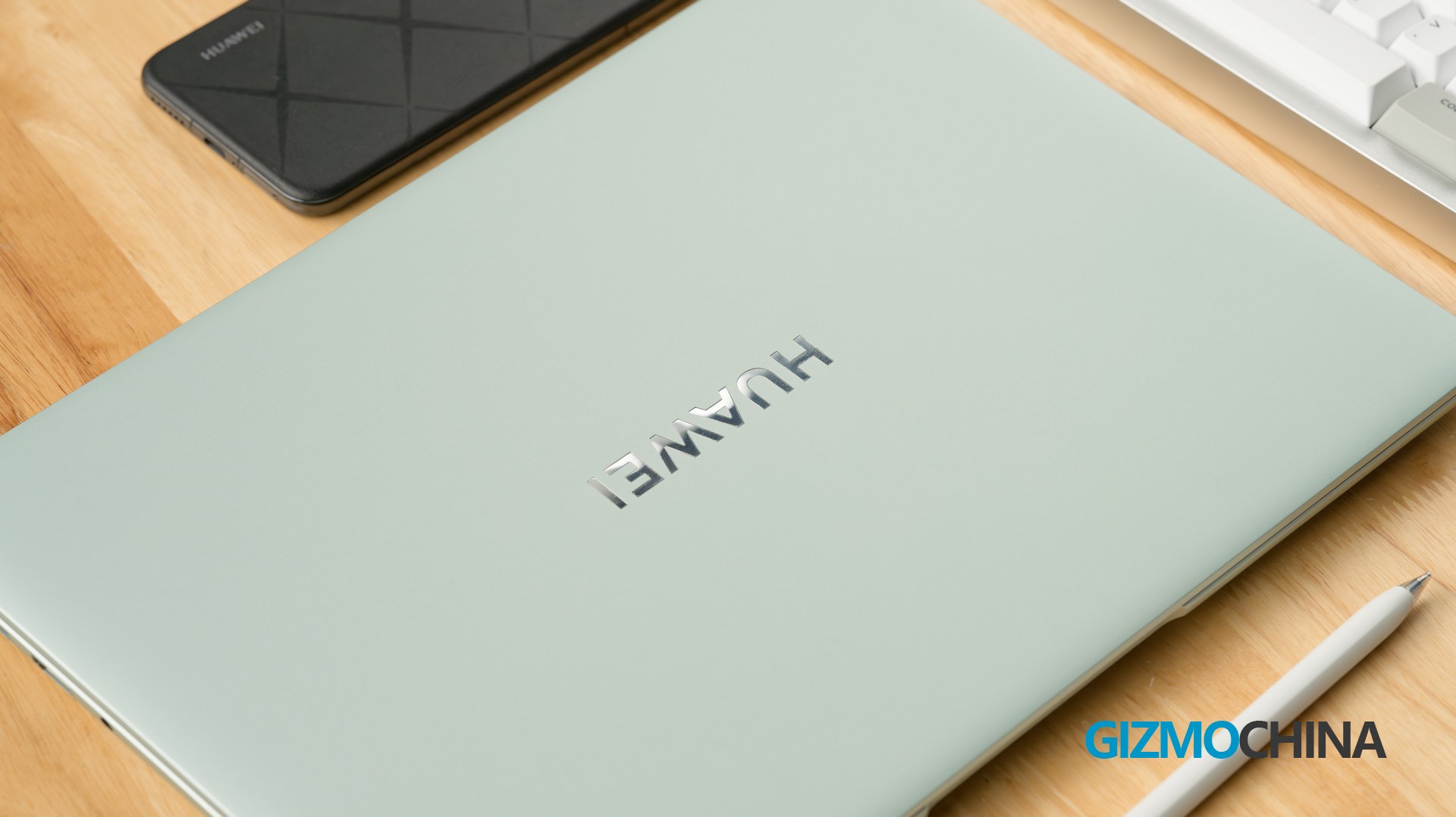
Back to the design, the new Matebook 14 continues Huawei’s classic design for laptops – Elegant, integrated but nothing really new. The whole machine looks a bit sharp in appearance. Firstly, it has sharp corners and edges.
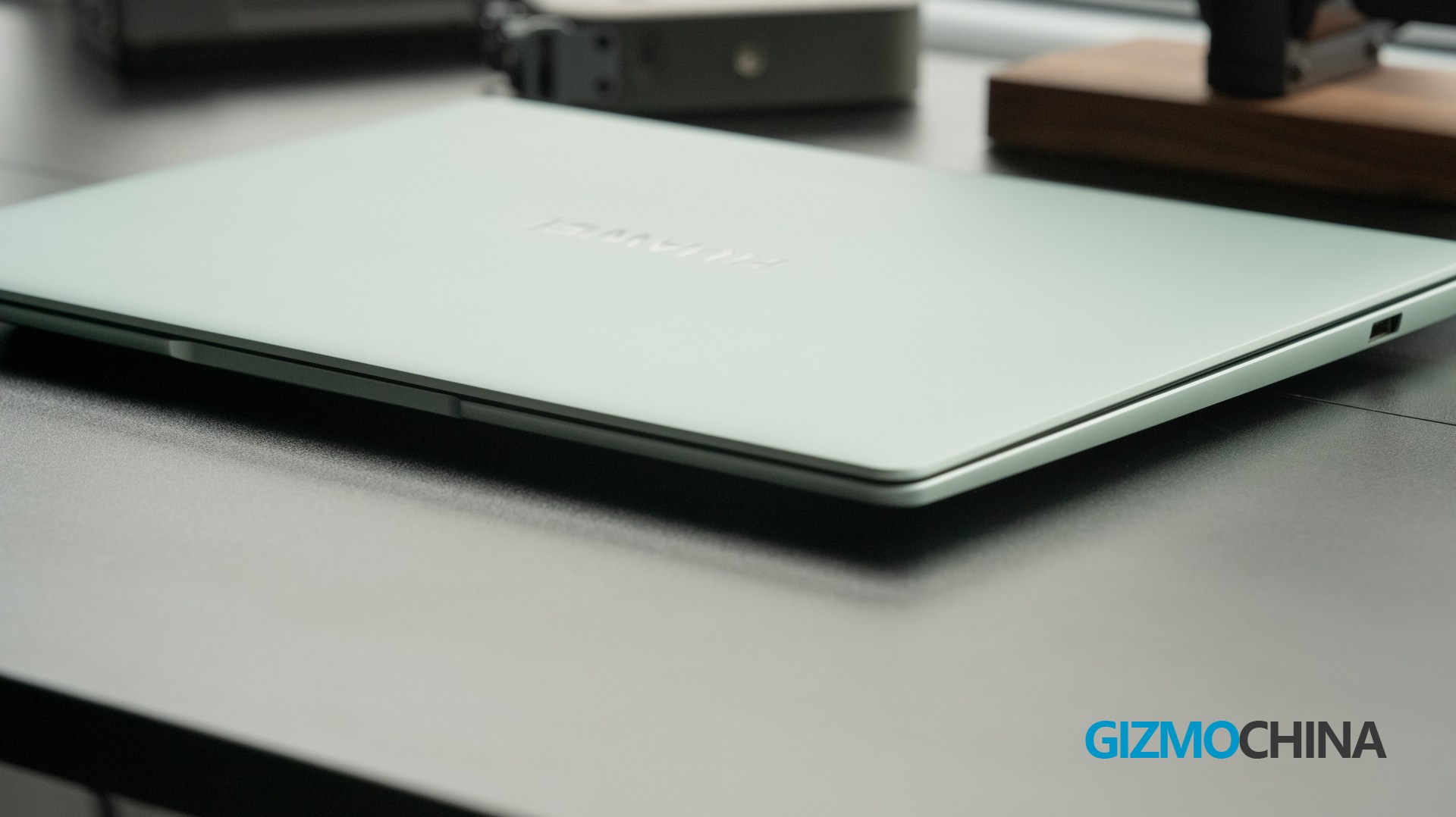
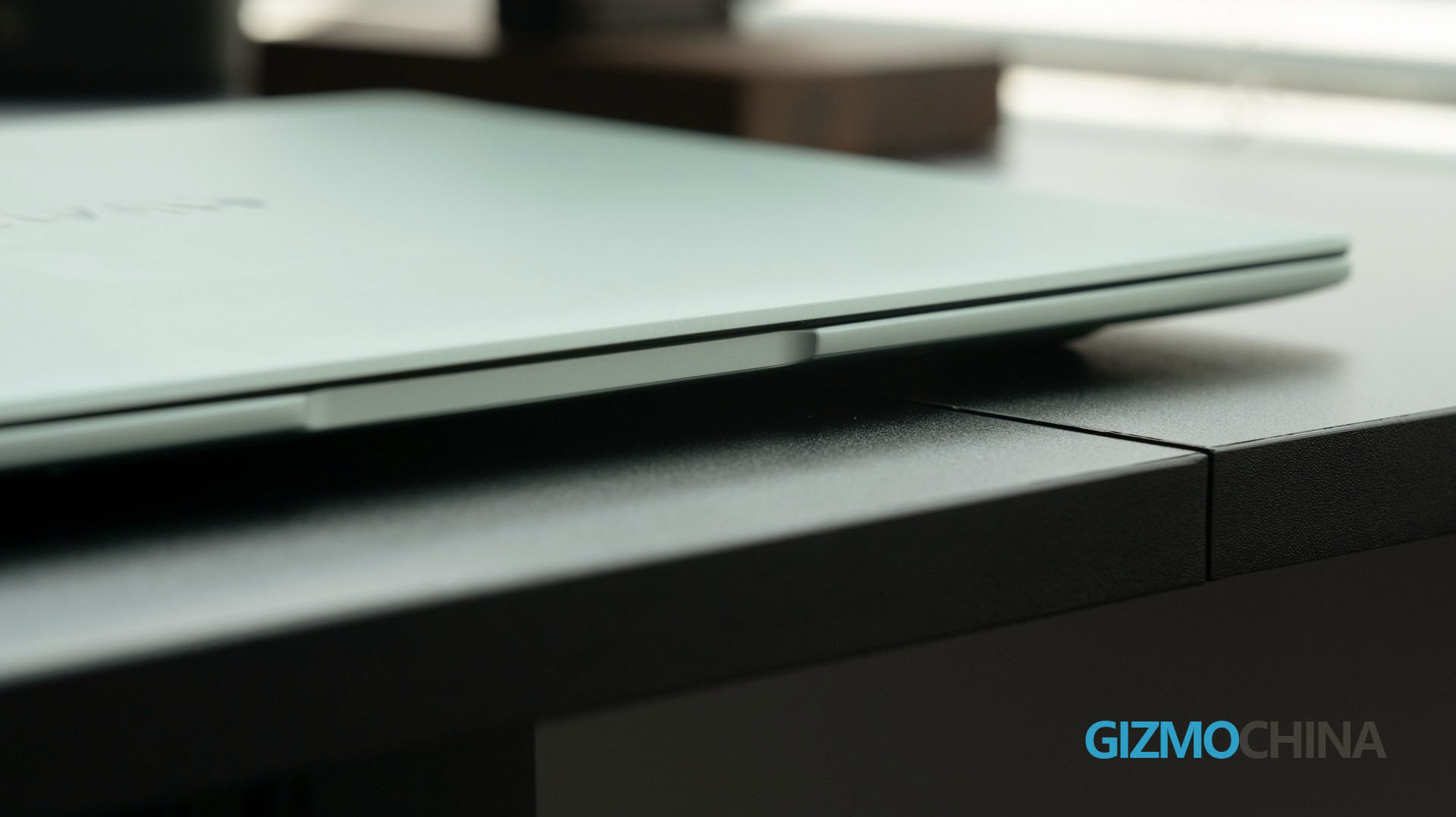
Secondly, straight lines are used on the sides and overhangs, and the wedge-shaped design is also straightforward.
Opening the lid, the 14.2-inch OLED screen is truly stunning at first sight, as it has a small bezel for all the edges. HUAWEI officially claimed that it has a 91% screen-to-body ratio.
The keyboard has an interesting design. A subtle height variation visually separates the whole surface into two parts. It makes the trackpad and keyboard look not exactly on the same plane but still keep united as one piece.
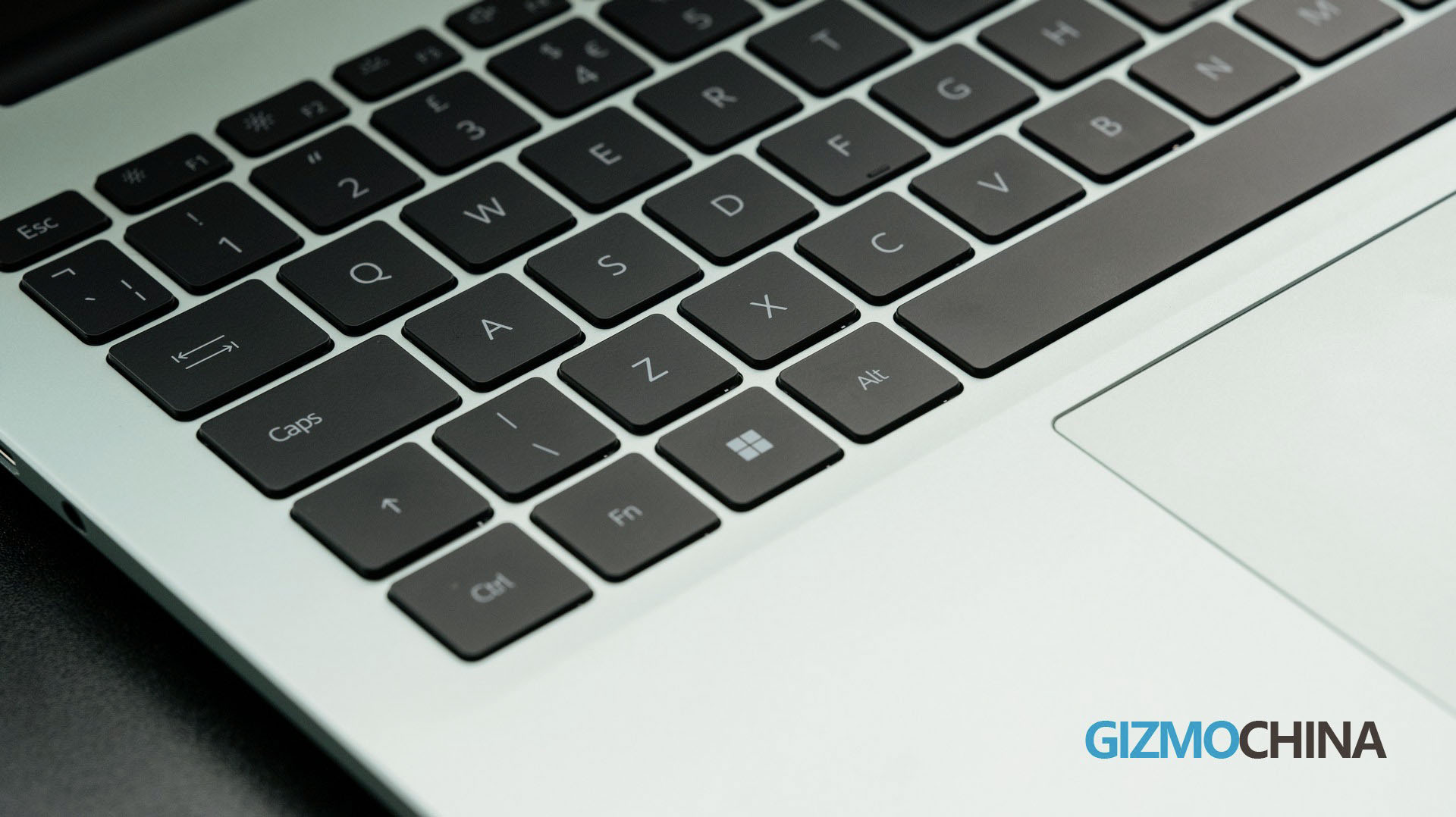
The keyboard also supports backlighting. In terms of typing experience, the keys have a low key travel as the other models, but they still offer clear tactile feedback.
In terms of connectivity and expansion, this computer has two USB-A ports and one USB-C port, where the C port is not only a full-featured port, but also supports 40W power-out for emergency charging of mobile phones and other devices.
Performance
The variant we reviewed came with the Intel Ultra 7 155H + 16GB LPDDR5X + 1TB. The last thing you need to worry about is the performance. You can check out the brief charts of its CPU scores in some benchmarks.
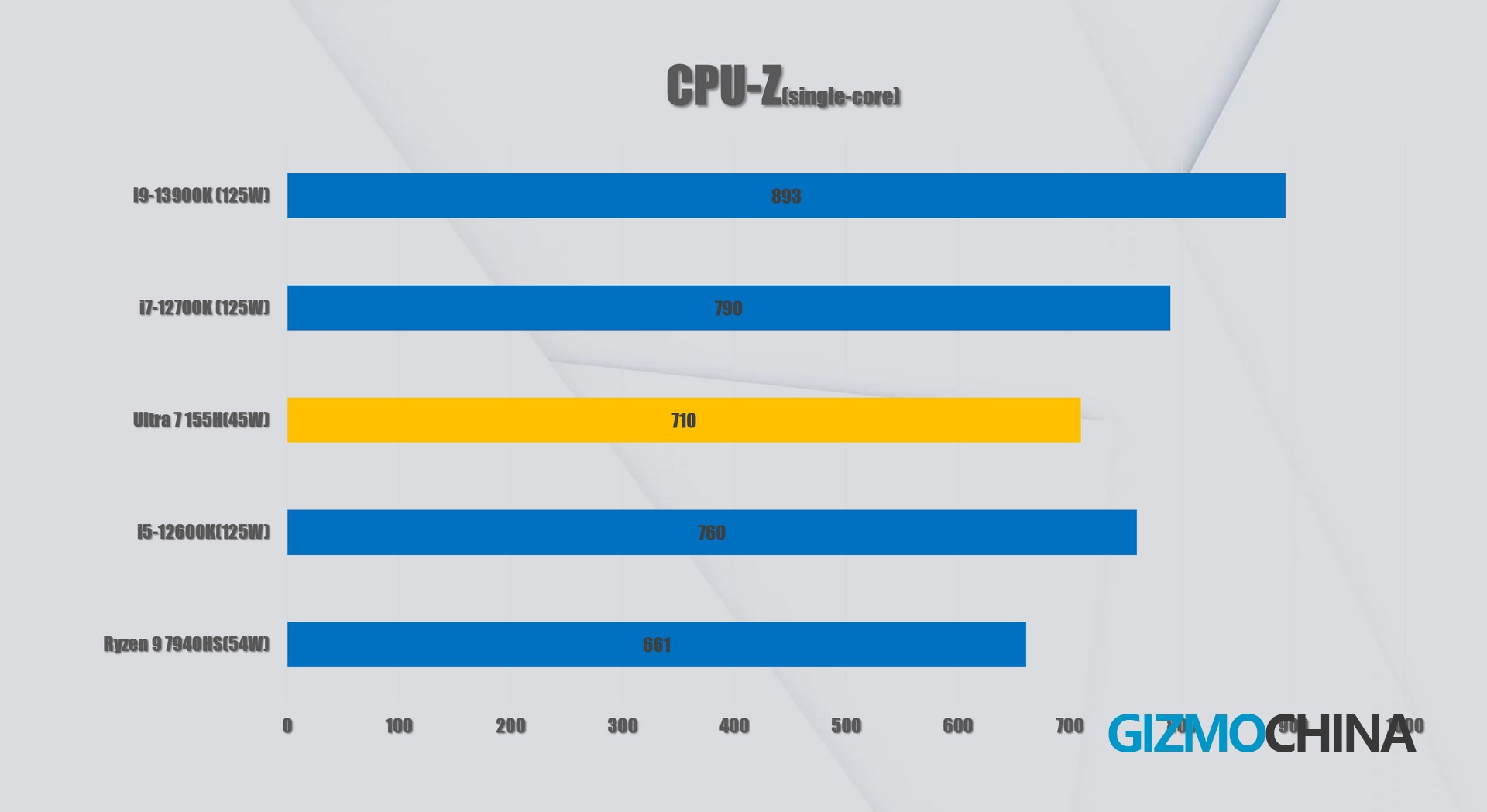
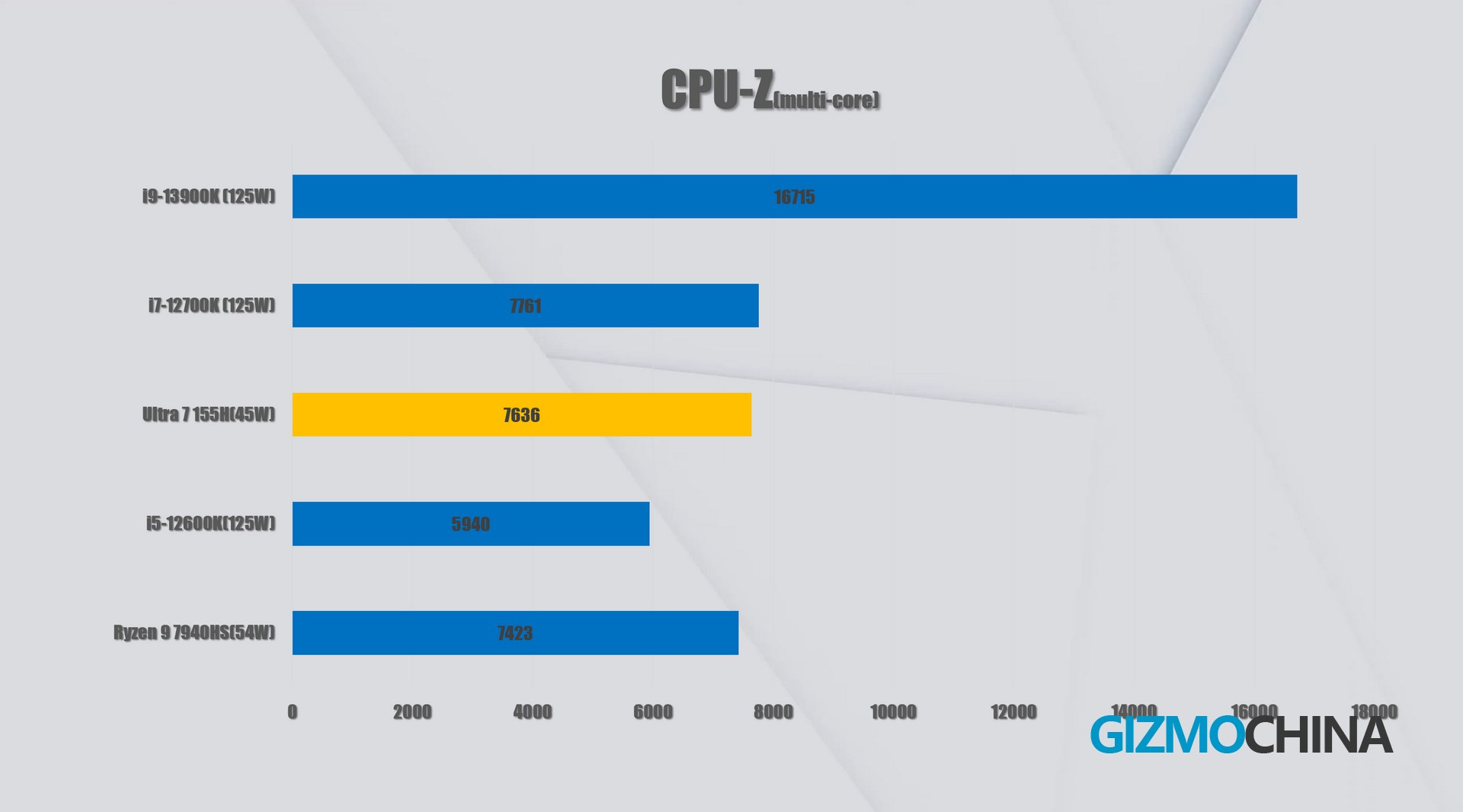
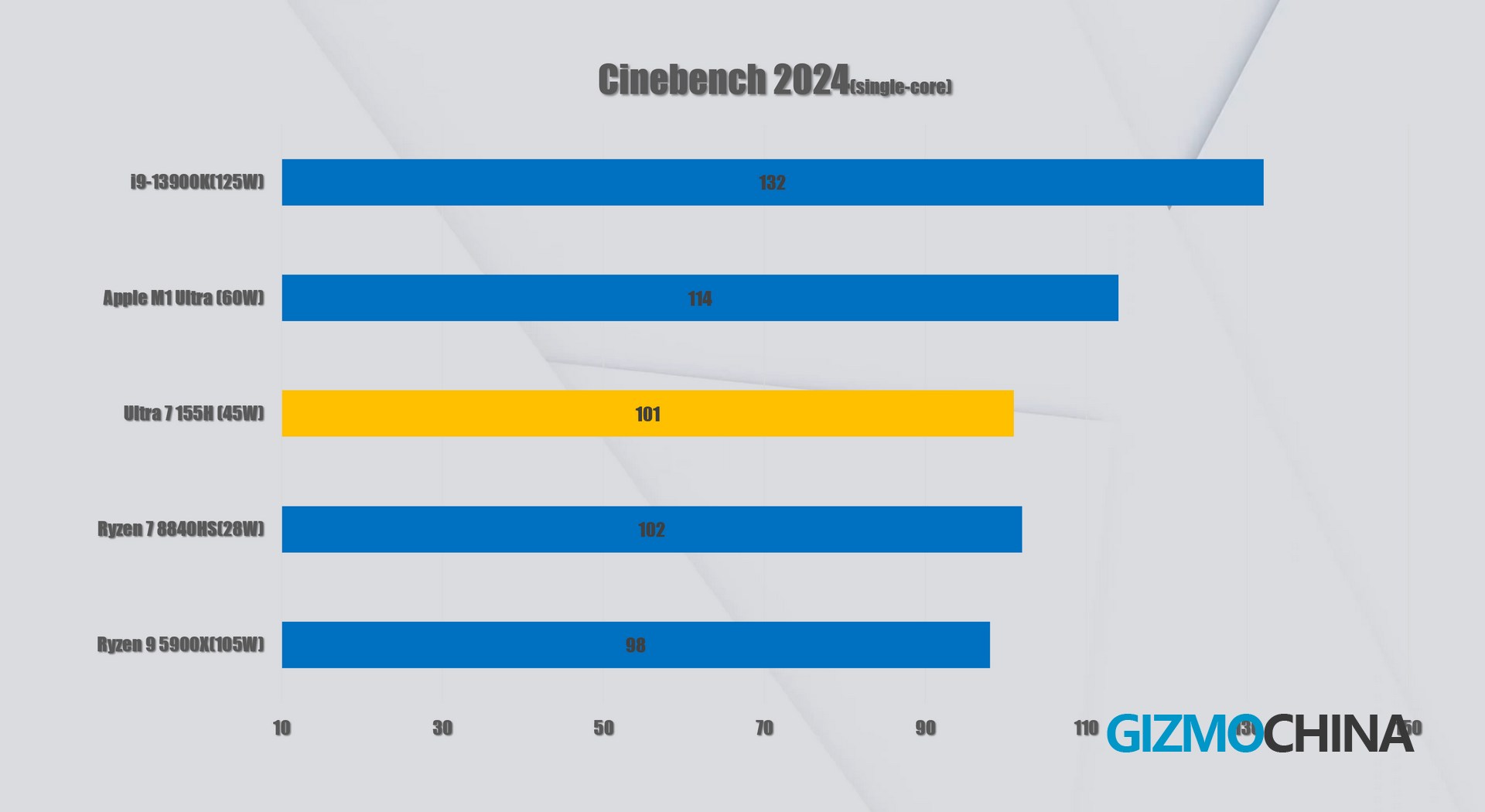
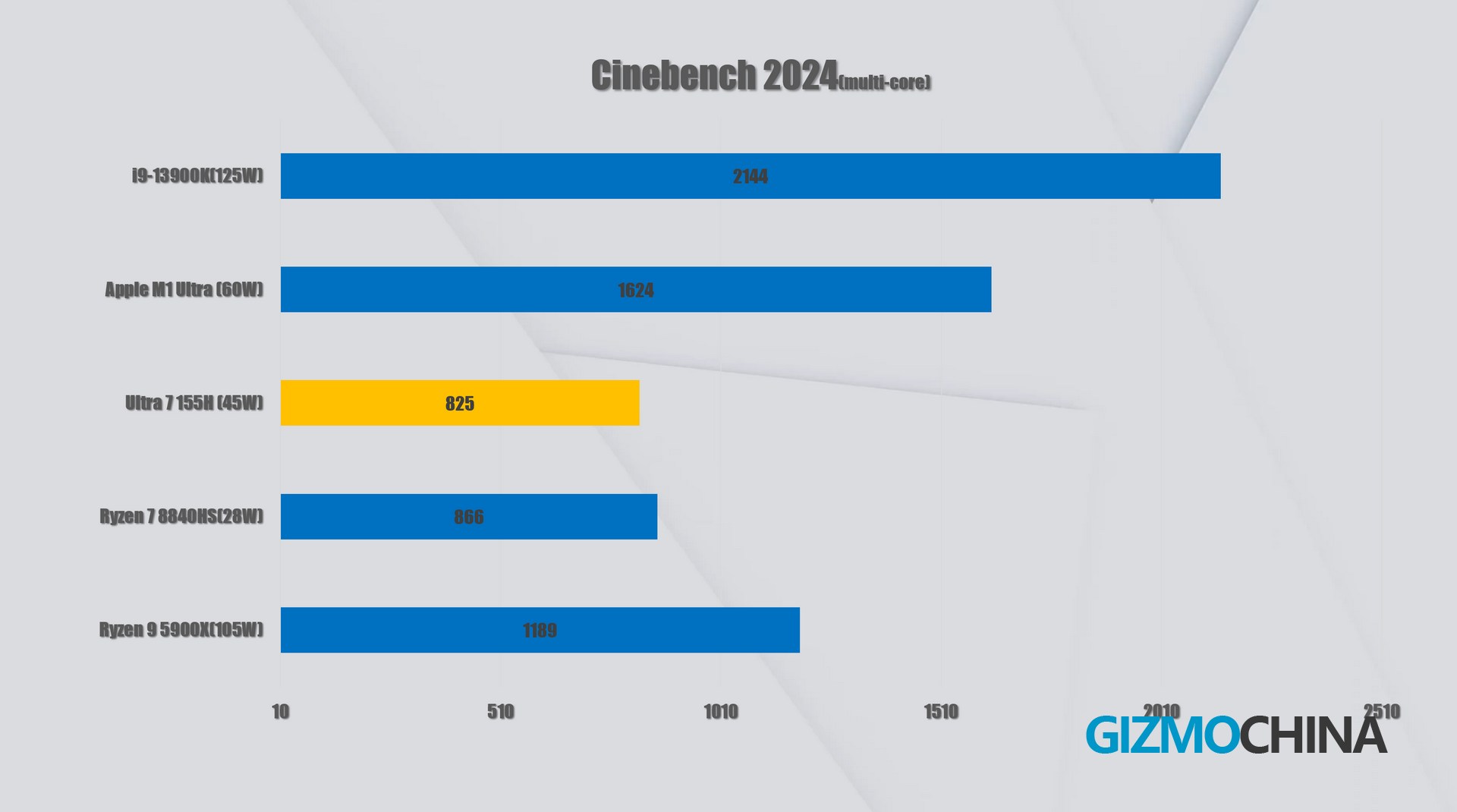
In the stress test, this Ultra7 155H maintained 64W peak output for the first 30 seconds and then dropped to 40W; finally, it kept running stably and smoothly until the test was completed. The highest CPU temperature detected is only 80 °C, while the room temperature is even higher than 25 °C. It’s quite impressive with such a cooling effect. But we need to point out that its thermal performance could have supported a more aggressive output strategy. Probably considering the surface temperature might discomfort users when it runs heavily, the designers seem to be more careful about it.
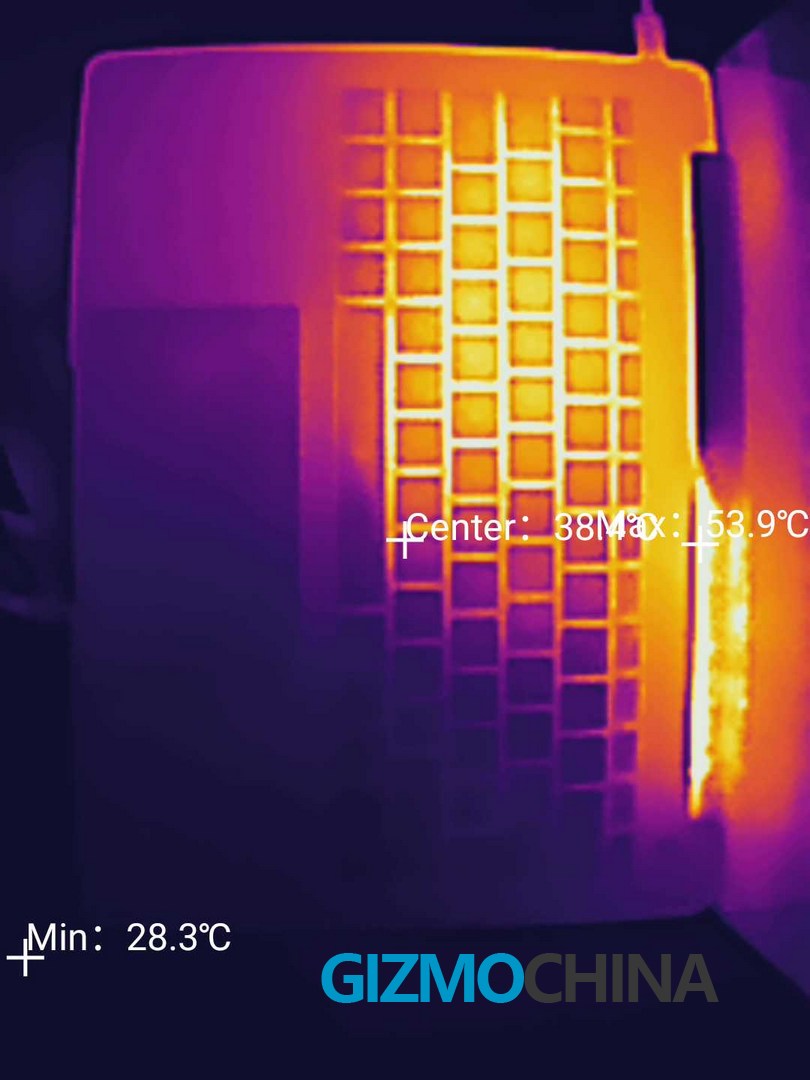
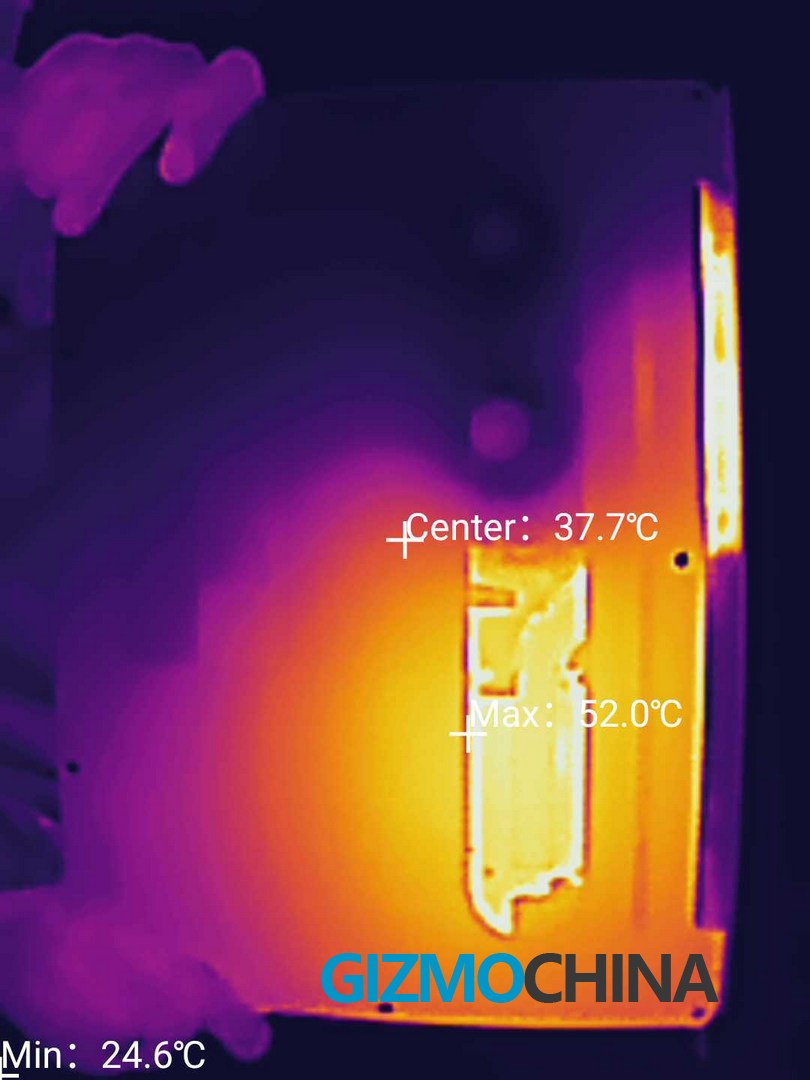
Meanwhile, the noise of the built-in fan is well controlled. During the test, the external air conditioner is even louder than this.
The Matebook 14 uses a 1TB SN740, and there’s not much to say about the performance, but I was more concerned about the temperature of the drive at the beginning. However, the temperature was also only 62° in the large file read/write test – Crazy.
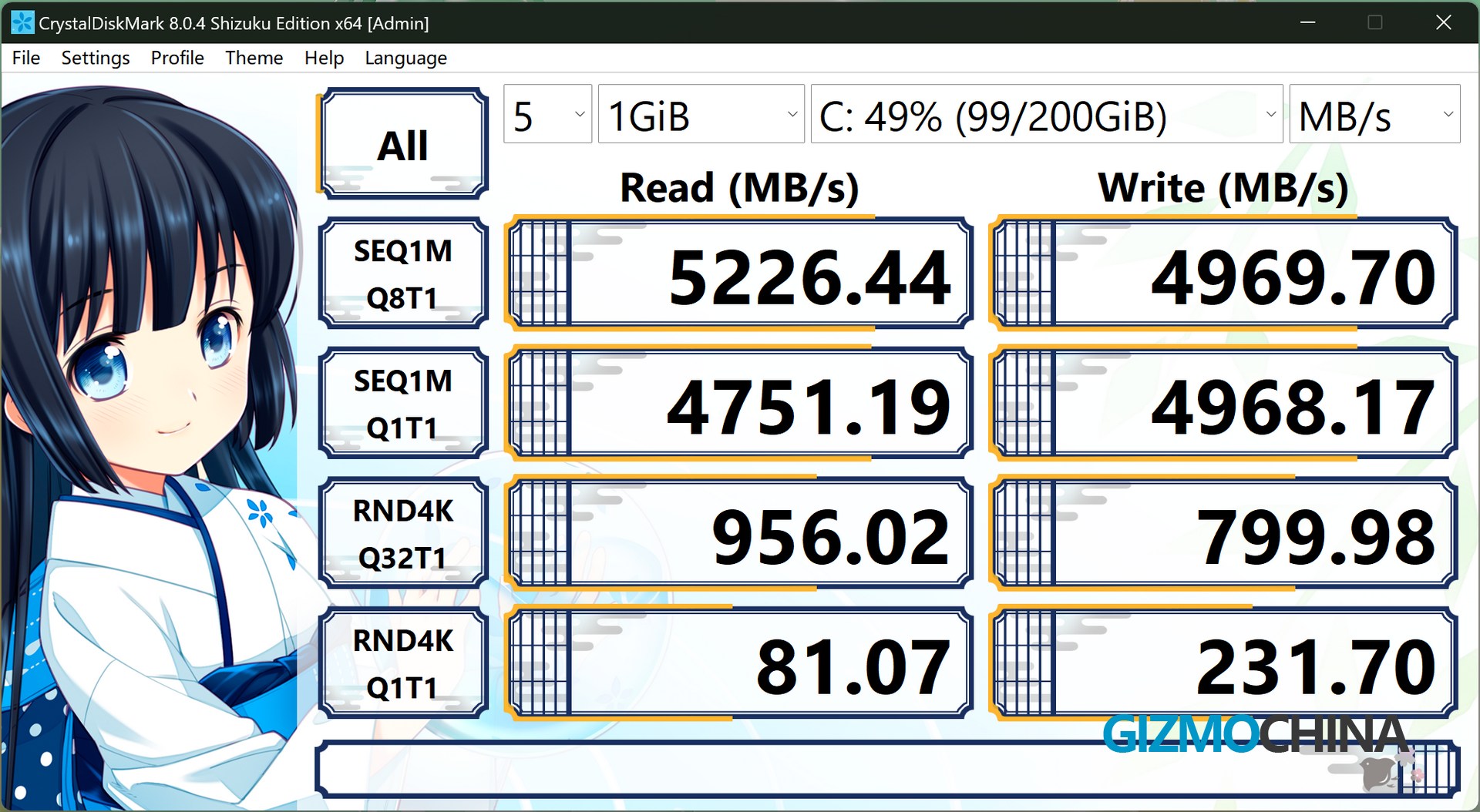
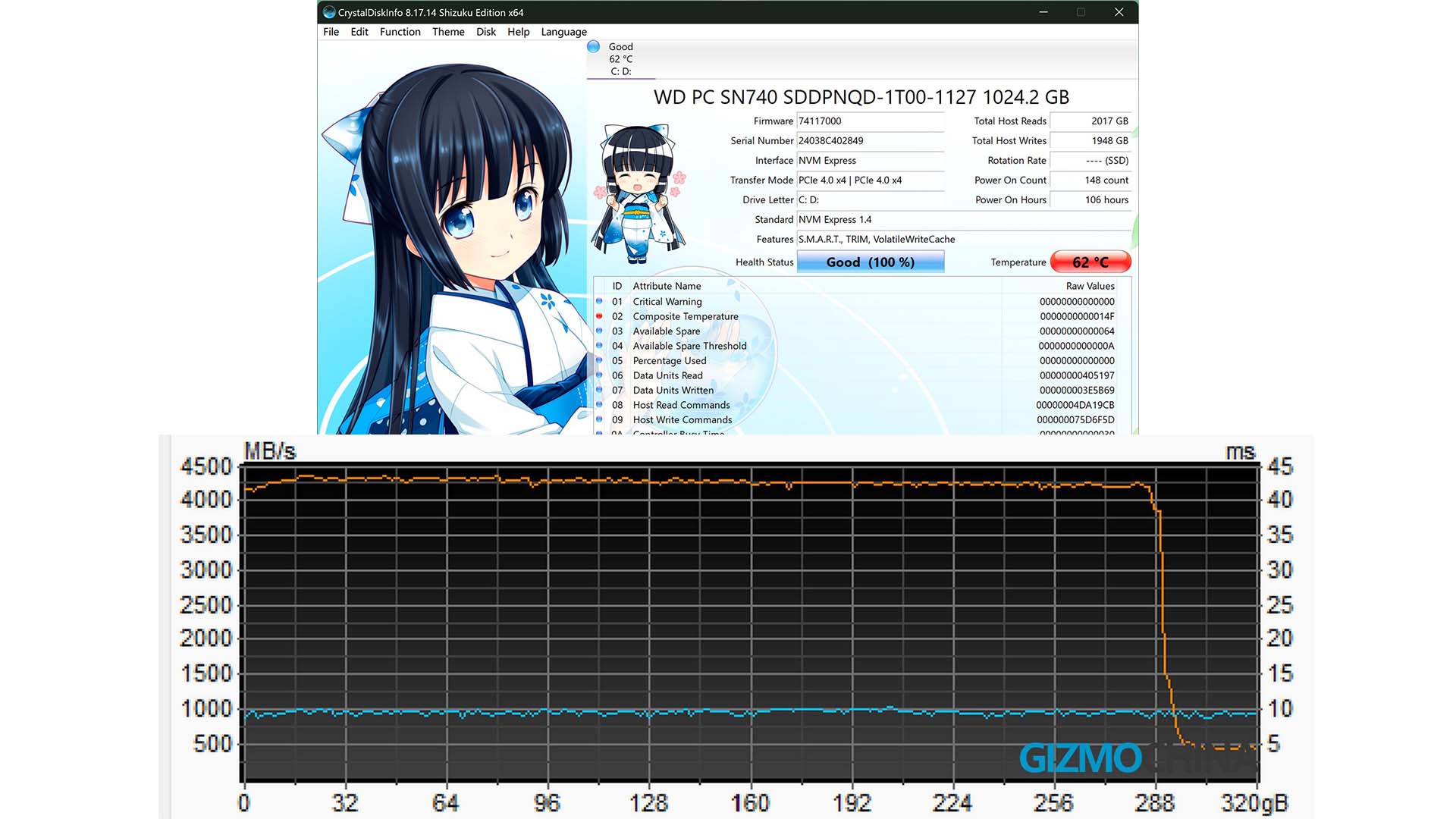
The new ARC GPU in the 155H scored 3300 in Time Spy test, which is slightly lower than expected. Probably due to the 6000Mhz RAM frequency, the Graphics couldn’t get sufficient memory frequency from it. For reference, the time spy score with 7467Mhz RAM was 3600, which is about 8% lower.
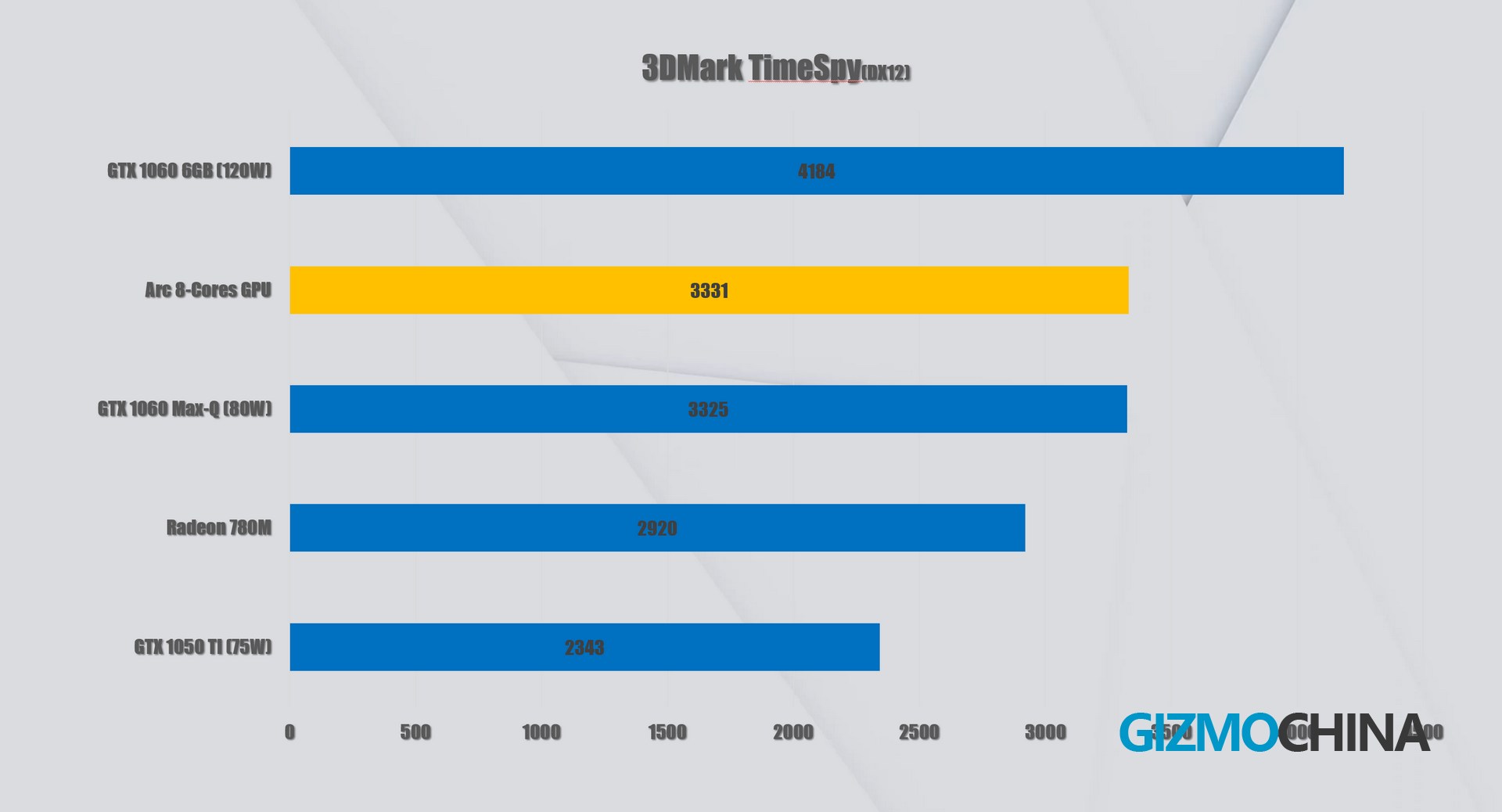
But it’s still one of the strongest integrated graphics available. It’s certainly fine to play some games that don’t require super high graphics.
Screen
There is no doubt that the screen is the highlight of this laptop. This is the first time that Huawei has used an OLED screen on a laptop at this price range. The OLED screen, to some extent, is already enough to convince those users requiring high visual enjoyment. It has excellent brightness and high contrast with great color accuracy.
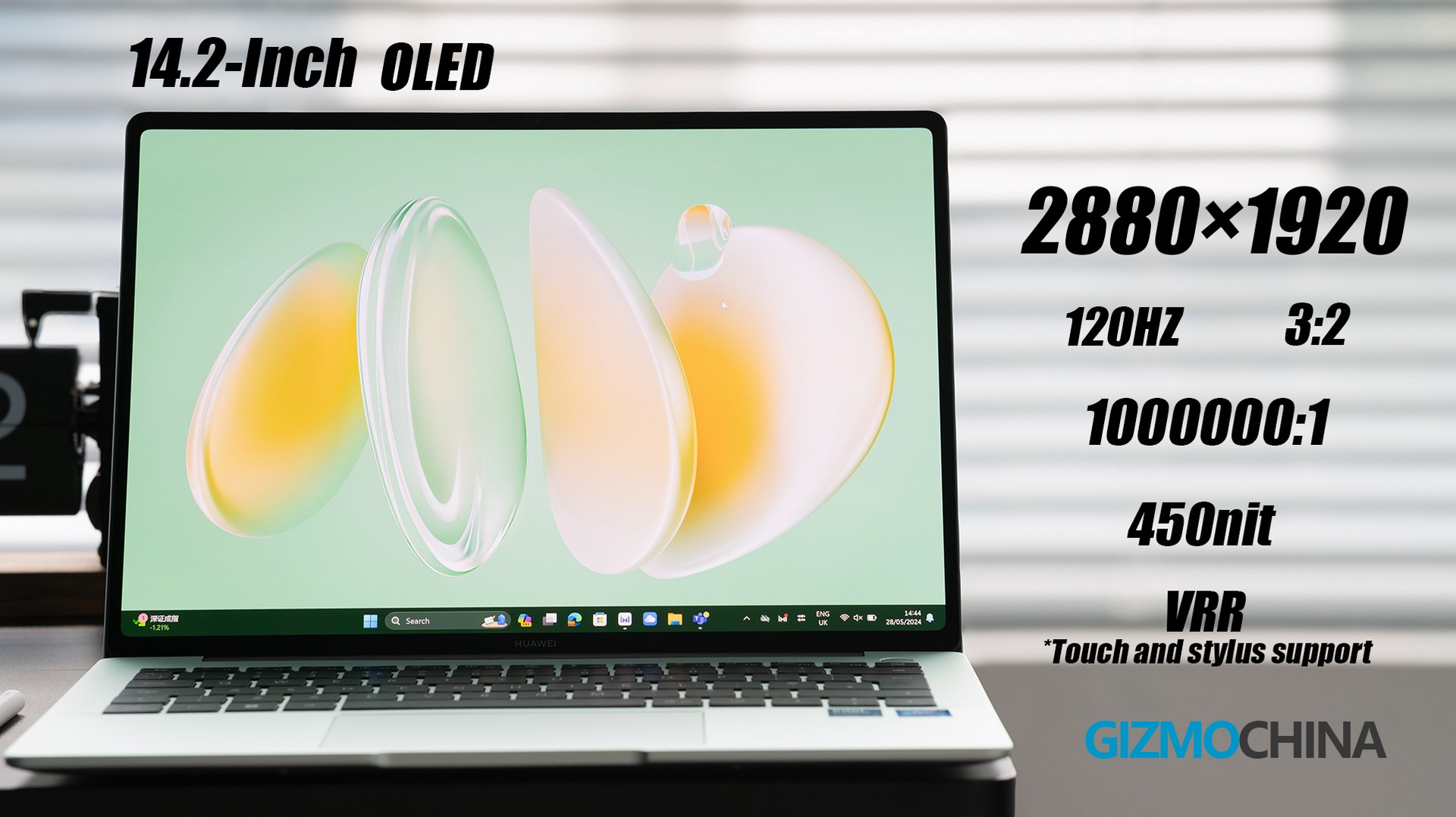
It even supports touching and Huawei’s newest stylus, M-Pencil. One of the things I like most about this screen is that it has excellent software support, and like the top-end Matebook X Pro, this Matebook 14 also supports color-mode switching, which makes it very easy to switch between P3, SRGB, and Adobe RGB, and the colors are very, very accurate. Very few brands notice it on their laptop lineups.
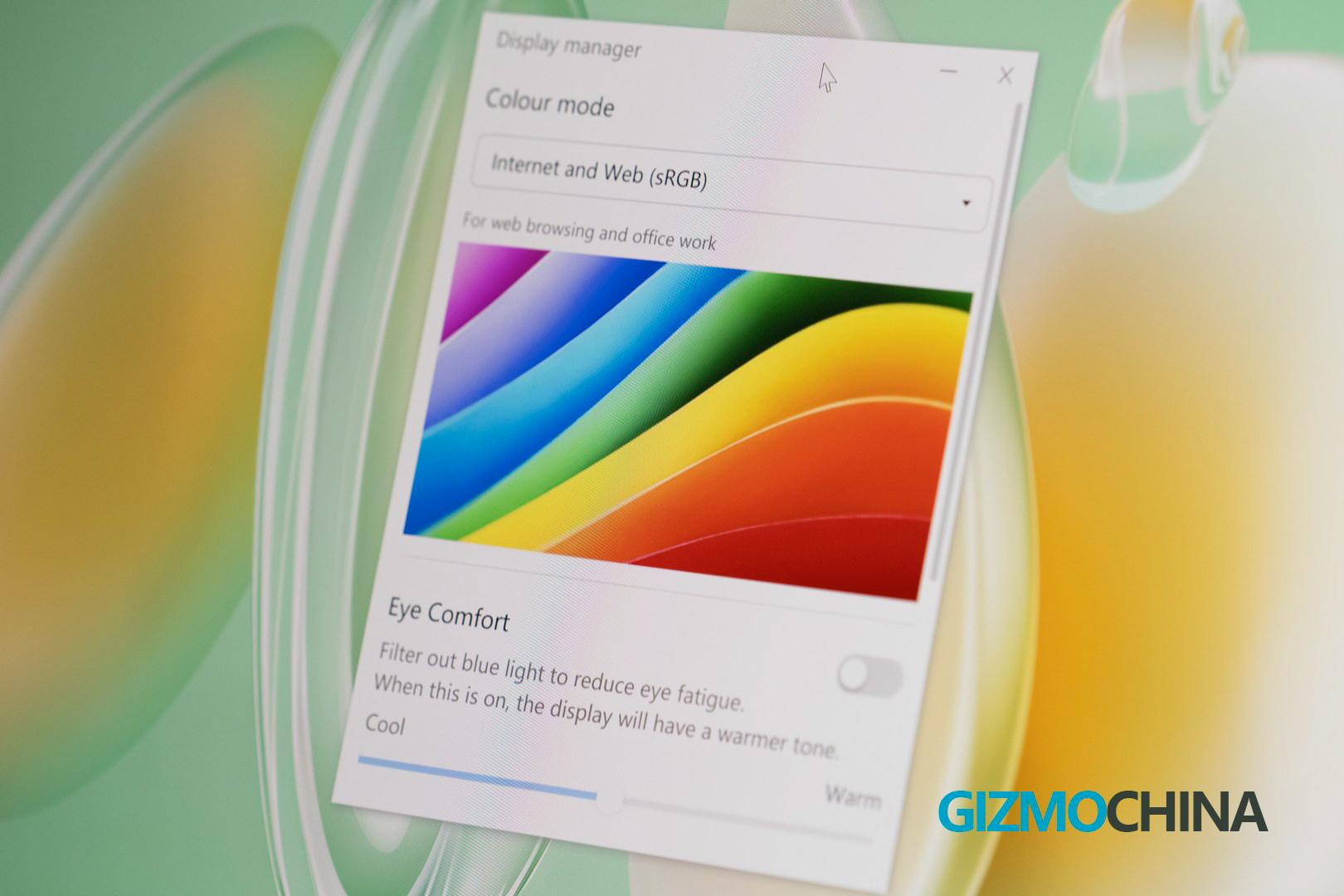
Buying a monitor with these specs on its own would cost more than $400. so if you’re a photographer, it might be a great option.
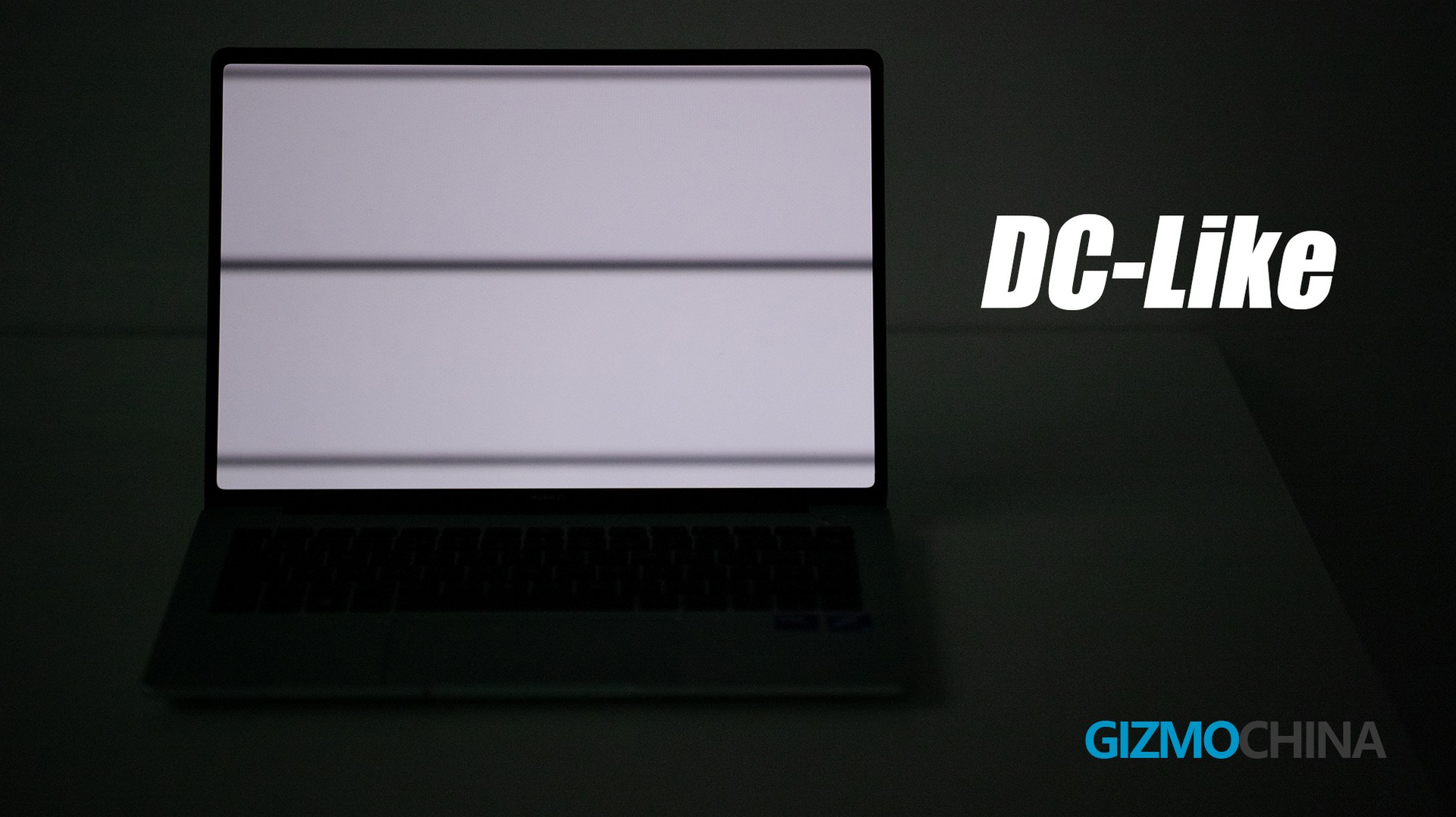
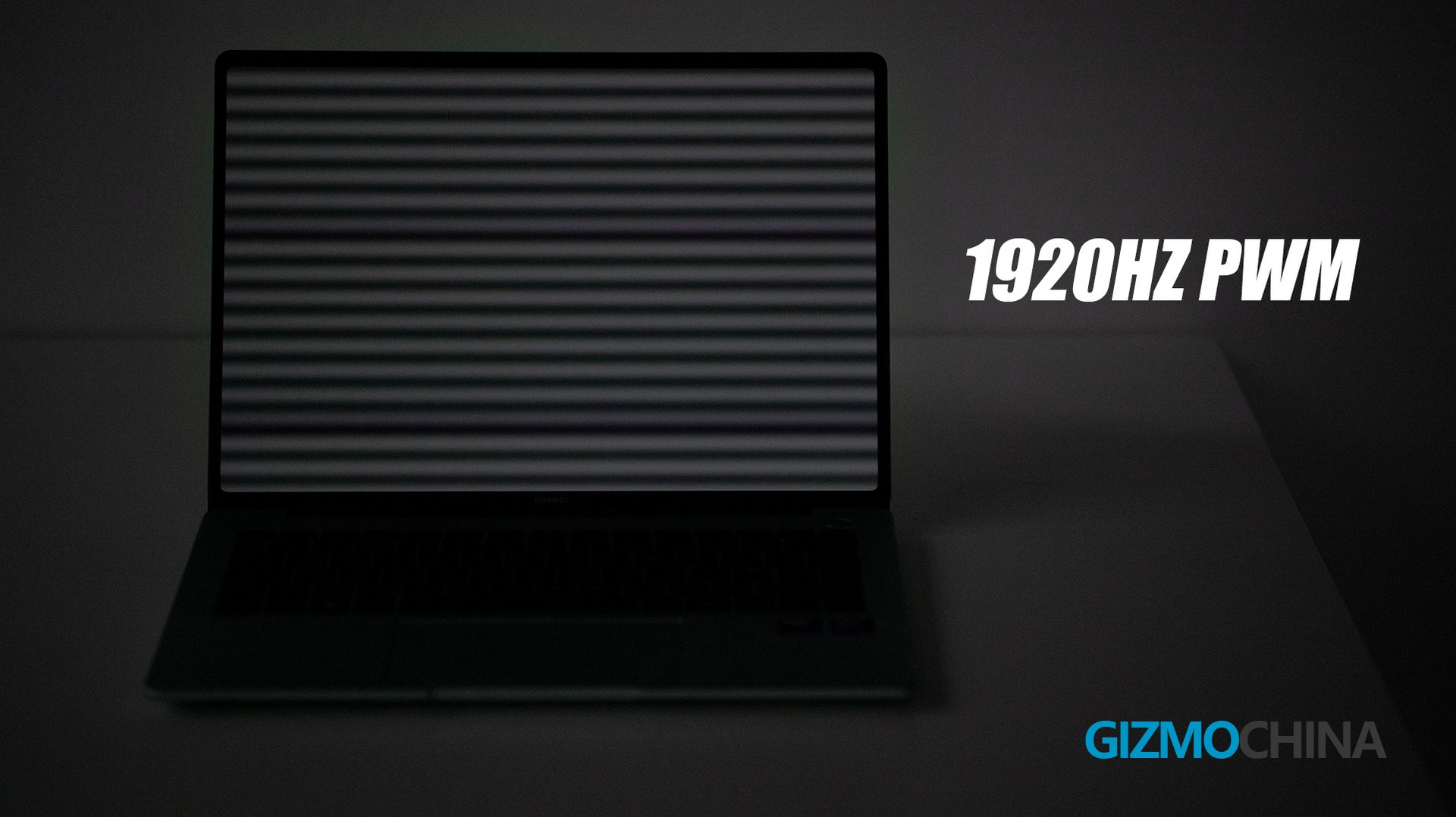
In terms of dimming, it is DC-like dimming at over 50% brightness, and PWM dimming at less than 50% brightness, which is almost the same as what we could have on flagship phones.
Huawei Ecosystem
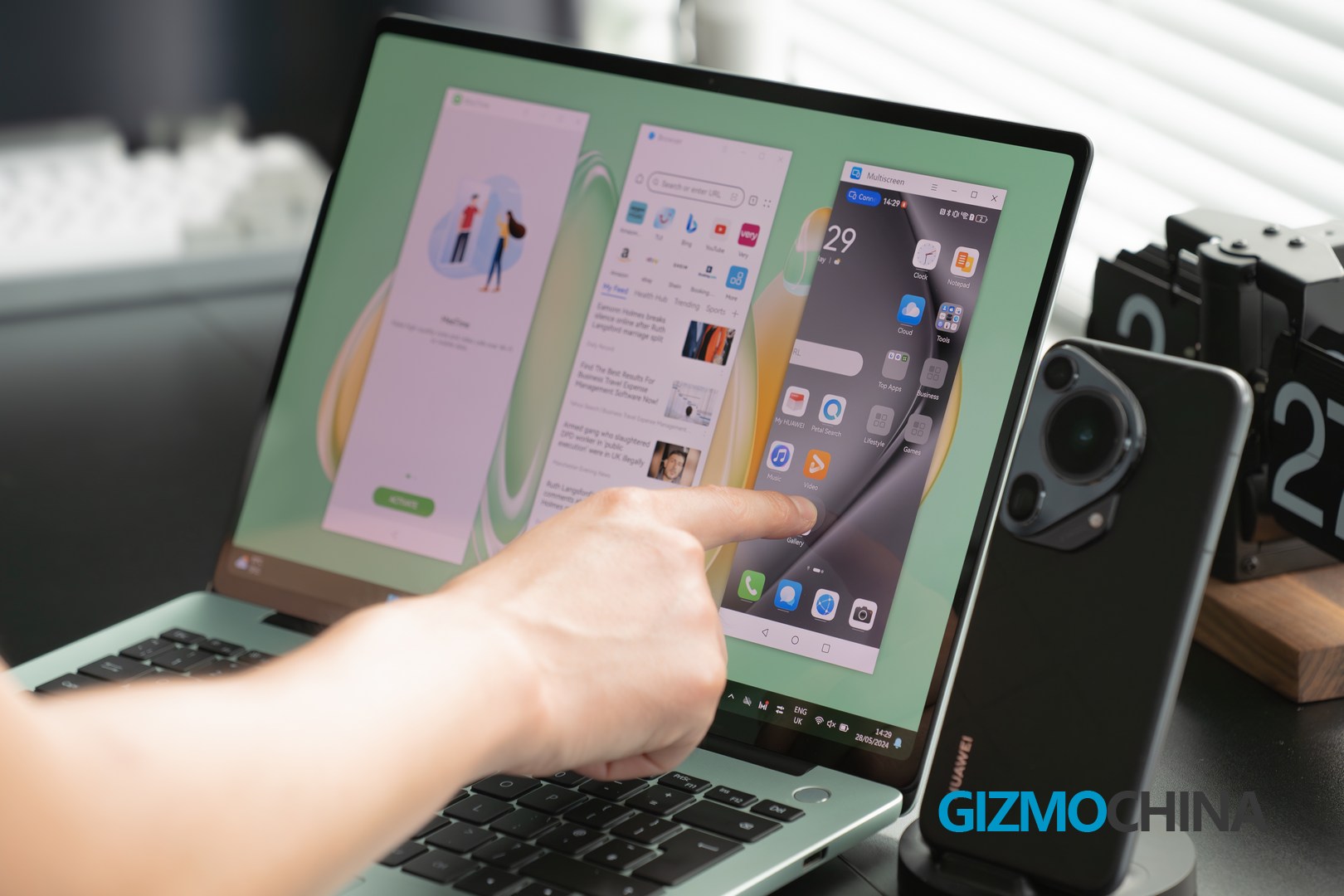
Like I said earlier, this PC is also an important part of Huawei’s ecosystem. When paired with a Huawei phone, it allows for quick cross-device access to files and photos, syncing clipboards, backing up videos, and more. Most importantly, it supports screen casting, not just a simple cast, but multiple apps can be cast on this Matebook 14 at the same time. When I am casting multiple apps, the touch screen can help me use those apps better. But also note that if you touch the screen like I did, the screen wobble may annoy you.
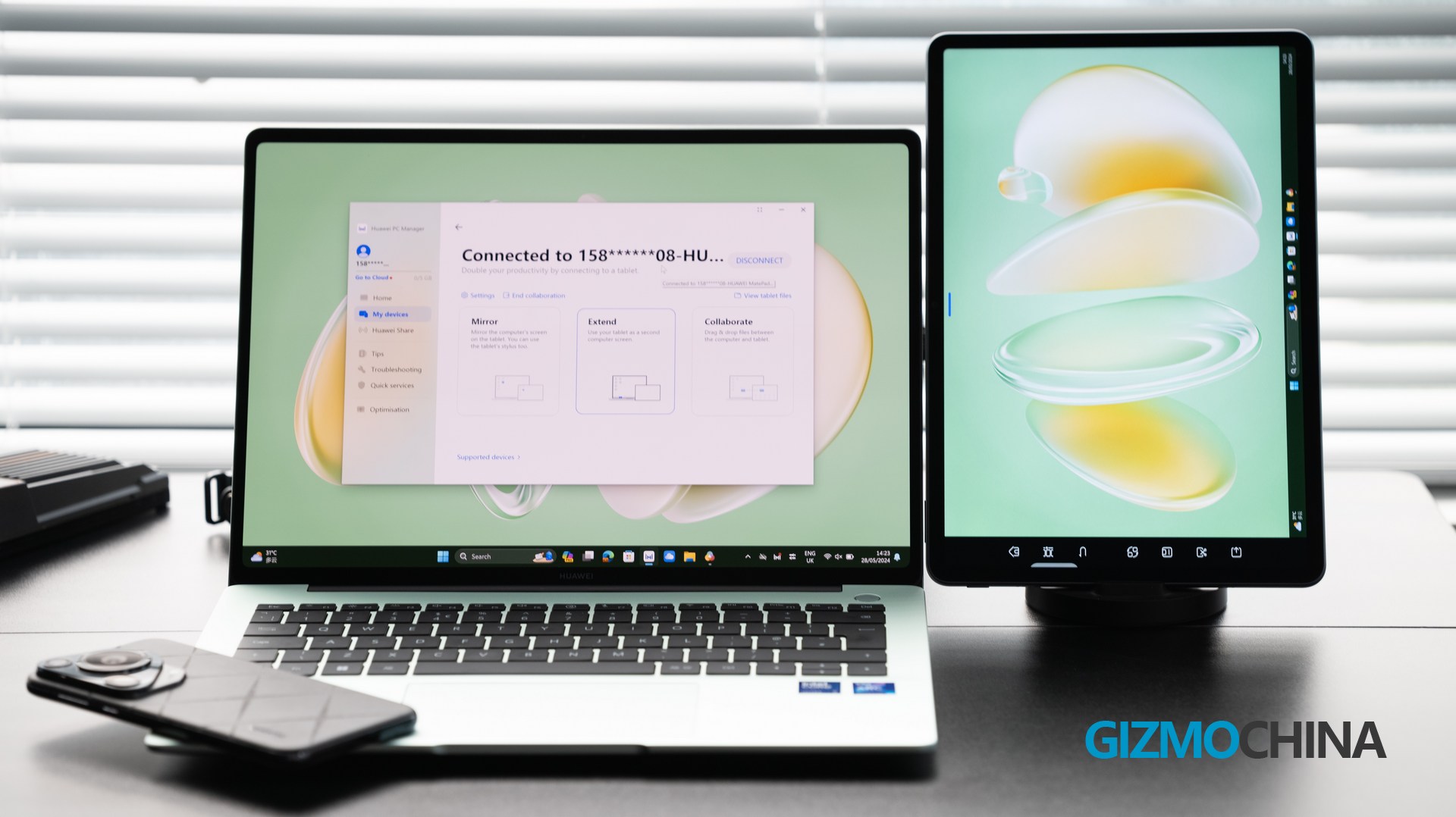
If you also have a MatePad, then your experience will become even more flexible with multi-device expansion. With just a simple setup, the MatePad can become a secondary screen. It’s truly the smoothest and most convenient solution for display expansion.
Battery&charging
The Matebook 14 has a built-in 70Wh battery, which in practice is good for ten hours of office scenarios.
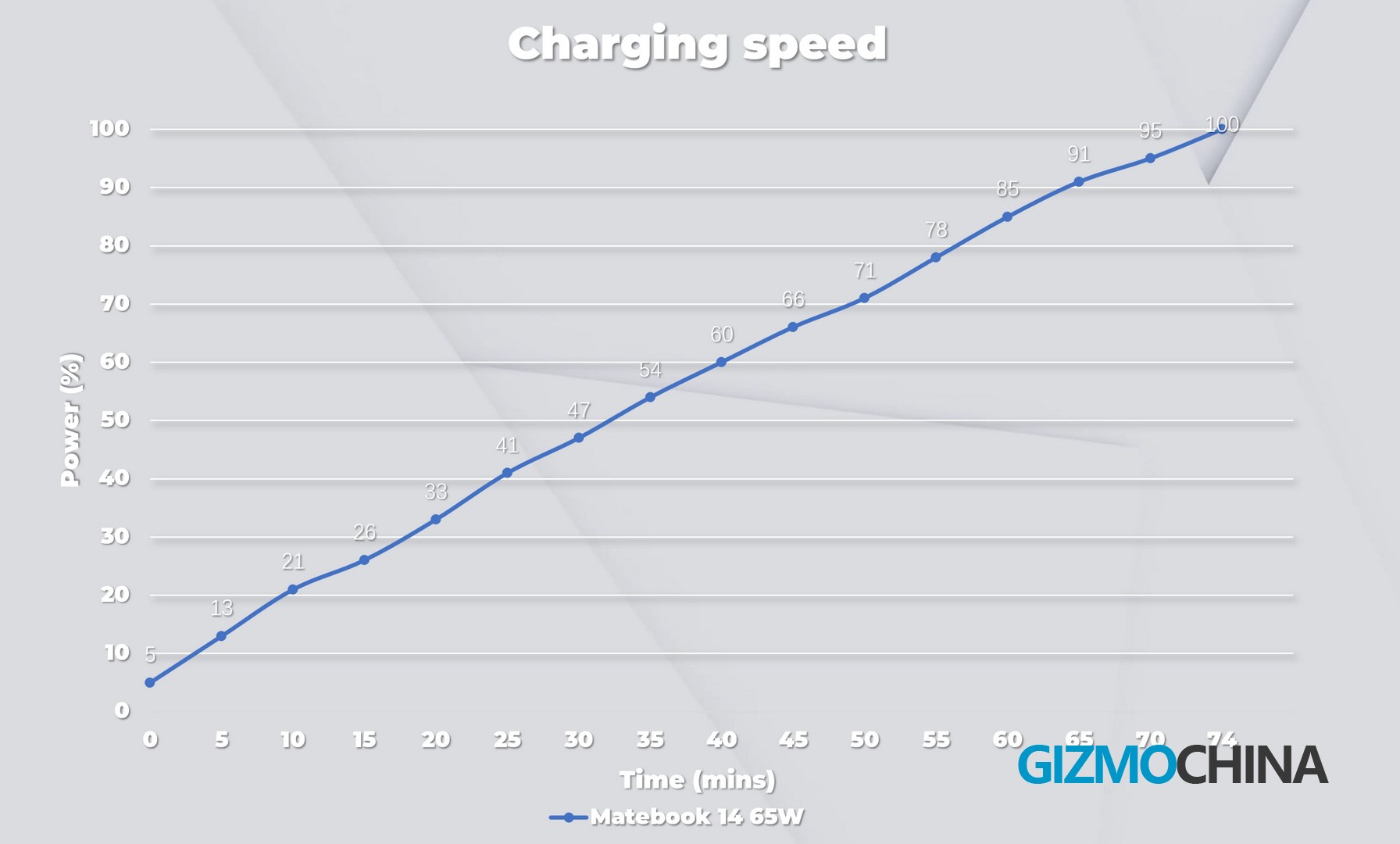
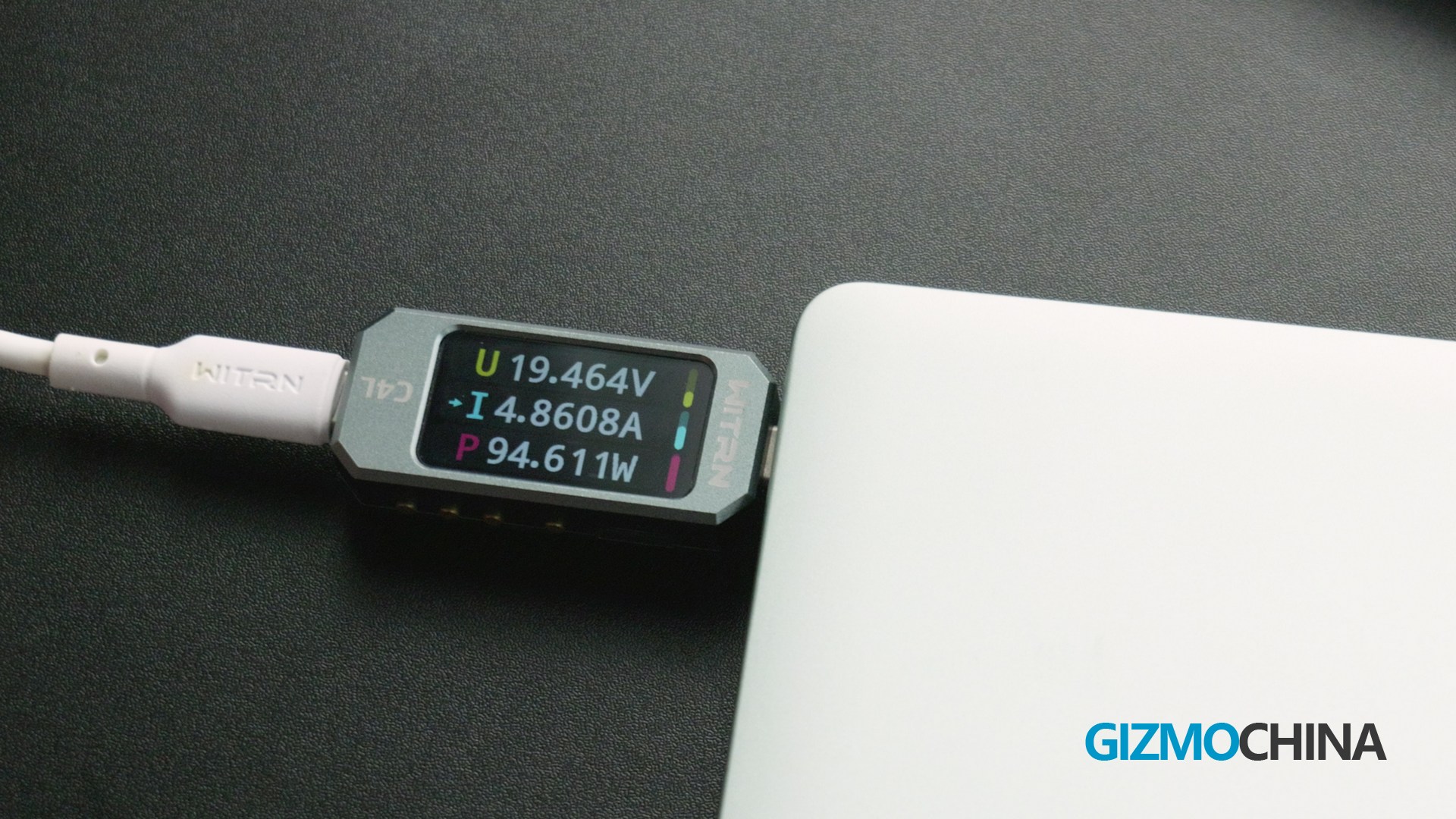
The Matebook 14 comes with a 65W charger as standard, and it took about 75 minutes to go from 5% to a fully charged battery with the official charger. I also tested it with a PD3.1 140W charger with a maximum input of 94W, so it could be a bit faster if you use a high-power charger.
Conclusion
I really like this Laptop. As I put at the beginning, its benefits are so special that we even hard to find a similar alternative at the same price. But if you do not use HUAWEI devices a lot, then you can weigh in a bit more in the market. Or if you start experimenting HUAWEI products, the new MateBook 14 could be a proper beginning.



Comments