Add GIZMOCHINA on Google:
The JBL Tune Beam 2 enters the crowded TWS earbud market as a successor aiming to refine the everyday listening experience. With larger drivers, enhanced call capabilities, and a lighter case, these earbuds present themselves as a strong contender in their segment. After spending some time with them, here’s a closer look at what they offer.
4Controls and App Features
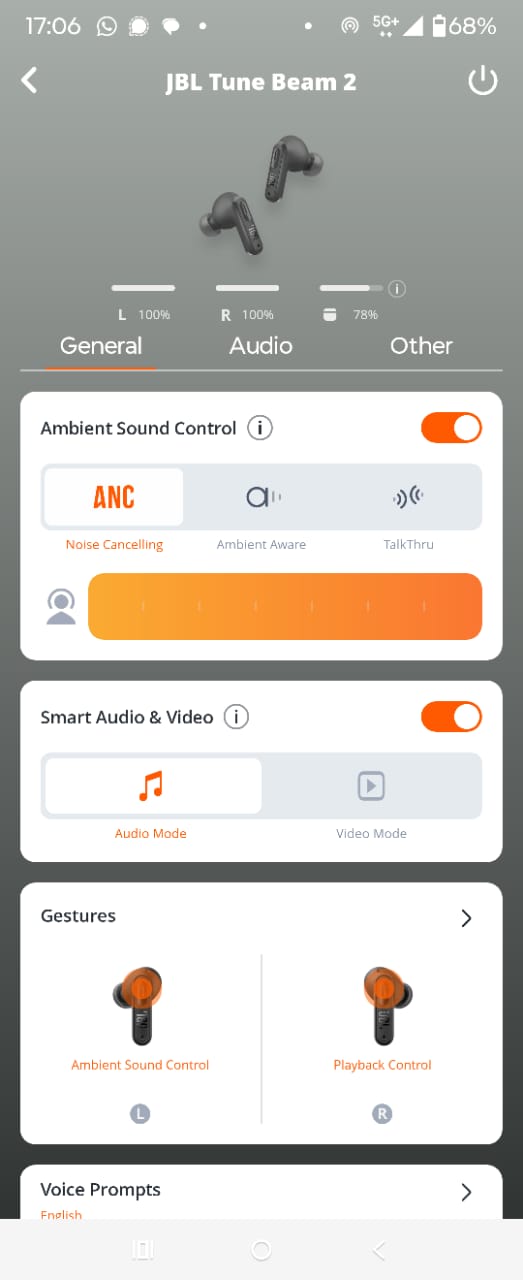
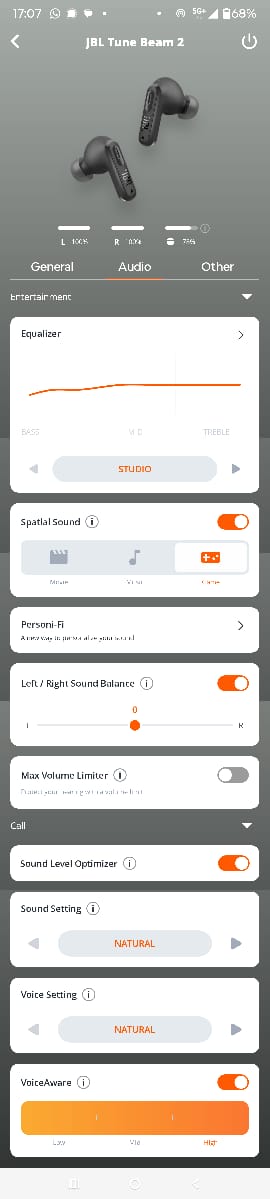
The earbuds feature touch controls integrated into their stems, allowing for management of playback, calls, and ANC functions. By default, the right earbud handles play/pause and track navigation, while the left controls ANC modes. While the touch surfaces are quite responsive, their default layout might require some adjustment. For instance, volume control isn’t immediately available on the earbuds and requires reassigning a function within the app, which means choosing between that and other useful commands like ANC switching or track navigation. Additionally, the touch surfaces are quite responsive, though occasionally, a stray hair or a gentle brush can trigger an unintended command.
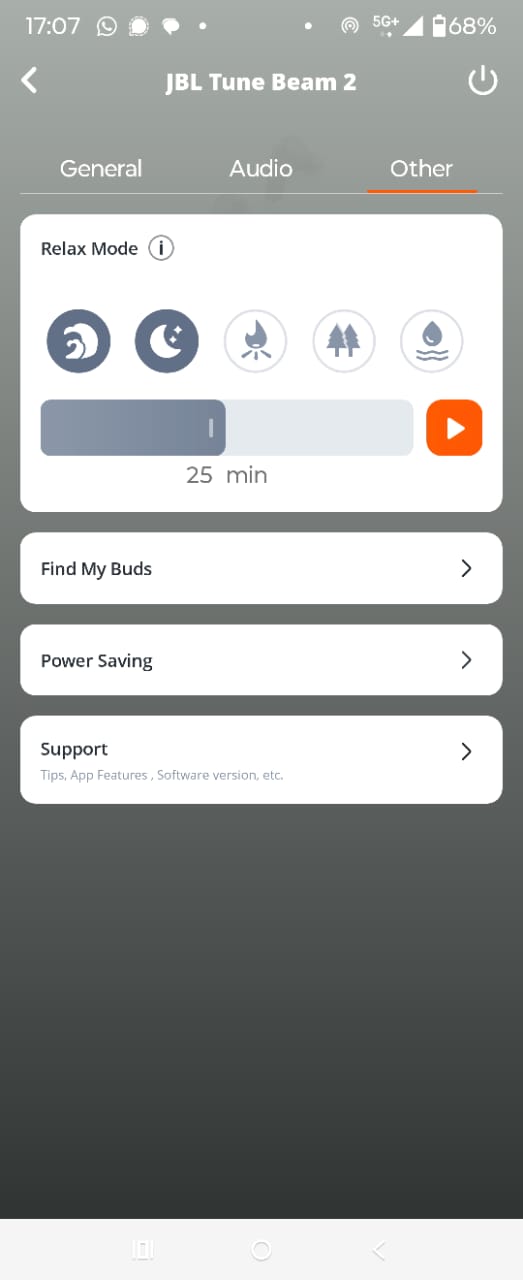
The JBL Headphones app is a comprehensive companion, offering a wealth of customization options for both Android and iPhone users. Through the app, you can check individual earbud and case battery percentages, adjust ANC levels, choose between audio and video modes (for low-latency gaming), and extensively customize the touch controls. The app provides numerous equalizer presets and the ability to create and save your own custom EQ. Beyond audio, there are unique features for call management, allowing you to fine-tune how your voice sounds to others and how you hear them. The app also includes a “Relax Mode” with ambient sounds and a timer, and a “Find My Buds” feature. While generally robust, on rare occasions, the app might take a moment to establish connection with the earbuds, sometimes prompting a quick re-pairing.