Add GIZMOCHINA on Google:
As an Amazon Associate, Gizmochina earns from qualifying purchases. Links on this page may earn us a commission at no extra cost to you.
I’ve spent the past couple of weeks using the OnePlus Pad Go 2 in its 8GB+256GB Wi-Fi-only variant, finished in Lavender Drift. Instead of approaching it like a specification-led gadget review, I used it the way many people would if this were their very first tablet. That distinction matters because the Pad Go 2 is not trying to compete with laptops or premium tablets. It is trying to make tablet ownership feel simple, comfortable, and worthwhile.
| Preview | Product | |
|---|---|---|

|
OnePlus Pad Go 2, 30.73 cm (12.1 inch) 2.8K Display, Dolby Vision™, 120Hz Refresh Rate, Quad… | Check Price on Amazon India |
Please Note: When you buy something using the links in our articles, we may earn a small commission at no cost to you.
| Preview | Product | |
|---|---|---|

|
OnePlus Pad 3 Storm Blue, 13.2″ 3.4K LCD 144 Hz Display, Snapdragon 8 Elite, | Check Price on Amazon Global |
Please Note: When you buy something using the links in our articles, we may earn a small commission at no cost to you.
6OxygenOS 16 feels welcoming and predictable
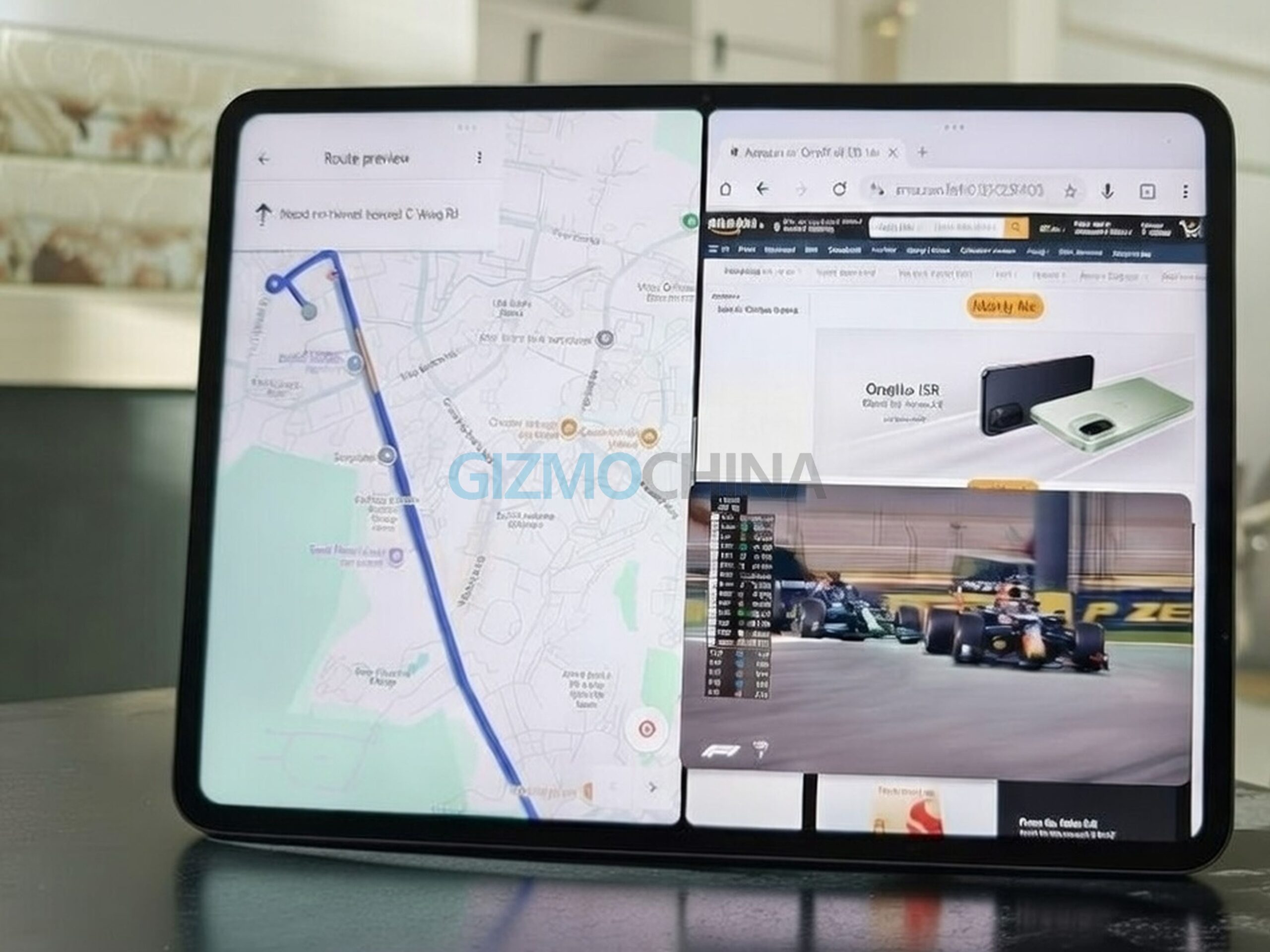
OxygenOS 16 on the Pad Go 2 plays a quiet but important role in making the tablet approachable. The interface is clean, consistent, and easy to understand, especially for users who have never owned a tablet before. Multitasking features like split-screen and floating windows are available without being pushed aggressively, which keeps the experience relaxed.
Beyond the basics, OxygenOS feels properly adapted for a larger screen. Gestures behave consistently across apps, resizing windows feels intuitive, and background apps stay active without unnecessary reloads.
Switching between reading, note-taking, and browsing felt smooth and uninterrupted. It is software that does not demand exploration to feel useful. Instead, it gradually reveals its strengths as usage grows.
The AI features are present but not intrusive. Most users will ignore many of them, and that is perfectly fine. The useful ones integrate subtly and never interrupt normal workflows, which suits first-time tablet owners who value simplicity over experimentation.

There is an optional stylus support for users who want to experiment with handwritten notes later, but the tablet does not rely on accessories to feel complete. Dubbed as Stylo, it includes a physical button and charges via a USB-C port, which also means it cannot magnetically snap to the tablet for wireless charging.