
Add GIZMOCHINA on Google:
Xiaomi just open-sourced MiMo Code V0.1.0, its new terminal-based AI coding assistant that is trying to solve one of the biggest frustrations with AI-powered programming tools: they tend to lose track of what they’re doing the longer you work with them.
We’ve been covering Xiaomi’s MiMo journey from the very beginning. The MiMo-7B is the company’s first open-source reasoning and coding model, announced back in 2025. MiMo Code builds on that same foundation, but instead of being just a model, it’s a complete coding agent designed to help with long-running software projects directly from the terminal.
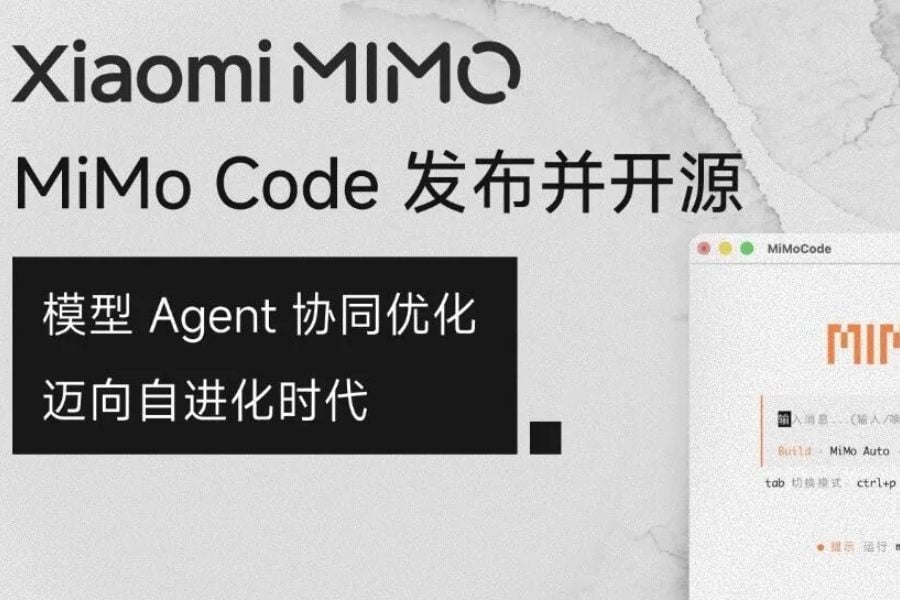
The tool is based on the open-source OpenCode project and is released under the MIT license, meaning developers are free to use, modify, and build on it. Out of the box, it includes free access to MiMo-V2.5, Xiaomi’s latest multimodal AI model, but users can also connect it to third-party services such as DeepSeek, Kimi, and GLM if they prefer a different backend.
Tackling AI’s memory problem
One of MiMo Code’s highlight features is its persistent memory system. Most AI coding assistants depend entirely on the model’s context window, and once that fills up, they start forgetting earlier decisions or conversations.
Meanwhile, MiMo code has a dedicated background subagent that continuously manages and stores context while you work. When the active conversation gets close to its limit, the subagent automatically condenses everything into a structured summary, allowing the main agent to continue without losing its place.
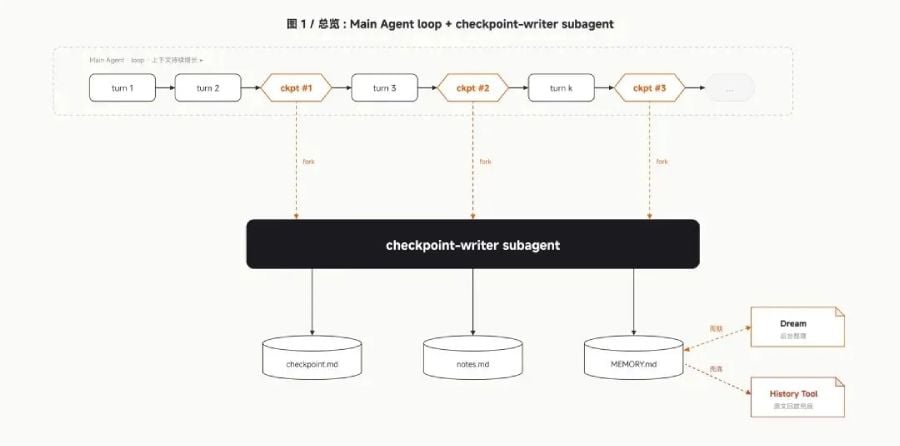
Xiaomi has also included a feature called /dream, which runs automatically every seven days. This launches a separate maintenance agent that reviews old sessions and memory files, removes duplicates, verifies file paths, and compresses everything into an updated long-term memory store.
Compose mode and the MiMo Harness
MiMo Code also introduces a dedicated Harness system built specifically for MiMo models. Rather than treating the AI as a generic API endpoint, the framework is designed to take advantage of the model’s underlying capabilities more directly.
That works alongside a feature called Compose mode, activated by pressing the Tab key. Instead of asking the AI to complete one step at a time, you can provide a rough idea or goal, and the agent will attempt to handle the entire workflow—from planning and design to coding, testing, and review.
Xiaomi says this approach can produce what it describes as an “industrial-grade finished product.” That’s a bold claim, but the company points to benchmark results to back it up. According to Xiaomi, MiMo Code achieved scores of 62% on SWE-Bench Pro and 73% on Terminal Bench 2, outperforming Claude Code by around five percentage points while using the same underlying base model.
The assistant also comes with built-in voice input powered by MiMo-V2.5-ASR. Users can dictate commands, fix typos, or trigger actions such as “send” and “execute” without touching the keyboard.
Getting started
You can set up MiMo Code very simply. On macOS and Linux, installation requires a single terminal command, while Windows users can install it through npm. Once it’s installed, launching the tool is as simple as typing mimo in the terminal.
The initial setup automatically guides users through model configuration, and Xiaomi says the free MiMo-V2.5 channel can be used without creating an account or going through a registration process.
For more daily updates, please visit our News Section.
Stay ahead in tech! Join our Telegram community and sign up for our daily newsletter of top stories! 💡




Comments