Add GIZMOCHINA as Preferred Source on Google
As an Amazon Associate, Gizmochina earns from qualifying purchases. Links on this page may earn us a commission at no extra cost to you.
If you’ve been thinking of shopping for a docking station lately, you’ve probably noticed the category has split into two different segments. On one side, there are flagship Thunderbolt 5 docks built for people who edit video, run multiple 4K monitors, and need as much bandwidth as possible. On the other hand, there are small, low-cost USB-C hubs meant to connect a laptop to a monitor and a few accessories at minimal expense.
The Belkin Connect Thunderbolt 5 Dock and Asus’s Adol HC112 sit on opposite ends of that split. We will compare the two models in this article.
1. What the Belkin Connect Thunderbolt 5 Dock offers
The Belkin Connect Thunderbolt 5 Dock is built for people who use their laptop as a desktop replacement. It packs 14 ports into one aluminum body and connects to your laptop through a single Thunderbolt 5 cable, which Belkin includes in the box along with an 180W power adapter.
The Thunderbolt 5 dock offers 80Gbps of standard throughput, and can boost that to 120Gbps when it senses you’re pushing high-resolution or high-refresh displays. For video, you get one DisplayPort 2.1 port and one HDMI 2.1 port, both capable of 8K at 60Hz or 4K at 240Hz. Plug into a Thunderbolt 5 Windows laptop, and you can run three external 4K displays at 144Hz each, or mix and match up to four screens total.
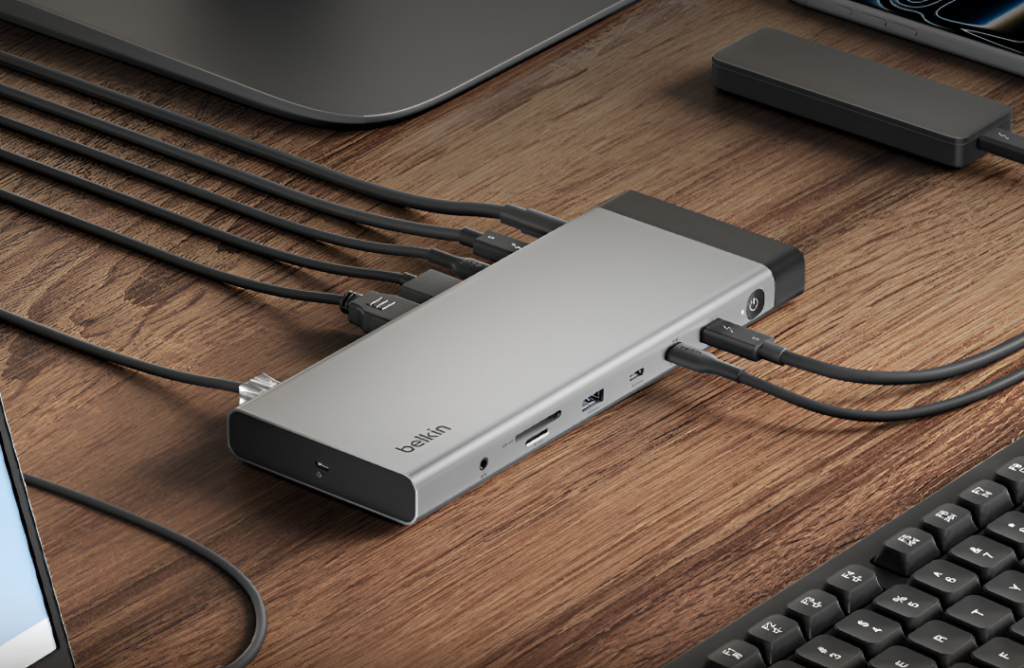
As for MacBooks, those powered by M1 through M3 chips are capped at one external display, while M1 Pro and newer chips support two.
Moreover, the dock can send up to 140W back to your laptop for top-ups, and the two downstream Thunderbolt 5 ports each supply 15W for smaller accessories. You also get 2.5Gb Ethernet, so wired networking doesn’t eat into your USB bandwidth.
Belkin has priced the dock around $338 to $358 depending on the market. A thing to note is that it’s not backward compatible with Thunderbolt 3. It works with Thunderbolt 4, USB4, and standard USB-C laptops, but bandwidth and display capability drop as you step down the standards ladder, and Thunderbolt 3 gear is locked out entirely.
2. What you get with the Asus dock
Unlike Belkin, the Adol HC112 dock from Asus is built for a different purpose. The company designed it as a laptop bag accessory rather than a workstation anchor. It measures 116 x 48 x 15mm and weighs just 81 grams, small enough to fit into a laptop sleeve without adding noticeable bulk. The aluminum alloy shell also functions as a heat sink, and the cable is braided for added durability.
Despite the tiny footprint, Asus crammed 11 ports in here. You get HDMI and DisplayPort 1.4 for video with resolutions as high as 8K at 30Hz or 4K at 120Hz over HDMI. There’s even a 1080p mode that runs at 240Hz for anyone gaming off an external monitor.

The data transfer speed reaches up to 10Gbps thanks to a USB 3.2 port, and the dock also includes SD and microSD card readers. You also get a 3.5mm audio jack and a dedicated USB-C PD input that passes through up to 100W to keep your laptop charged while everything else stays plugged in.
The HC112 works without drivers across Windows, macOS, Linux, Android, and iPadOS, as long as your device has a full-function USB-C port.
The dock launched for 329 yuan, or around $48. That’s a fraction of what Belkin charges, and it puts the HC112 closer to accessory pricing than dock pricing.
3. So which one should you buy?
These two docks aren’t really competing for the same buyer. The Belkin Connect Thunderbolt 5 Dock suits someone who has a Thunderbolt 5 laptop and wants to turn it into a full workstation. It costs more, but it also handles serious creative or engineering workloads without becoming a bottleneck.
The Asus dock suits someone who just needs their laptop to reach a couple of monitors and a handful of peripherals without carrying a pile of adapters. It won’t match Thunderbolt speeds, and its charging output tops out well below what a high-power laptop needs under heavy load, but for everyday use, it covers the basics at a fraction of the price and bulk.
For more daily updates, please visit our News Section.
Stay ahead in tech! Join our Telegram community and sign up for our daily newsletter of top stories!