Add GIZMOCHINA as Preferred Source on Google
As an Amazon Associate, Gizmochina earns from qualifying purchases. Links on this page may earn us a commission at no extra cost to you.
Buying a laptop for work in 2026 is a noticeably different experience than it was a few years ago. We are well past the initial growing pains of the AI PC transition. Now that Copilot+ PCs are the standard, the real-world benefits have settled into something highly practical: laptops that run cooler, last much longer on a charge, and handle background tasks without draining your battery.
This year, the market is largely defined by the competition between the Intel Core Ultra Series 3 (Panther Lake) and Qualcomm Snapdragon X2 Elite platforms. Both chipmakers have managed to deliver excellent performance per watt. If you are looking to upgrade your work machine, here is a look at the most capable and reliable Windows laptops for work and productivity available right now.
1. Lenovo ThinkPad X1 Carbon Gen 14 Aura Edition
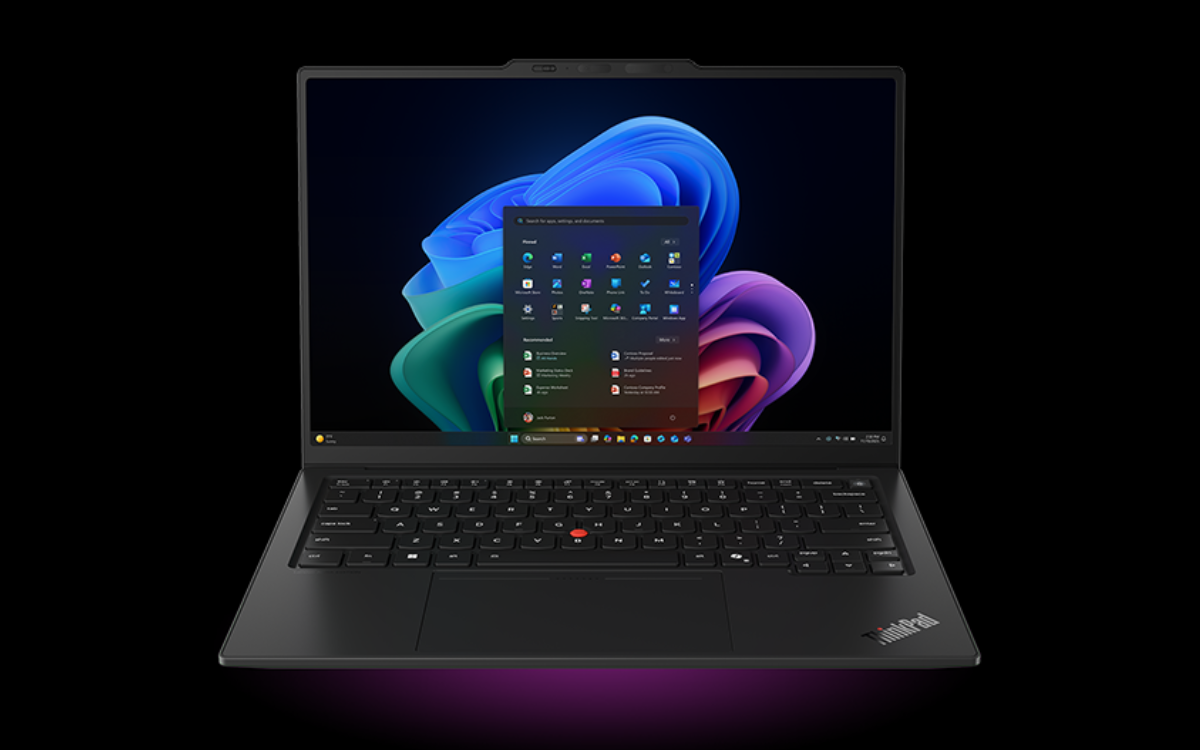
The Lenovo ThinkPad X1 Carbon Gen 14 Aura Edition remains one of the strongest choices for business users. Lenovo keeps the ThinkPad formula intact: a lightweight chassis, a practical selection of ports, strong security tools, and a keyboard designed for long work sessions.
The laptop starts at less than 1kg, or 2.2 pounds. The X1 Carbon has three Thunderbolt 4 ports, one USB-A port, HDMI 2.1, a headphone jack, and an optional Nano SIM slot. Some models also support 4G LTE or 5G connectivity.
The laptop supports Intel Core Ultra 5 325, Core Ultra 5 335, Core Ultra 7 355, Core Ultra 7 356H, Core Ultra 7 365, Core Ultra 7 366H, Core Ultra X7 358H, and Core Ultra X7 368H processors. It supports up to 64GB of LPDDR5X memory and up to 1TB of PCIe Gen4 storage.
Lenovo offers several display options. The standard WUXGA IPS touch display provides 500 nits of brightness and a 1920 x 1200 resolution. The higher-end option uses a 2.8K OLED panel with a 120Hz variable refresh rate and 100% DCI-P3 color coverage.
The ThinkPad X1 Carbon also includes a fingerprint reader in the power button, a webcam privacy shutter, a discrete TPM 2.0 security chip, and optional vPro support.
The X1 Carbon is not the flashiest laptop on this list, but it is one of the most complete. It is the best choice for professionals who want a reliable Windows laptop with few compromises.
2. Dell XPS 14 2026
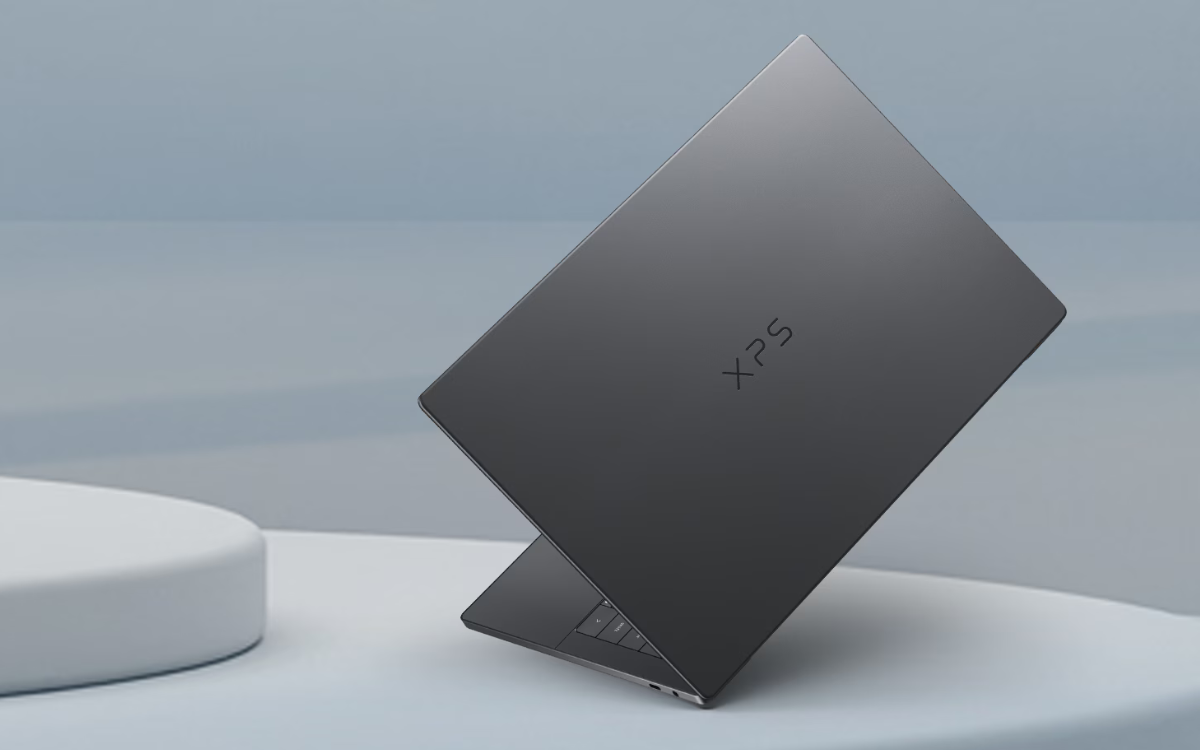
Dell brought back the XPS name in 2026, and the new XPS 14 looks like a serious return for the brand. The laptop uses a CNC-machined aluminum chassis, Gorilla Glass 3 on the palm rest, and a slim unibody design. It weighs about 1.36kg, or 3 pounds, and measures as little as 14.62mm thick.
The XPS 14 supports Intel Core Ultra Series 3 processors, including the Core Ultra X7 358H and top-tier Core Ultra X9 388H. Dell also offers up to 64GB of LPDDR5X-9600 memory and up to 4TB of PCIe Gen5 storage. Those specifications give the XPS 14 more room for demanding productivity tasks than many thin laptops. It should work well for software development, large spreadsheets, photo editing, and heavier multitasking.
Dell offers two display choices. The 2K LCD model has a 1920 x 1200 resolution, 500 nits of brightness, 100% sRGB coverage, and a 1Hz to 120Hz variable refresh rate. The OLED model has a 2880 x 1800 resolution, 100% DCI-P3 color coverage, touch support, Dolby Vision, and VESA DisplayHDR True Black 500 certification.
The laptop also includes an 8MP HDR webcam, a quad-speaker setup with Dolby Atmos, and Wi-Fi 7. Dell claims strong battery life from the 70Wh battery, especially with the lower-power LCD display.
The biggest drawback is port selection. The XPS 14 has three Thunderbolt 4 USB-C ports and a headphone jack, but it does not include USB-A, HDMI, or an SD card reader. Most users will need a dock or adapter.
The XPS 14 is a strong option for people who want a polished design, a bright high-quality display, and high-end performance in a small system.
3. Lenovo Yoga Slim 7i Ultra Aura Edition
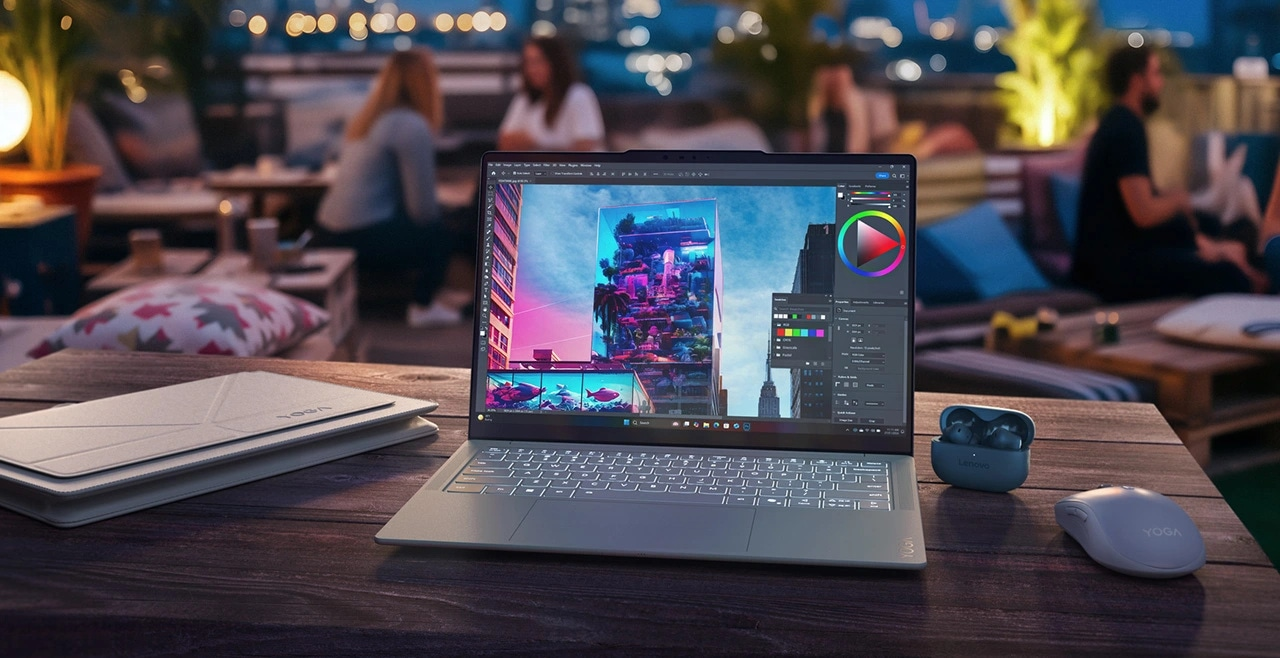
The Lenovo Yoga Slim 7i Ultra Aura Edition targets people who want a premium laptop that barely adds weight to a bag. The system starts at 975g, or 2.15 pounds, and measures just 13.9mm thick. Lenovo uses a magnesium-aluminum chassis and a protective coating that resists fingerprints, scratches, and water.
The display is the main reason to consider this laptop. Lenovo uses a 14-inch 2.8K PureSight Pro OLED touchscreen with a 120Hz refresh rate. The panel supports Dolby Vision, DisplayHDR True Black 1000, 100% sRGB, and 100% DCI-P3. It reaches up to 1,100 nits of HDR peak brightness. This is one of the best displays in this group for creative professionals.
The Yoga Slim supports the Intel Core Ultra 5 325, Intel Core Ultra 7 355, Intel Core Ultra X7 358H, and Intel Core Ultra X9 388H processors. The laptop supports 32GB of LPDDR5X-9600 memory and a 2TB PCIe Gen4 SSD. It also includes a 75Wh battery, a 5MP IR webcam, quad speakers with Dolby Atmos, Wi-Fi 7, and a haptic Force Pad touchpad.
The Yoga Slim 7i Ultra has three Thunderbolt 4 USB-C ports, but it lacks USB-A, HDMI, and a headphone jack. This keeps the design thin and light, though users who regularly connect external displays, storage devices, or wired accessories should plan to use a USB-C dock.
The Yoga Slim 7i Ultra is the right choice for writers, designers, photographers, and frequent travelers who value low weight and excellent screen quality.
4. HP OmniBook Ultra 14
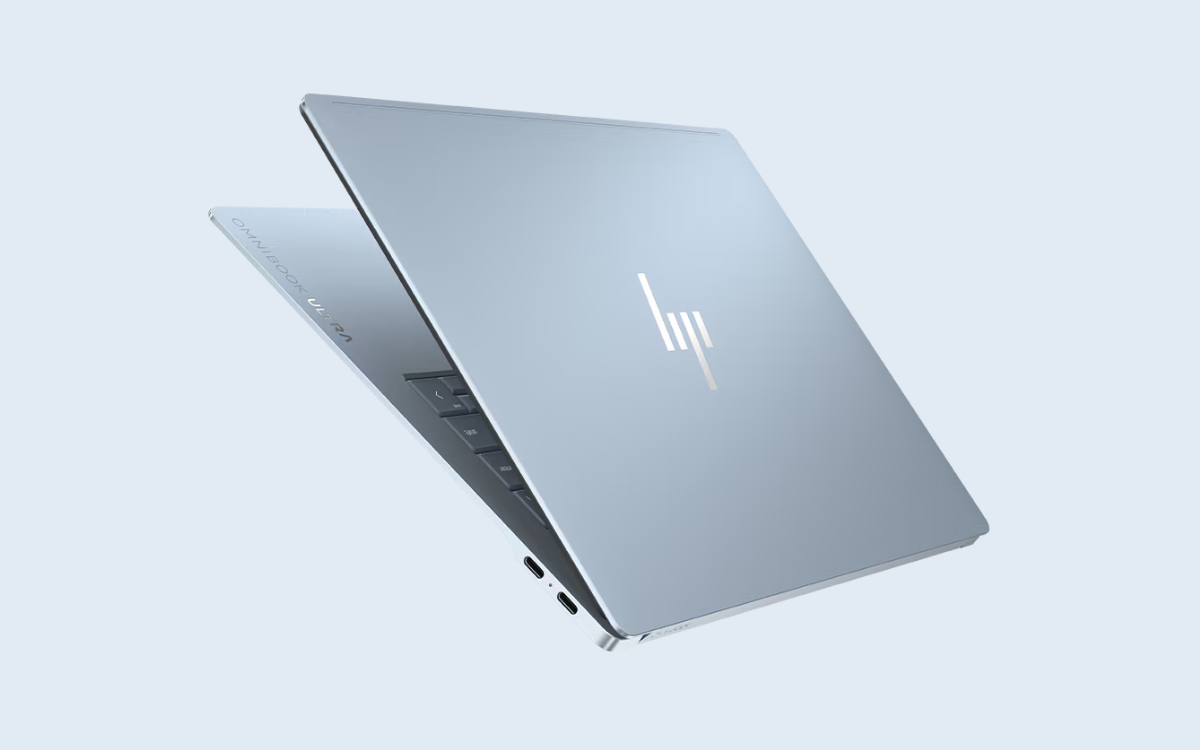
The HP OmniBook Ultra 14 stands out because HP offers both Intel and Qualcomm versions. The Intel systems use the Core Ultra 7 356H or Core Ultra X9 388H, while the Snapdragon systems use Qualcomm’s Snapdragon X2 Plus X2P-64-100 or Snapdragon X2 Elite X2E-84-100 processors. The Snapdragon models can provide up to 80 TOPS of NPU performance for AI workloads.
That distinction matters for people who want to use more Copilot+ features and local AI applications. The Intel versions will offer better compatibility for some traditional Windows software and graphics-heavy workloads. The Qualcomm versions will deliver stronger efficiency and AI acceleration.
HP offers a 14-inch 3K OLED touchscreen with a 2880 x 1800 resolution, a 30Hz to 120Hz variable refresh rate, 100% DCI-P3 coverage, and up to 1,100 nits of HDR brightness. It also offers a 2.2K IPS touchscreen as well.
The OmniBook Ultra 14 includes a 5MP IR camera with a physical privacy shutter, a fingerprint reader, quad Poly Studio speakers, Wi-Fi 7, and a haptic glass touchpad. It has three Thunderbolt 4 ports and a headphone jack. The battery capacity reaches 70Wh on Intel versions and 68Wh on Snapdragon versions.
The laptop weighs between about 1.45kg and 1.57kg. It is not the lightest option here, but it provides a solid mix of performance, display quality, security, and AI hardware.
5. Asus Zenbook A16

The Asus Zenbook A16 is a strong option for people who want the workspace of a 16-inch laptop without the usual size and weight. Depending on the configuration, it weighs as little as 1.10kg (2.43 pounds) and measures 13.8mm at its thinnest point.
It is available with several Qualcomm processors, including the Snapdragon X2 Elite Extreme X2E-96-100, Snapdragon X2 Elite Extreme X2E-94-100, Snapdragon X Plus X1P 42 100, and Snapdragon X X1 26 100. The higher-end Snapdragon X2 Elite Extreme models feature 18 cores, up to 48GB of LPDDR5X memory, and Qualcomm’s Hexagon NPU with up to 80 TOPS of AI performance. Lower-tier configurations support up to 45 TOPS.
The Zenbook A16 offers several OLED display options. The best configuration features a 16-inch 3K (2880 x 1800) OLED display with a 120Hz refresh rate, touchscreen support, 100% DCI-P3 color coverage, and up to 1,100 nits of HDR peak brightness. It also meets VESA DisplayHDR True Black 1000 standards. More affordable versions use either a non-touch 3K 120Hz OLED panel or a WUXGA OLED display with a 60Hz refresh rate.
Despite its thin design, the Zenbook A16 has a useful range of ports. It includes two USB4 Type-C ports with DisplayPort and Power Delivery support, one USB 3.2 Gen 2 Type-A port, HDMI 2.1, an SD 4.0 card reader, and a 3.5mm headphone jack. This makes it a more convenient choice than many ultraportables for photographers, creators, and users who connect external storage, displays, or memory cards.
Additionally, the laptop includes up to a 1TB PCIe 4.0 SSD, Wi-Fi 7 on higher-end models, an FHD IR camera for Windows Hello sign-in, a backlit keyboard with a Copilot key, a 70Wh battery, and a 130W USB-C charger on top configurations.
6. Asus ExpertBook Ultra
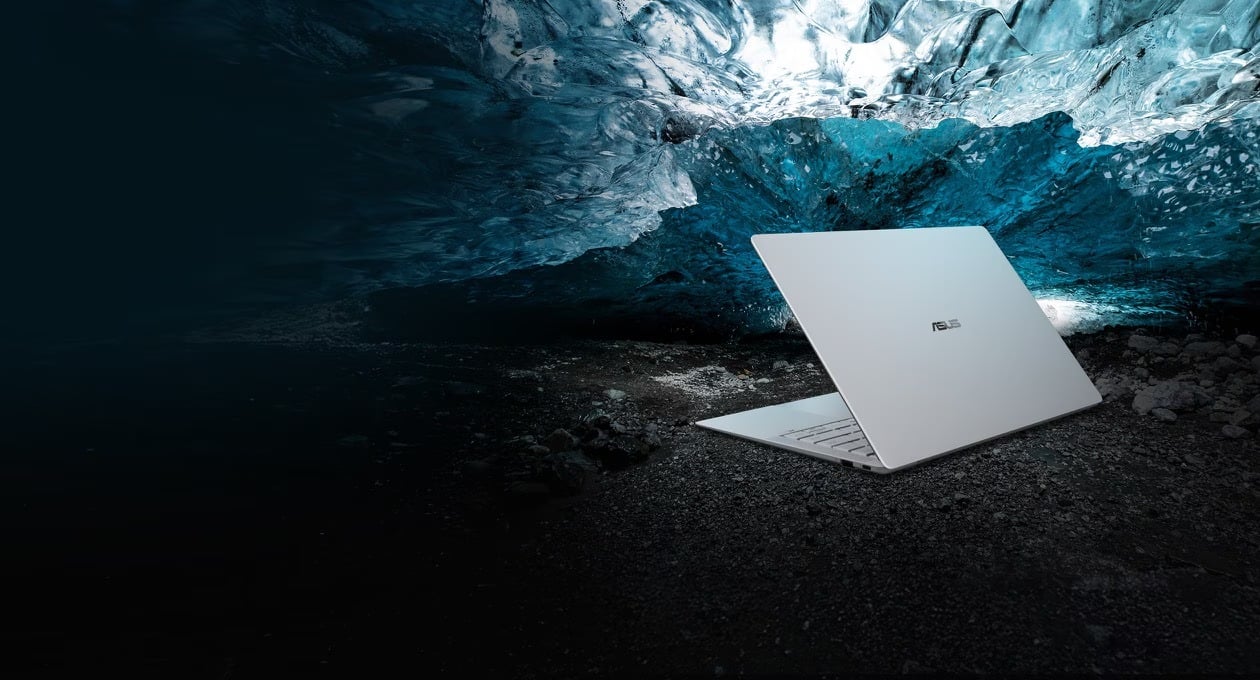
The Asus ExpertBook Ultra is a premium business laptop with serious security features. It starts at 0.99kg, or 2.18 pounds, but it includes more ports than most ultralight systems. Asus includes two Thunderbolt 4 ports, two USB-A ports, HDMI 2.1, and a headphone jack.
The laptop runs Windows 11 Pro on many configurations and supports Microsoft Pluton, TPM 2.0, BIOS self-recovery, fingerprint authentication, and a webcam privacy shutter. Asus also lists NIST SP 800-193 compliance and MIL-STD-810H durability testing. These features matter for companies that need stronger endpoint security and easier device management.
The ExpertBook Ultra supports Intel Core Ultra 5 325, Core Ultra 7 356H, Core Ultra X7 358H, and the top-tier Core Ultra X9 388H with vPro. It supports up to 64GB of LPDDR5X memory and a 2TB PCIe Gen5 SSD. Its 14-inch Tandem OLED touchscreen has a 2880 x 1800 resolution, a 120Hz refresh rate, 100% DCI-P3 coverage, and up to 1,400 nits of HDR peak brightness.
The ExpertBook Ultra is expensive and highly specialized, but it is one of the best Windows laptops for executives, consultants, IT professionals, and security-conscious organizations.
For more daily updates, please visit our News Section.
Stay ahead in tech! Join our Telegram community and sign up for our daily newsletter of top stories!