
Add GIZMOCHINA as Preferred Source on Google
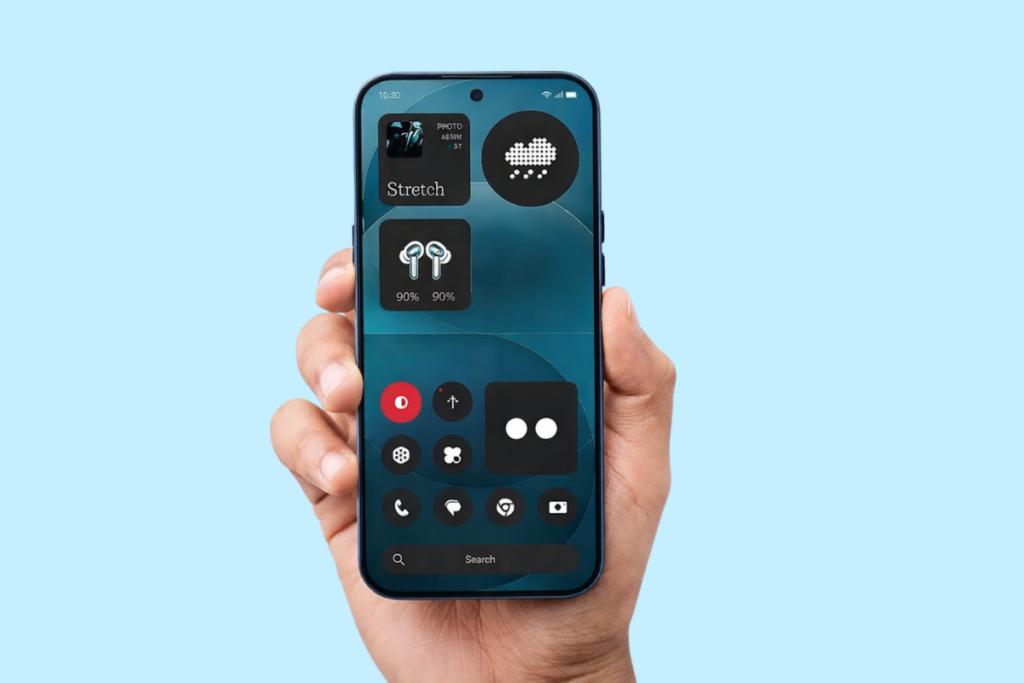
Nothing has officially unveiled the next iteration of its custom skin, Nothing OS 5.0, based on Android 17. It’s a pretty substantial upgrade with major visual overhauls, performance improvements, and deeper AI integration. The brand has also announced rollout plans for open beta and general release, with the open beta kicking off on August 26.
The brand has confirmed that Nothing Phone (1), Nothing Phone (2), and CMF Phone 1 are not eligible for the Nothing OS 5.0 update, as we reported previously. As for the open beta, it won’t be released for Phone (3a) Lite and CMF Phone 2 Pro.
Check the official rollout schedule below to know when the Nothing OS 5.0 update will be available for your phone.
Nothing OS 5.0 rollout schedule
The Open Beta program starts August 26 for the Phone (3), and will continue to expand to more phones until mid-December. The stable rollout is scheduled to begin mid-October for the Phone (3), and should reach all other devices by January 2027.
| Model | Open Beta | General Release |
|---|---|---|
| Phone (3) | August 26 | Mid October |
| Phone (4a) Pro | Early September | Early November |
| Phone (4a) | Late September | Early November |
| Phone (3a) Pro | Late September | Early November |
| Phone (3a) | Late September | Early November |
| Phone (2a) | Mid October | Mid November |
| Phone (2a) Plus | Mid October | Mid November |
| Phone (3a) Lite | – | Late December |
| Phone (4b) | Mid December | Mid January |
| CMF Phone 2 Pro | – | Mid January |
Note that the rollout happens in batches, and so one region may receive updates earlier than others. However, the expansion doesn’t normally take more than a few days.
How to get Nothing OS 5.0 Beta on your phone?
Once the beta program goes live for your Nothing device, you can register for it by following these steps:
- Make sure your phone is updated to the latest available build.
- Download and install the latest Nothing Beta Hub V2.0 APK.
- Go to Settings > System > Nothing Beta Hub.
- Tap Check Version.
- Click Join Beta to register.
- Tap Go to Update to download the beta update.
If you don’t see the Go to Update button, navigate to Settings > System > System updates to manually check for updates.
We’ll keep updating you with the latest Nothing OS details in our Nothing section. You can visit the page regularly or join our Telegram channel to stay updated.



Comments