
Add GIZMOCHINA as Preferred Source on Google
Samsung might be about to flip its long-standing advice on what to do when your Galaxy Buds get too hot, and it’s probably worth more attention than it first sounds. There was a widely reported case involving a Galaxy Buds FE that allegedly exploded while being worn, with the user claiming it caused permanent hearing loss. So changing the official advice on what to do when they heat up isn’t just a small software detail.

For years, Samsung’s official guidance has been: if the earbuds start overheating, take them out of your ears and let them cool down in an open space. Support pages specifically warn against putting hot buds back into the charging case, because the enclosed space can trap heat around the batteries and make things worse. While they’re overheating, the buds usually keep beeping as a warning and stay powered on.
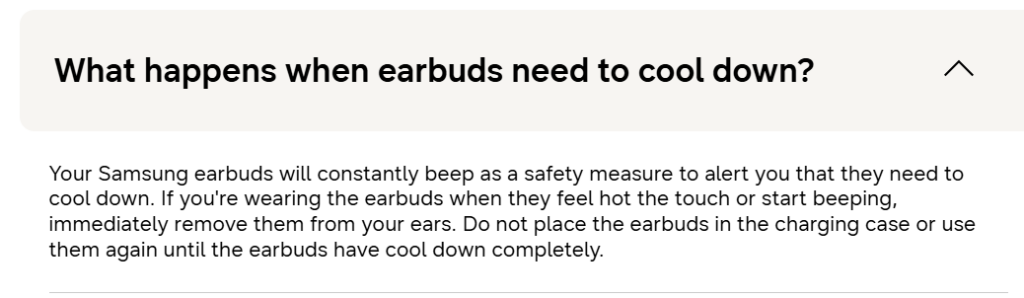
But new code spotted in Galaxy Buds app version 9.0.10.1724 suggests a different approach. One of the messages says: “Your earbuds will be turned off for your safety. Put both earbuds in the case and wait. You can use your earbuds again when they cool down.”
That points to two possible changes. First, the buds may automatically shut themselves off when they get too hot instead of just beeping. Second, Samsung would actually tell users to put them back in the case while they cool down.
Some analysts think newer Galaxy Buds models might have better battery management that can cut off charging current during thermal events. If that’s the case, putting them in the case could become the safer option because it wouldn’t keep feeding power to overheated batteries.
Samsung hasn’t confirmed anything or updated its support pages yet. Until they do, the old advice is still the safest bet. If your Galaxy Buds feel unusually hot or start beeping, take them out right away and let them cool completely in an open area before using them again or putting them back in the case.
Don’t miss a thing! Join our Telegram community for instant updates and grab our free daily newsletter for the best tech stories!
For more daily updates, please visit our News Section.
(Source)




Comments