
Add GIZMOCHINA as Preferred Source on Google
After missing out on its own Android 11 rollout timeline, Nokia quickly learned from that event and has now expedited the update rollout process. Users expect things to be better, especially when Nokia devices are part of the Android One program. However, unlike last year, Nokia was among the first few OEMs to have enrolled in the Android 12 Developer Preview program back in May. Finally, Nokia has started to seed the first Android 12 Developer Preview for the Nokia X20, the enrolled device.
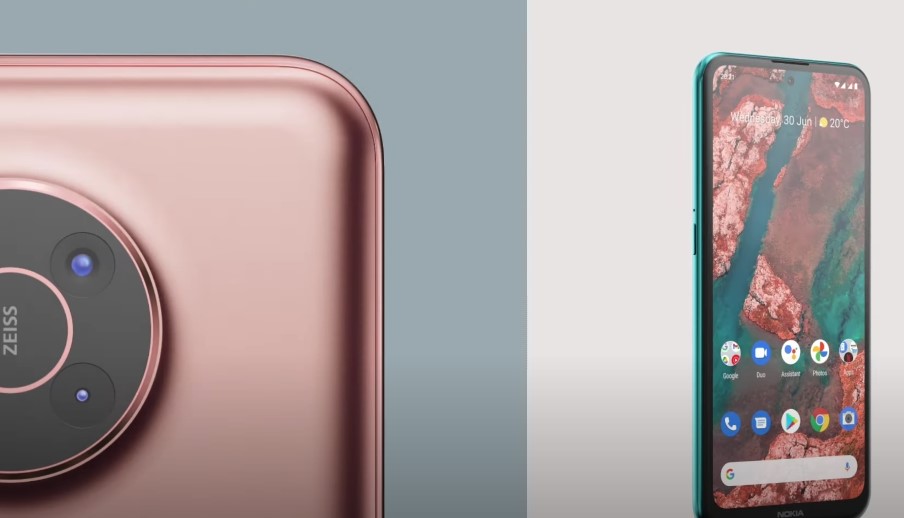
Nokia X20 is a recent addition to the company’s portfolio and was launched with Android 11. Good news for X20 users, as they will not have to wait any longer to taste the next big update. Nokia X20 users who opted in for the program can now head to the My Phone app, click on the Support banner, and scroll down to find “Android developer preview” to get the first build of Android 12. The app will first check if the IMEI is eligible and then prompt you to accept all the software license terms and conditions before rolling out the update.
The Android 12 build will release as an OTA within the next 12 hours but there’s always an option to have the build right away. Go to System > About Phone > System Updates to manually seek the update.
This obviously isn’t meant for everyone and may have bugs and issues, so Nokia has cautioned users to understand the repercussions before installing Android 12.
- Android 12 developer preview program builds (ADP) are early Android OS releases and are intended for application developers only – they are not recommended for general use.
- Although strenuously tested by our development team, the builds may exhibit performance and/or stability issues in some cases.
- Some applications downloaded from the Google Play Store may not be supported (either in full or in part) and may show signs of instability.
- Upgrading from Android 11 to the Android 12 developer preview program and rollback from the Android 12 developer preview program to the Official Android 11 build will result in loss of user data. As such, we recommended that you back up any user data to avoid loss.
- Online support is limited and may not be available to help users who experience difficulties with flashing the device.
The big iteration comes with a pre-installed feedback app that can be used to highlight bugs. But in case the update makes the phone go haywire, one can always request to roll back to Android 11 using the My Phone app.
Related:
- OPPO officially teases ColorOS 12 based on Android 12 – Gizmochina
- One UI 4.0 (Android 12) beta to soon hit Samsung Galaxy S21 in Germany (gizmochina.com)
- Here is an unofficial list of Xiaomi devices that may get the Android 12 update – Gizmochina
(via)




Comments