
Add GIZMOCHINA as Preferred Source on Google
Earlier this week, Nintendo announced an update for the Switch handheld consoles that brought a much-requested feature – Bluetooth Audio support. The Switch consoles have Bluetooth, but prior to the release of this update, users could only connect compatible controllers to the consoles but never an audio device. Four years after the Switch was released, this new update now allows users to connect their Bluetooth wireless headphones and speakers to their consoles.
If you are wondering how to connect your favorite Bluetooth earphones (and or speaker), this guide should make it easy for you. Below are the steps to get your Bluetooth devices connected to your Nintendo Switch or Nintendo Switch Lite:
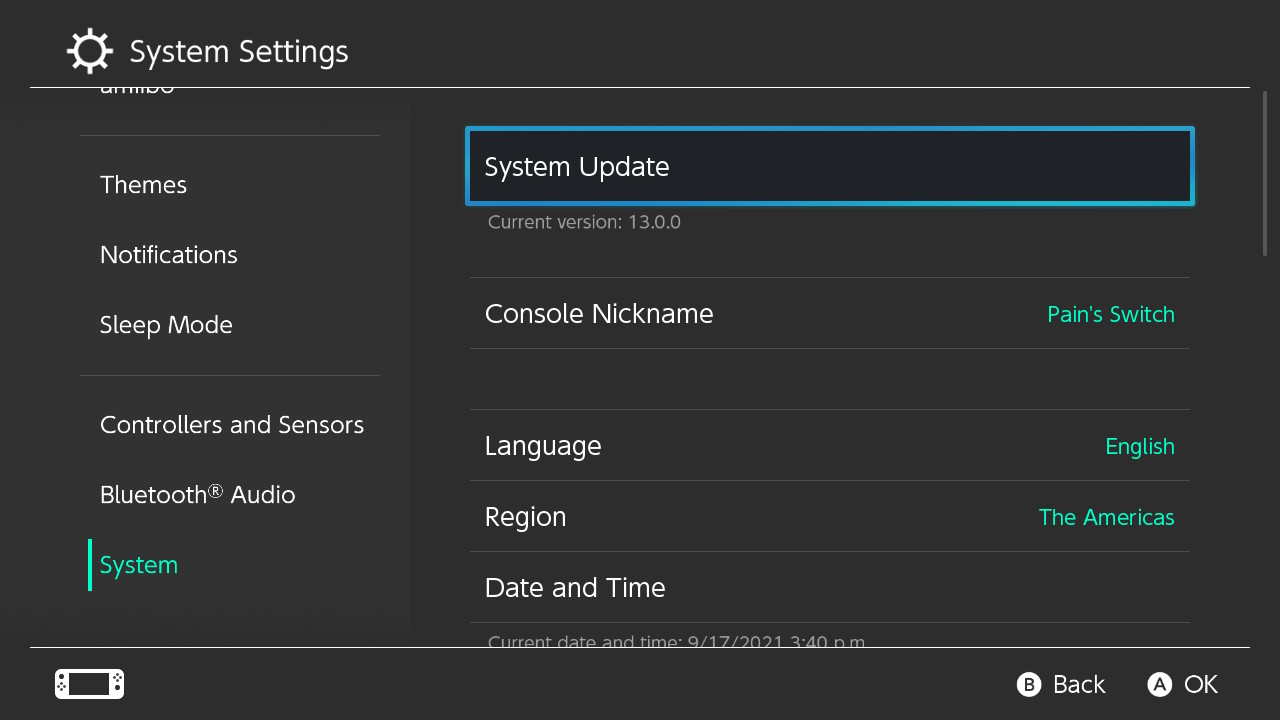
Step 1 – Check that your Switch is running the latest software version
To be able to pair your Bluetooth audio device, you have to confirm that your device is updated to the latest software version. Below are the steps to check the software version your console is running:
- Go to System Settings on your Nintendo Switch console. To do this, select the Gear Icon at the bottom of the screen.
- Scroll down to System, and you should see the current version of your console on the right side of the screen.
To be able to connect a Bluetooth audio device, your console must be running version 13.0.0 and above. So if your device is running a lower version, you have to update your device. If your device is running version 13.0.0 and above, you can jump to step 3.
Step 2 – Update your Nintendo Switch
To update your Nintendo Switch console, simply tap ‘System Update’. Your system should check for an update and download one if there is. Your device will need to restart once the update is downloaded and installed.
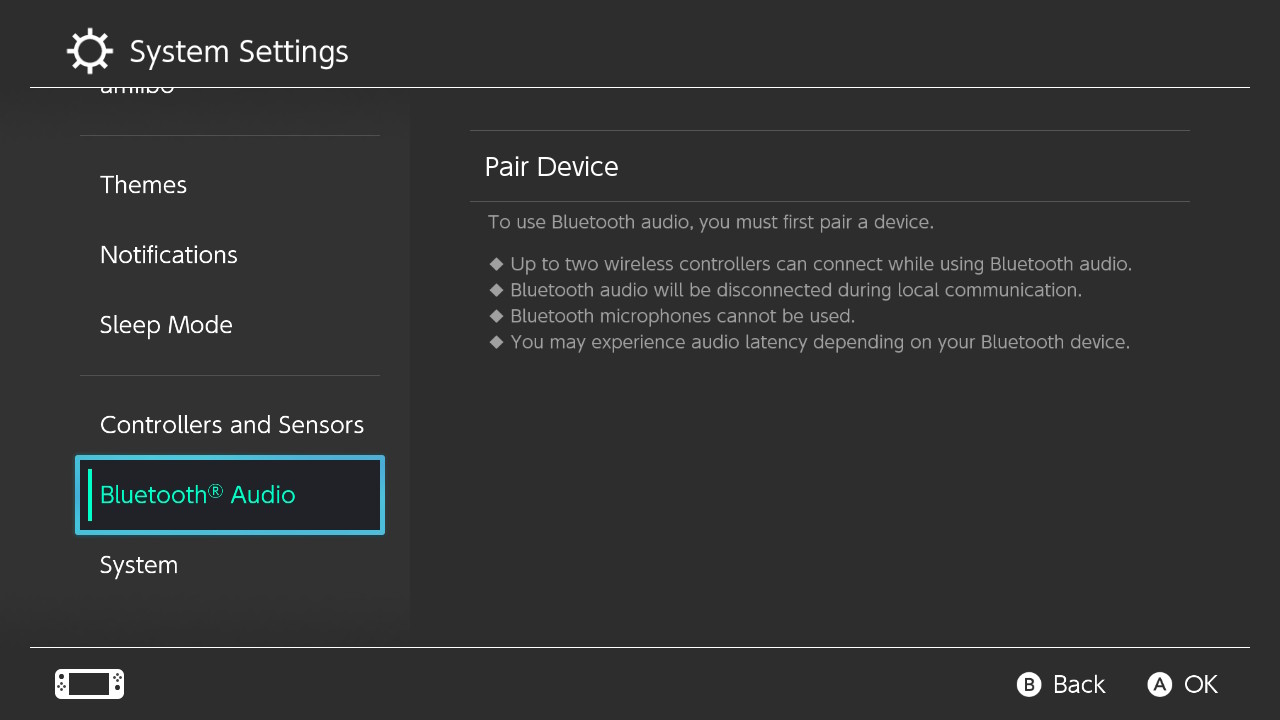
Step 3 – Connect your Bluetooth Audio Device
Once you are running the required version for Bluetooth audio device support, follow the steps below to connect your Bluetooth audio device.
- Go to System Settings as described in step 1.
- Scroll down on the left pane to the bottom of the screen. You should see a new menu called Bluetooth Audio.
- Select Pair Device on the right pane. If you have AirPlane Mode turned on, it will ask you to turn it off.
- Put on your Bluetooth audio device and make sure it is in pairing mode.
Your Nintendo Switch will search for available Bluetooth devices. - Once you see your Bluetooth device, select it and the console will be paired to it.
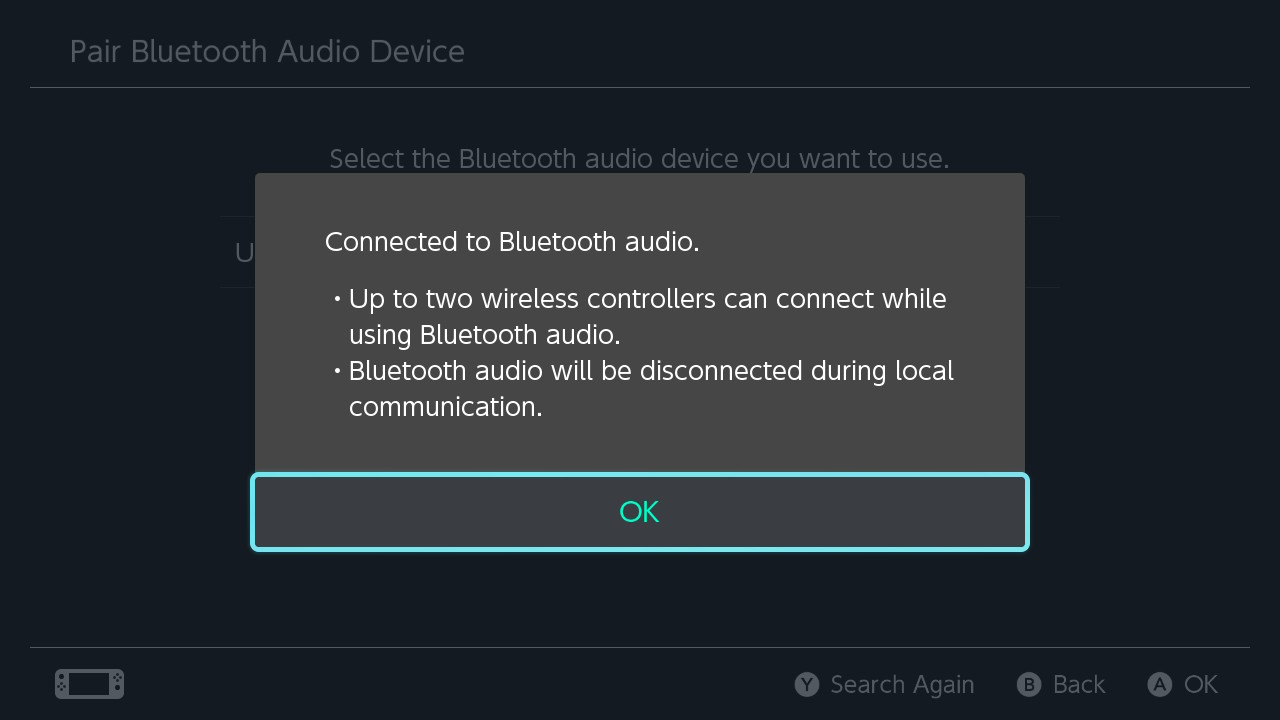
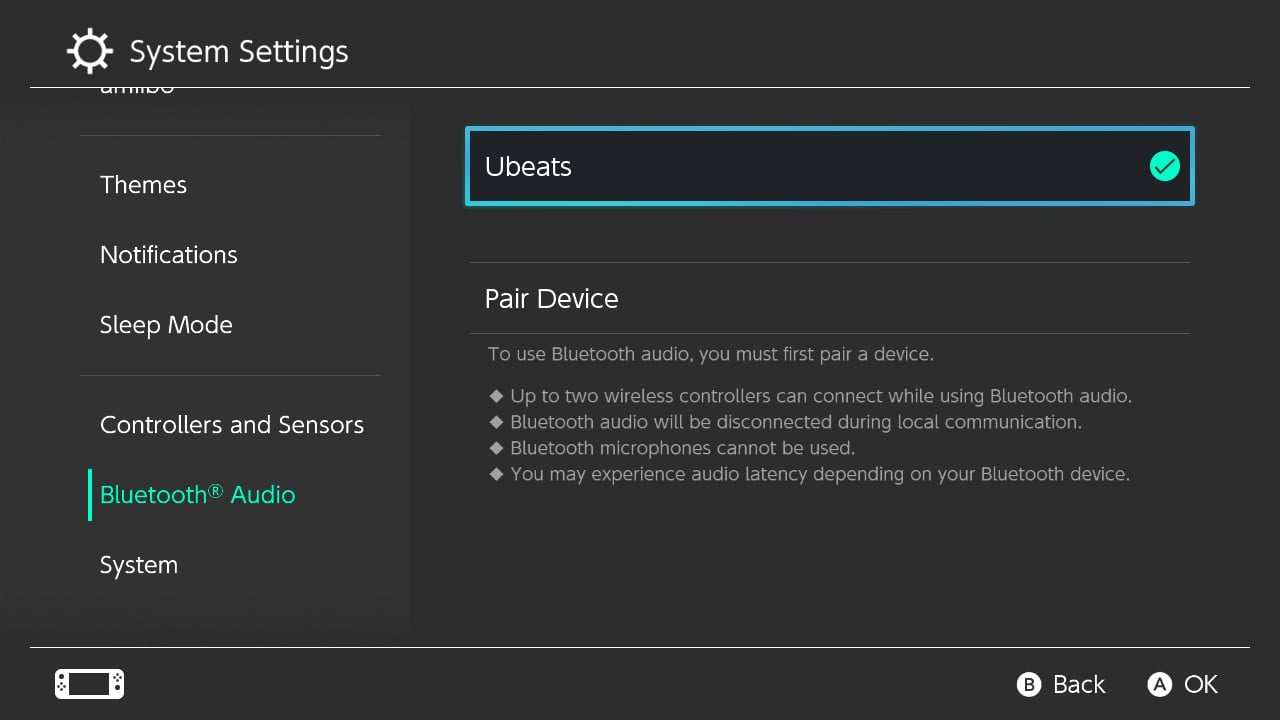
Voila! Your favorite Bluetooth audio device is now connected to your Nintendo Switch or Nintendo Switch Lite.
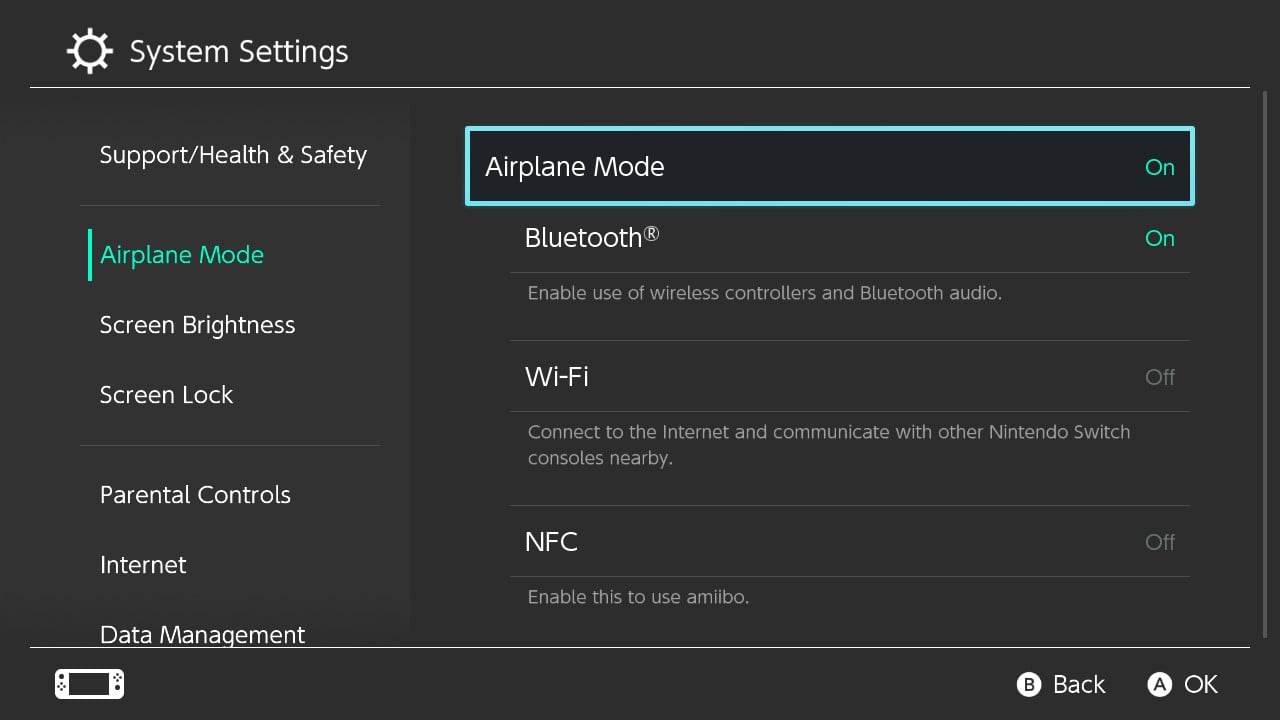
Do note that you can have Bluetooth turned on but Airplane Mode set to on by going to Airplane Mode under System Settings. Turning Airplane Mode on and setting Bluetooth to on.
RELATED:

Comments