
Add GIZMOCHINA as Preferred Source on Google
When discussing PDF readers, Adobe Acrobat often comes to mind. It’s the world’s most widely used PDF reader, with over 1 billion subscribers. However, as good as Acrobat is, it is not suitable for all users, including its high price (up to $240 per year). Its feature-rich and complex user interface is also suitable only for professional users. For these reasons and many more, we want to introduce you to the perfect Adobe Acrobat alternative, Afirstsoft PDF. It’s a beginner-friendly and AI-powered PDF reader that doesn’t sacrifice functionality and practicality. Keep reading this review to find out why you should start using this PDF management tool.
How Afirstsoft PDF Fixes Chaos
Managing documents can be challenging and time-consuming. You can face obstacles like incompatible files, unsigned documents, and disorganized pages. Thankfully, Afirstsoft PDF has a list of user-friendly features to help you tackle common PDF problems. Here are some PDF struggles you can handle with this tool:
PDF Editing:
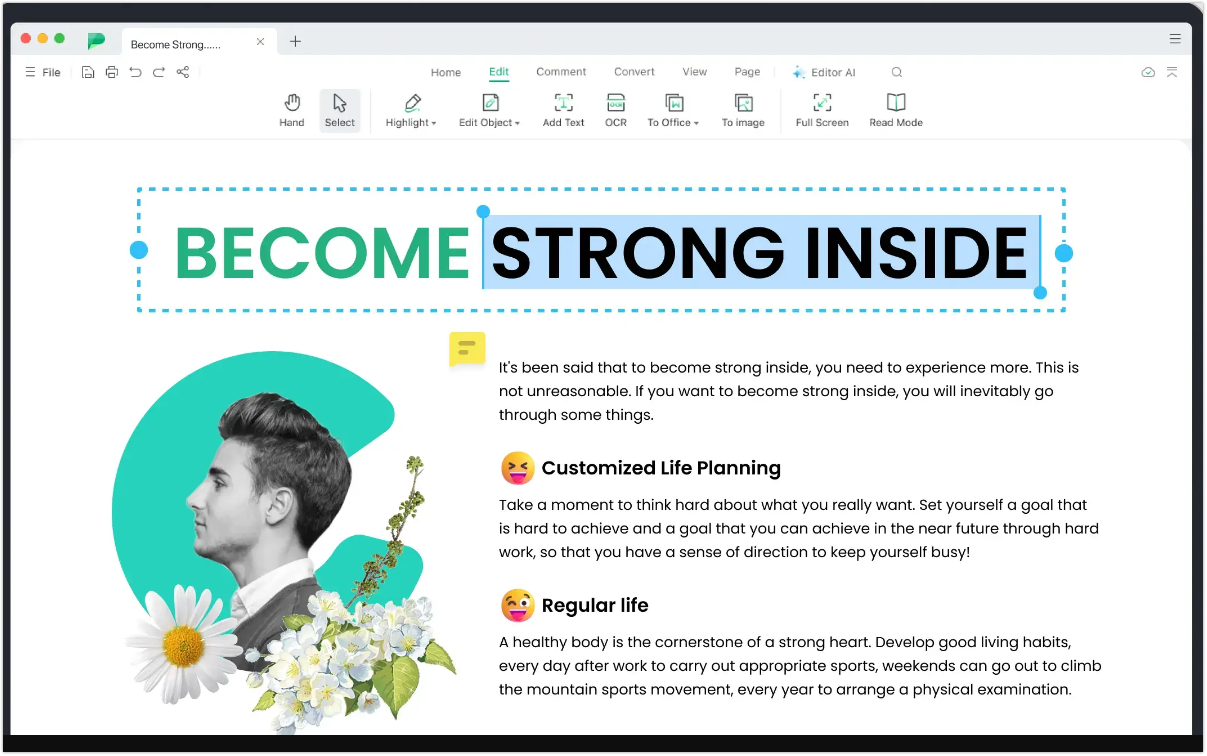
Editing and sharing documents can be a nightmare. Sometimes you may want to edit PDF texts and update information or correct errors. Afirstsoft PDF can edit, delete, and add PDF texts with stylish fonts and colors. The OCR feature lets you convert PDFs and scanned images into searchable and editable texts. It supports 20+ OCR languages.
Organizating Chaos:
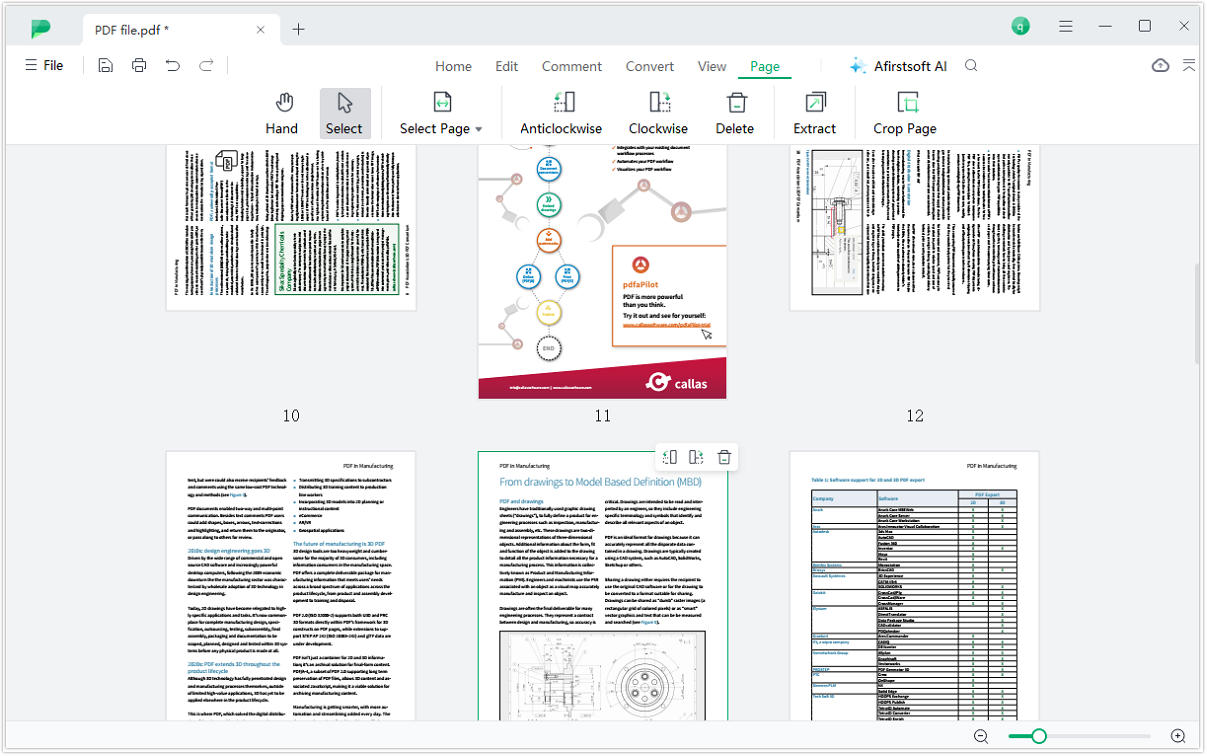
Organizing documents ensures uniformity and professionalism. Unfortunately, dealing with a pile of documents can be a struggle. Afirstsoft PDF provides an intuitive interface to manage PDF pages and avoid duplication or confusion. You can extract, delete, and reorder pages. It also lets you split and merge PDFs for easier document management.
Information Overload:
Reading PDFs word-by-word can be tedious, especially when dealing with long texts like essays or newsletters. White at it, you can find hard-to-understand texts and slangs. Afirstsoft AI can do all the dirty work by summarizing and explaining PDFs. You can also ask the AI chat feature any question regarding your PDF document.

As you can see, Afirstsoft PDF can help you solve multiple PDF problems. Other solutions that this program offers include:
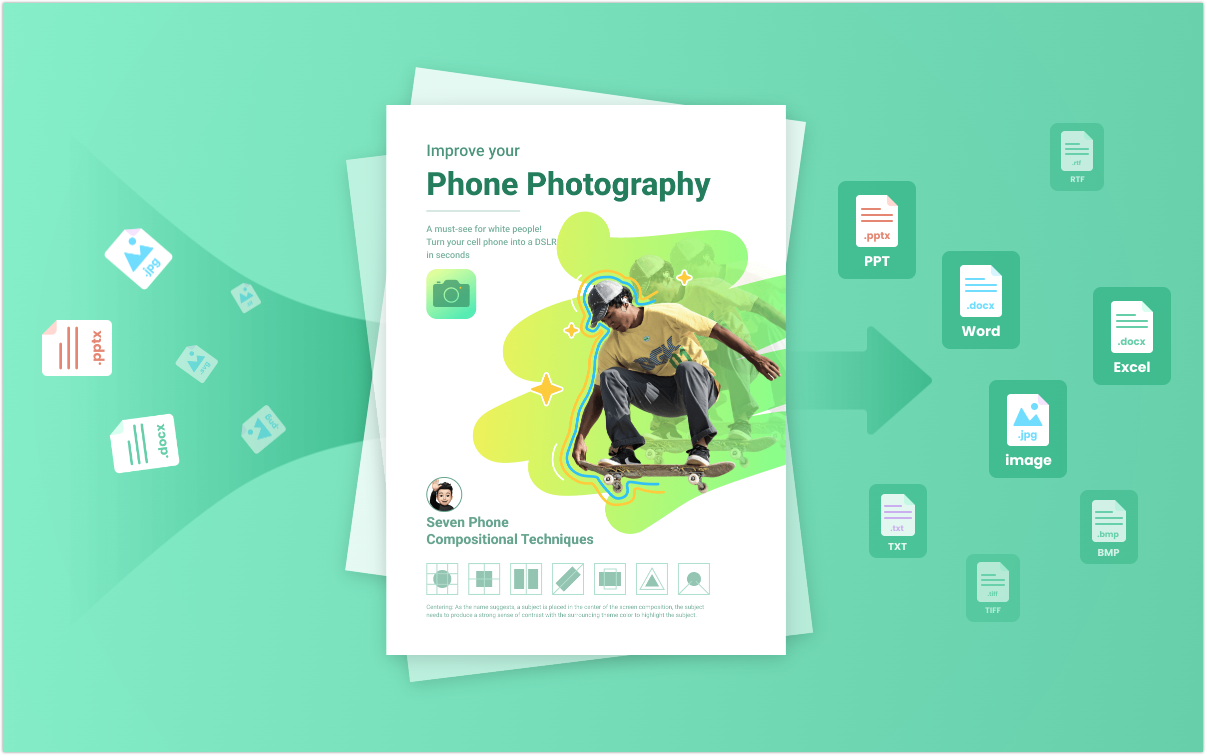
- Losslessly convert PDFs to and from dozens of document, web, and image formats.
- Upload PDFs to Afirstsoft Cloud for remote document access. This enables collaborative PDF editing using features like comments and feedback.
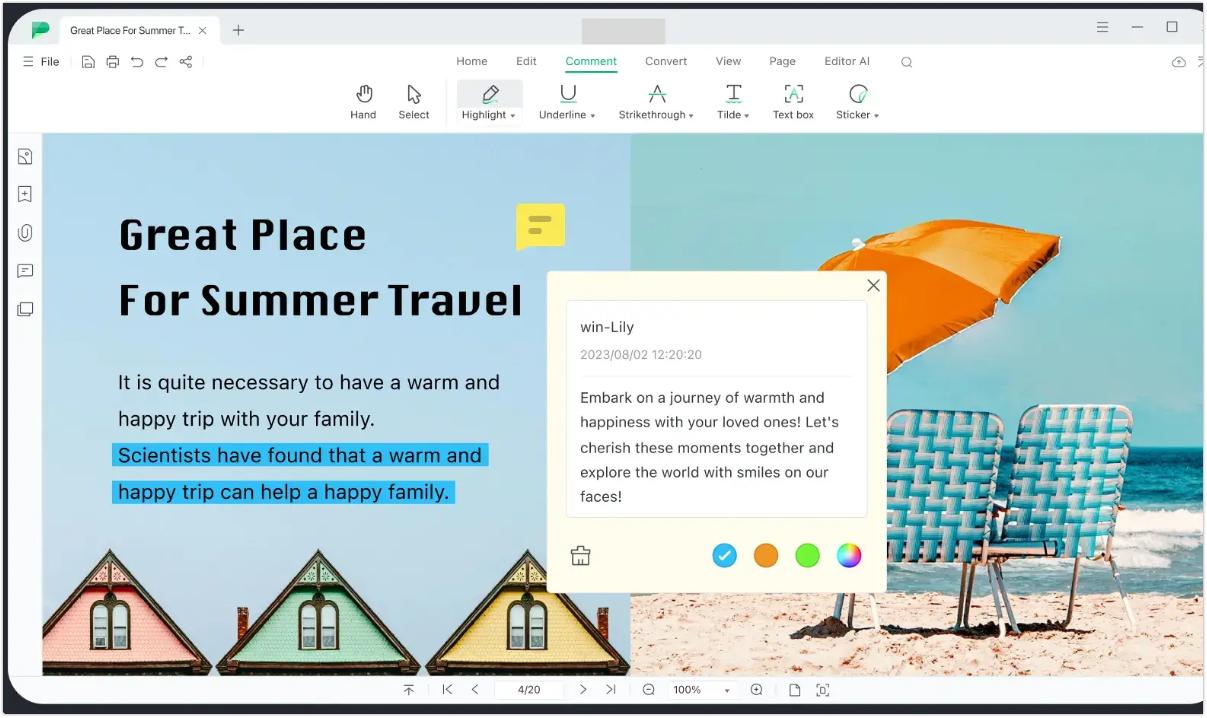
- Afirstsoft PDF also lets you create interactive documents from scratch. You can create PDFs from Office files like Word, PowerPoint, and Excel.
>Afirstsoft PDF is currently offering a 30% discount to all new subscribers, and subscribers will have the opportunity to receive a free license.
Power of Affordability: Slash Costs, Boost Productivity
Many people would choose Adobe Acrobat when searching for a PDF editor. After all, this program houses several innovative features, including cloud-based editing and AI support. It’s also worth mentioning that Adobe invented the PDF format in 1993, making Acrobat one of the best options for viewing and managing documents.
However, as mentioned earlier, Adobe Acrobat isn’t cheap. The monthly and yearly subscriptions can be backbreaking for a casual user. The good news is that Afirstsoft PDF offers similar functions to Acrobat at a pocket-friendly cost. The Afirstsoft PDF’s price is only 25% of Acrobat. This easy-to-use program offers AI support, OCR scanning, PDF conversion, and other Adobe Acrobat features.
The deal gets sweeter if you choose Afirstsoft PDF. This all-in-one PDF reader currently offers 30% off for all new subscribers. Afirstsoft also provides free licenses for all new website users. You can use a single license across platforms, including Windows, macOS, iOS, Web and Android.
Beyond Affordability: Unveiling Afirstsoft’s Advantages
Choosing the best PDF editor involves looking beyond the price point. A good PDF viewer must pack enough features to allow you to accomplish important goals more conveniently. Therefore, we want to list some of the four advantages that Afirstsoft PDF brings to the table.
Cross-Platform Powerhouse
Are you looking for a PDF reader to view and annotate documents on any platform? Afirstsoft PDF Creator is the best choice, thanks to its convenient cloud service. This program offers excellent compatibility with Windows, macOS, iOS, Android systems and Web. You can access all Afirstsoft PDF services on two desktops and two mobile phones with a single account.
Below are some possible configurations:
- 2 Mac/Windows + 2 iOS
- 2 Mac/Windows + 2 Android
- 1 Mac and 1 Windows + 2 Android
- 1 Mac and 1 Windows + 2 iOS
- 2 Windows/Mac + 1 Android and 1 iOS
AI for the Win
Another advantage of using Afirstsoft PDF over Adobe Acrobat is the AI Assistant. In Acrobat, the AI service comes with a separate subscription plan. Conversely, Afirstsoft PDF offers you a free AI Assistant to make PDF management quicker and more convenient. It can summarize long PDF texts and explain hard-to-understand vocabularies or sentences. You can also chat with the AI and ask questions about your PDF. In short, it saves time and enhances productivity.
User-Centric Design: PDF Made Easy
Afirstsoft PDF is one of the most basic and beginner-friendly PDF readers. The user interface is exceptionally minimalistic without sacrificing this program’s functionality. Navigating this program using the ribbon-style menu resembling Microsoft Office is quick and straightforward. Beginners can easily find tools for editing, converting, highlighting, and more. You don’t need prior PDF editing experience to use this program.
Focus on Efficiency
Afirstsoft PDF can help streamline your workflow with its collection of user-centric features. First, the Afirstsoft Cloud feature ensures collaborative PDF editing and annotation across various devices, making PDF handling more efficient. Afirstsoft PDF also provides a well-organized layout with multiple reading modes. The PDF navigation tools give you more control over your document as you scroll the pages using your preferred layout style.
You can arrange and navigate the PDF pages as follows:
- Single page
- Single-page scrolling
- Two page
- Two-page scrolling
Conclusion
You now have every reason to include Afirstsoft PDF in your document management workflow. The robust set of features makes it perfect for PDF creation and editing. It’s a pretty versatile document management system for personal and business use. Overall, it does everything Adobe Acrobat can do at a lower subscription price. Don’t forget to claim the special offer and enjoy editing PDFs anywhere, any time.

Comments