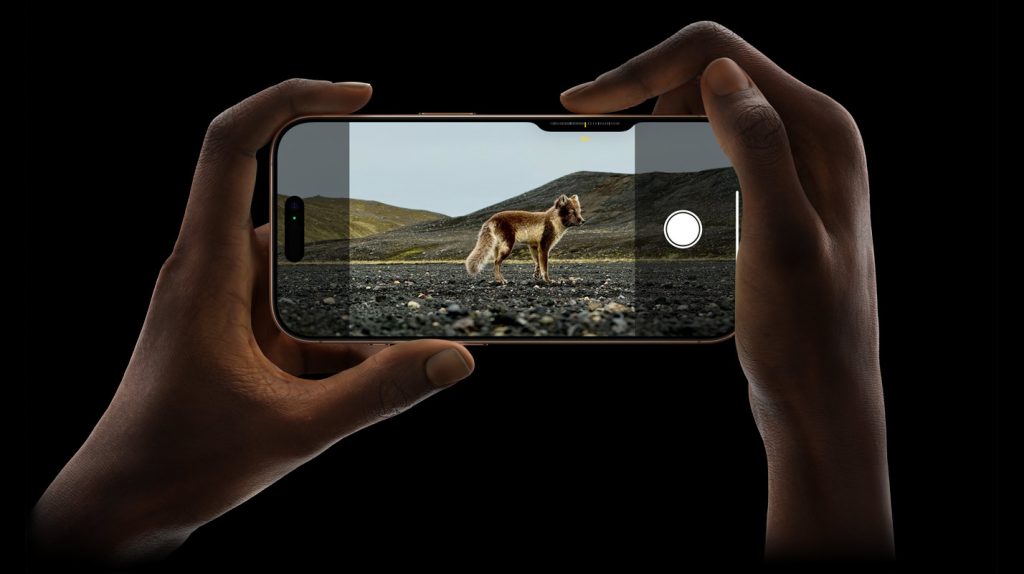
Apple recently unveiled its new iPhone 16 series with various improvements and the upcoming AI features. But that’s not all, the 2024 iPhones were showcased with changes in their design, with one of the biggest new inclusions being a dedicated camera button. We’ve seen this in the past on Android phones, but it is not as common anymore. So why is Apple bringing this back? It begs the question, do we really need a dedicated camera button on smartphones?
A physical camera button has been featured on various smartphones in the past. Back in the late 2000s, Samsung had also dabbled with the dedicated camera button in models like the Galaxy K Zoom. Other brands also launched devices with these buttons but in 2024, Sony is the last remaining Android smartphone maker with a hardware camera button. You can find these on Sony’s flagship Xperia series smartphones.
Now, it seems Apple wants to iterate on this feature, bringing it to its own premium offering. The camera button can be found on all four iPhone models, namely the iPhone 16, iPhone 16 Plus, iPhone 16 Pro, and iPhone 16 Pro Max. It made sense that dedicated buttons lost popularity over time as smartphone cameras weren’t as advanced as their modern counterparts. But does that really justify its return?
2. What are the advantages of a physical camera button?
From photography enthusiasts to regular users taking a photo, a physical button with tactile feedback is definitely a better experience than the on-screen control. Image stabilization has become a lot more prominent now, but a camera button still helps in lowering the risk of a shaky shot. Taking a picture usually involves relying on the autofocus, or manually inputting it by tapping on the screen.
This is where Apple’s implementation of the camera button shines. The iPhone 16’s buttons are touch sensitive, basically allowing users to trigger multiple functions at ease. Apart from just clicking pictures, it can even help in video recording and adjusting various camera settings like zoom with simple swipes. This sounds pretty great for the most part, but people don’t always take pictures like holding a camera (landscape). Using the button when it is vertical (portrait), the awkward position of the button would have you return to the on-display controls.
3. So is it really worth it?
Adding another way of inputting some controls does not always make it convenient. Yes, the feature is helpful and makes it more tactile. Video artists, photographers, and vloggers will likely find great use of it. But I can’t help but feel that this feature is redundant. Apple has removed hardware like the 3.5mm audio jack for more space internally, but I’d rather have that over a camera button. The new button lets you access many things if you can learn it. But it’s almost like the Dynamic Island gimmick. Don’t get me wrong, the buttons are better than the Dynamic Island but not by a large margin.
4. Industry Response
Apple’s decisions usually lead to a larger trend that follows suit. It shouldn’t be too long till we see Android smartphone manufacturers bringing physical camera buttons into their upcoming devices. Chinese brands like Oppo are reportedly working on it already. Although it remains to be seen how each company improves on it.
We use cookies on our website to give you the most relevant experience by remembering your preferences and repeat visits. By clicking “Accept”, you consent to the use of ALL the cookies.
This website uses cookies to improve your experience while you navigate through the website. Out of these, the cookies that are categorized as necessary are stored on your browser as they are essential for the working of basic functionalities of the website. We also use third-party cookies that help us analyze and understand how you use this website. These cookies will be stored in your browser only with your consent. You also have the option to opt-out of these cookies. But opting out of some of these cookies may affect your browsing experience.
Necessary cookies are absolutely essential for the website to function properly. This category only includes cookies that ensures basic functionalities and security features of the website. These cookies do not store any personal information.
Any cookies that may not be particularly necessary for the website to function and is used specifically to collect user personal data via analytics, ads, other embedded contents are termed as non-necessary cookies. It is mandatory to procure user consent prior to running these cookies on your website.