
Add GIZMOCHINA as Preferred Source on Google
Vivo has officially unveiled OriginOS 5, the latest iteration of its custom user interface based on Android 15. Although the official beta rollout hasn’t begun— it’s starting next month — the features unveiled by the company make it worth the wait. Let’s dive into the details.

What’s new in OriginOS 5 based on Android 15?
According to Vivo, the OriginOS 5 offers 15% faster app launches, 30% faster app switching, and a 26% reduction in CPU power consumption. OriginOS 5 also touts intelligent resource allocation, directing GPU and RAM power where it’s needed most to keep foreground apps running smoothly.

The real star of the show, however, is Vivo’s AI assistant, “Blue Heart Little V.” Thanks to this, Vivo now has its own version of the “circle to search” feature. And it works similarly — you simply circle an item on your screen, and Little V provides relevant search results and recommendations based on the content.
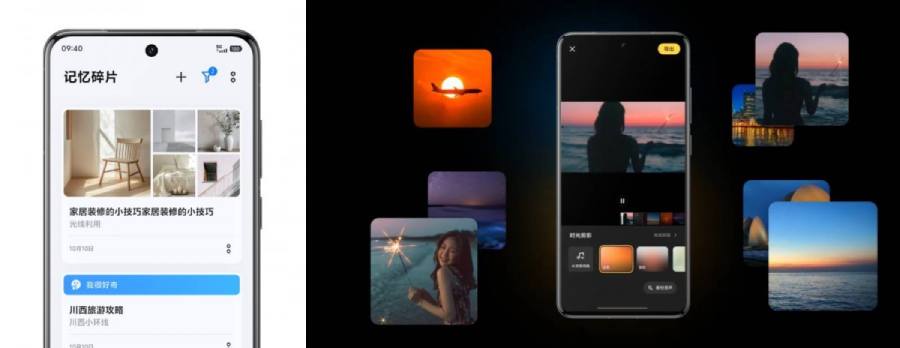
Little V also goes beyond basic search. Users can create virtual clipboards that store photos, videos, articles, links, and more. It then organizes them into “memory fragments” based on your activities and travels.
Also Read: Vivo phones are receiving stable Android 15 update before Google Pixel 9
For your photos and videos, Little V can automatically curate highlight reels, complete with music and even lyrics that supposedly match the overall mood.
OriginOS 5 also embraces the “Dynamic Island” trend, popularized by Apple. These pop-up cards appear at the top of the screen when you copy text, with Little V’s AI contextually associating it with relevant actions. You can even drag and drop additional content into these cards for further integration.
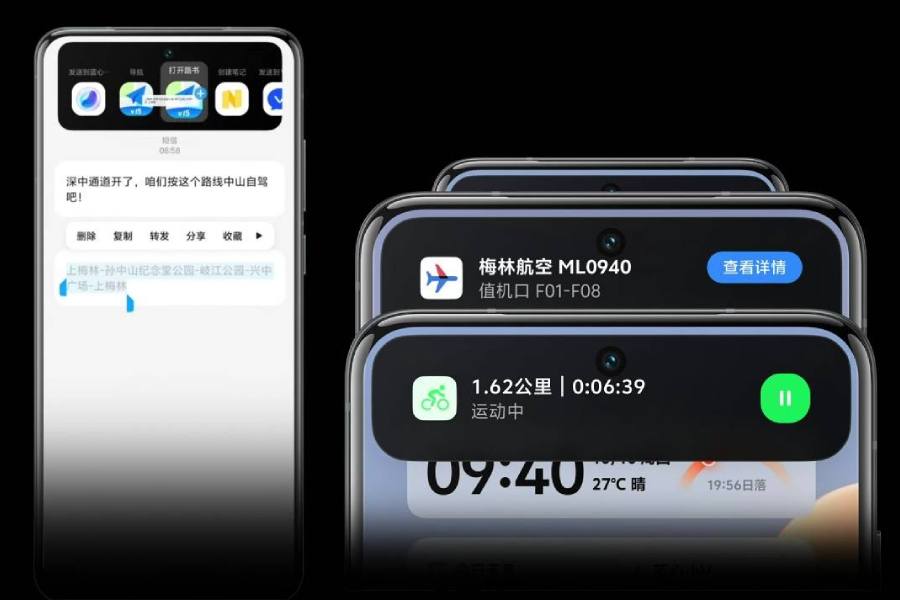
The cards themselves are dynamically refreshed, offering information based on time and location. A unified Settings page helps keep all these smart features organized and under control.
Little V extends its reach beyond search and organization. It can assist with communication, offering to write and rewrite messages for you. It can even handle calls in multiple languages, providing you with a summary in the Atom Notes app after the call is finished.
Further breaking down communication barriers, Little V can interpret sign language and translate it using a virtual human avatar. It can also assist visually impaired users with daily tasks.
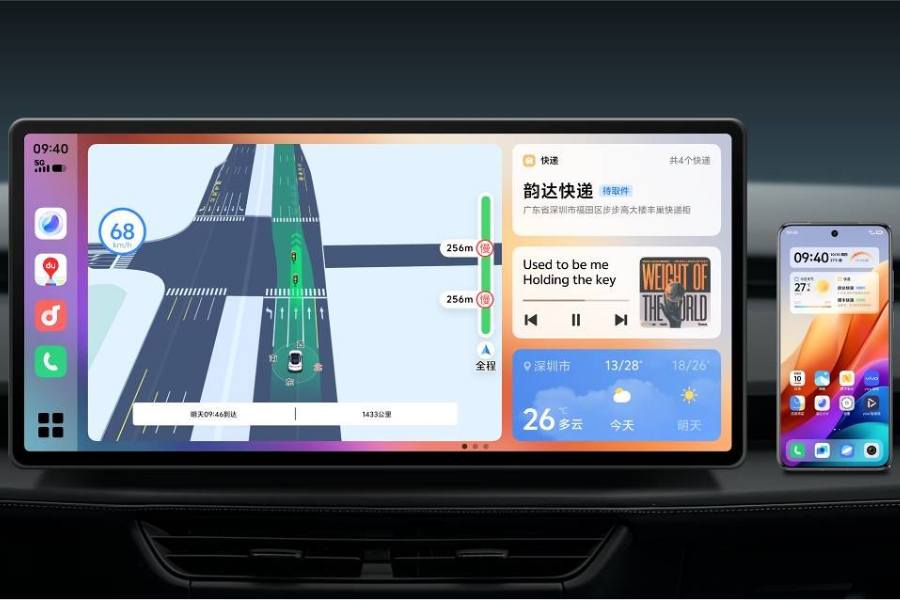
For those who spend a lot of time on the road, Little V can connect to your car’s infotainment system. It allows you to answer calls and messages, either by providing a summary or even handling the call entirely on your behalf. You can also use voice commands to interact with Little V and ask about received messages.
The update also brings support for the Matter protocol, allowing OriginOS 5 to act as a smart home hub. This means controlling and monitoring your smart lights, air conditioners, and other compatible devices becomes easier through the control center.
Finally, OriginOS 5 extends Little V’s reach beyond your phone. It will be available on Windows, Mac, and as an online version for a seamless transition from mobile to desktop use.
OriginOS 5 rollout timeline
Now, this is the list of Vivo and iQOO smartphones that will get OriginOS 5 update based on Android 15:
| Month | Vivo | iQOO |
| November 2024 | X Fold3 Pro, X Fold3, X100 Ultra, X100S Pro, X100 Pro, X100S | iQOO 12 Pro, iQOO 12, iQOO Neo9S Pro+, iQOO Neo9S, iQOO Neo9 |
| December 2024 | X Fold2, X Flip, X90 Pro+, X90 Pro, X90 | iQOO 11 Pro, iQOO 11S, iQOO 11, iQOO Z9 Turbo+ |
| January 2025 | X Fold+, X Fold, X Note | iQOO Neo8 Pro, iQOO Neo8, iQOO Z9 Turbo, iQOO Z9 |
| February 2025 | X80 Pro, X80 Pro (Dimensity 9000 version), X80, S19 Pro, S19 | iQOO 10 Pro, iQOO 10, iQOO Neo7 (Speed Edition), iQOO Neo7 SE |
| March 2025 | S18 Pro, S18, S18e, Y300 Pro, Y300 | iQOO 9 Pro, iQOO 9, iQOO Neo6, iQOO Neo6 SE, iQOO Z8 |
| April 2025 | S17 Pro, S17, S17t, S17e, Vivo Pad3 Pro, Vivo Pad3 | iQOO Z7, iQOO Pad2 Pro, iQOO Pad2 |
| May 2025 | S16 Pro, S16, Y200, Y200 GT, Vivo Pad2, Vivo Pad Air | iQOO Pad, iQOO Pad Air |
(Source)




Comments