
Add GIZMOCHINA on Google:
OnePlus has rolled out OxygenOS 15, bringing a smoother mobile experience with faster performance, more customization options, and enhanced AI tools. It builds on OxygenOS 14, adding practical features that make it easier to get things done and stay creative.
Performance Boost with Smoother Animations
OnePlus sticks to its “Fast and Smooth” approach by adding Parallel Processing to its animations. This means everything, from widgets to app folders, moves fluidly, even during interruptions. The update also ensures consistent swipe gestures across third-party apps, making your interactions feel seamless throughout the system.
Fresh Design for Everyday Use
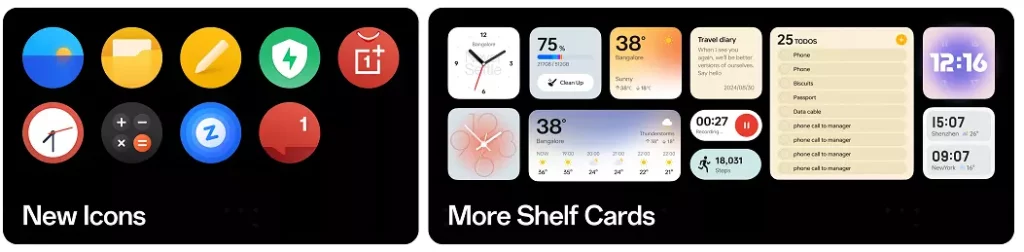
OxygenOS 15 brings a subtle design update. Icons on the home screen now have sharper colors and better proportions, making them easier to look at. The Shelf widget has been revamped, offering more card options and localized features for quicker access to information.
A key feature in this update is Split Mode, which separates notifications from quick settings. Swiping down from the top left shows notifications, while swiping from the top right brings up quick settings—making it easier to navigate both.
More Ways to Personalize Your Phone
Customization takes a step forward with OnePlus OneTake, allowing users to create a connected look across the Always-On Display, lock screen, and home screen. The Depth feature adds layers to wallpapers, creating a more dynamic feel by separating the subject from the background.
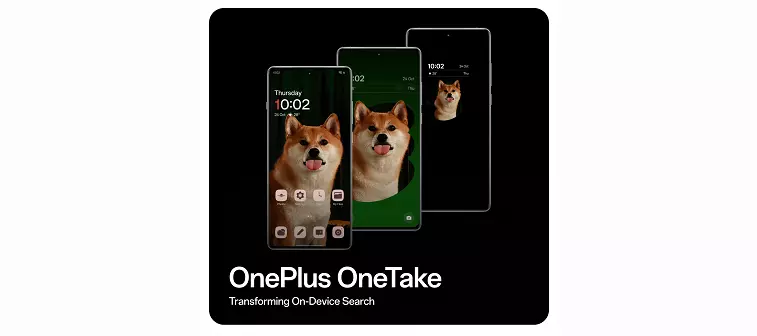
The lock screen also supports more customization, with options like glass textures, blurred wallpapers, and AI-driven auto-fill settings.
AI Tools for Better Photos and Productivity
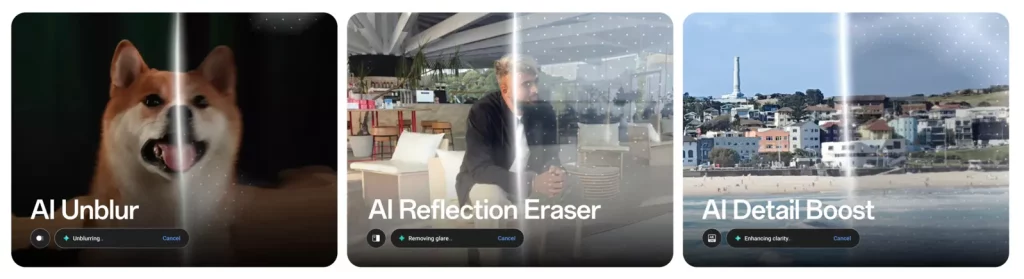
OxygenOS 15 brings several AI-powered tools to help improve your photos and writing. AI Eraser and AI Reflection Eraser let you clean up pictures by removing unwanted objects or reflections, while AI Unblur makes sure action shots stay sharp. The AI Detail Boost feature keeps zoomed-in photos crisp.
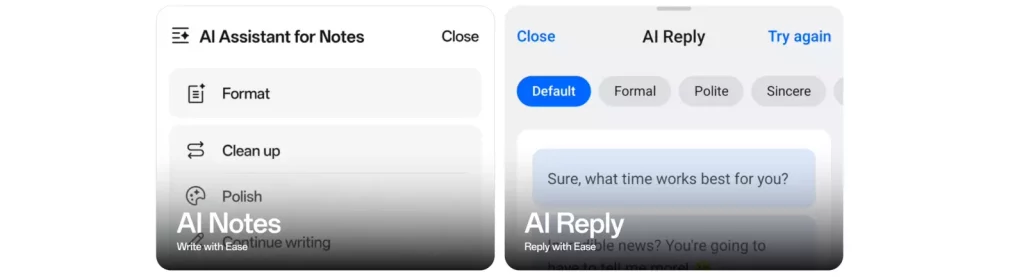
On the productivity side, AI Notes helps structure and refine content. It can summarize articles, tidy up fragmented text, and even suggest quick responses for messaging apps like WhatsApp. The AI Reply feature generates responses based on the conversation, making it easier to stay on top of messages.

The Circle to Search tool adds a quick way to search for content on your screen using gestures, whether you need to find a product or translate text on the spot.
Improved Security and Privacy Controls
This update strengthens security with features that prevent theft and monitor apps for suspicious activity. Google Play Protect Live Threat Detection keeps an eye on apps for malware, blocking any that seem harmful.
The new theft protection system allows you to lock your phone remotely through the Find My Device portal, even without a password. The phone can also auto-lock if it detects unusual activity, such as sudden movement. It can be locked remotely using just your phone number and will automatically lock itself if the SIM card is removed or too many incorrect passwords are entered.
Easier Multitasking with Open Canvas
The new Open Canvas feature improves multitasking by supporting a three-app split-screen mode. Unlike traditional split screens that shrink apps, Open Canvas lets two apps stay at their normal size while switching between them smoothly.
Smoother Cross-Platform File Sharing
With OnePlus Share, users can now transfer files seamlessly between OnePlus and iOS devices. Whether you’re sharing photos, videos, or documents, the process is quick and easy.
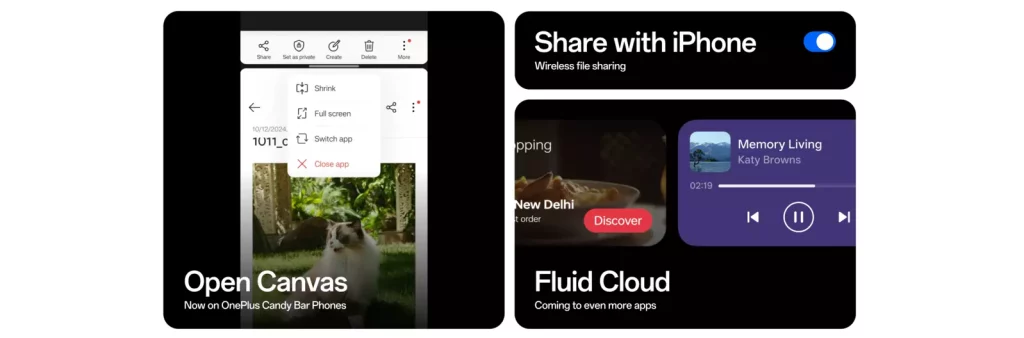
Fluid Cloud ensures that your data syncs smoothly across apps like Spotify and Zomato, while notifications expand into detailed cards with a tap, helping you stay on top of multiple activities at once.
Availability
OnePlus has announced that the beta testing of OxygenOS 15 will kick off by the end of this month (October 30), starting with the OnePlus 12 series. The brand has yet to share any details about a wider stable release of the new software.
(Source)




Comments