
Add GIZMOCHINA as Preferred Source on Google
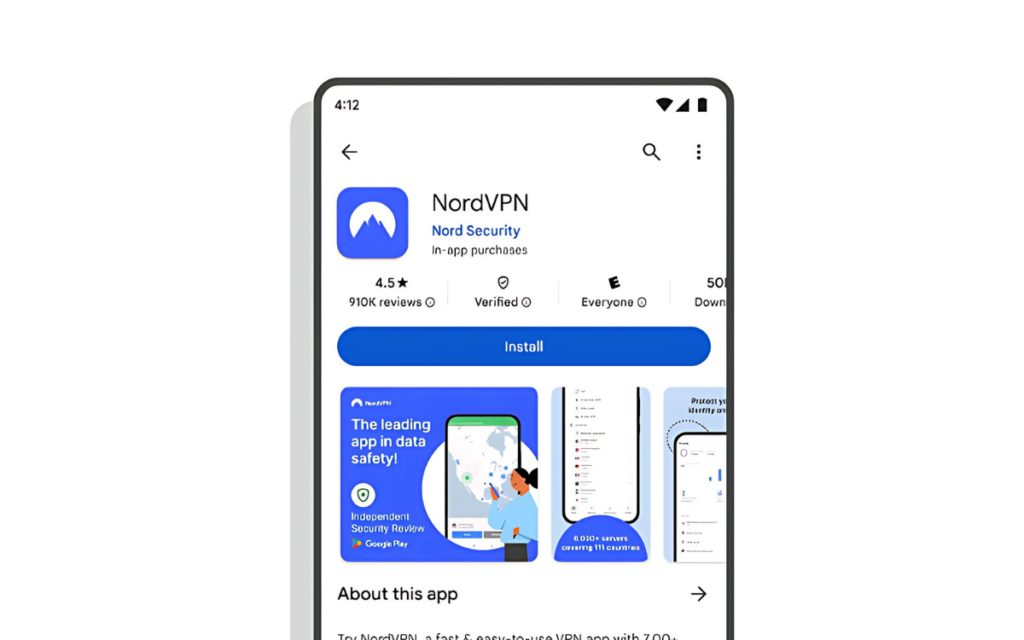
Google is introducing a “Verified” badge on the Play Store to help users identify safe and reliable VPN apps. This badge, displayed as a shield with a checkmark and the word “Verified,” indicates that the VPN meets strict security and privacy standards, ensuring users can trust apps that genuinely protect their data.
How VPNs Can Earn Google’s Verified Badge
To earn the badge, VPN apps must pass Google’s Mobile Application Security Assessment (MASA) Level 2 and comply with Play Store guidelines. Developers must meet specific criteria, including having at least 10,000 installs, 250 reviews, and 90 days of availability on the Play Store. They must also operate under an organization developer account and submit a declaration in the Data Safety section, detailing how user data is handled and confirming independent security audits.
This initiative addresses growing concerns about malicious VPN apps that pose as security tools while harvesting data or spreading malware. Earlier this month, Google warned about legitimate-looking VPNs being used as backdoors for cyberattacks. With VPN usage rising due to privacy concerns and online restrictions, the need for clear verification is critical.
Leading VPN providers like NordVPN, Hide.me, and Aloha Browser have already received the badge, highlighting their commitment to user security. Verified apps may also gain increased visibility on the Play Store, encouraging developers to adhere to these standards.
This move is part of Google’s broader efforts to enhance Play Store transparency and security, following updates like privacy labels and independent security review banners. Last year, Google also introduced a verification badge for government-made apps, helping users identify legitimate applications from official sources.
As cyber threats evolve, the “Verified” badge is a crucial step in helping users make informed choices in a crowded VPN market, ensuring safer and more reliable app experiences.
For more daily updates, please visit our News Section.
Stay ahead in tech! Join our Telegram community and sign up for our daily newsletter of top stories! 💡
(Via)



Comments