
Add GIZMOCHINA as Preferred Source on Google
Losing precious photos on your Samsung phone can be stressful. Whether it’s due to an SD card failure, software glitches, or accidental deletion, the good news is that in most cases, recovery is possible. This guide explains where Samsung photos are stored, different recovery methods, and tips to prevent future photo loss.
Where Samsung Photos Are Stored
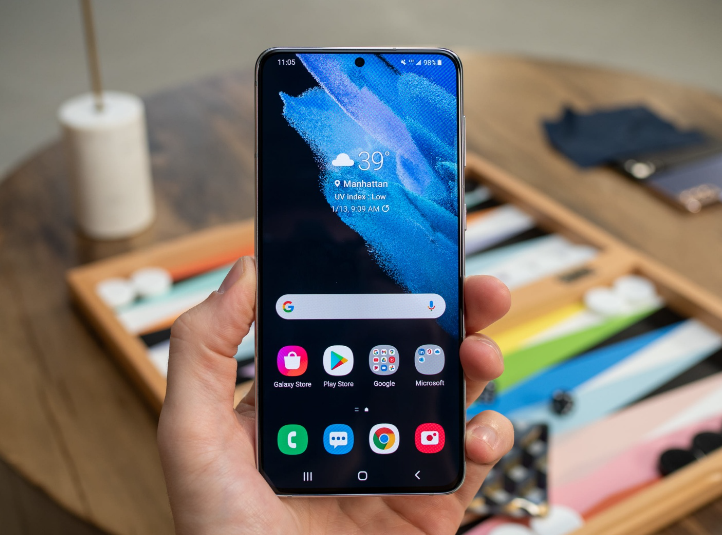
On Samsung devices, photos are usually saved in the DCIM/Camera folder inside your internal storage. If you use an SD card, your pictures might be stored there instead. The recovery process depends on where your images are located, as recovery tools treat internal storage and SD cards differently.
To check the location, open your Gallery or Camera app and review the storage settings. Knowing the exact location will make the recovery process easier.
Recovering Photos from an SD Card
If your deleted photos were stored on an SD card, you can use a powerful recovery tool like Wondershare Recoverit Photo Recovery. This software is designed to handle cases like system crashes, device formatting, and other technical issues. It uses a deep scanning algorithm with a 96% success rate, supports over 120 file formats (including RAW, PNG, and JPG), and allows you to preview photos before recovering them.
Quick Tutorial: Recover Deleted Photos from a Samsung SD Card
- Step 1: Open Recoverit and Connect Your SD Card
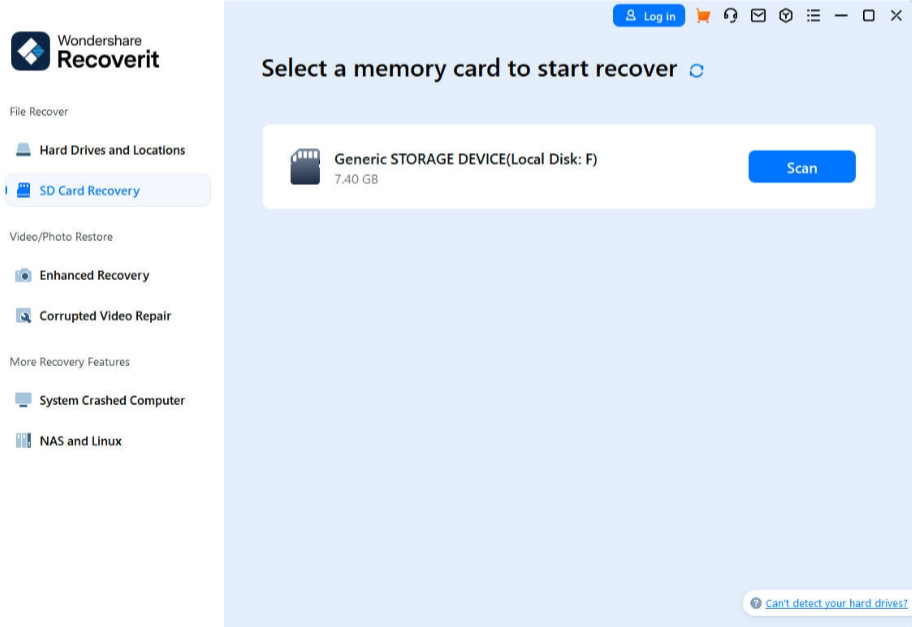
Launch Wondershare Recoverit on your computer. Insert your SD card into a card reader and connect it to the PC. On the main screen, choose the “SD Card Recovery” option and click Scan to start the process.
- Step 2: Scan and Restore Your Photos
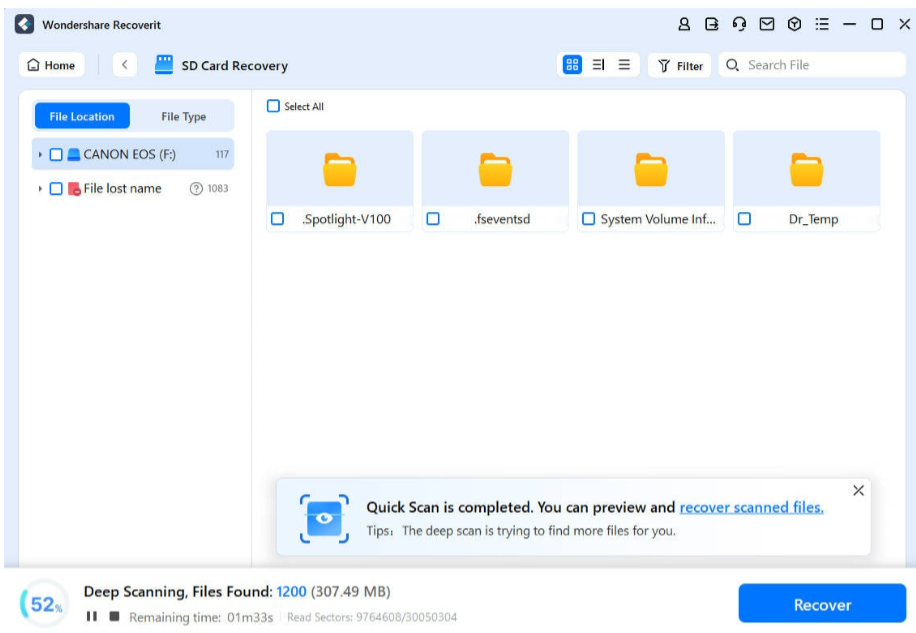
While the scan is running, look through the results to find your lost images. Use the Preview feature to check their quality before restoring. Once you confirm the right photos, click Recover and save them to a safe location.
- For a more detailed walkthrough, you can watch the official Wondershare Recoverit video tutorial.
Recovering Photos from Internal Memory
If your deleted images were stored in your phone’s internal storage, you can try cloud-based options first.
Samsung Cloud (OneDrive Integration): If Gallery sync is enabled, your photos might be saved in OneDrive. Go to Settings → Account → Samsung Cloud and enable Gallery sync. Log in to OneDrive, check your albums, and restore any missing photos.
Google Photos: If you use Google Photos, check the Trash Bin, which stores deleted images for up to 60 days. Open Google Photos, go to Bin, select the photo you want, and tap Restore.
Is Photo Recovery Possible?
Yes. When you delete a photo, it doesn’t disappear instantly; it remains until it’s overwritten by new data. This means recovery is often possible, especially if you act quickly. Tools like Recoverit speed up the process and improve your chances of getting back permanently deleted images.

Tips to Prevent Photo Loss and Recover Photos
- Stop using your device immediately to avoid overwriting deleted data.
- Check the Trash or Recycle Bin in apps like Google Photos before using recovery tools.
- Use one recovery method at a time for better success rates.
- Run an SD card error check if you suspect corruption.
- Preview files before recovery to ensure you restore the right images.
- Recover files to a different storage location to prevent further data loss.
- Act quickly; the longer you wait, the harder it becomes to retrieve lost photos.
Accidental photo deletion can happen to anyone, but with the right tools and quick action, you can recover most lost images. Cloud services like Samsung Cloud and Google Photos work well for recently deleted files, while Wondershare Recoverit is the best option for deeply deleted or lost photos from both internal storage and SD cards. Acting fast and keeping regular backups is the key to ensuring your memories are always safe.
About Wondershare Technology
Wondershare is a globally recognized software company founded in 2003, known for its innovative solutions in creativity and productivity. Driven by the mission “Creativity Simplified”, Wondershare offers a range of tools, including Filmora, Virbo for video editing, PDFelement for document management, EdrawMax, EdrawMind for diagramming, and SelfyzAI, Pixpic, FaceHub for image recovery and editing. With over 1.5 billion users across 200+ countries and regions, Wondershare empowers the next generation of creators with intuitive software and trendy creative resources, continually expanding the possibilities of creativity worldwide.

Comments