
The Lenovo tablet lineup is really something we can’t miss out on. There is the Xiaoxin Pad line, and another Legion line for gaming. Depending on the region you are in, the naming and spec may vary. And right now, we have this new Xiaoxin Pad Pro GT, with a new design, a powerful 8 Gen 3 chip, 11.1 inches in size, and some new system features. Overall, this one should suit most people’s needs, and can be used for a long time to come. So if you are interested in it already, you can head to GeekWills for your purchase, there is a promotion going on.
Buy Xiaoxin Pad Pro GT on Geekwills
Unboxing
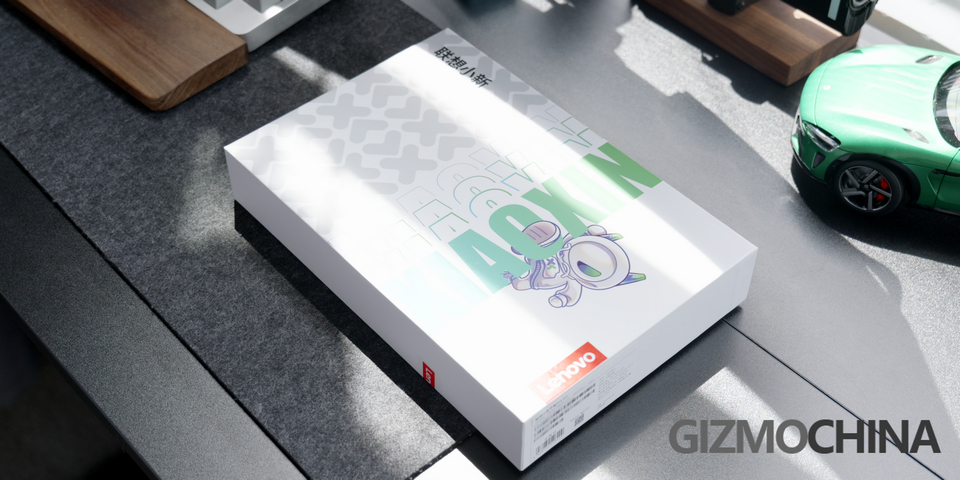
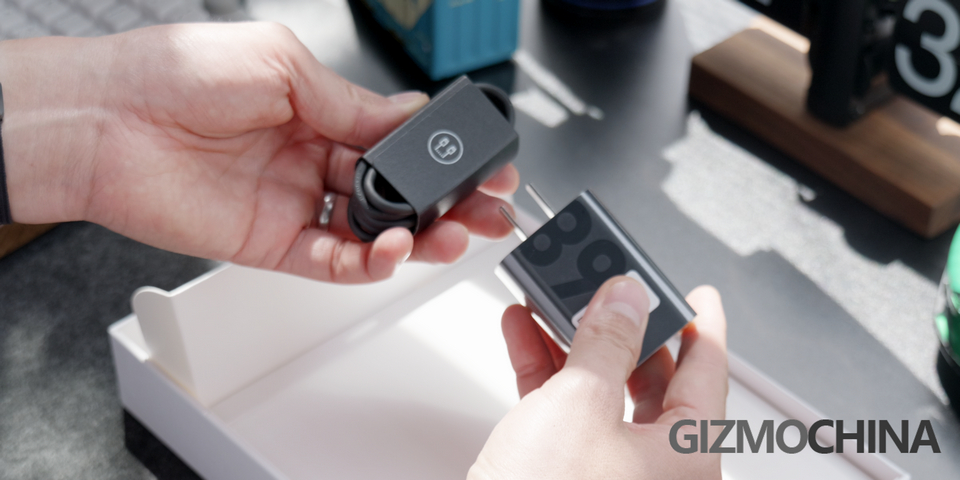
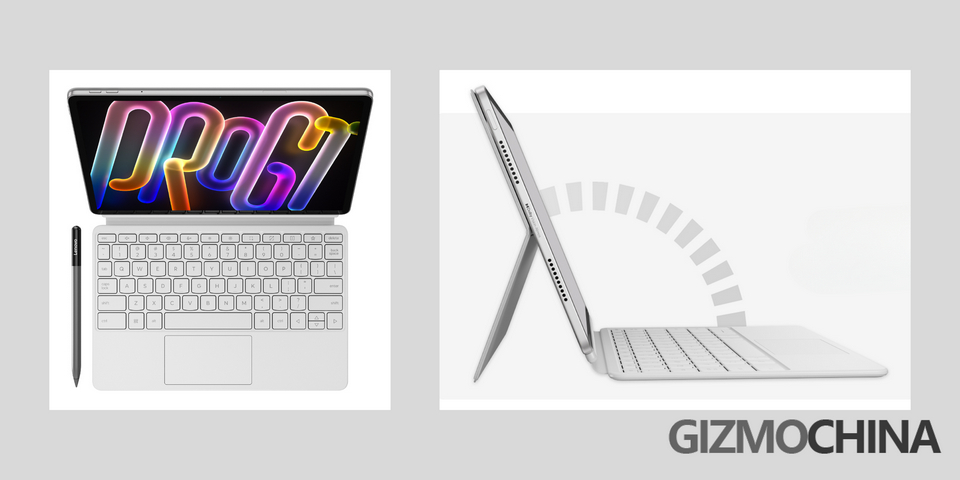
Let’s do a quick unboxing first. Here is the box, white, with a little bit of style. In the box, there is the pad. Then the 68W charger, and a 1m long C to C cable. Unfortunately, we didn’t get the case and keyboard, but I always think the official accessories are always well-made, you can consider getting them with the tablet.
Design
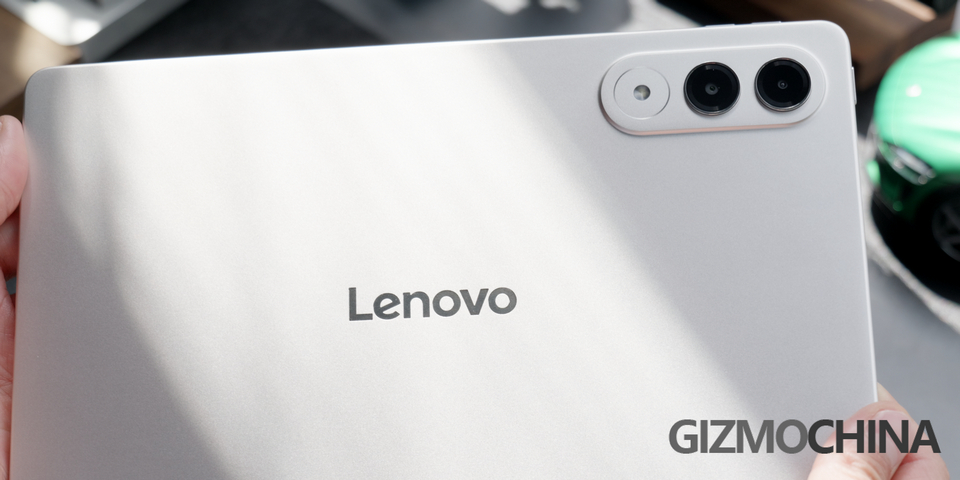
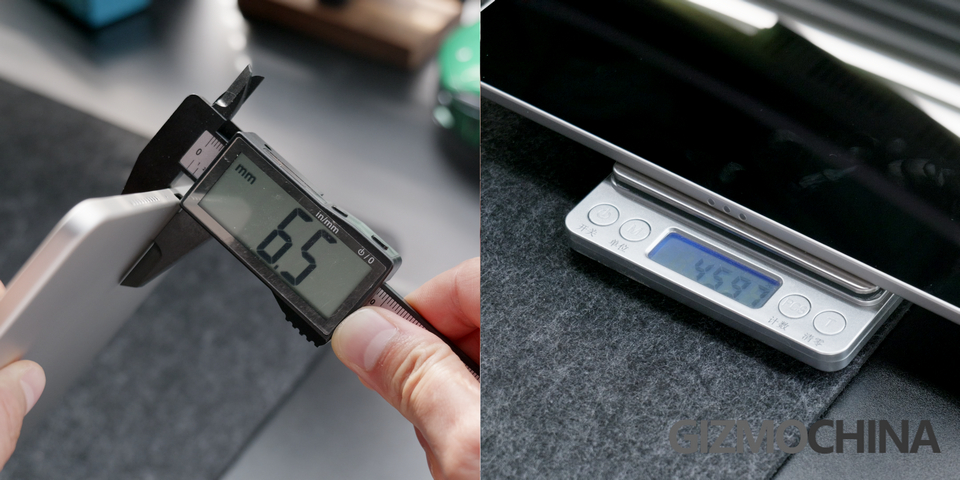
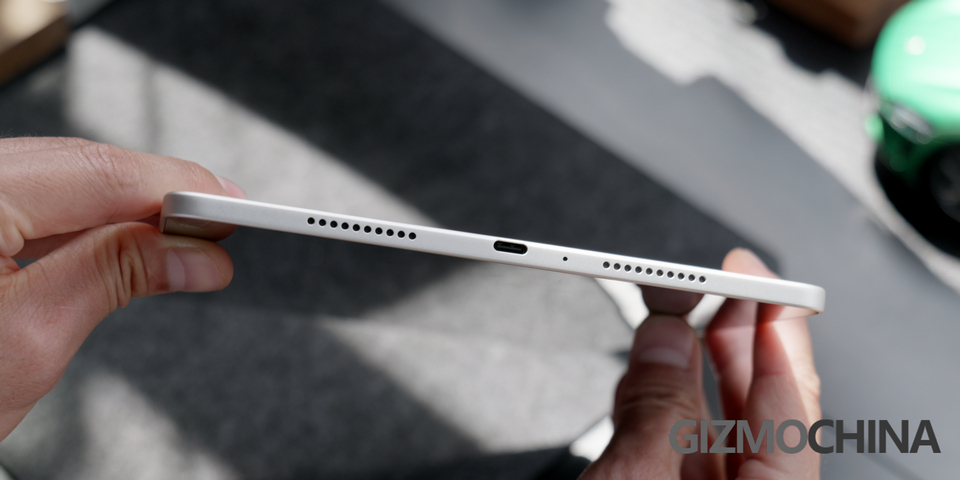
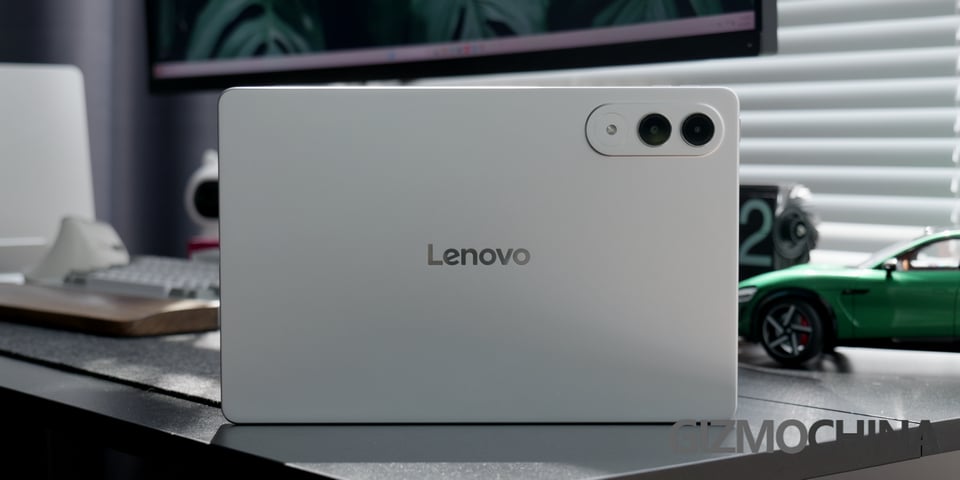
Honestly, I was not quite a fan of the previous Xiaoxin Pad, the design is rather mediocre, and too boxy which is not quite comfortable to hold, but not for the new Xiaoxin Pad Pro GT. As you can see, it is very thin and light, and the edges are rounded. To help you visualize how thin it is, here is the Type-C port, the tablet itself is just a bit thicker than it, right? The size is just like the iPad Air 11 inches, and the weight is also the same.
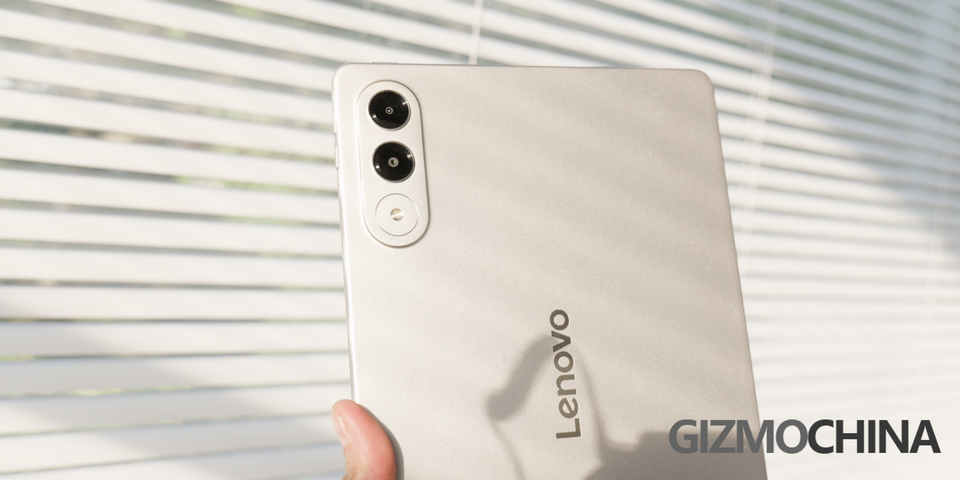
Now let’s look at the back. At a glance, does it remind you of any other product? Oh right, the Samsung S25 edge. I mean, I don’t care if it copies the design, as long as it looks good, we get the benefit anyway. Then the edges have been softened, very friendly to the hand. At the front, thin and equal bezels all around. Now on a scale from 1 to 10, what score would you give to the design of this Pad? Let us know in the comments section.
Performance
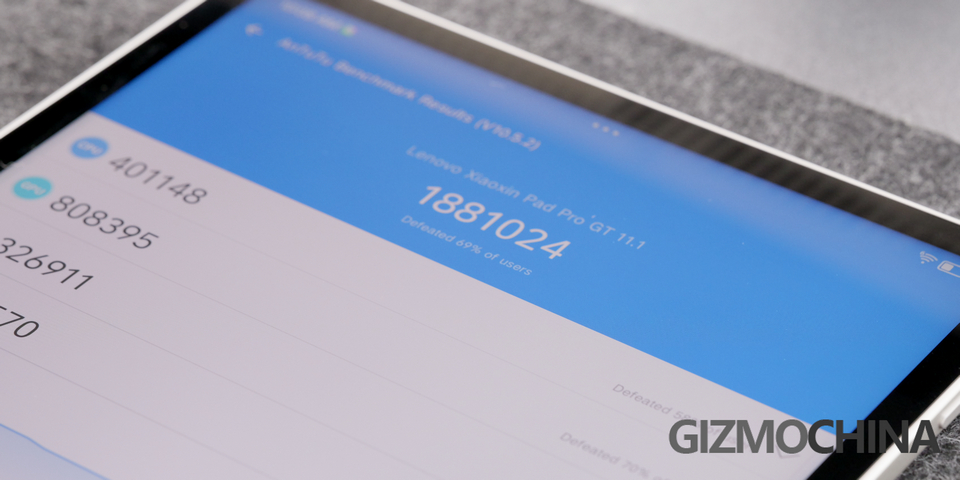
Since it uses the Snapdragon 8 Gen 3, BUT! It is a six-core version, meaning it is a downgraded 8 Gen 3, and the performance is just slightly better than 8s Gen 3. The Benchmark test shows it is still a powerful tablet, so we ran a gaming test with Genshin Impact.
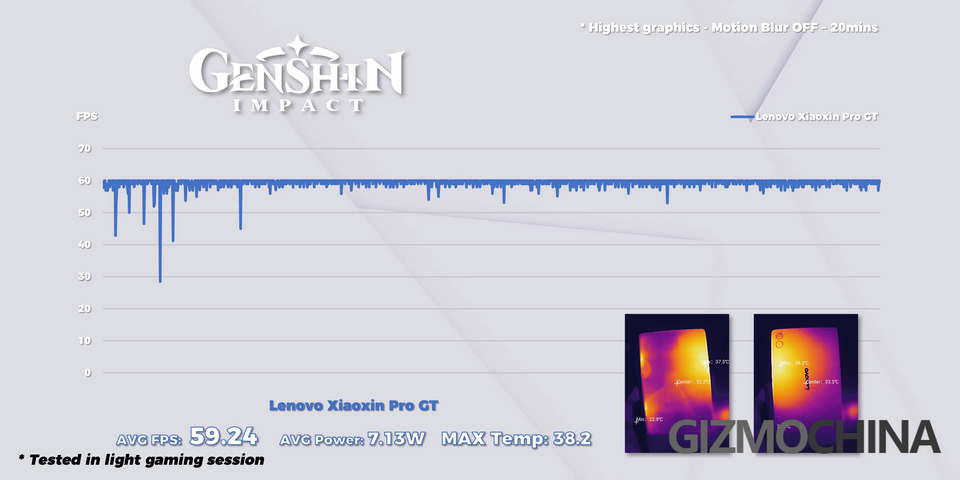
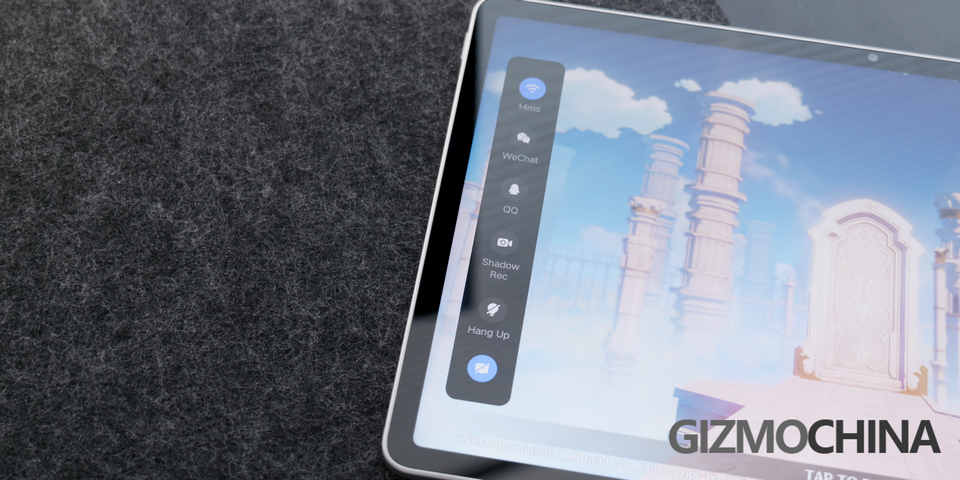
Here is the graph, what do you think about the performance? Oh btw, there isn’t a dedicated gaming center for it, that’s how you know the focus is not gaming.
Daily Experience
You probably won’t be gaming too much on an 11-inch tablet, that’s the task for the Legion tablet. So this one is more for the balance of everything, like for daily use, and work stuff.
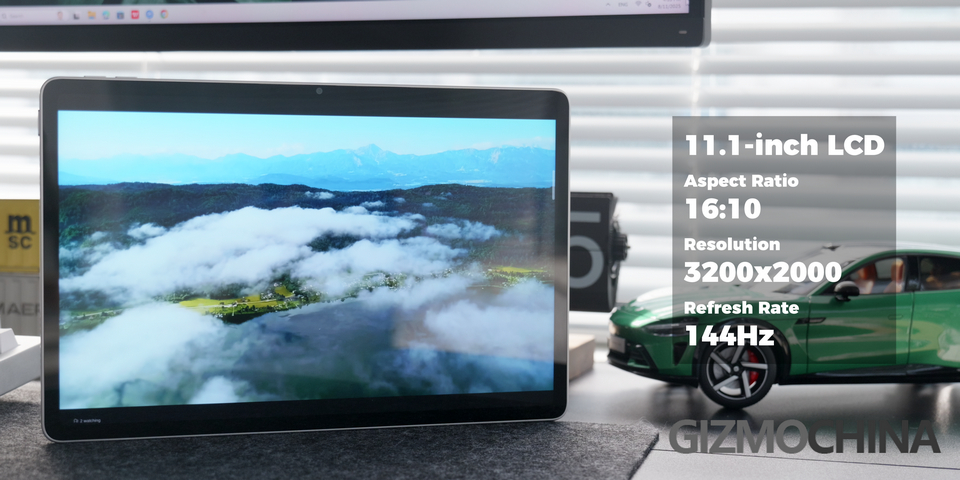
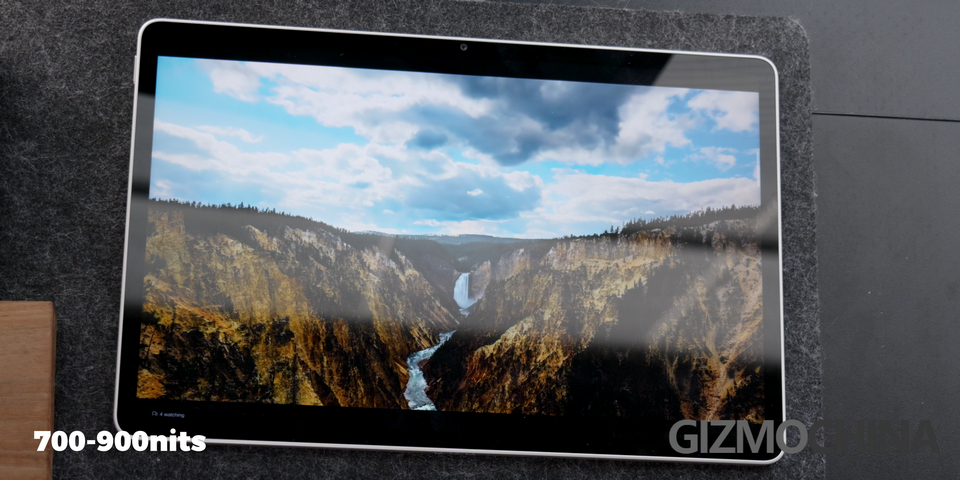
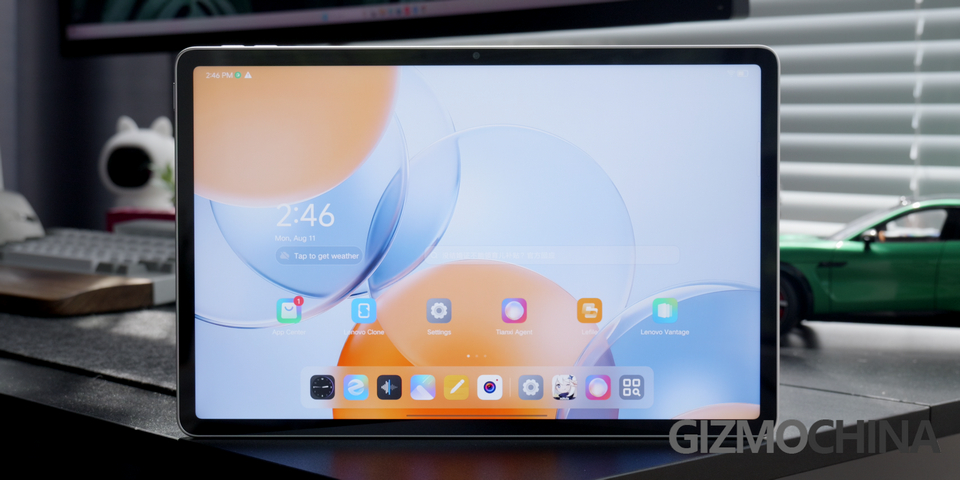
Then let’s take a look at the screen first. It is:
- 11.1-inch LCD screen on top
- aspect ratio 16:10
- resolution 3200 x 2000
- refresh rate up to 144Hz.
When watching some videos, the colors are vibrant, details are also very good. The highest brightness is about 700nits, and 900nits under harsh light. The screen is also eye-friendly, with TUV certification.
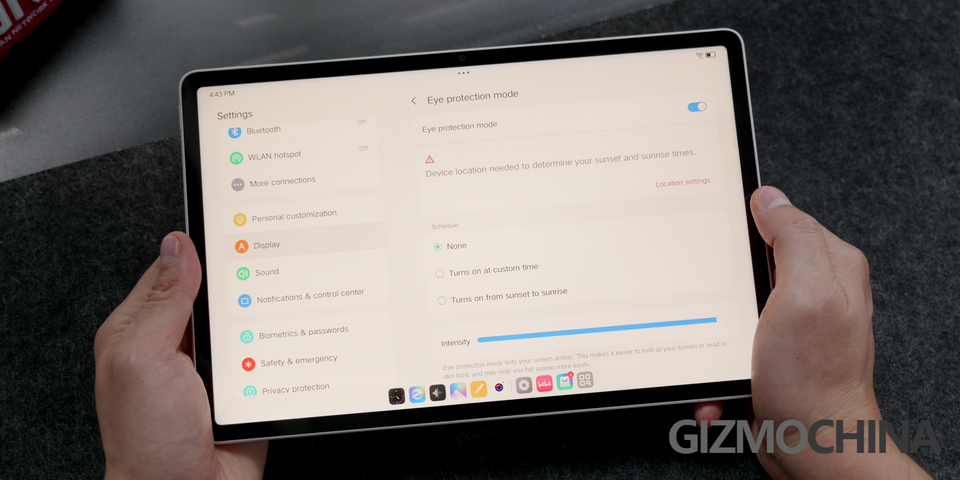
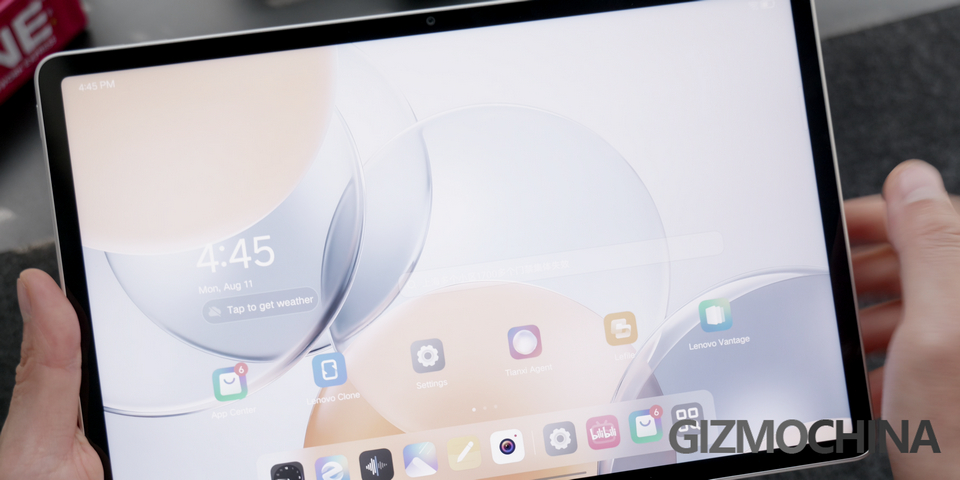
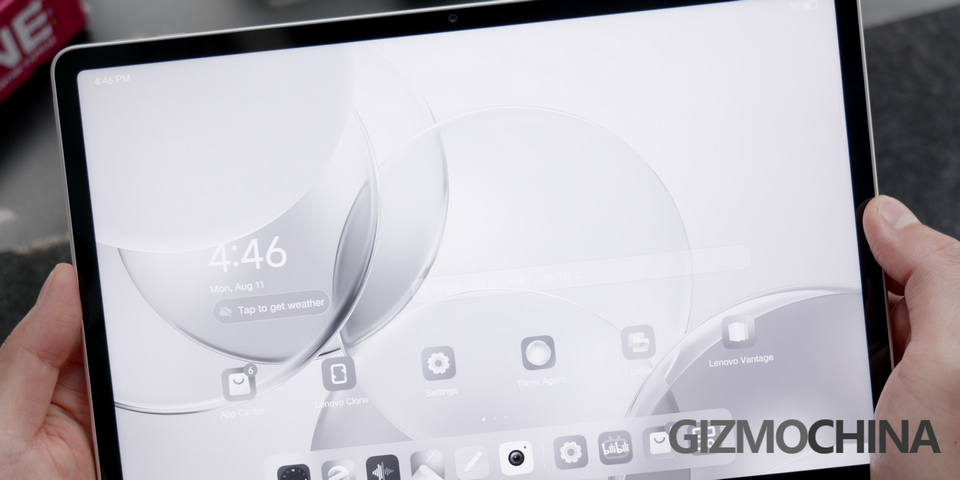
And there are two eye protection modes. In the color mode, all the colors are still there, but much toned down; Then in the black and white mode, it is just pure black and white. You can choose either mode the entire time, or assign the mode to certain Apps, like black and white for the reading App, so you will feel more comfortable reading for a long time.
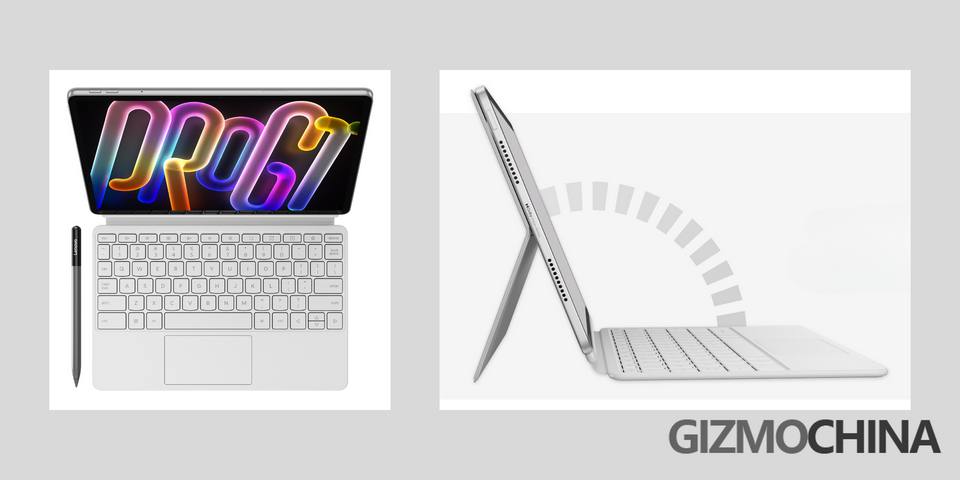
There are two parts that make the whole user experience complete, the PC mode and the case. Let’s start with the accessories. As you can see, this half of the case is made of PU leather, very finely made, and it snaps on the pad with a magnet, although it does not protect the edge of the pad. There are multiple angles this piece can form, so it is great for watching movies, drawing and writing, or doing some work stuff, which is very useful for many people. Then the keyboard also snaps onto the pad, and it connects by the pins. The keyboard has all the keys you want, including the arrow keys. Best of all, there is a Trackpad.
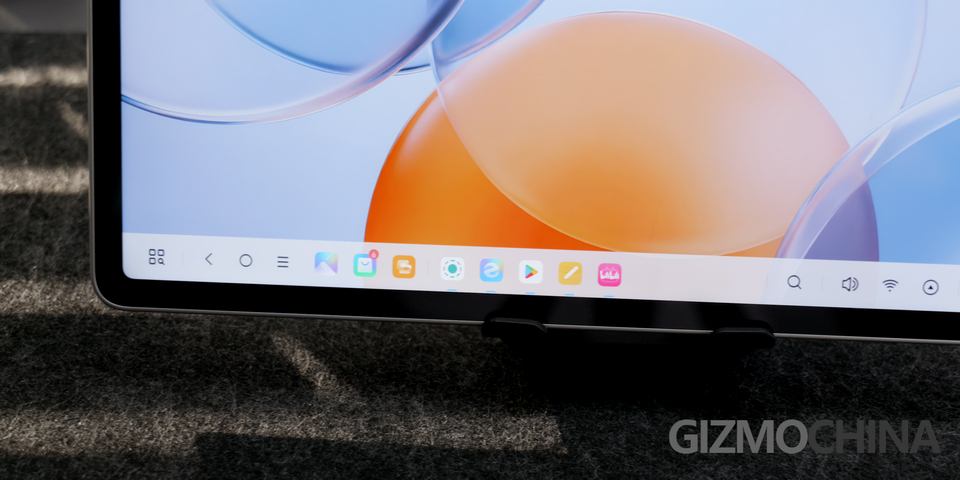
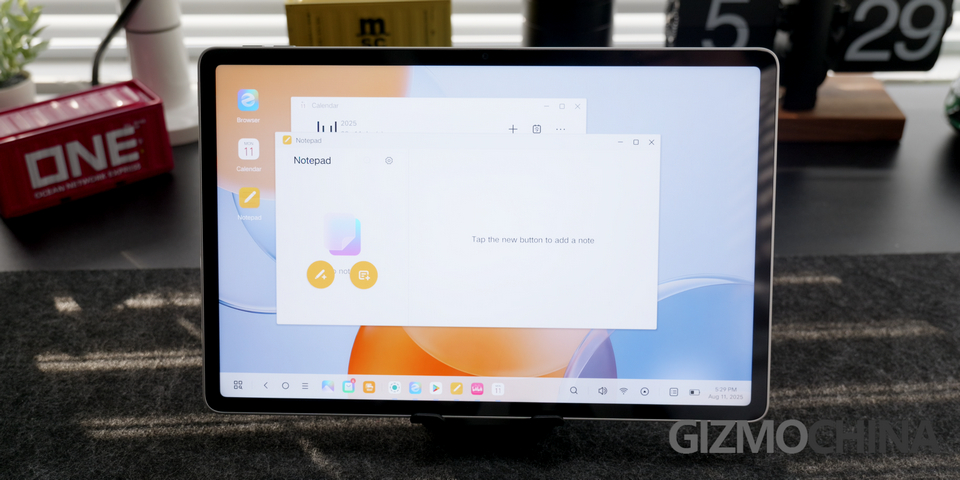
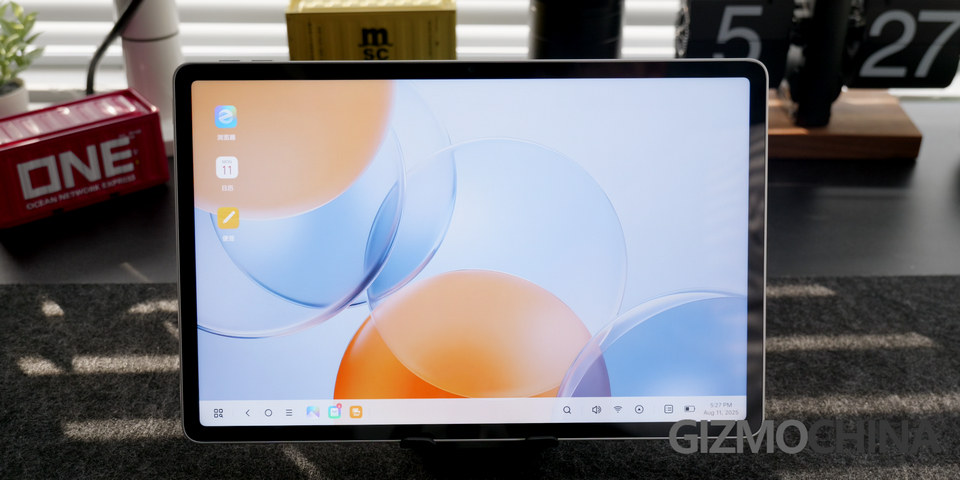
Then the PC mode, it is a different UI other than the ZUXOS as the basic skin. Look at that, it is just like Windows OS. Paired up with the keyboard and the pen, the usability is even better than a PC, because you can always touch control the screen. Now for some regular Apps, they are not that different from the tablet OS, but only two things are better. One is that, the Apps can stack up however you want, and you can adjust the size of the App however you want, more freely than the tablet OS. Then there is the bar at the bottom, thinner but still holds the Apps open, for you to use it within reach. The only complaint I have is that there isn’t any shortcut to go from the Tablet OS to the PC mode.
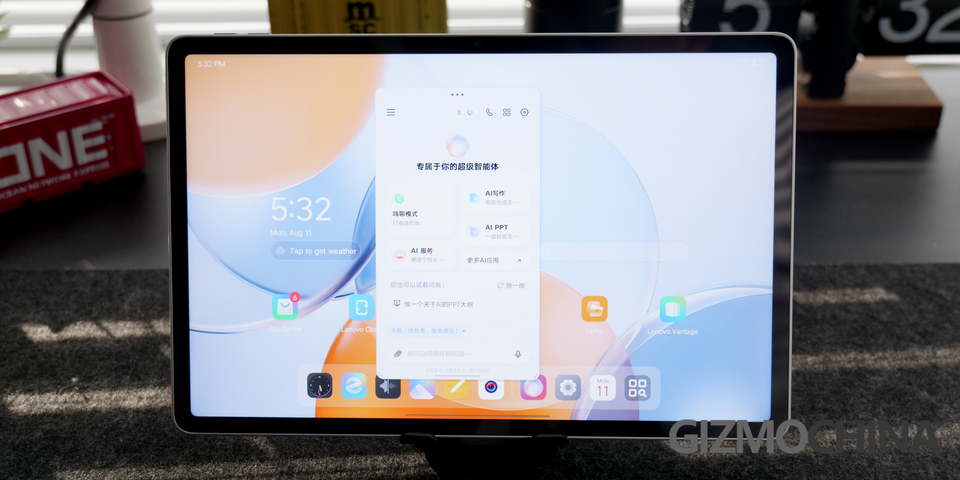
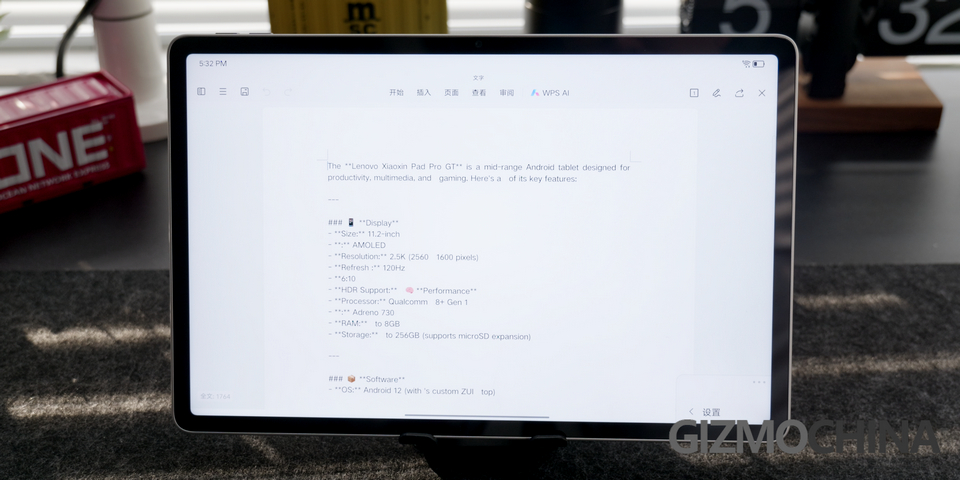
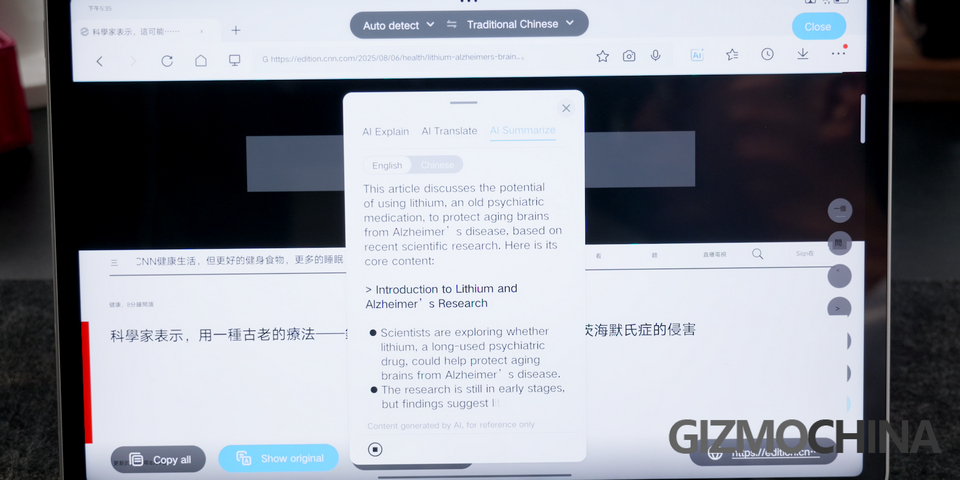
The AI feature also comes in handy. There is an official AI agent called Tianxi inside, alongside DeepSeek, you can choose and interact with it like all those AIs out there, but it is still in Chinese. Then the generative AI, when you are editing something, and you can ask the AI to draw some info from the internet, but be careful it is not the newest AI, because when I asked it to summarize the features of itself, it just made something up, which totally not true. Now in the browser, you can ask AI to explain, translate or summarize an article for you. And of course, the AI can also be used on docs and files.
The battery size is 8660mAh, to its size, it is very big. And with a 68W charger, it can last for a day of use without any problem.
Verdict
So I think the Xiaoxin Pad Pro GT is a great tablet option, the size is perfect, and the design is much better, at least I think so. Although the UI is not to my taste, it still has a very good PC mode. Plus, with the powerful 8 Gen 3 chip, a whole pack of accessories, it can be a work and entertainment device all in one. If you are interested, you can head to Geekwills for it. There is a promotion going on, grab the discount while you still can.


Comments