Add GIZMOCHINA on Google:
When Apple introduced MagSafe with the iPhone 12, it didn’t seem like a big deal. It was just magnets on the back glass.
But years later, dare I say, those magnets are probably one of the best features Apple has ever introduced on the iPhone. It’s become one of the most convenient things about owning one.
That’s because MagSafe not only allows the iPhone to charge wirelessly, but it also opens the door to a whole range of accessories, be it wallets, power banks, or mounts.
If you’ve got an iPhone 12 or newer, you’re sitting on an entire ecosystem of clever, satisfying gadgets. So here are what we think are the must-have MagSafe accessories in 2025.
1. A reliable MagSafe Charger
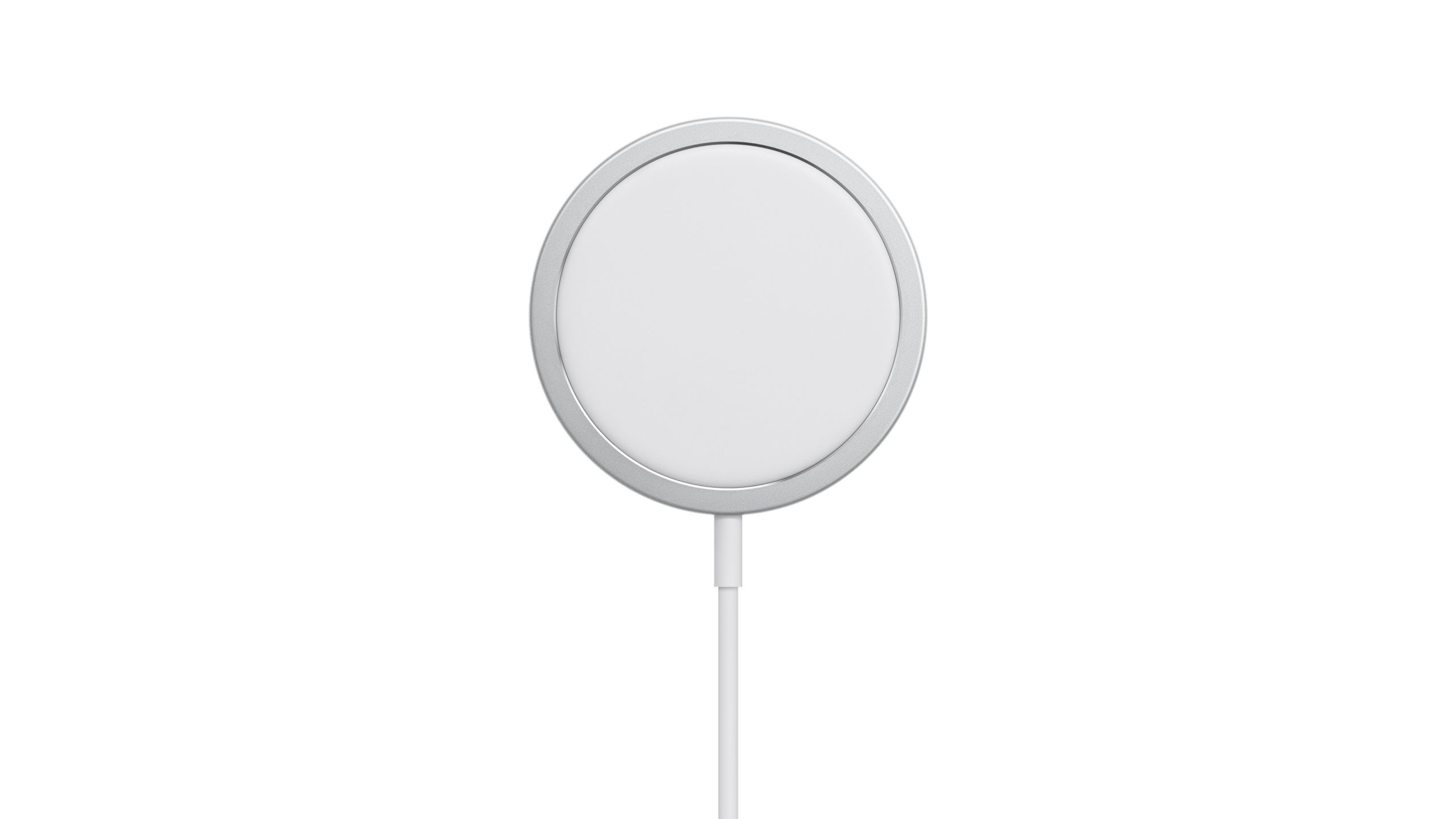
Let’s start with the one that started it all, the Apple MagSafe Charger. It’s simple, clean, and very Apple.
Just place your iPhone on top, and the charger snaps into place with a satisfying click. The connection is strong enough that you can lift your phone without breaking the magnetic hold.
It delivers up to 25W of wireless power and comes in cable lengths of 1 meter or 2 meters. And since Apple makes it, you get that perfect alignment every time. However, it’s a bit expensive at around $40.
If you want something slightly cheaper but just as functional, Anker’s Zolo Magnetic Charger is a good option. It costs $25.99 for a bundle of two, yet it offers similar magnet strength and comes with a longer cable, which is nice if your wall outlet isn’t right next to your nightstand.
| Preview | Product | |
|---|---|---|

|
Anker Zolo Magnetic Wireless Charger, Qi2 Certified 15W MagSafe-Compatible Wireless Charging Pad,… | Check Price on Amazon |
Please Note: When you buy something using the links in our articles, we may earn a small commission at no cost to you.
2. MagSafe Power Bank
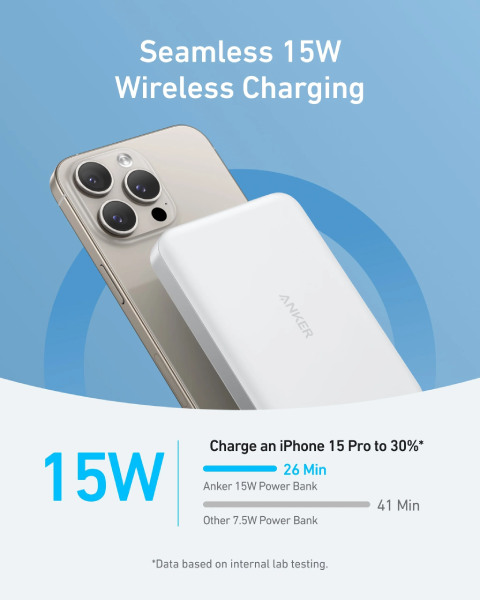
There are lots of MagSafe-compatible power banks, but Anker is a reliable brand if you’re considering new battery-related Apple accessories. Its MagGo series power banks are slim, magnet-backed batteries that stick to the back of your iPhone and charge it wirelessly while you move.
The ideal option is the 10,000mAh MagGo Power Bank, which supports Qi2 charging up to 15W and works with a range of Apple accessories, including AirPods.
It’s priced at $79.99, but the latest MagGo 10K also includes a digital display showing the remaining battery percentage. It even has a built-in foldable stand, so you can place it on a desk and watch content while your phone charges. This version costs about $10 extra for those added conveniences.
3. MagSafe Stands and Docks
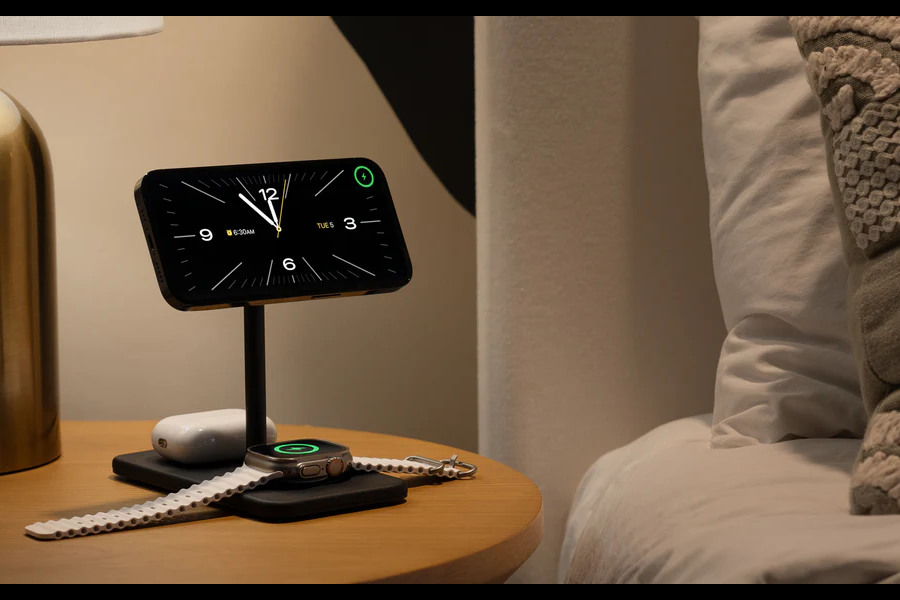
Desk setups have quietly become a big reason people love MagSafe. A charging stand keeps your iPhone upright, visible, and charged throughout the day.
The Twelve South HiRise 3 Deluxe is a premium pick. It charges your iPhone, Apple Watch, and AirPods all at once using MagSafe and a single power brick. It’s neat, minimal, and keeps your desk free of cable clutter.
If you want something more affordable, ESR’s 3-in-1 Charging Stand or Belkin’s BoostCharge Pro 3-in-1 are solid alternatives.
Even a simple magnetic stand, like Anker’s MagGo 623, adds comfort. You can rotate your phone easily between portrait and landscape, making it useful during FaceTime or while using Standby Mode in iOS 17 and later.
4. A Car Mount
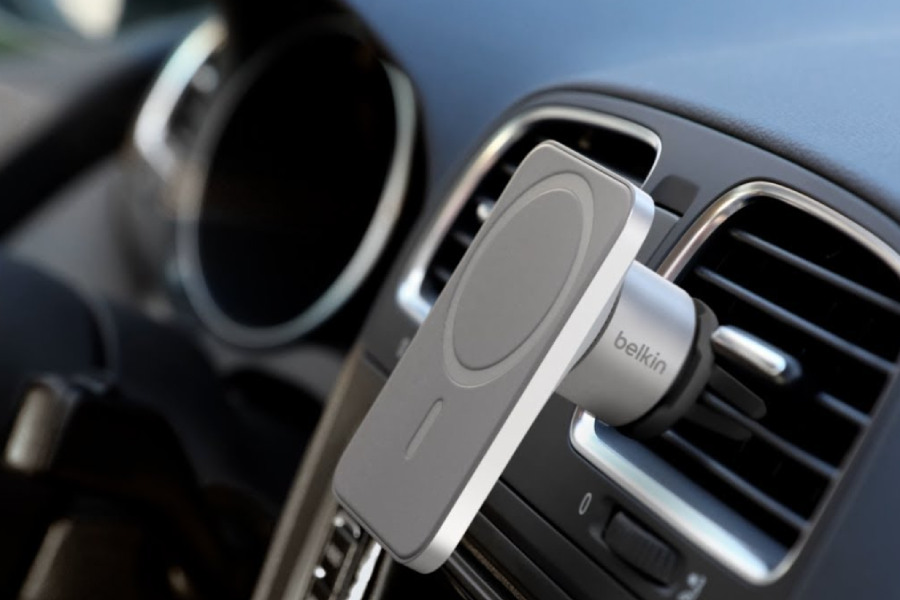
Using your phone in the car should be simple and safe, and the Belkin MagSafe Car Vent Mount PRO makes it exactly that. It clips to your car’s air vent, and your iPhone locks into place magnetically.
It’s perfect for navigation, hands-free calls, or playing music. Belkin also offers a version with built-in charging so you can charge your iPhone during long drives. You’ll still need to connect a cable to the mount, but you won’t have to plug your phone in every time.
Its magnets are fairly strong, it’s MagSafe certified, and you can rotate the phone between portrait and landscape modes as needed.
5. Wallet
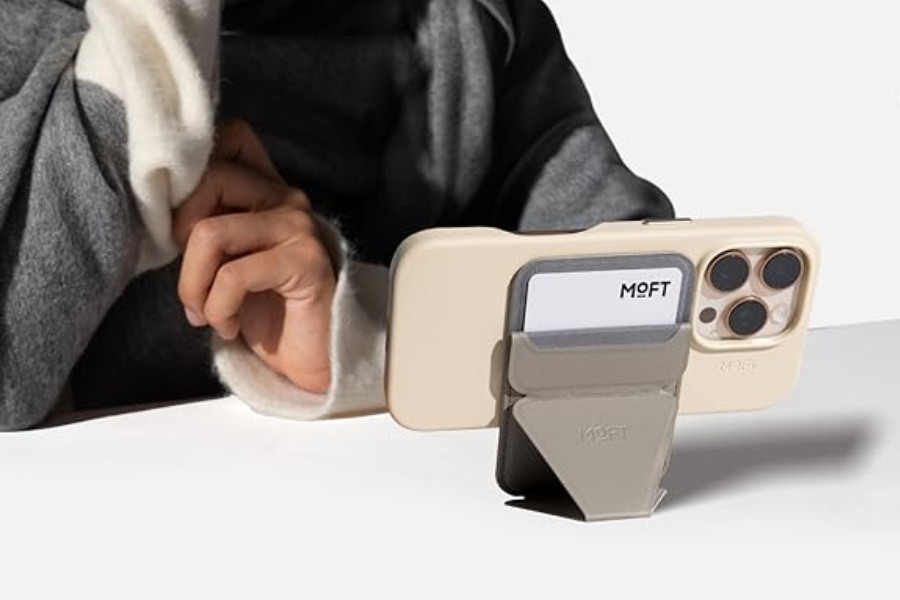
Apple’s own MagSafe wallet looks nice, but it only does one thing: hold cards. That’s fine, but why not have an extra perk while doing it?
The Moft Snap-On Wallet Stand does exactly that. It doubles as a kickstand. It folds open to prop your iPhone in portrait or landscape mode, perfect for watching videos, video calls, or scrolling hands-free.
It’s made of vegan leather that feels premium, and the magnet is strong enough to stay attached even when you’re taking your phone in and out of your pockets.
The stand is not the only add-on here. The case also has Find My compatibility, which the company claims delivers up to four months of battery life. So you can even track your wallet in case you lose it. It recharges wirelessly and is available in 25 color options.
6. MagSafe Case
If you’re serious about phone protection, you can’t go wrong with OtterBox. The Symmetry+ MagSafe case combines drop protection with MagSafe compatibility, meaning you don’t lose that satisfying snap when attaching chargers or mounts.
It’s surprisingly thin for an OtterBox case and comes in multiple colors, including clear and bold gradient finishes. The raised edges protect your screen and camera, and it’s fully compatible with any MagSafe accessory.
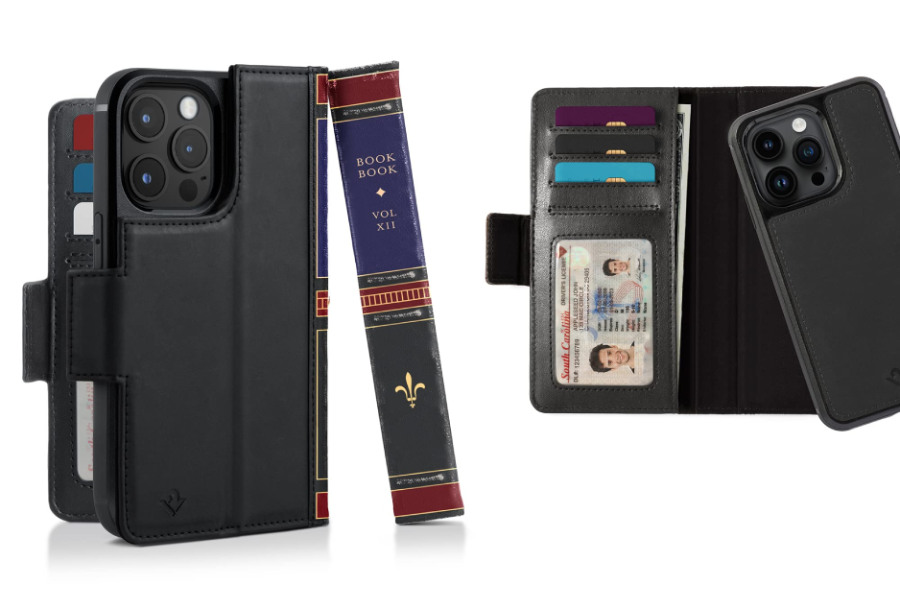
If you want your iPhone to look more like a tiny leather-bound notebook, Twelve South’s BookBook for MagSafe is the one to go with. It’s part wallet, part case, and part conversation piece.
The magnetic inner shell detaches for wireless charging, while the outer wallet section holds cards and cash. It’s beautifully made, with real leather and detailed stitching. When you open it, it feels more like a journal than a phone case. It’s for people who love character and craftsmanship but don’t want to lose MagSafe convenience.
7. MagSafe Tripods and Camera Mounts
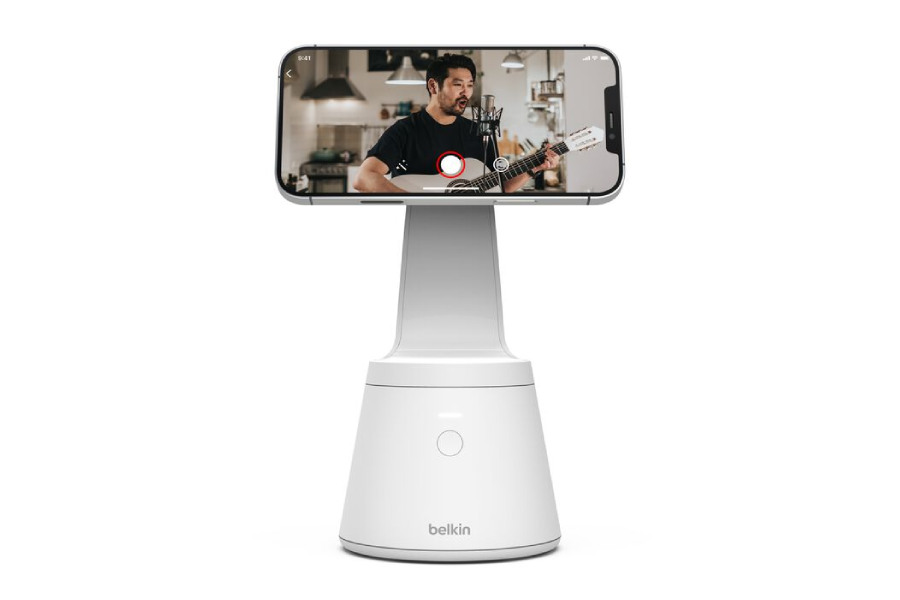
If you shoot videos, take product photos, or just like group selfies, MagSafe tripods are surprisingly handy. Instead of fiddling with clamps, you can attach your phone magnetically, shoot, and detach instantly.
The Moment Pro Tripod Mount and Belkin Magnetic Phone Mount with Face Tracking are great picks. Moment’s mount works with standard tripod threads, while Belkin’s adds automatic tracking if you move around during video calls or TikTok recordings.
They’re not must-haves for everyone, but if you record often, the simplicity of snapping your phone on and off is worth it.
For more daily updates, please visit our News Section.
Stay ahead in tech! Join our Telegram community and sign up for our daily newsletter of top stories.