
Add GIZMOCHINA as Preferred Source on Google
Wireless screen sharing is supposed to be easy. In practice, it rarely is. Belkin is trying to fix that with ConnectAir, a new wireless HDMI adapter unveiled at CES 2026 that skips Wi-Fi and Bluetooth altogether.
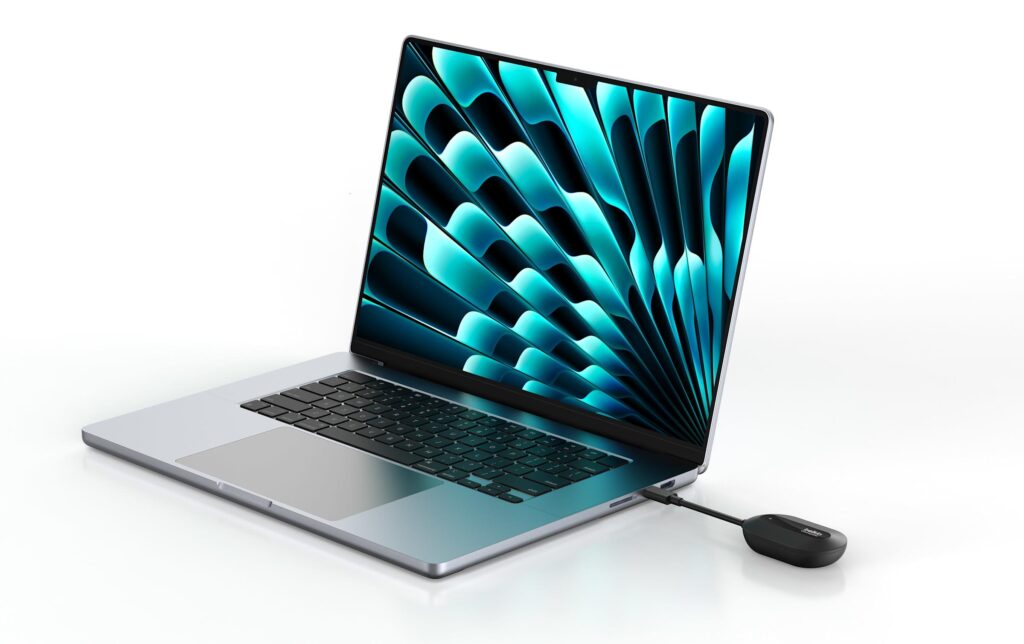
The setup is straightforward. A small USB-C transmitter plugs into your laptop or tablet, while a compact HDMI receiver connects to the display. Instead of joining a network or using AirPlay or Google Cast, the two devices talk directly over a dedicated 5GHz wireless link.
This approach avoids many of the usual problems—crowded office Wi-Fi, blocked networks, or compatibility issues between platforms. There’s no app to install and no software to configure. Once the receiver is powered—either through a USB-A port on the display or an external adapter—the connection is ready.
Video output tops out at 1080p at 60Hz. Latency is rated at under 80 milliseconds, which should be fine for presentations, videos, and general screen mirroring. This isn’t aimed at gamers or creatives chasing ultra-low lag, but it’s clearly built for meeting rooms and classrooms.
Compatibility is one of ConnectAir’s stronger points. Any USB-C device that supports DisplayPort Alt Mode should work, including Windows laptops, MacBooks, Chromebooks, and newer iPads. Because it doesn’t rely on platform-specific casting standards, mixed-device environments shouldn’t be an issue.
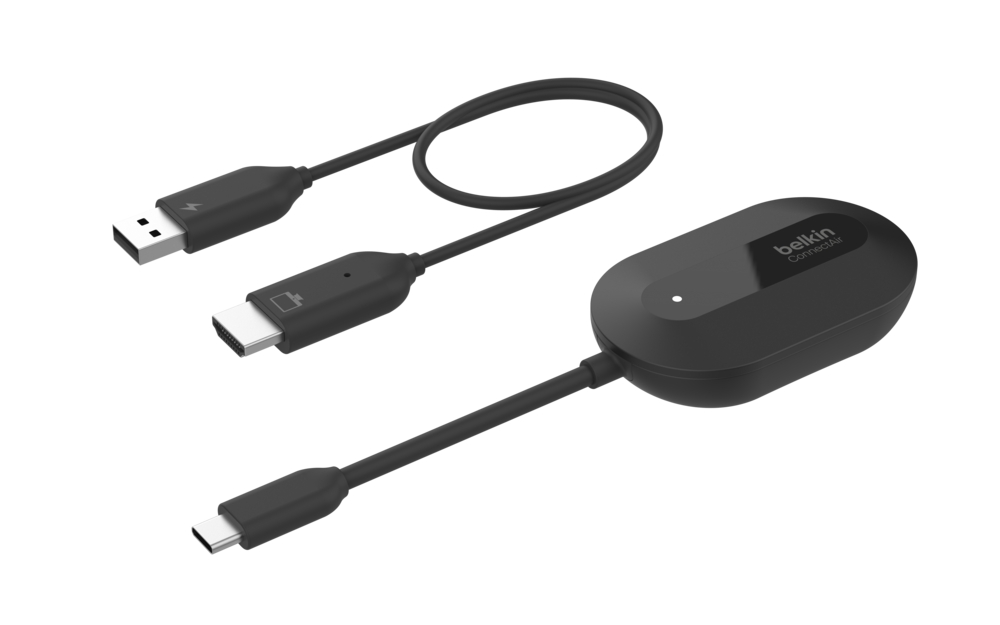
Range is rated at up to 131 feet (around 40 meters), even through walls, though real-world performance will depend on the room. Belkin also says a single receiver can pair with up to eight transmitters, making it easier to switch presenters without swapping cables.
ConnectAir is priced at $149.99 and is expected to roll out in select markets in Q1 2026. There’s no 4K support for now, but for teams tired of fighting wireless display setups, Belkin’s simpler approach may land at the right time.
Don’t miss a thing! Join our Telegram community for instant updates and grab our free daily newsletter for the best tech stories!
For more daily updates, please visit our News Section.
(Source)



Comments