
Add GIZMOCHINA as Preferred Source on Google
The BenQ MA270S monitor has just gone official in India. The new monitor, which has been primarily designed for Mac users, comes with a 27-inch 5K display, 99 percent P3 color coverage, and Thunderbolt 4 connectivity with 96W power delivery, targeting creators who need high precision and seamless integration. Here’s more information on the specs, features, and price of the BenQ MA270S.
BenQ MA270S specifications and features
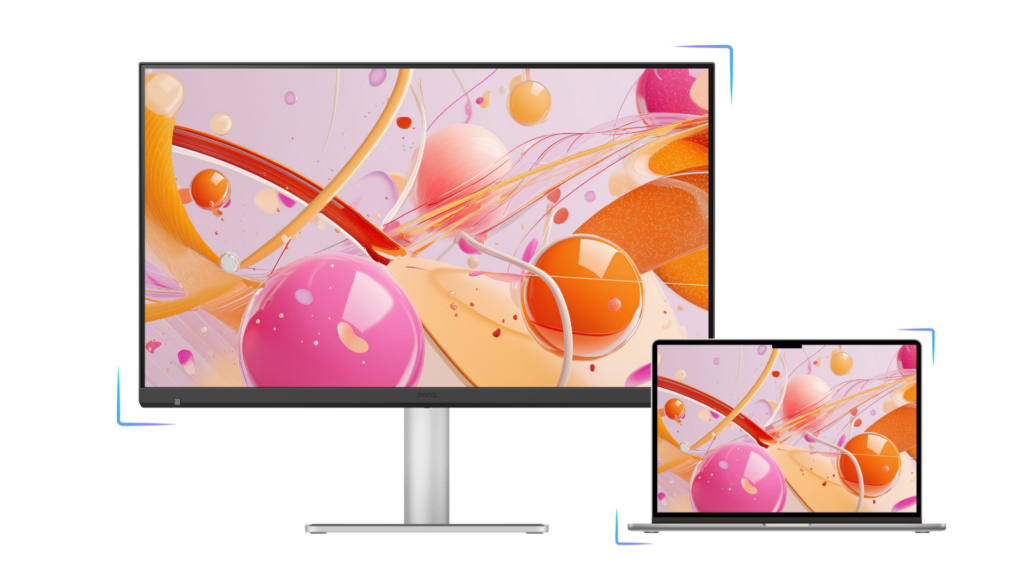
The BenQ MA270S features a 27-inch panel with 5K resolution of 5120 x 2880 pixels and a pixel density of 218 ppi. This ensures sharp visuals that closely match the clarity seen on Mac displays. The monitor also covers 99 percent of the P3 color gamut, helping maintain colour consistency across devices, which is important for design and video work.
It includes a 2000:1 contrast ratio and a 70Hz refresh rate, offering smoother interactions compared to standard 60Hz panels. The display is tuned to align with macOS color and brightness behavior, aiming to deliver a consistent viewing experience when paired with Mac devices.
Connectivity is handled through Thunderbolt 4, supporting up to 96W power delivery. This allows users to connect and charge a MacBook with a single cable. The monitor also supports daisy chaining for dual 5K setups, which can be useful for multi-window workflows such as editing timelines or coding.
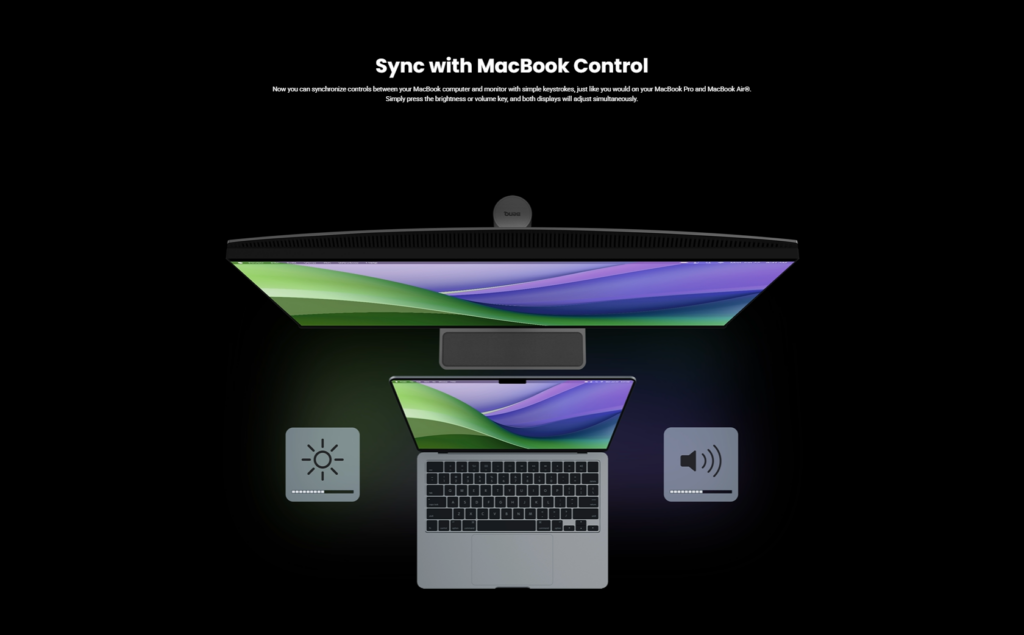
Additional features include support for BenQ Display Pilot 2 software, enabling control over brightness, colour profiles and screen layout directly from the Mac. The monitor also offers a Smart KVM feature for switching between systems, along with multiple ports for expanded connectivity. Ergonomic adjustments such as height, tilt, swivel and pivot are also included.
Rivals Apple Studio Display
The BenQ MA270S serves as a direct competitor to the Apple Studio Display by offering a matching 5K resolution and seamless Mac integration through its DisplayPilot 2 software. Unlike the Apple alternative, it includes a height-adjustable stand as standard, dual Thunderbolt 4 ports for daisy-chaining, and a built-in KVM switch to easily manage multiple devices.
Price and availability
The BenQ MA270S 5K monitor is available in India for Rs 94,998 (~$1,020). It can be purchased through leading retail stores as well as online platforms. It is already available in the US for $999.
A Conversation with the Visionaries: Rajeev Singh and Jeffrey Liang
Following the main showcase, I had the opportunity for an insightful tête-à-tête with Rajeev Singh, Managing Director of BenQ India, and Jeffrey Liang, President of BenQ Asia Pacific, to dive deeper into how this new hardware integrates into a professional creator’s daily grind. Here is the breakdown of our discussion:
Q1: For a filmmaker, the Apple Studio Display is often the “default.” Beyond the competitive ₹95k price point, why should a creator choose the BenQ MA270S? What is the “X-Factor”?
A1: Rajeev was quick to point out that value isn’t just about the sticker price; it’s about what’s included in the box. While competitors often charge a premium for basic ergonomics, the MA270S comes standard with a height-adjustable stand and versatile connectivity, including dual HDMI 2.0 ports and a DisplayPort 1.4, allowing it to serve as a hub for multiple devices. Furthermore, Jeffrey Liang highlighted that the real “X-Factor” is the proprietary Mac Color Tuning. Unlike generic monitors, BenQ has engineered this panel to match the MacBook’s liquid retina display out of the box, ensuring that the visual transition from laptop to 5K monitor is seamless and distraction-free.
Q2: As a professional, my studio cannot afford downtime. With BenQ’s “Make in India” initiative, what is the service promise for high-end monitors?
A2: Reliability is a cornerstone of the professional experience. Rajeev offered a very reassuring commitment: a 3-year onsite warranty that covers you no matter where you are located in India. This means that for a creator working out of a studio in Borivali or even a remote setup in Kashmir, BenQ provides the peace of mind that a technician will come directly to your workspace. This localized support structure is bolstered by their growing domestic presence, ensuring that professional workflows aren’t derailed by logistics.
Q3: My workflow is built on speed, so I prefer using Filmora over Final Cut Pro. Will the MA270S “Mac-specific” features, like keyboard brightness and volume control, still function perfectly?
A3: This was a vital point for my specific production style. Rajeev confirmed that the monitor is designed to specifically benefit the macOS ecosystem as a whole, rather than being tied to a single editing software. Through the Display Pilot 2 software, the monitor stays in perfect sync with the Mac version of applications like Filmora. You get the best of both worlds: the high-speed export and intuitive UI of Filmora combined with the hardware-level convenience of controlling monitor volume and brightness directly from your MacBook keyboard. The “M-Book” mode ensures color consistency across the board, regardless of which timeline you are scrubbing through.
For more daily updates, please visit our News Section.
Stay ahead in tech! Join our Telegram community and sign up for our daily newsletter of top stories! 💡



Comments