Add GIZMOCHINA as Preferred Source on Google
While most smartphones today can record audio and even generate AI-based transcripts, relying on a phone for long meetings or interviews is not always ideal. Notifications, incoming calls, battery drain, and limited recording flexibility can quickly become distractions. That is where the itel Zeno AI Weaver comes into play. Instead of juggling multiple apps, it combines recording, transcription, translation, and AI-generated summaries into a compact standalone gadget designed specifically for capturing conversations and turning them into organized notes.
1Slim design that fits anywhere
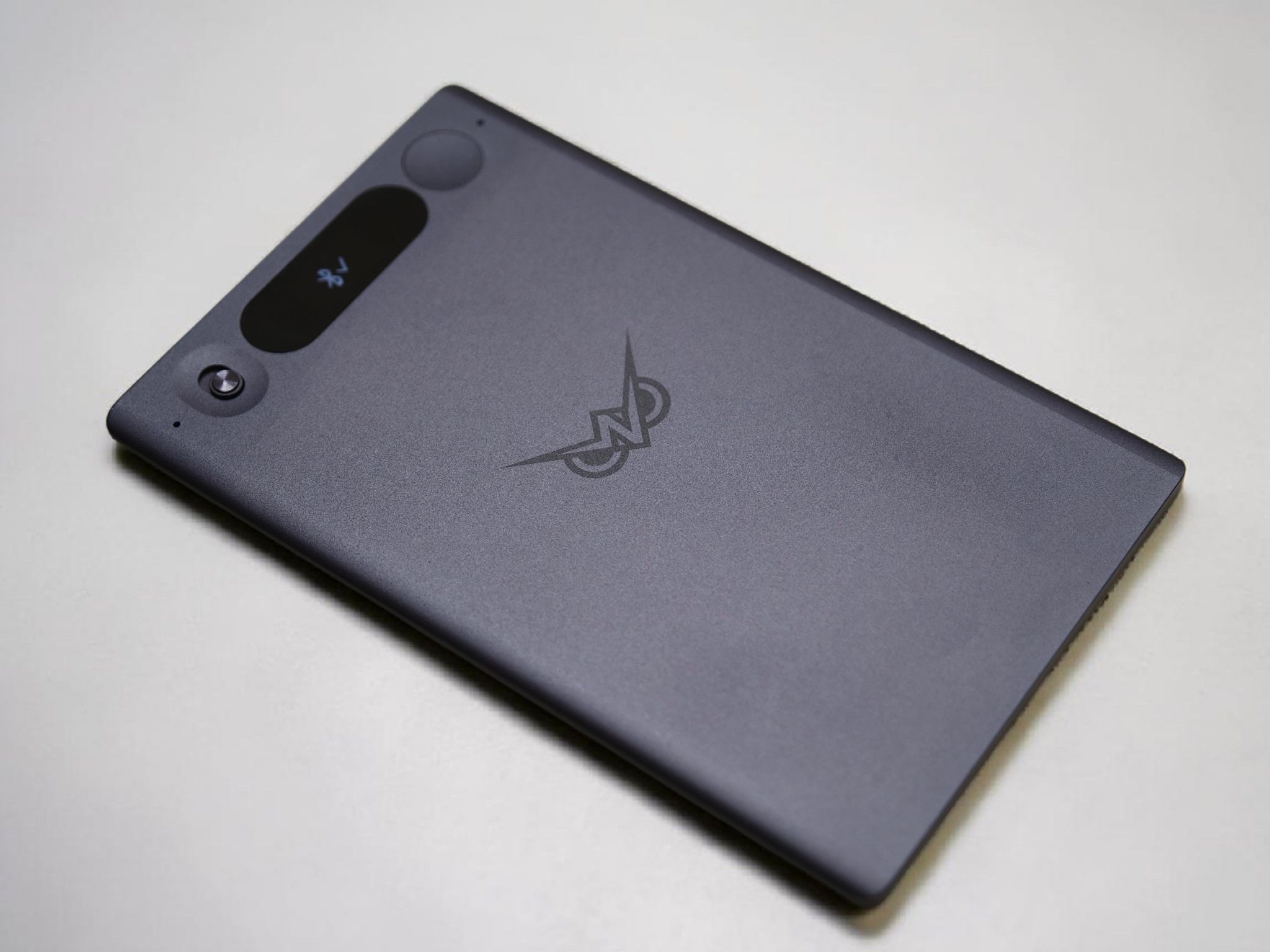
The first thing that stood out to me was the size. The recorder is the exact size of a standard debit or credit card, making it incredibly easy to carry around. It is also slim enough to slide into a pocket without adding bulk. Despite its compact form factor, the build does not come across as cheap and still feels sturdy in hand.
The bundled leather case adds a more premium feel while also protecting the device during daily use. It also includes a cutout at the bottom, allowing the charging connector to attach directly to the pogo pins on the recorder without removing the case.
One of the more practical additions is MagSafe compatibility. I used it attached to the back of the Motorola Signature during a couple of meetings, and it stayed securely in place. This made it easier to carry around compared to traditional bulky voice recorders.
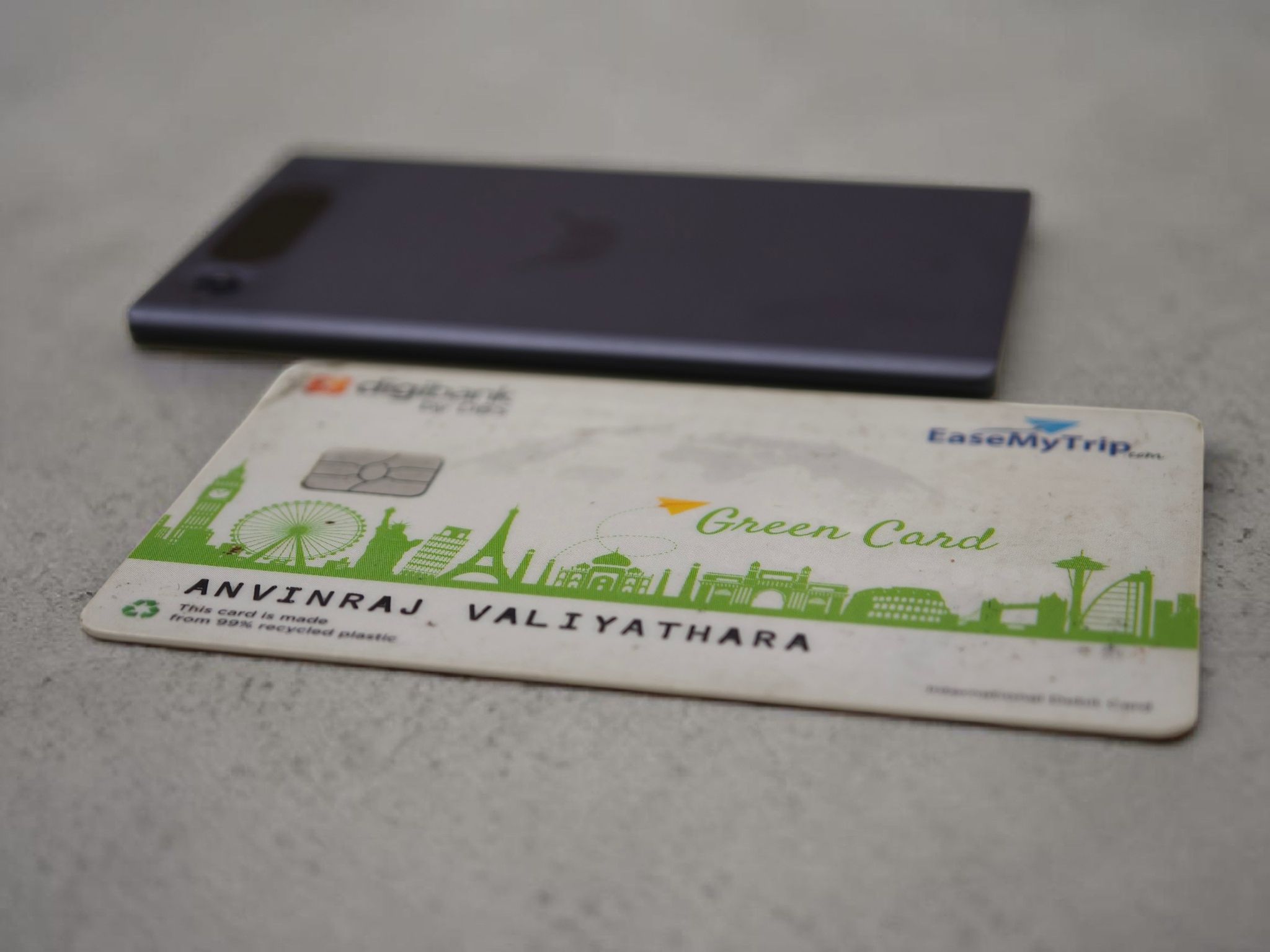
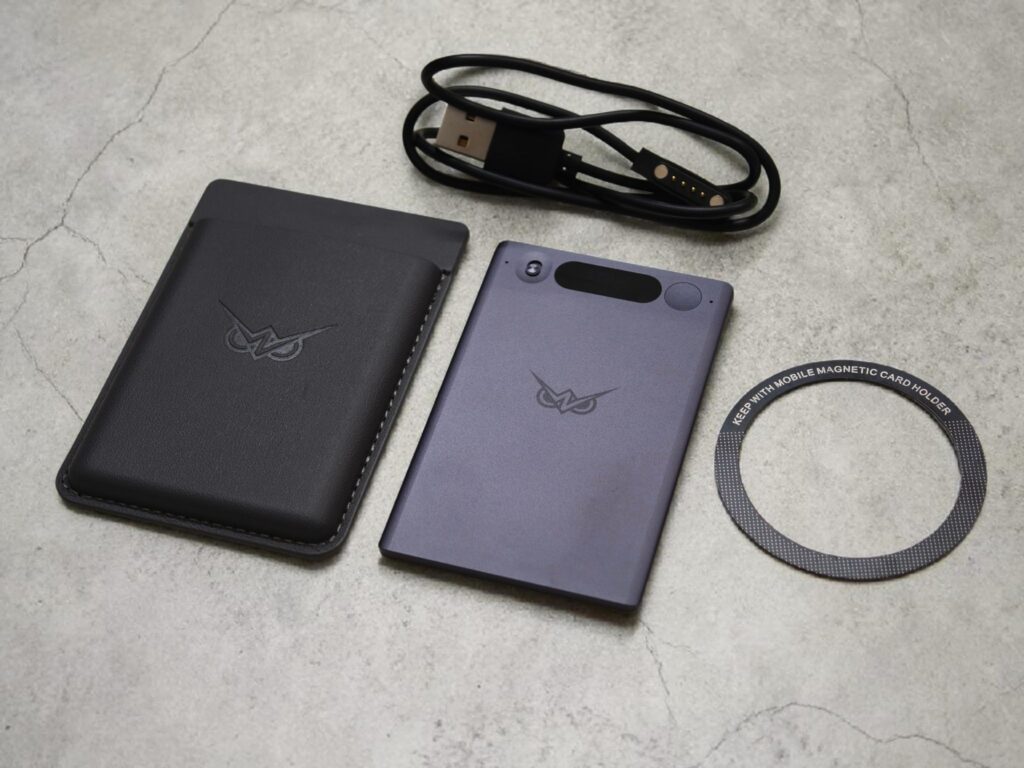
The front features a small display that shows the recording and battery status, with buttons positioned on either side of the device. The recessed button on the right acts as the power/function button. To power it on, you can press it once, while a long press of around seven seconds turns it off. Once the device is powered on, a long press on this button starts or stops recording, and the recorder vibrates to confirm the action. Since it is a multifunction button, you can also tap it once to check the battery and Bluetooth connection status.
Meanwhile, the switch-like button on the left is used to toggle between Call and Meeting modes. It is worth noting that switching modes while a recording is in progress automatically stops the ongoing recording. Personally, I found the Meeting mode more useful, as it recorded voices with better clarity.