
Add GIZMOCHINA as Preferred Source on Google
As an Amazon Associate, Gizmochina earns from qualifying purchases. Links on this page may earn us a commission at no extra cost to you.
If you work from home, you probably know how quickly a desk can get cluttered. Between monitors, keyboards, mice, external drives, and the cables needed to power them all, keeping a workspace tidy is an ongoing chore.
I’ve been looking for a straightforward way to manage my setup, which led me to test the Baseus Spacemate RD1 Pro 15-in-1 Docking Station over the past two weeks.
Priced at $299.99, it’s marketed as a premium, central hub for Windows users who need a lot of ports and reliable power. During my testing period, my main desktop PC actually crashed, and I had to send it in for repairs.
I had to switch entirely to my laptop to get my work done. That ended up being a great test for this dock, as it allowed me to connect my laptop to my dual monitors and all my peripherals with just one USB-C cable. It made a frustrating situation much easier to manage.
Design and Build Quality
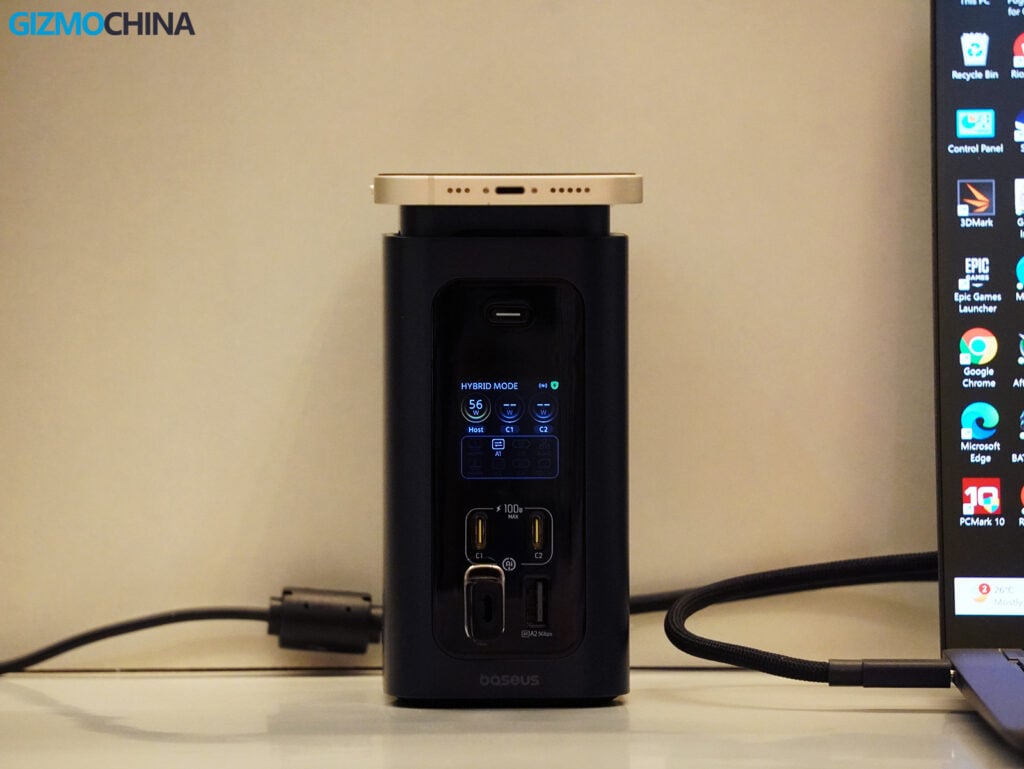
The first thing you’ll notice about the Spacemate RD1 Pro is its vertical design. Instead of lying flat on the desk like many traditional docks, it stands upright. Baseus calls this a Space Simplified approach, and it does save a good amount of horizontal desk space.
The build quality is solid, which is something I’ve come to expect from Baseus. There are no sharp edges; the corners are rounded, and the Cosmic Black finish gives it a subtle, professional look that blends in well with most desk setups.
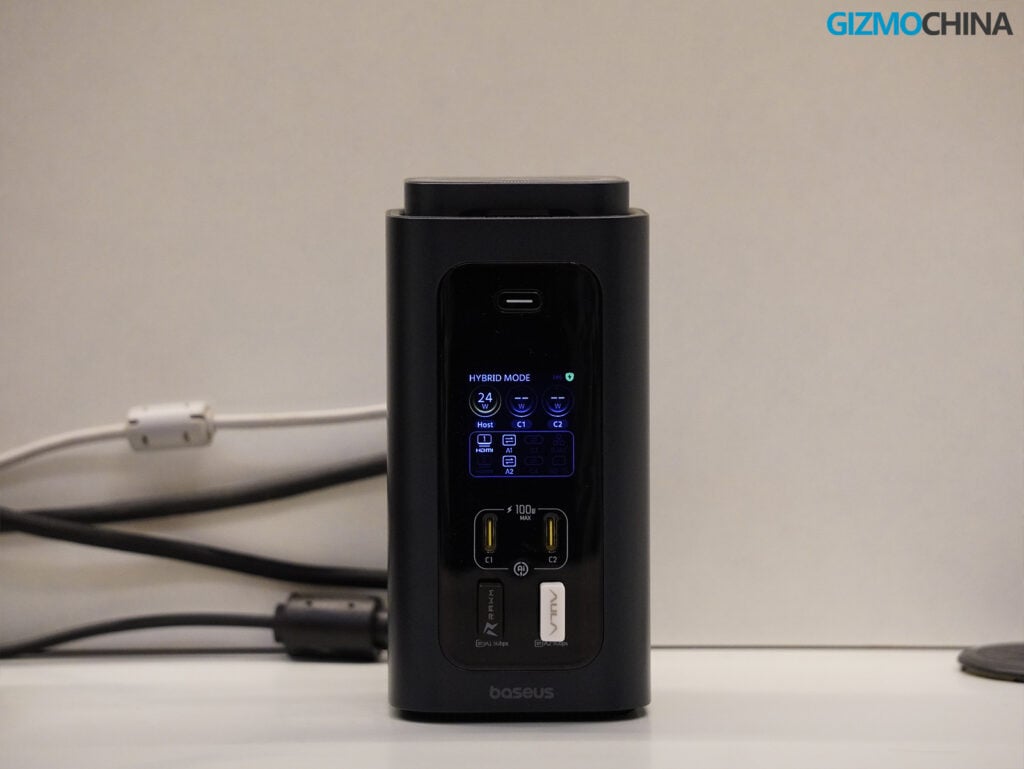
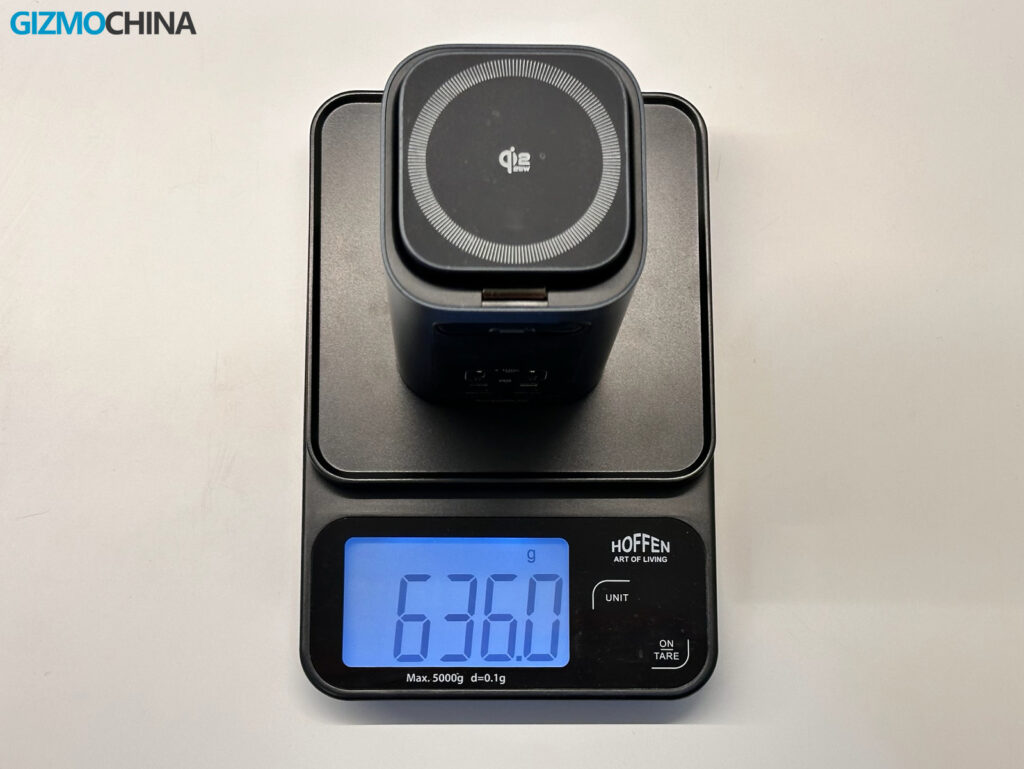
Before I set it up, I was a little concerned that a vertical dock might easily tip over, especially since it has a magnetic charging pad for a phone on the very top. However, the unit weighs 636 grams on its own. Even with several stiff cables plugged into the back and my phone resting on top, it remained stable on my desk.
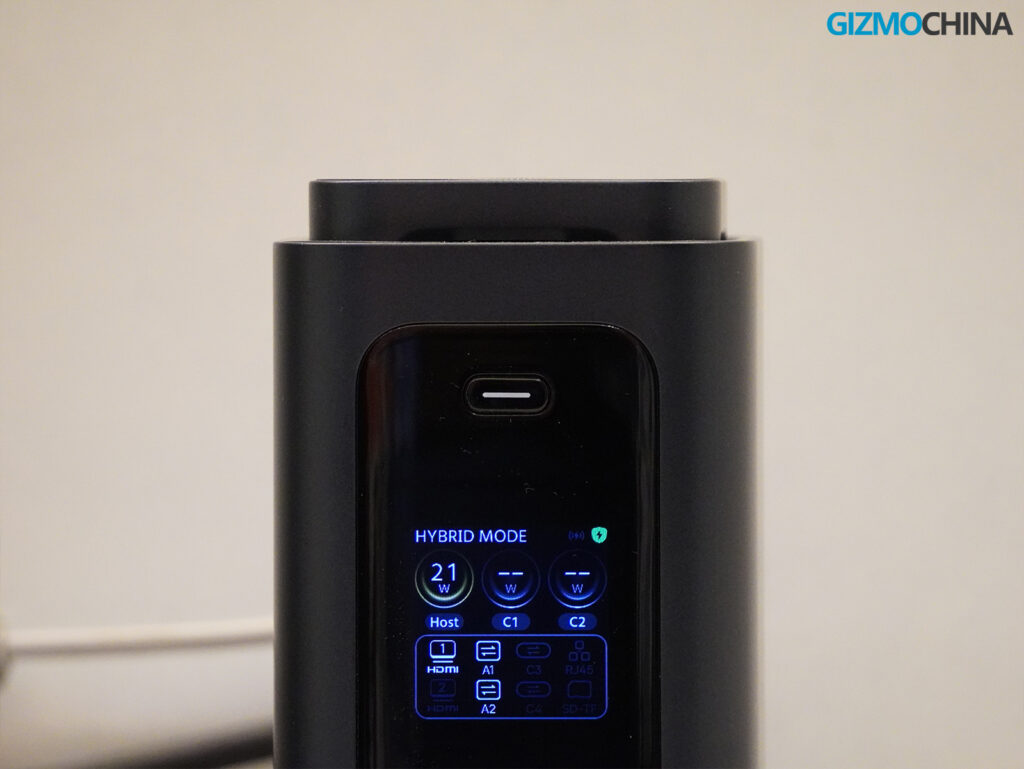
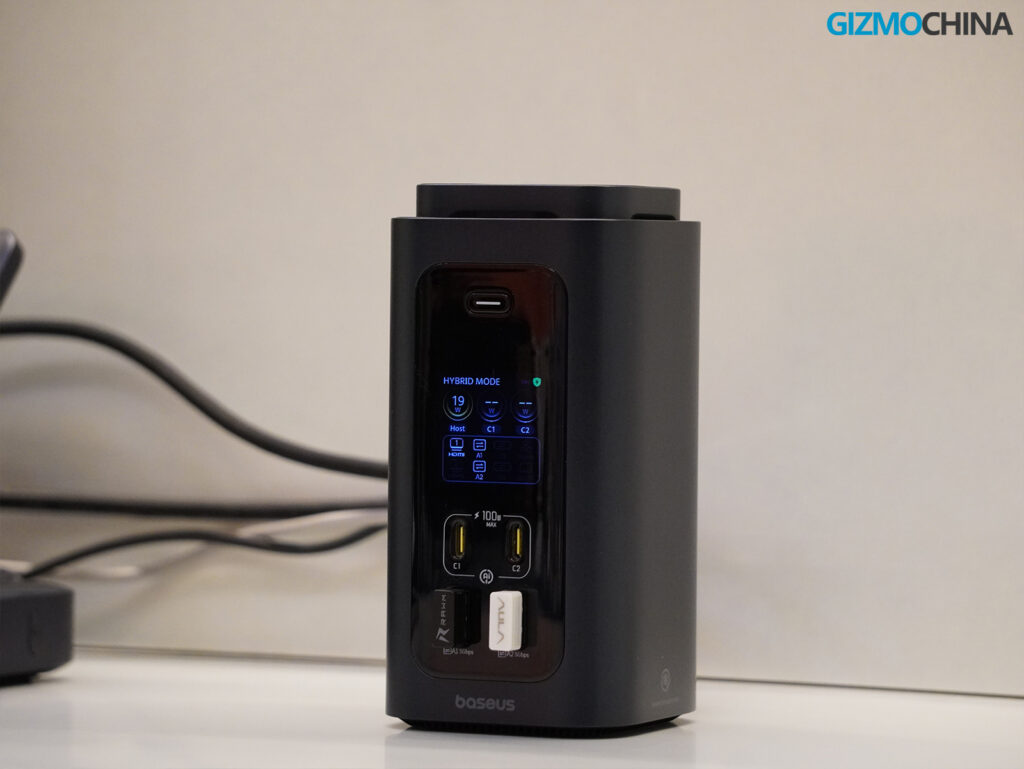
On the front of the dock, there’s a small digital display. It provides basic real-time information, like which ports are in use and the current charging status. Right above the screen is a physical button.
Pressing and holding it for two seconds switches the dock between two modes: Hybrid Mode and Charging Mode. Hybrid Mode enables all the data, video, and charging functions. Charging Mode turns off the data and display outputs to prioritize maximum charging speed for your connected devices. It’s a practical feature if you just need to charge your laptop and phone quickly without waking up your external monitors.
I do need to mention the power adapter, though. To support 15 different functions and provide up to 160W of total output, the dock comes with a 180W GaN power brick. The adapter is quite large and heavy. While the dock itself saves space on your desk, you will need to figure out a way to manage or hide this bulky power brick underneath your desk or behind a monitor.
I generally prefer flat docking stations that can be tucked under a monitor stand, sometimes with the power supply built-in, but the vertical design here works well enough if you don’t mind the external brick.
Ports and Connectivity
The Spacemate RD1 Pro is equipped with 14 wired ports, plus the wireless charging pad on top.
The front layout is designed for things you need to plug and unplug frequently. You get two USB-C ports capable of 100W fast charging, along with two 5Gbps USB-A ports.
The back is meant for your permanent connections. It features two 10Gbps USB-C ports, an SD and TF card slot (version 3.0), two 480Mbps USB-A ports (which are fine for a mouse or keyboard), a Gigabit Ethernet port, and two HDMI ports.
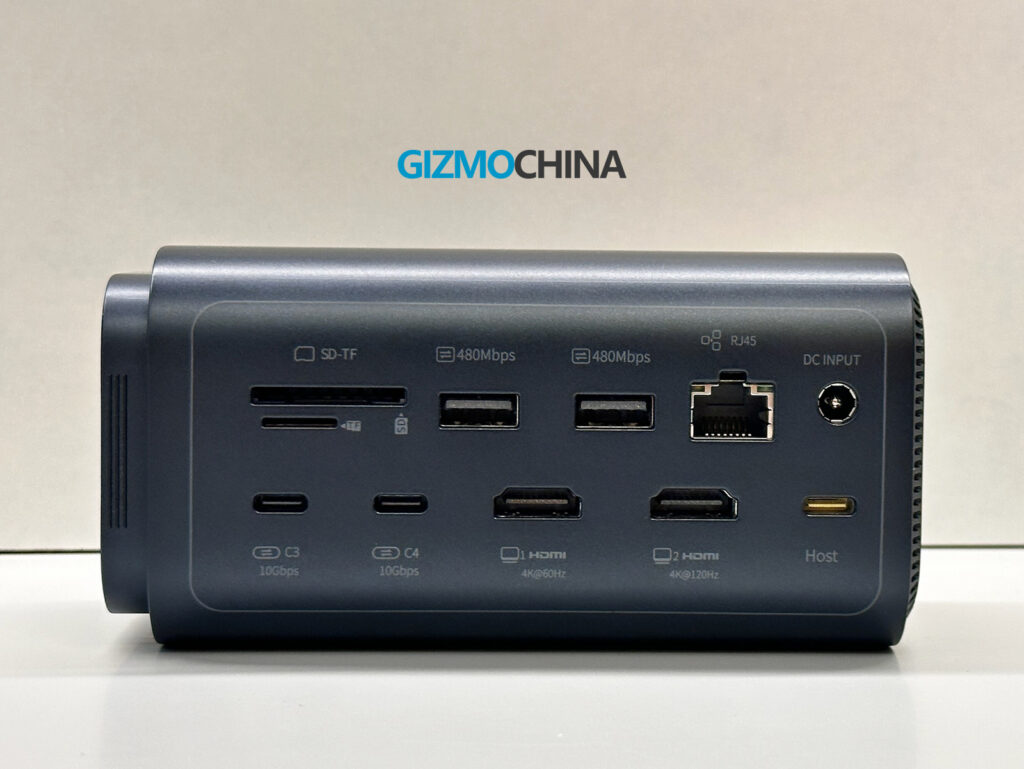
Because this dock is optimized for Windows, it supports extended dual-monitor setups (unlike macOS, which often limits you to mirrored displays through a single USB-C connection). One HDMI port supports 4K resolution at up to 120Hz, while the other supports 4K at 60Hz.
During my time using it as my main workstation, the dual-screen extension worked well. I did experience a brief loss of connection over HDMI on two occasions. I checked the cables to see if anything was loose, but everything was secure. The screen just flickered and came back. It only happened twice over two weeks, so it wasn’t a major issue, but it’s something I noticed.
Data transfer speeds were consistently reliable during my testing. Moving large files through the 10Gbps USB-C ports was fast, and the built-in SD and TF card readers are a very welcome addition. Since I take a lot of photos for reviews and need to transfer them frequently, having this port readily accessible is incredibly useful for my daily workflow.
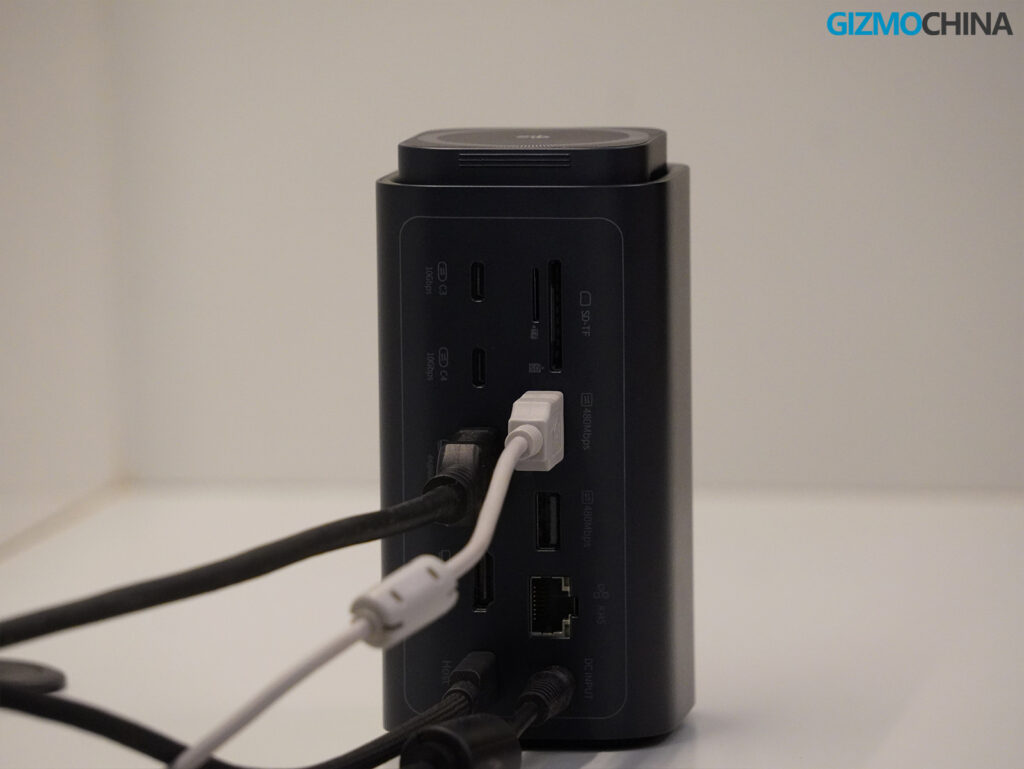
While the port selection is extensive, I feel a few things could have been added to make it truly comprehensive. For instance, there is no DisplayPort, which remains a very common standard for PC monitors. It also lacks a 3.5mm audio jack for wired headphones or speakers. And the Ethernet port is standard Gigabit (1Gbps), upgrading to a 2.5GbE port would have been great. These are relatively minor omissions, but I would love to see them included in future iterations from Baseus.
Power and Wireless Charging
Power management is one of the dock’s strong points. Even with multiple devices plugged in, the unit didn’t get noticeably hot. Baseus uses a dynamic power distribution system to manage the 160W total output safely.
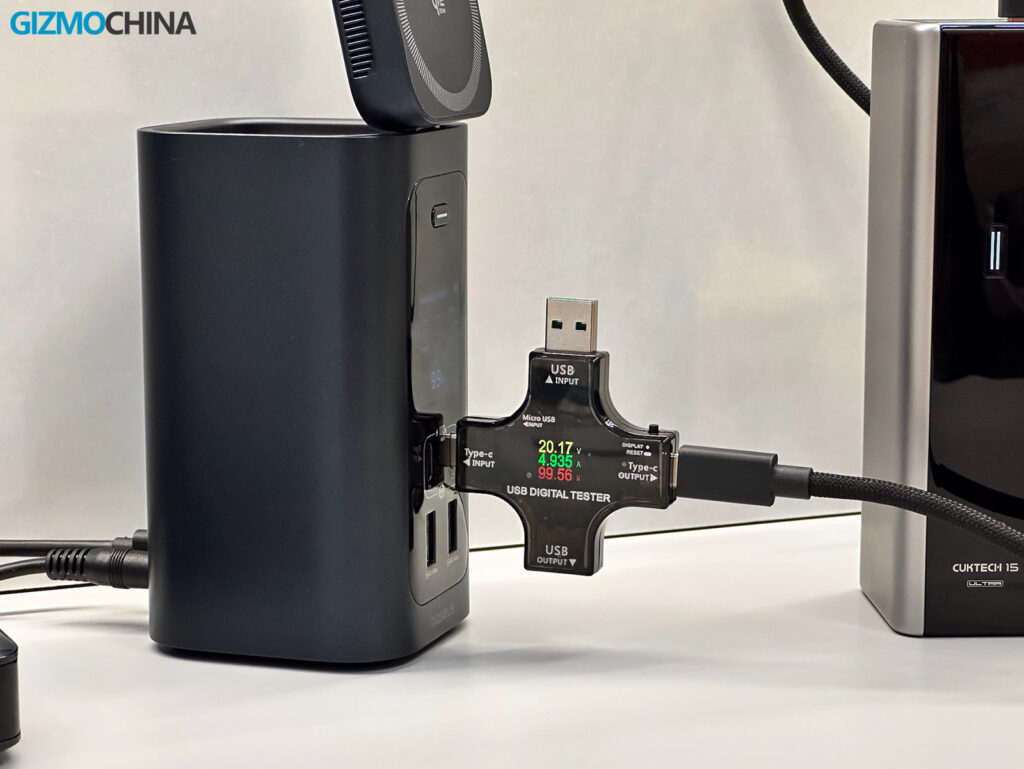
I tested the front USB-C ports by charging a high-capacity power bank that supports 100W input. Using an inline power meter, I confirmed that the port was delivering a steady 100W. It’s convenient to know you can charge a laptop and a power bank at full speed simultaneously.
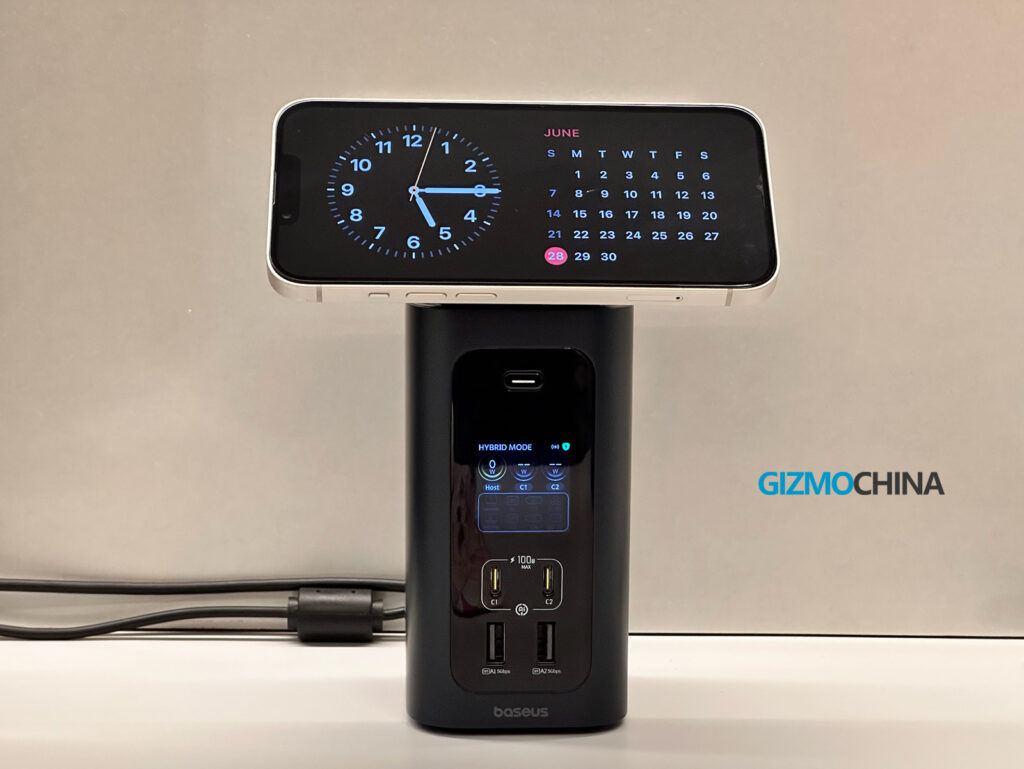
The top of the dock features a Qi2.2 adjustable magnetic charging pad. It can be tilted up, which is nice if you want to see your phone notifications or use face unlock while working. It supports up to 25W charging for compatible devices. I tested it with an iPhone 13 and an iPhone 14 Pro. Since these are older models, they maxed out at 15W, but they charged consistently.
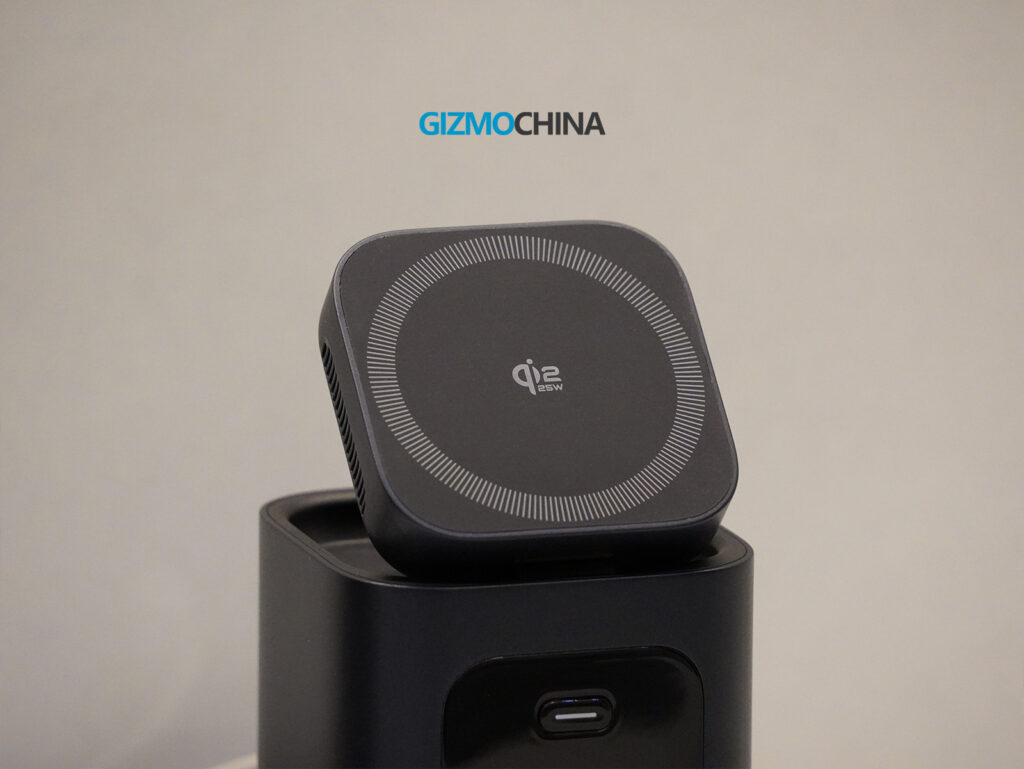
I think the strength of the magnets could have been a bit better. Because the dock is tall, you want a very secure hold on your phone. If you use your phone without a case, it attaches fine. But if you use a case, the grip might feel a bit weaker, although it depends on the material of the case. I also own the Baseus Nomos 245W charging station, and the magnetic hold on that model is significantly stronger. Anyway, it’s not a dealbreaker.
Final Thoughts
Overall, the Baseus Spacemate RD1 Pro is a very capable machine with solid build quality. It is incredibly flexible, to be honest. For instance, having the magnetic charging pad built right into the top completely solves the issue of needing a separate phone charger taking up space on your desk. Of course, there will always be a few drawbacks, like the bulky power adapter and the lack of a DisplayPort or audio jack, but those are very nitpicky details.
Given the standard retail price, I was initially expecting a little more. But I think Baseus is going to sell it under $200 mostly with their coupon codes and massive discounts, so that makes it a steal deal, to be honest. You can purchase this model directly from Amazon or through the official Baseus website.
If you are interested in picking one up, we have some discount details for our readers that you can use until July 15. The standard retail price is $299.99, but if you use the promo code BASEUSPR at checkout, it brings the promotional price down to $189.99. That gives you a full 37% off, and this specific promotion period runs from June 23 through July 15.
For more daily updates, please visit our News Section.
Stay ahead in tech! Join our Telegram community and sign up for our daily newsletter of top stories!




Comments