
Add GIZMOCHINA as Preferred Source on Google
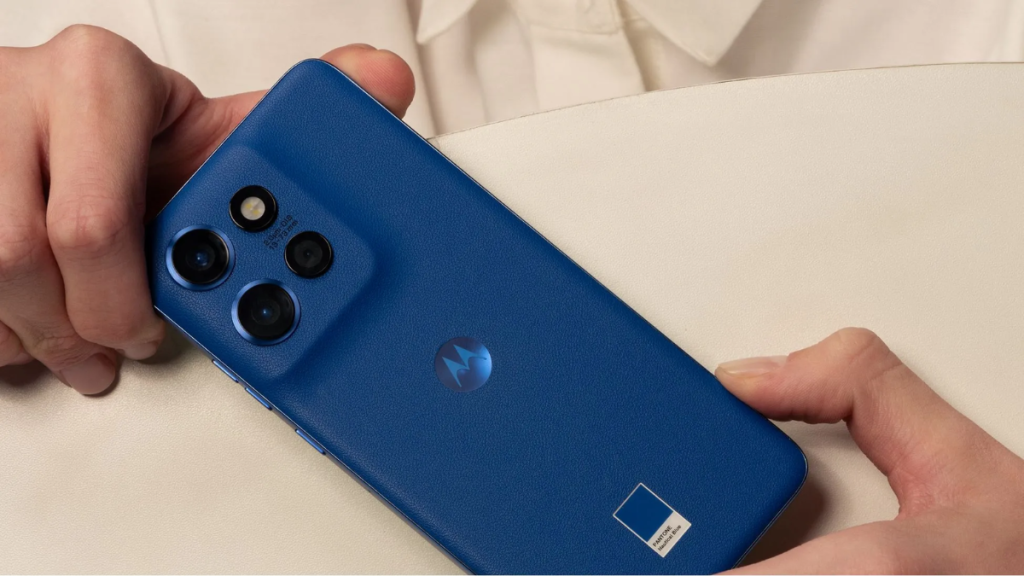
Android 17 is proof that Motorola is taking serious steps towards improving its software rollout. It was the first third-party brand to announce the Android 17 beta program in February, and later became the first non-Google brand to kick off stable Android 17 rollout.
The Motorola Edge (2025) and Motorola Signature were the company’s first phones to be blessed with a stable Android 17 release. The rollout then expanded to more phones. If you’ve been waiting for the update on your Motorola phone or wondering whether it’s eligible, we’ve got you covered. This post has everything you may need to know about Android 17 for Motorola phones.
Note: We’ll update the post periodically to make sure the information are up-to-date. You can bookmark the page to visit later for more updates.
Motorola phones eligible for Android 17 update: Confirmed list
Motorola Signature series
- Motorola Signature
Motorola Razr series
- Motorola Razr 70 Ultra
- Motorola Razr 70 Plus
- Motorola Razr 70
- Motorola Razr Ultra 2026
- Motorola Razr+ 2026
- Motorola Razr 2026
- Motorola Razr Fold 2026
- Motorola Razr Fold 2025
- Motorola Razr 60 Ultra
- Motorola Razr 60s
- Motorola Razr 60d
- Motorola Razr 60
- Motorola Razr Ultra 2025
- Motorola Razr+ 2025
- Motorola Razr 2025
- Motorola Razr 50 Ultra
- Motorola Razr+ 2024
Motorola Edge series
- Motorola Edge 2026
- Motorola Edge 70 Pro+
- Motorola Edge 70 Pro
- Motorola Edge 70 Max
- Motorola Edge 70 Fusion+
- Motorola Edge 70 Fusion
- Motorola Edge 70
- Motorola Edge 2025
- Motorola Edge 60 Stylus
- Motorola Edge 60 Pro
- Motorola Edge 60 Fusion
- Motorola Edge 60
- Motorola Edge 50 Ultra
Motorola Moto G series
- Moto G Stylus 2026
- Moto G Power 2026
- Moto G Play 2026
- Moto G 2026
- Moto G 2025
- Moto G Power 2025
- Moto G Stylus 2025
- Moto G Max
- Moto G87
- Moto G86
- Moto G86 Power
- Moto G77
- Moto G77 Power
- Moto G67
- Moto G57
- Moto G57 Power
- Moto G47
- Moto G37
- Moto G37 Power
While it’s an official list published in an official blog post (in Spanish), it may not be complete. Some phones are missing from the list, including the Edge 50 Neo and Edge 60 Neo. Both devices have been guaranteed five major Android upgrades, and that makes them eligible for Android 17.
There are a few more devices that should be on the list as per the existing update policy. We believe Motorola will still release the update to those missing devices from the list, without a prior announcement.
When will your Motorola phone receive Android 17?
Unlike other brands, Motorola doesn’t really publish a release schedule. So, there’s no way you can predict when your phone is going to get the next software upgrade, Android 17. Motorola, if you’re reading this, that’s not encouraging at all. You should provide users with a detailed rollout schedule, so they stop checking for updates without a clue.
Motorola devices with beta releases already out typically receive a stable update in the next few weeks. Remaining users can regularly check for updates via Settings or visit our Motorola section to know when the update arrives.
Motorola Android 17 update: Major changes and new features


The Android 17 update for Motorola phones brings visual and functional upgrades to Live Updates. The UI element is now integrated into the camera cutout in the middle (previously on the left side of the status bar), similar to Apple’s Dynamic Island. Motorola has also expanded its compatibility to work with most of your day-to-day apps.
Motorola has updated the Settings page UI, which now looks more like Pixel UI. There are new status bar icons, a new volume interface, and new icons for Wi-Fi, cell tower, and battery. There’s also a new Classic Control Center. The HelloUI app drawer now features improved background blur, a create folder button, and removed app titles. The apps now appear in a 3×3 grid instead of 2×2, and they appear tinted.
Android 17 also introduces new clock faces, typography, and style options for a more personalized lock screen experience. However, there’s still no depth effect feature. Motorola has made it easier to take screenshots (now a three-finger swipe-down gesture) or enable split-screen (now a three-finger swipe-up gesture). Among the new Android 17 features are a Landscape Stereo, Qira AI assistant, Enhanced HDR Brightness, and Battery health. You can read more about the upcoming changes in detail on this page.
Stay tuned with us for more updates. You can visit the Motorola section regularly or join our Telegram channel to receive the latest updates.



Comments