
For the past few years, my gaming habits have been pretty one-note. I’ve spent most of my time playing PUBG Mobile competitively. It’s a demanding game that requires constant attention, quick reflexes, and a lot of screen tapping. After a while, that level of intensity gets tiring. Recently, I found myself wanting to step back and play something simpler, games that don’t require an internet connection or a competitive mindset.
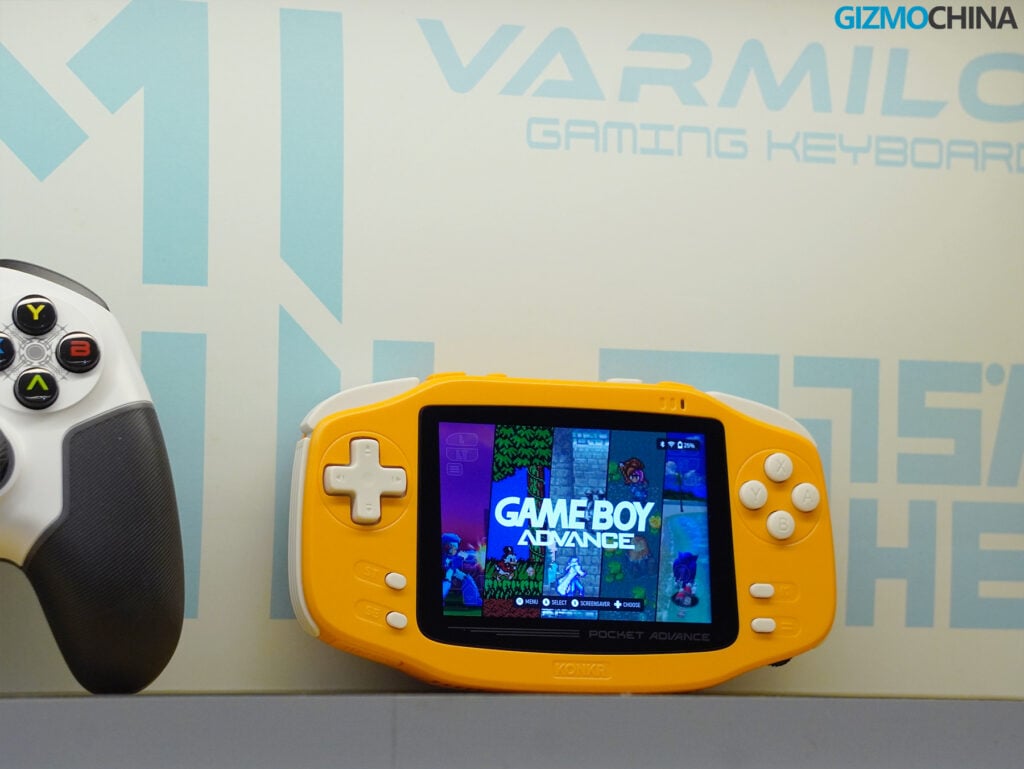
That shift in interest coincided with the arrival of the Ayaneo Konkr Pocket Advance. Ayaneo is a company you might recognize for making relatively expensive gaming handhelds. Recently, they launched a new sub-brand called Konkr, aimed at the more affordable, Android-based retro handheld market. The Pocket Advance is their newest offering. As the name and shape suggest, it’s heavily inspired by the classic Game Boy Advance.
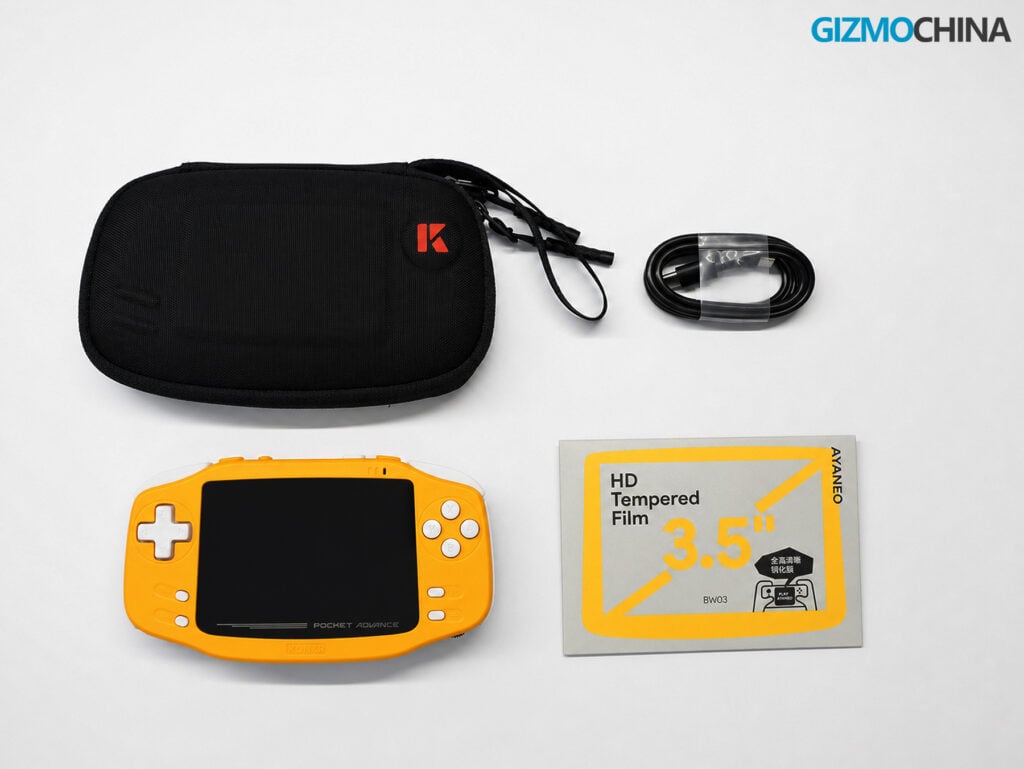
I’ve spent the last two weeks testing the 4GB RAM and 64GB storage model. I also installed the optional tempered glass screen protector and used the official carrying case. After using it daily, I’ve found it to be a very capable device for older games, though it has a few physical quirks you should know about before buying. Here is my full review of the Konkr Pocket Advance.
Design and Build Quality
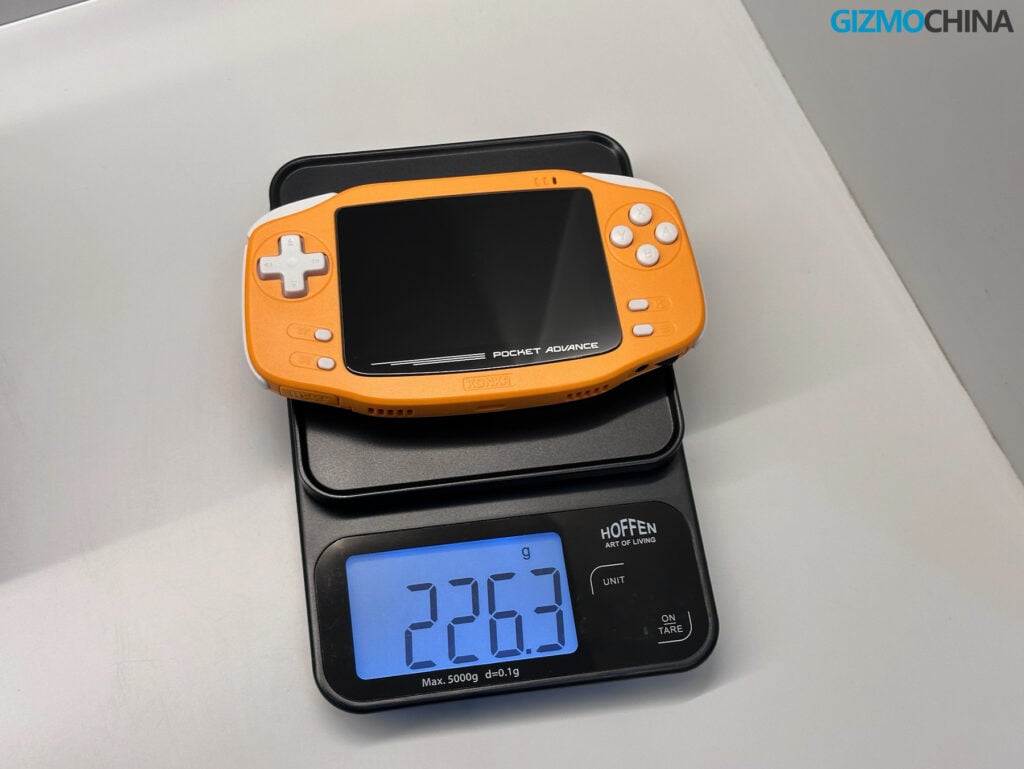
When you first pick up the Pocket Advance, the most noticeable thing is its weight. With the tempered glass installed, my unit weighs 226 grams. For a device that measures 151.3 x 82.4 x 22mm, it feels quite dense. It’s significantly heavier than the original Game Boy Advance, which weighed around 140 grams.
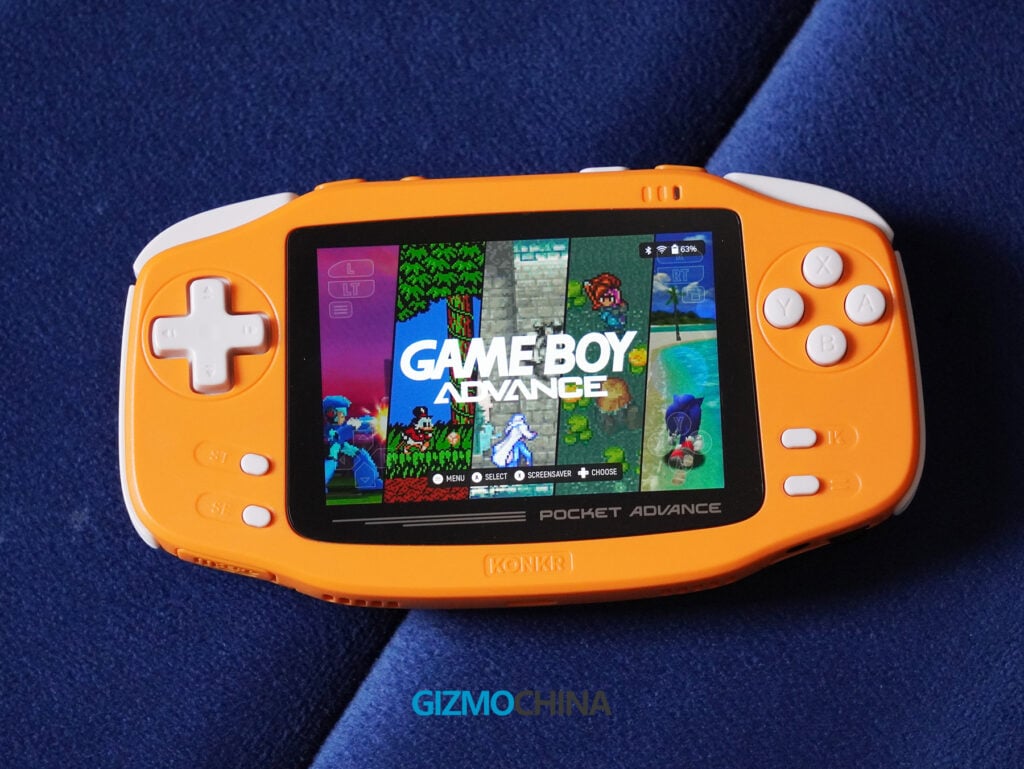
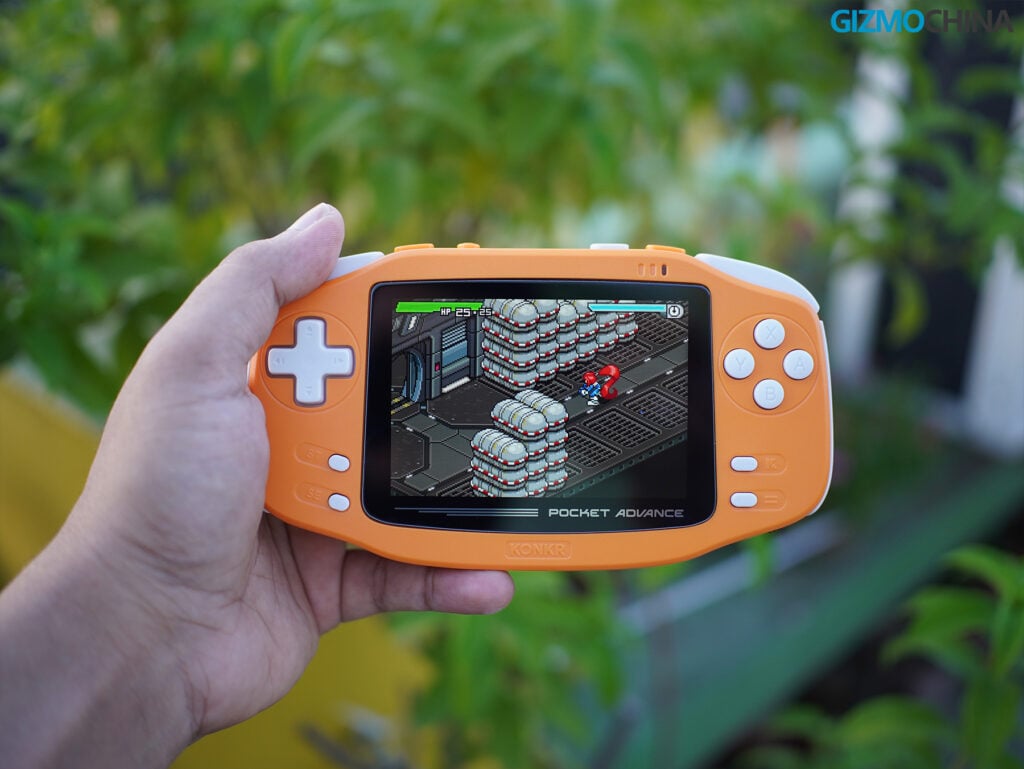
The build is entirely plastic, but it doesn’t feel cheap or hollow. Ayaneo used a semi-matte finish on the shell, which does a good job of resisting fingerprints and smudges. The shape features rounded corners, gently tapered edges, and broad side grips with inward-curving contours.
It sits naturally in the hands when you are sitting up. However, because of that 226-gram weight, I found that playing it while lying flat on my back in bed caused my fingers to fatigue after about twenty minutes. It is definitely a handheld better suited for a seated position.
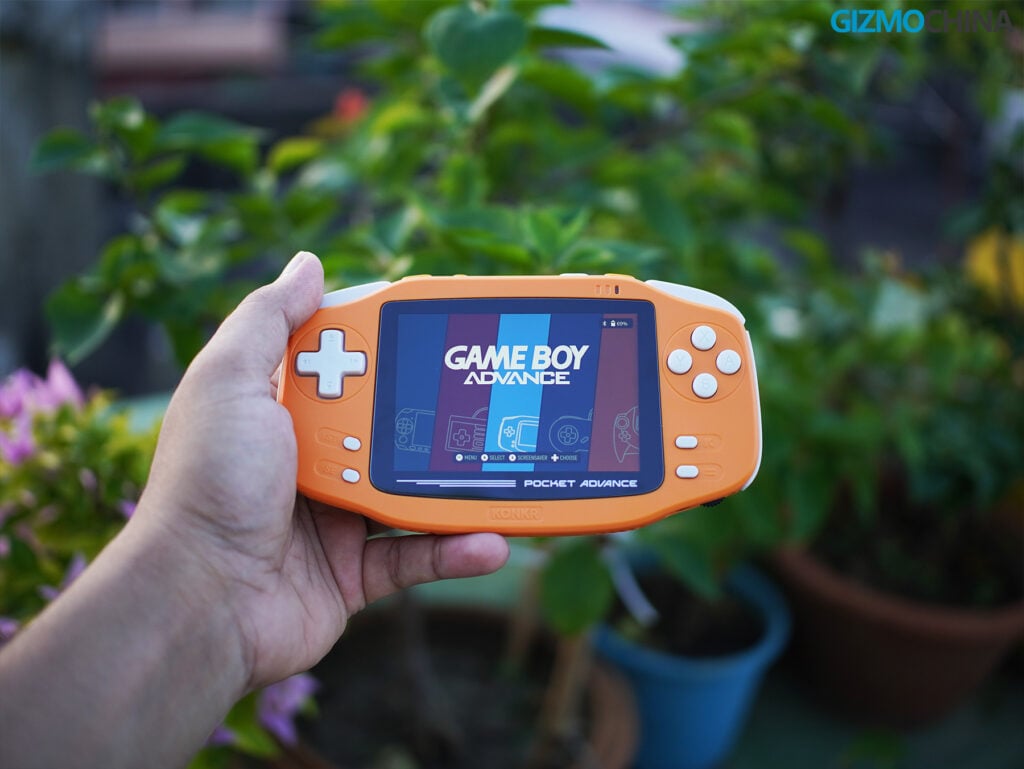
I have the Coral Orange variant, which combines a bright orange shell with white buttons and trim. It is also available in Navy Blue, Heritage Gray, and the limited-edition Pink & Onyx Ice variants.
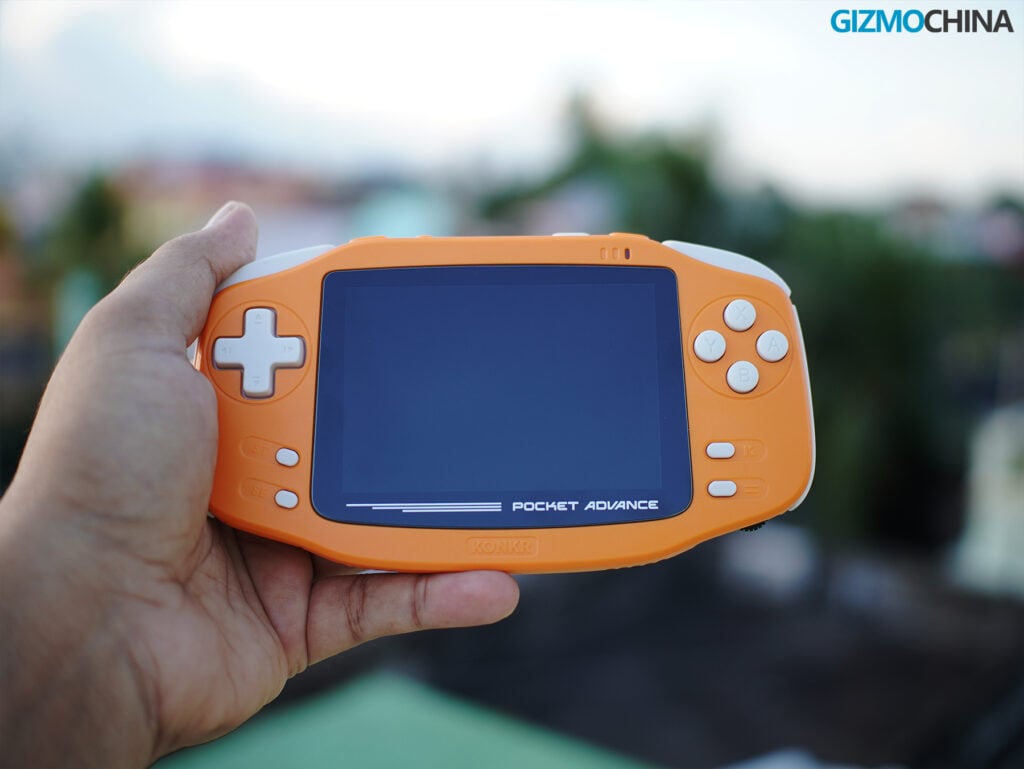
The control layout is standard for a retro handheld but has some specific design choices. The D-pad and the ABXY face buttons use membrane switches rather than clicky microswitches. They are very quiet when pressed. The face buttons have a slight tactile bump, but they don’t produce the sharp click you get on some competing devices. Whether you like this comes down to personal preference; I found the quiet buttons useful for playing in the same room as someone else without bothering them.
The start and select buttons, along with two additional menu buttons, are made of soft silicone and are also silent. They are arranged a bit unusually: the left pair sits diagonally under the D-pad, while the right pair is placed more horizontally under the face buttons.
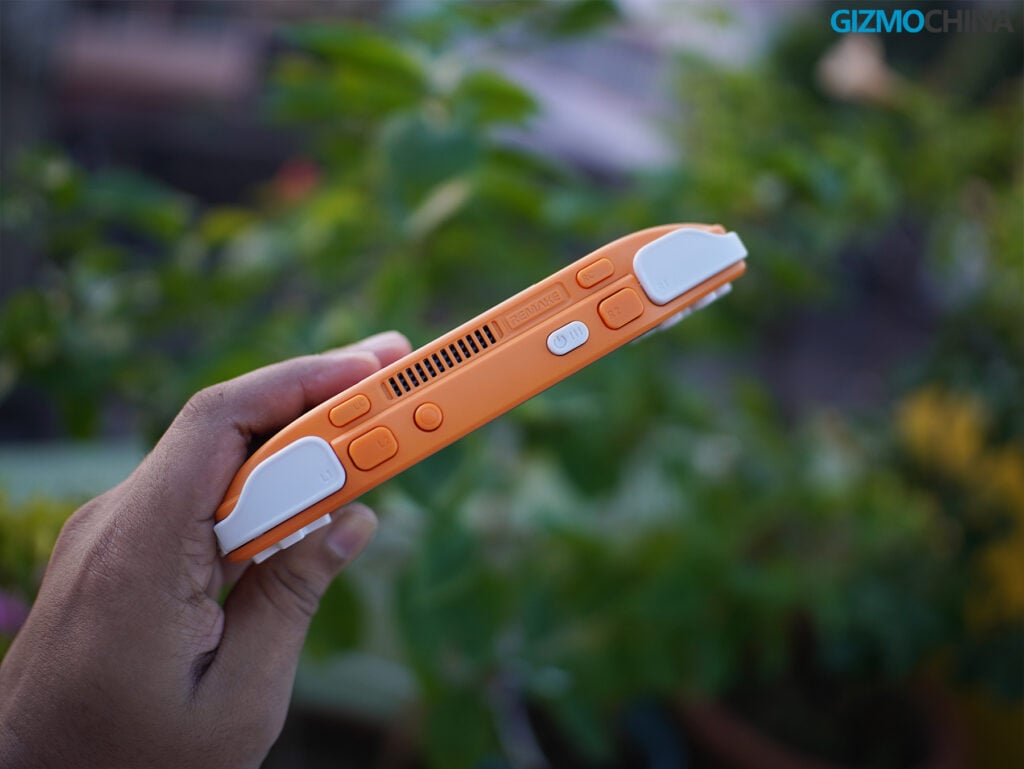
Along the top edge, you have the L1 and R1 shoulder buttons, which are quiet but have a distinct click. Alongside the clicky L2 and R2 buttons, this upper section houses the power button and an additional custom button.
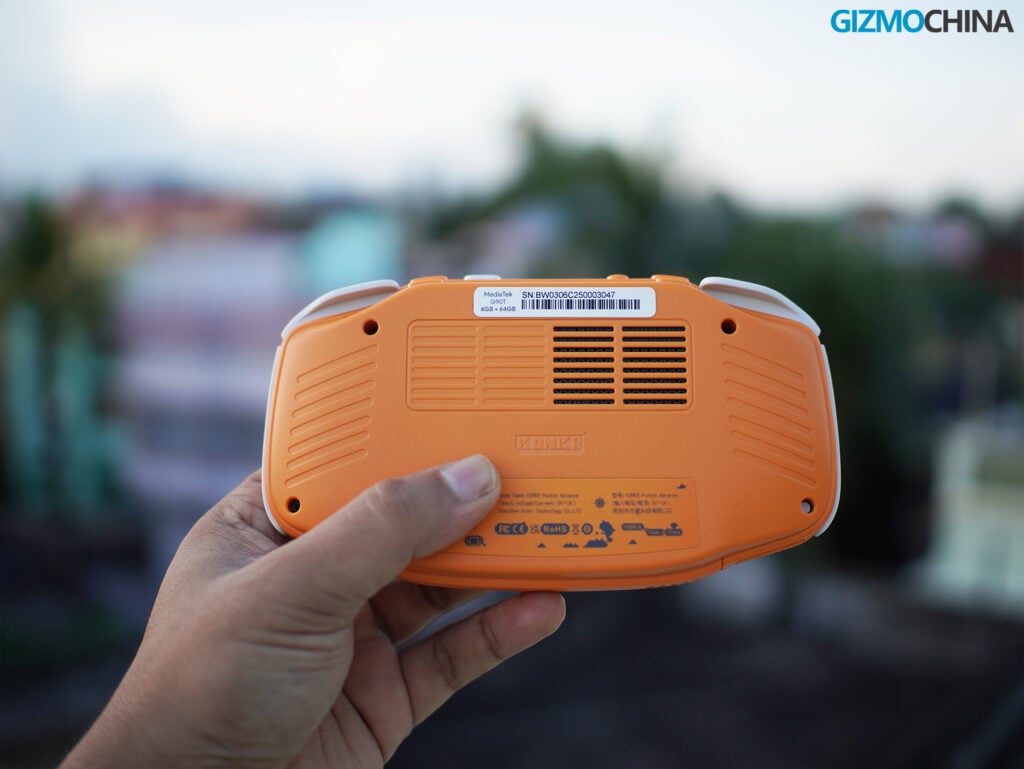
The top layout has a tiered design; on the next step down sit the LC and RC custom shoulder buttons, which share that same clicky feel and are separated by a top fan grille. Moving to the back of the device, it features symmetrical ventilation grilles for the internal fan, some molded grooves for grip, and visible screws.
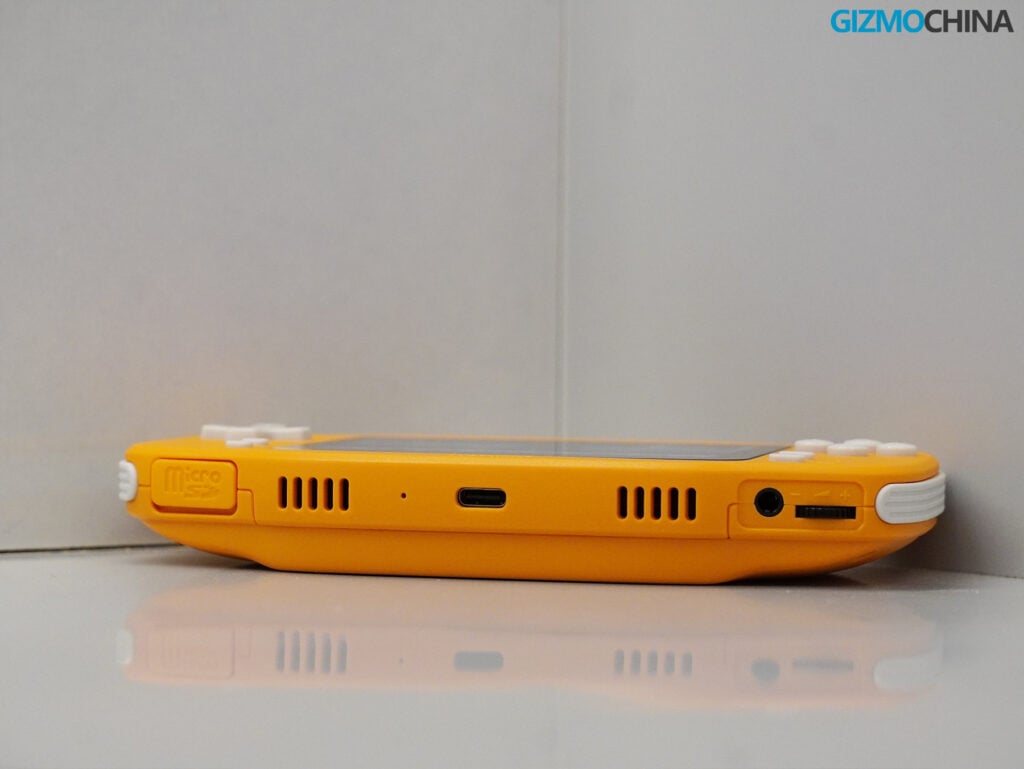
On the bottom edge, you’ll find a microSD card slot, a USB-C port, a 3.5mm headphone jack, and a physical volume slider. The volume slider works fine, but its placement is a bit frustrating.
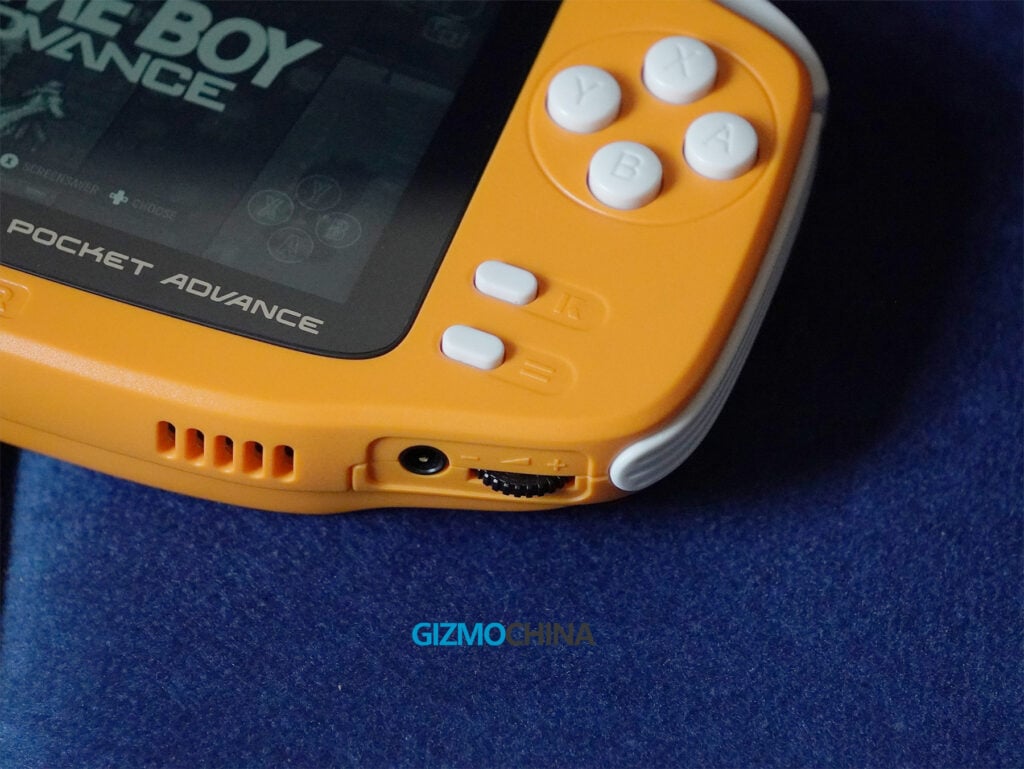
Depending on how you hold the device, it’s easy to accidentally brush your hand against the slider and change the volume during a game. It’s a minor annoyance, but something I noticed frequently.
Display
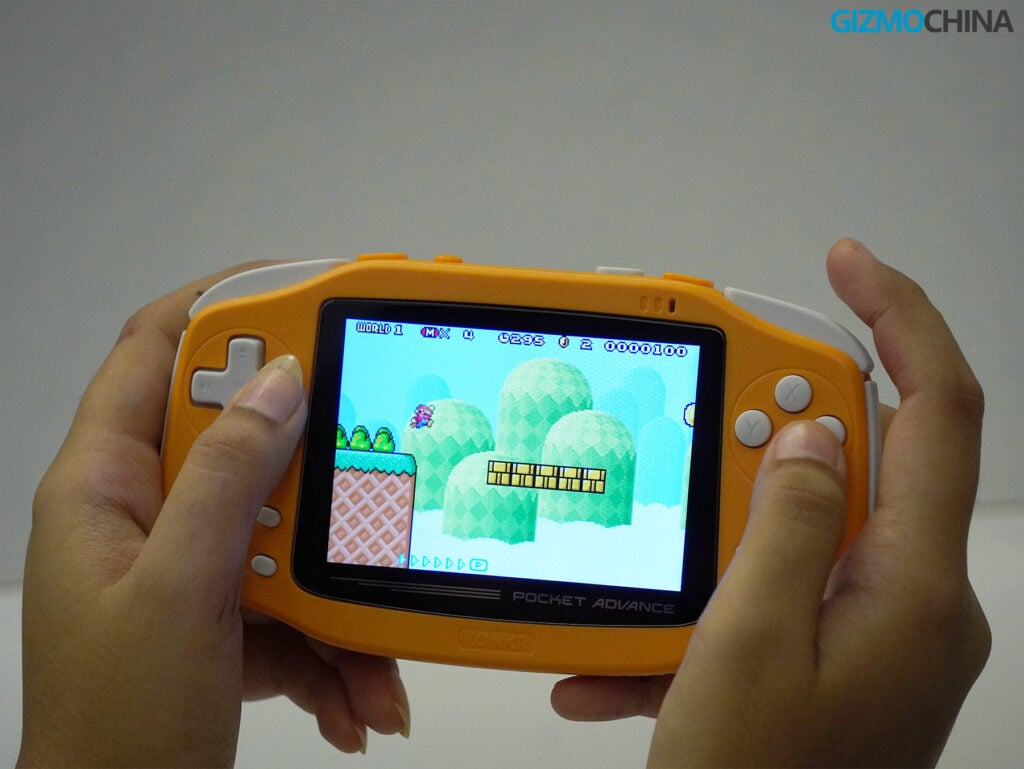
The screen is a 3.5-inch LCD panel with a 3:2 aspect ratio and a resolution of 960 x 640 pixels. The original Game Boy Advance had a screen resolution of 240 x 160. Because the Pocket Advance’s screen is exactly four times that resolution on both the horizontal and vertical axes, it allows for clean 4x integer scaling.
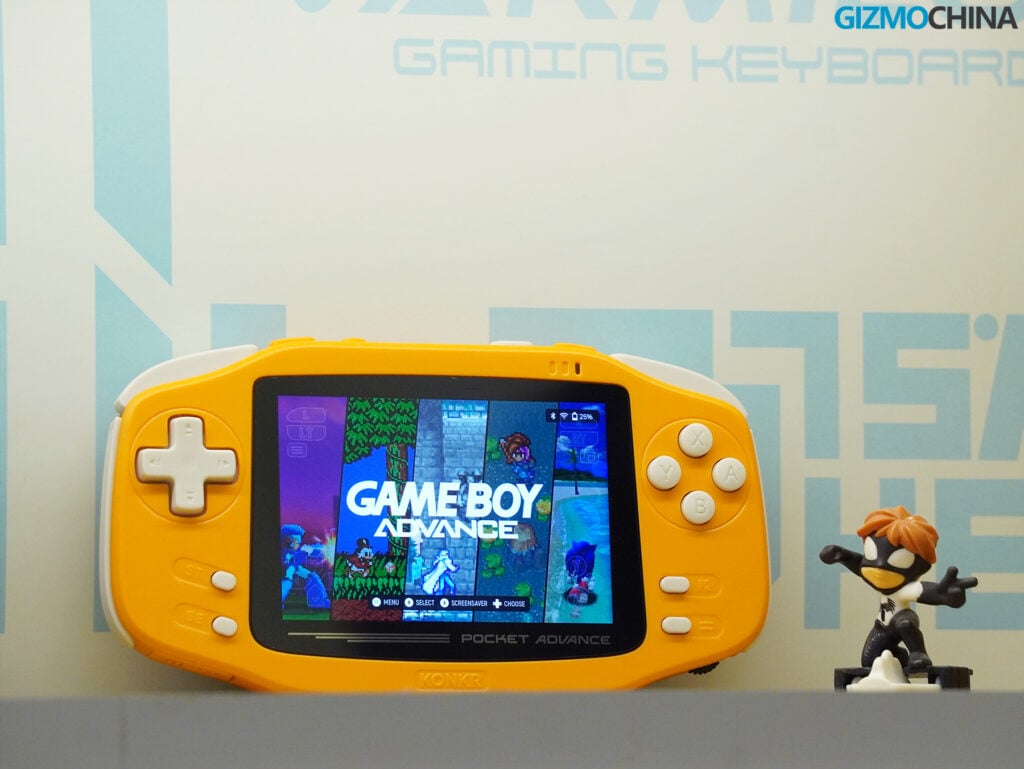
When you play GBA games, the image fills the screen perfectly without any stretching, blurring, or uneven pixels. To complete the look, Ayaneo included black borders on the sides of the display glass to mimic the original hardware’s bezel.
As for the panel itself, it’s a standard LCD. It doesn’t have the deep blacks or high contrast of an OLED screen, but it performs well for the price. It gets bright enough to use outdoors comfortably, and the lowest brightness setting is dim enough for playing in a dark room.
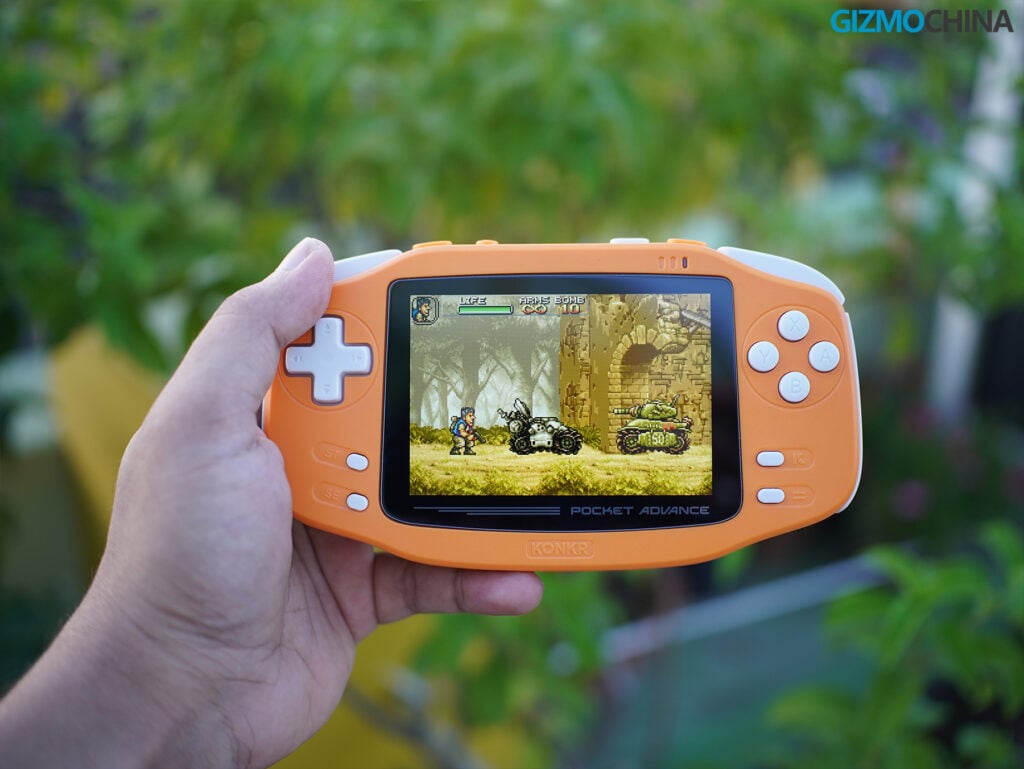
Because the screen is only 3.5 inches, navigating the Android interface can feel a bit cramped. Tapping small icons or typing on the on-screen keyboard takes some getting used to, but it’s manageable once you adjust.
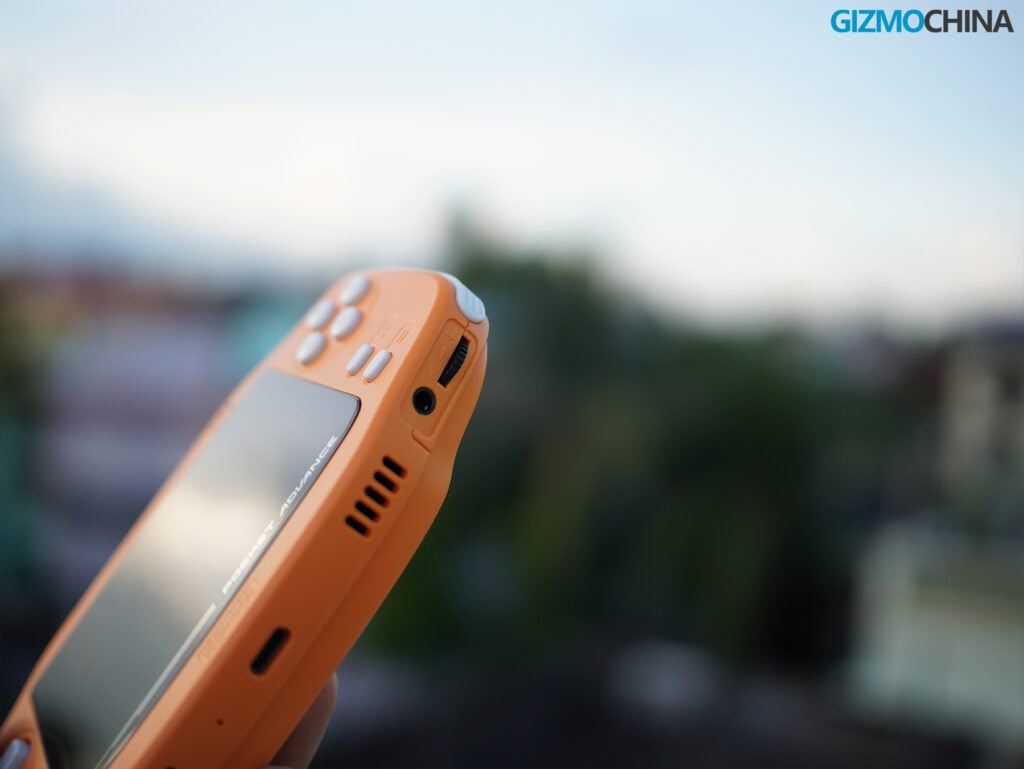
I do need to mention a quality control issue with my specific unit. The bottom right corner of the display panel was slightly lifted above the plastic shell. Ayaneo has acknowledged this defect in the early review batches and stated that the retail units shipping to customers will have this corrected. If you do receive one with a lifted screen, the company says they will address it through their customer support.
Performance and Emulation
Inside the Pocket Advance is a MediaTek Helio G90T processor. It’s an older octa-core chip built on a 12nm process, featuring two Cortex-A75 cores and six Cortex-A55 cores, paired with a Mali-G76 MC4 GPU. My unit has 4GB of RAM and 64GB of internal storage.
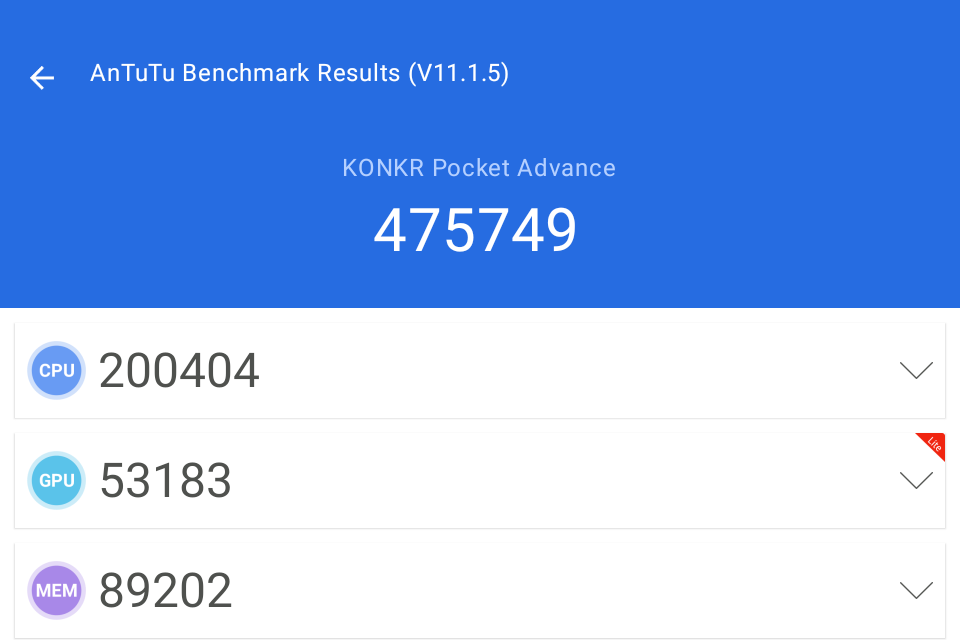
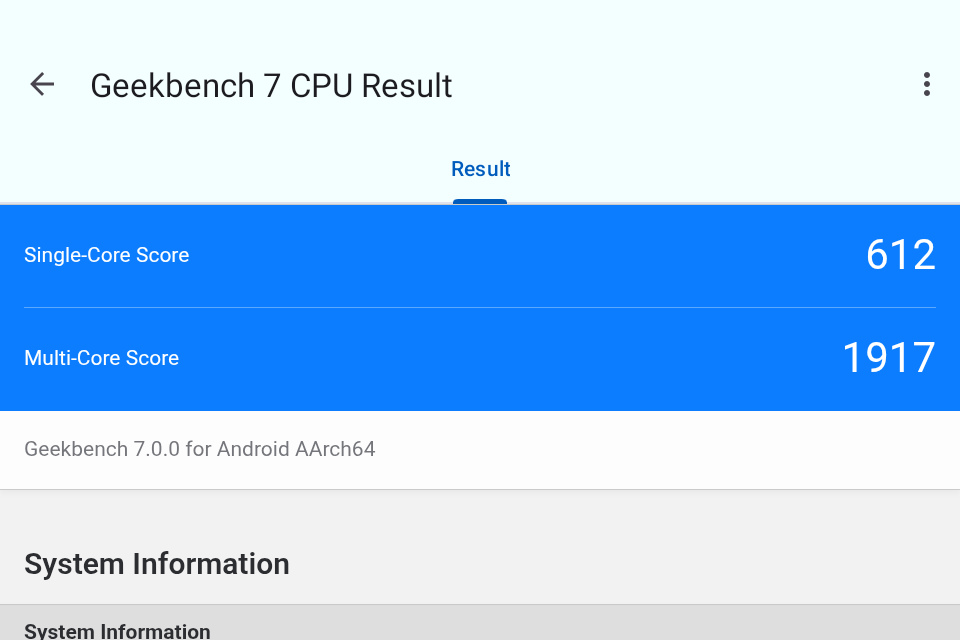
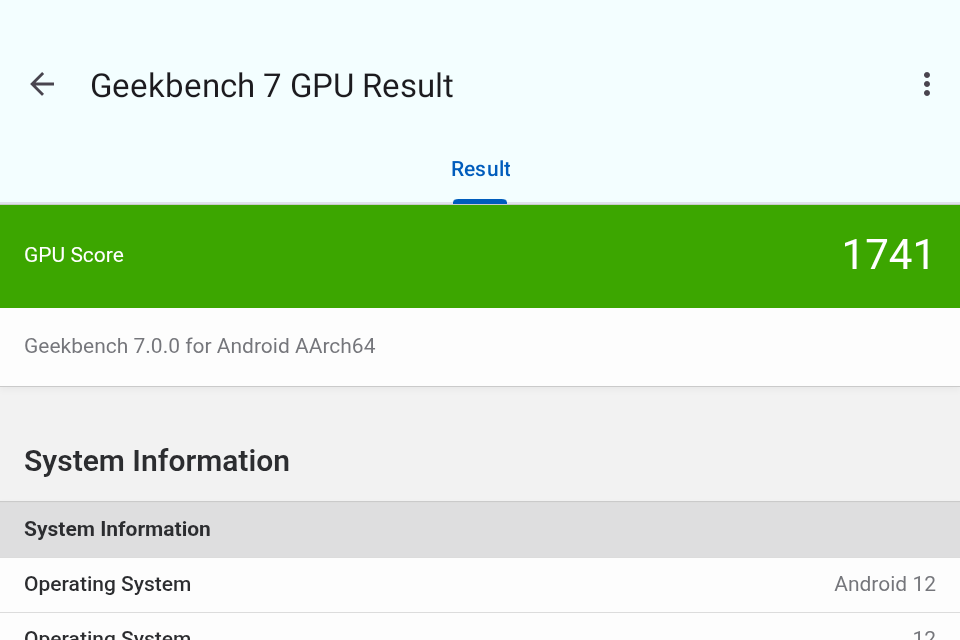
In benchmark terms, it scores around 475,000 on AnTuTu, while on Geekbench 7, it hits 612 in single-core, 1,917 in multi-core, and 1,741 for the GPU. In practical terms, this chip is more than capable of handling the majority of retro consoles you would want to play on a device like this.
For 8-bit and 16-bit systems like the NES, SNES, Game Boy, Game Boy Color, and Sega Genesis, performance is consistent and smooth. You can fast-forward through slow RPG text without any stuttering. Moving up to 32-bit and 64-bit systems like the PlayStation 1 and Nintendo 64, the device continues to perform well. I didn’t experience any noticeable slowdowns in standard titles. Sega Dreamcast games also ran without issue.
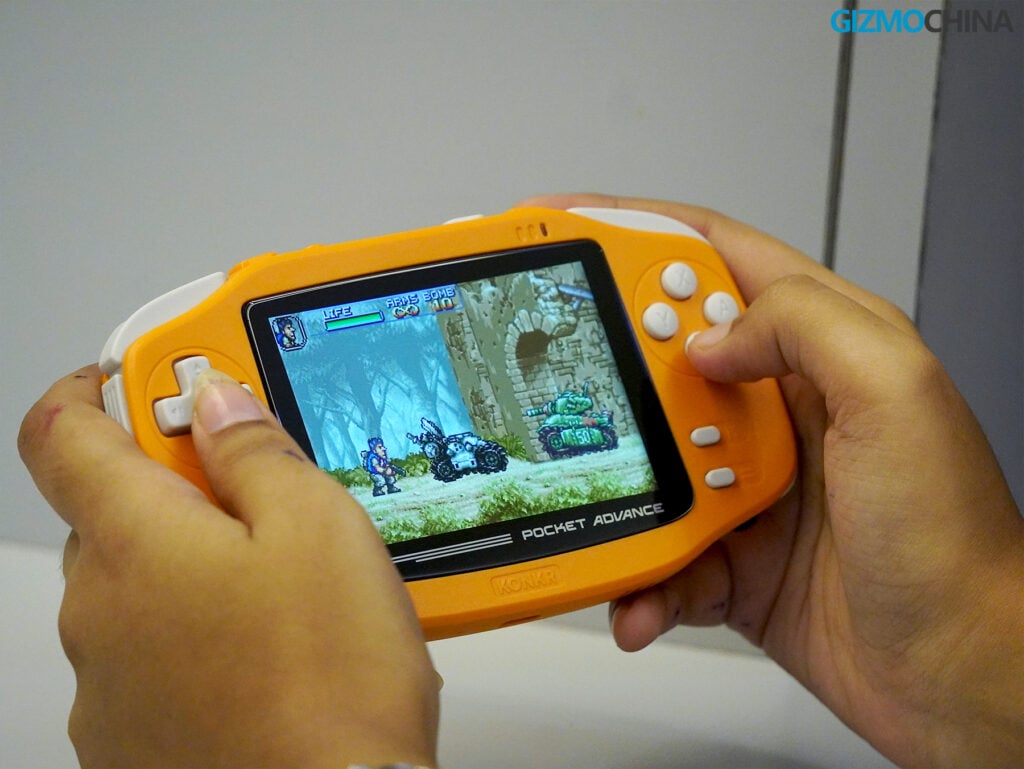
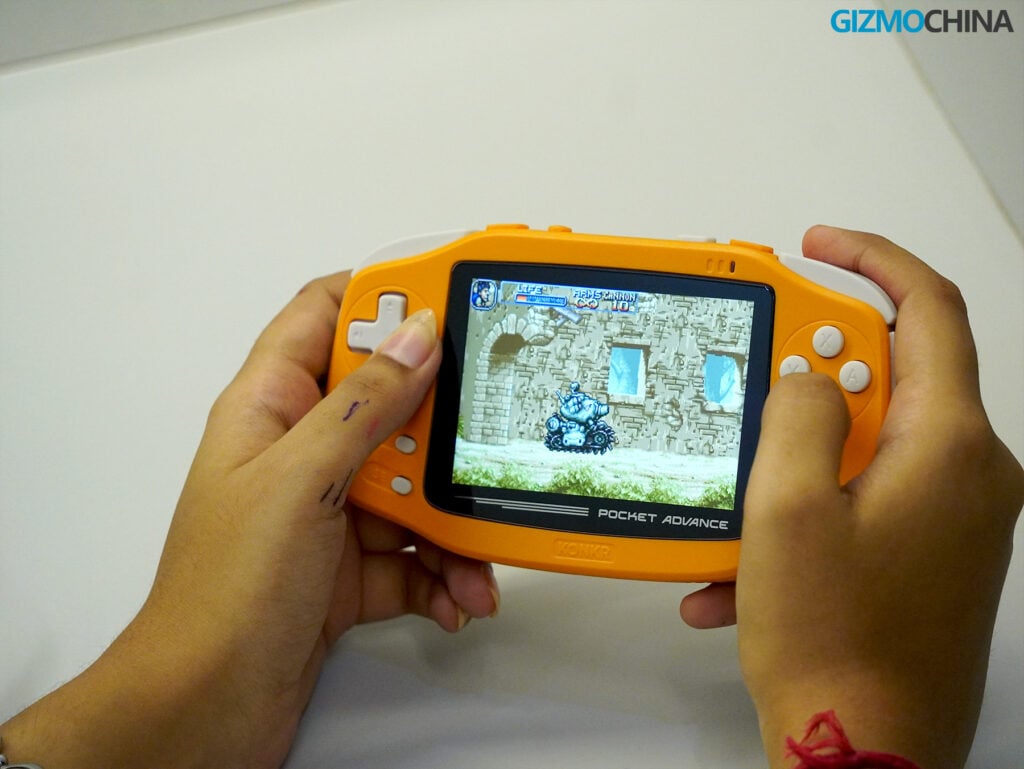
I spent a lot of time playing PlayStation Portable (PSP) games. The G90T handles PSP emulation quite well; I was able to run most games at 2x or 3x their original resolution with playable fps. However, because the PSP used a 16:9 widescreen format, playing these games on the Pocket Advance’s 3:2 screen means you will have black bars at the top and bottom of the image.
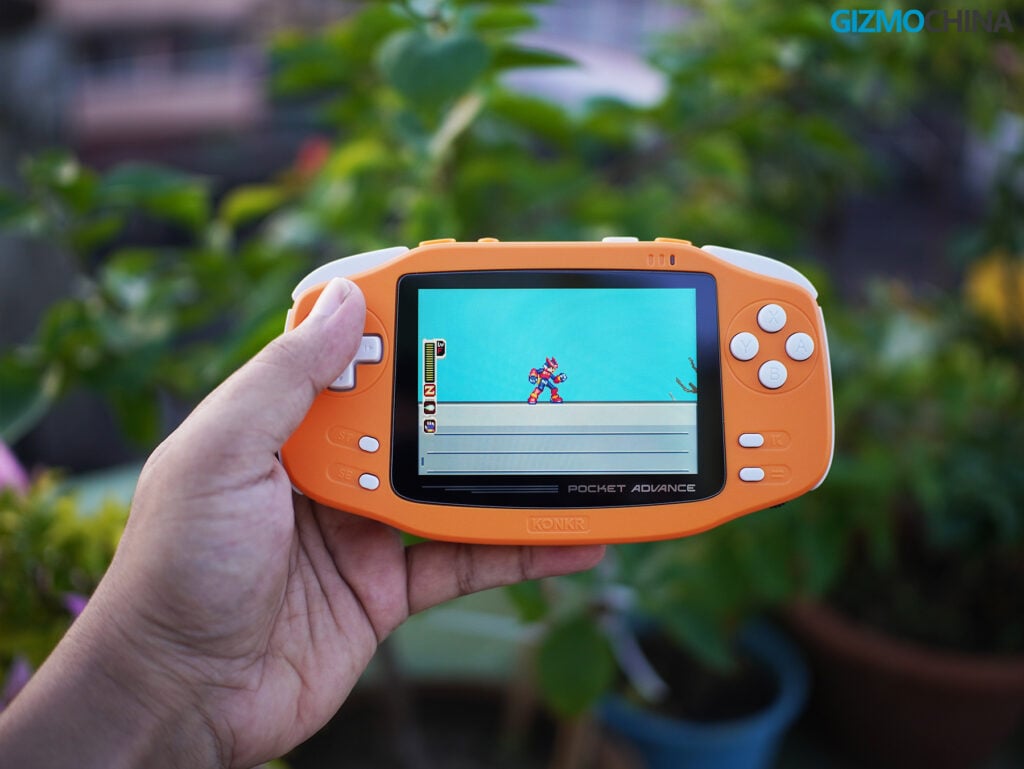
Ayaneo’s marketing suggests the device can handle PlayStation 2 titles. While you can technically get some lightweight 2D PS2 games to run, the Helio G90T struggles with the heavier 3D titles in the PS2 library. If your primary goal is to play PS2 games, this is not the right handheld for you. It is best viewed as a device for everything up to the Dreamcast, PS1, and PSP.
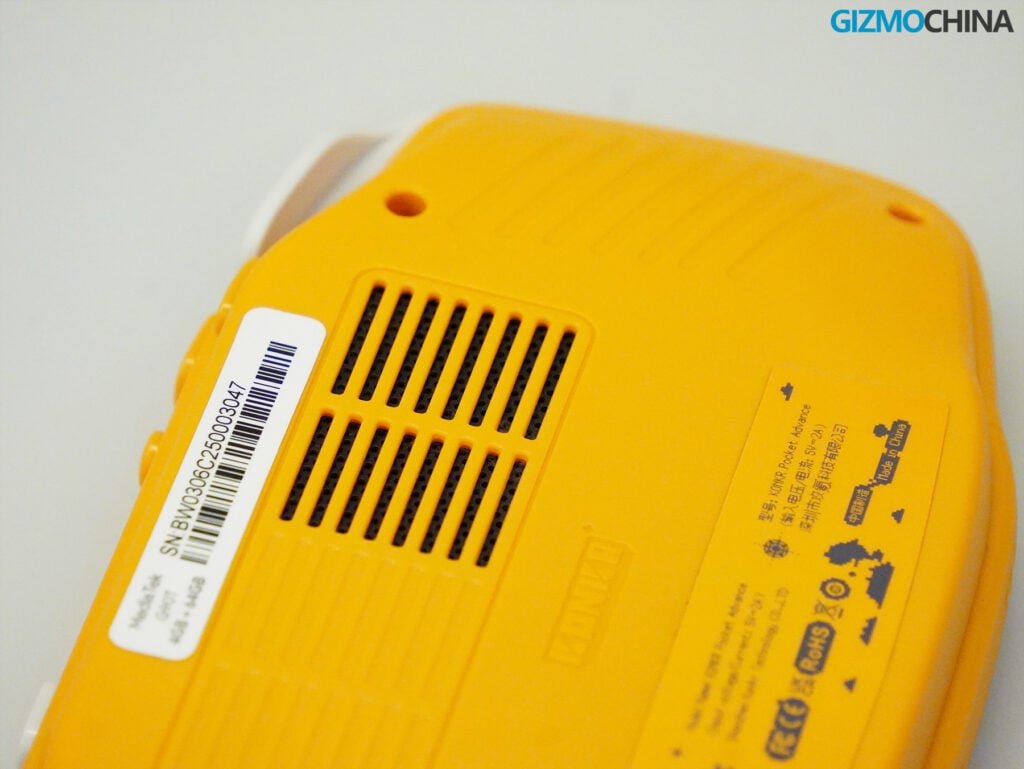
To keep the processor cool, the device has an active cooling fan. If you are playing demanding games or using the Max performance setting, the fan will turn on. You can hear it pushing air out of the top vents, but the noise isn’t overly loud or distracting. It does a good job of keeping the back of the device from getting too warm during long sessions.
Software Experience
The Pocket Advance runs on Android 12. Because it’s an Android device, you have the flexibility to download standard apps, use the Google Play Store, and install whatever standalone emulators or frontends you prefer.
Out of the box, Ayaneo provides its own software layer. The default home screen is AYAHome, a basic launcher that lets you organize apps into folders and change wallpapers. The core of the experience, however, is AYASpace. This is Ayaneo’s proprietary frontend for managing retro games.
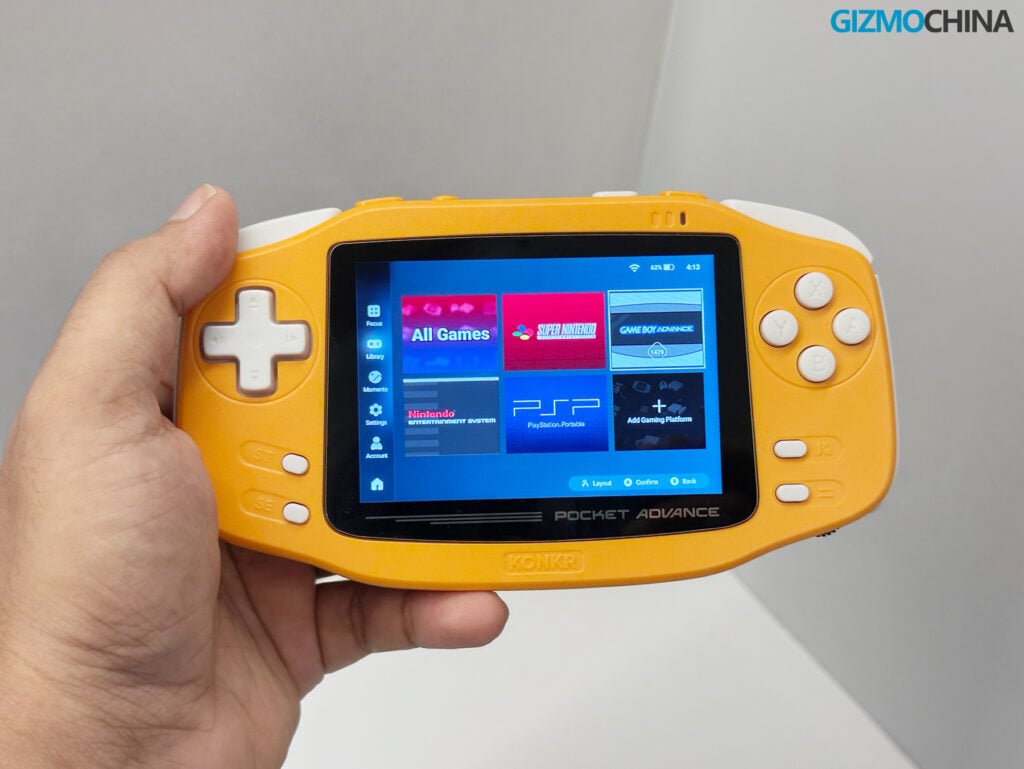
It allows you to scan your microSD card for game files, automatically downloads box art and game descriptions, and organizes your library by console. It’s relatively easy to set up and works well for people who don’t want to spend hours configuring third-party apps.
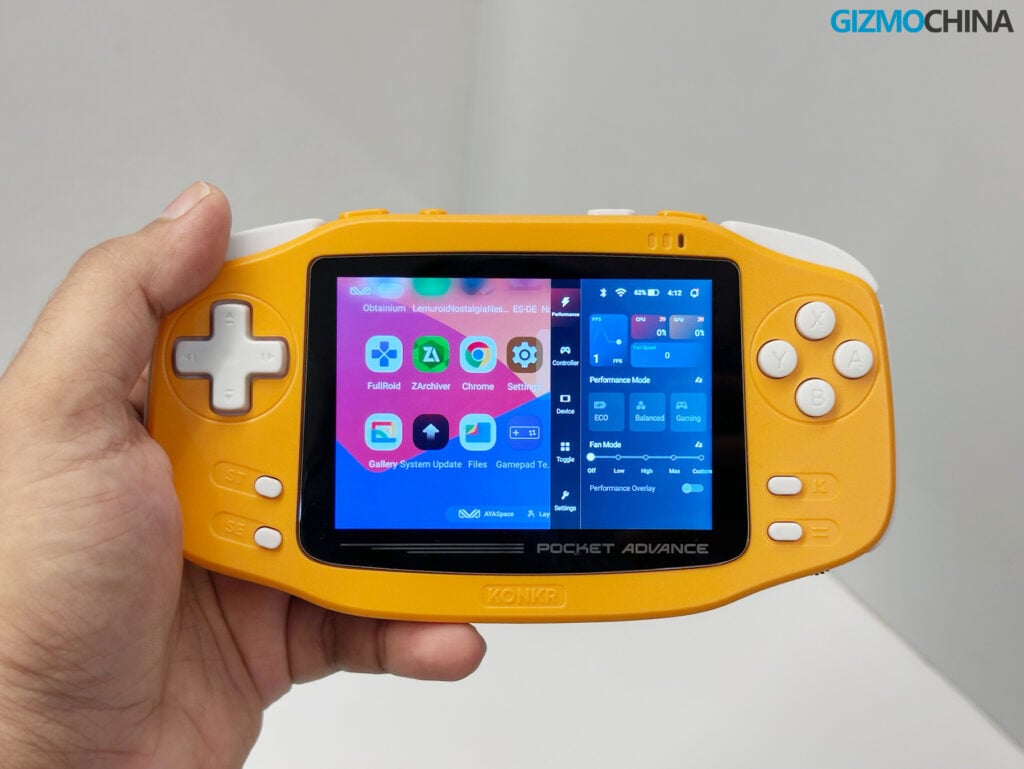
The most useful software feature is the quick settings overlay, accessed by pressing the dedicated K button on the front of the device. This brings up a menu that lets you adjust system settings without leaving your game. You can view real-time stats like CPU usage, GPU usage, and framerate.
You can also switch between different performance profiles (Eco, Balanced, Gaming, and Max) and manually adjust the fan speed. The overlay also includes toggles for screen brightness, volume, controller mapping, screenshots, and Wi-Fi. Having these controls easily accessible makes life much easier.
Battery Life and Audio
The handheld is equipped with a 4,000mAh battery and supports 10W charging via USB-C. It takes about 45 minutes to charge the battery to 80%.
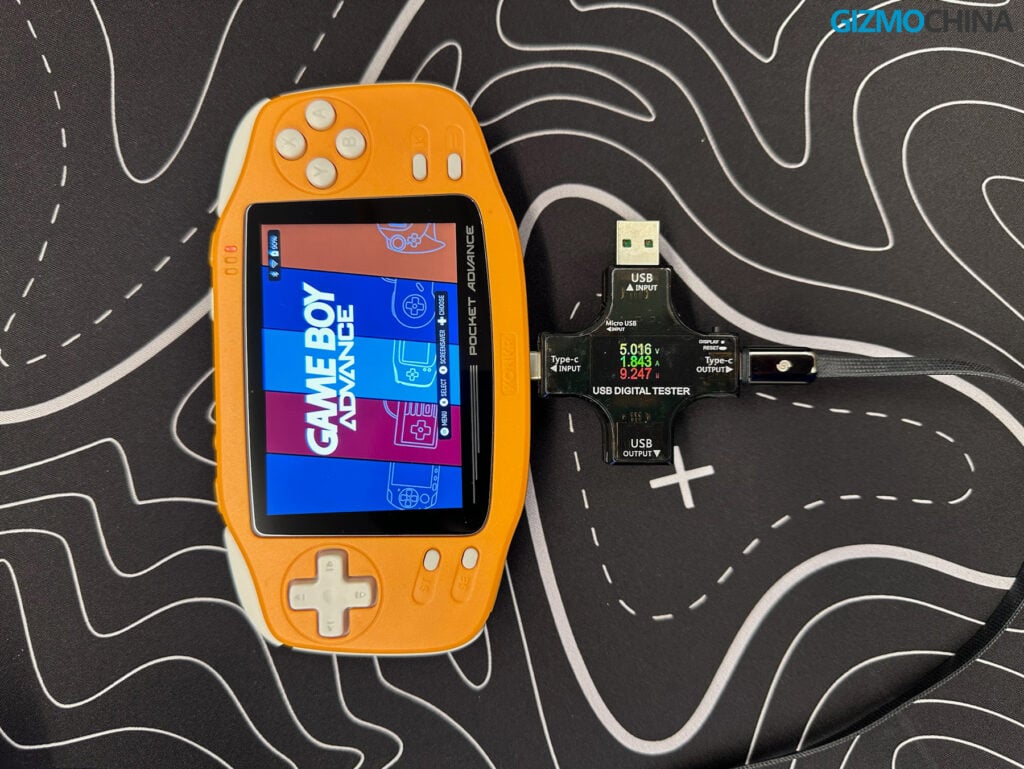
Battery life varies depending on how you use the device. When I played more demanding PS1 or PSP games on the Gaming performance profile, the battery lasted around 6-8 hours. When I switched to the Eco profile to play standard Game Boy Advance games, the battery life extended closer to 10-12 hours. For casual use, playing an hour or two a day, you can easily go a few days between charges.
For audio, the Pocket Advance has two chamber speakers located on the bottom edge. They are surprisingly clear and get loud enough for normal indoor use without distorting. The device also includes a rotor motor for haptic feedback, which works well in games that support rumble features. If you prefer to use wired headphones, the 3.5mm jack on the bottom provides clean audio output.
Final Thoughts
The Ayaneo Konkr Pocket Advance is a fantastic device that brings a genuinely premium feel to the retro handheld space. Between the excellent display, quite powerful chipset, and smooth Android interface, the overall design is incredibly well-executed. While it isn’t an exact replica of the original Game Boy Advance, it doesn’t need to be, it perfectly masters all the nitpicky details you would want in a modern GBA-style handheld.
The pricing is also highly competitive, starting at just $89, making it an easy recommendation. When comparing it to a direct competitor like the $59.99 Anbernic RG34XX, the Pocket Advance easily outclasses it in almost every category when it comes to raw specs and overall polish.
If you are specifically looking for a joystick experience, you might want to look toward the Pocket Air Mini, which starts at $109.99. However, if you want a premium, D-pad-focused handheld that nails the classic horizontal form factor, the Pocket Advance is an outstanding choice.
The Pocket Advance is available to purchase through the official Ayaneo website, while the limited-edition Pink and Onyx Ice variants can be purchased here.
For more daily updates, please visit our News Section.
Stay ahead in tech! Join our Telegram community and sign up for our daily newsletter of top stories!


Comments