
Add GIZMOCHINA as Preferred Source on Google
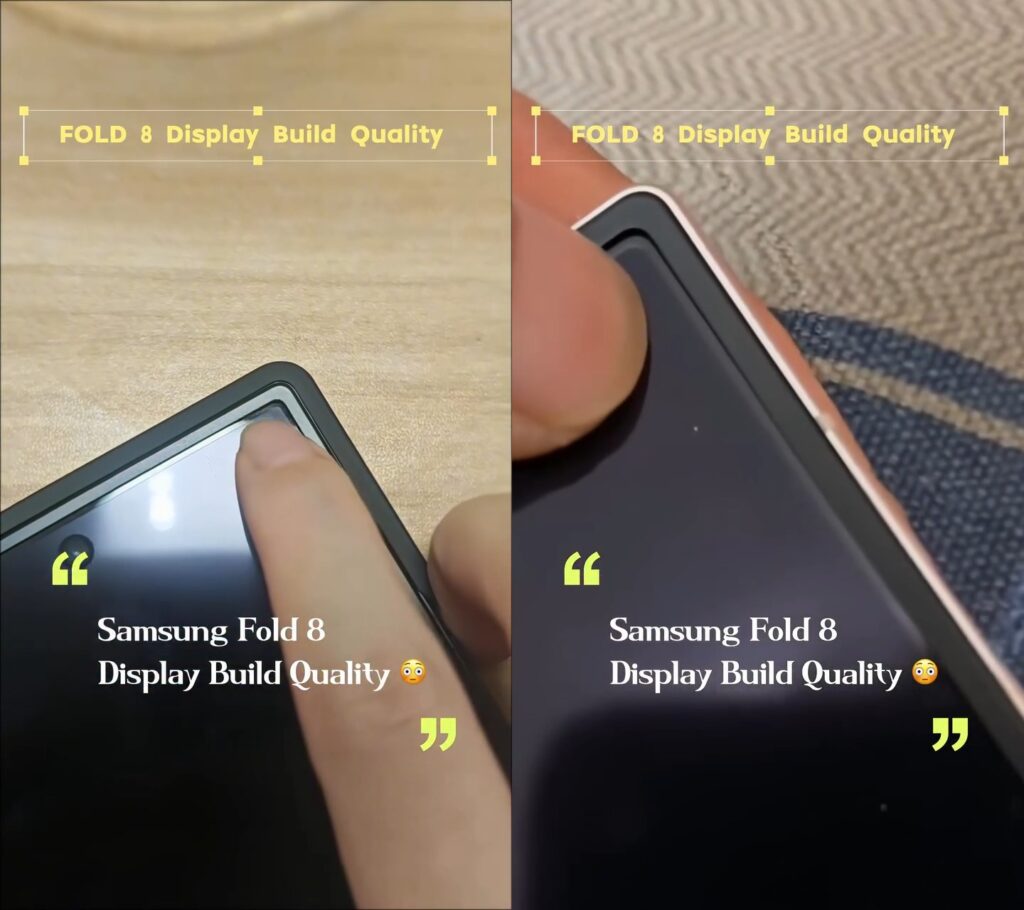
A Galaxy Z Fold 8 user posted on Samsung’s official EU Community forum saying the corners of the inner screen seem to bend or sink in when you push them lightly. They noticed it while wiping the edges with a soft cloth and started wondering if it’s normal or if something’s off with their unit. An Instagram reel showing similar flexing has also been going around.
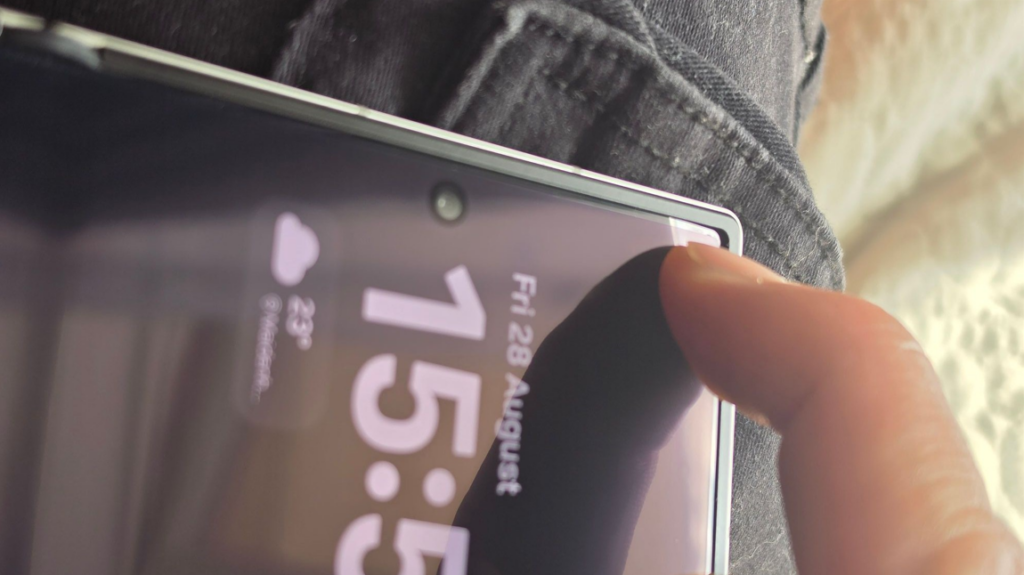
In the thread, the original poster asked other owners to check their phones and compare. A few replies so far suggest this might just be how the flexible layers behave near the edges, where the structure is a bit less rigid than in the middle. Most people are telling the original poster not to keep pressing on it. Most commenters recommended taking the phone in for a proper look if it feels wrong. So far there’s no flood of identical reports from other owners.
Samsung has been pushing the durability story hard with the Z Fold 8 series, especially the new FlexTitanium display tech. They say it uses a titanium alloy film and a supporting titanium plate under the OLED panel. According to the company, that film is about 20 times stiffer than the older polymer films, helps hide the crease better, and makes the whole panel stronger while keeping it thin. The hinge is rated for 500,000 folds and the phone has an IP48 rating.
Independent tests, including JerryRigEverything’s usual extreme bend tests, showed the Z Fold 8 holding up without the inner screen or frame failing dramatically. However, the Ultra model became the first book-style Galaxy foldable to suffer a non-functional inner display.
The top layer of the inner display is still the soft plastic that scratches easily, same as previous Fold models. Samsung still tells people to leave the factory protector on, handle the screen carefully, and avoid putting pressure on it.
If your unit is facing the same issue, the safest move is to swing by a service center instead of poking at it yourself.
Don’t miss a thing! Join our Telegram community for instant updates and grab our free daily newsletter for the best tech stories!
For more daily updates, please visit our News Section.
(Source: Samsung Community | Instagram)



Comments