
Add GIZMOCHINA as Preferred Source on Google
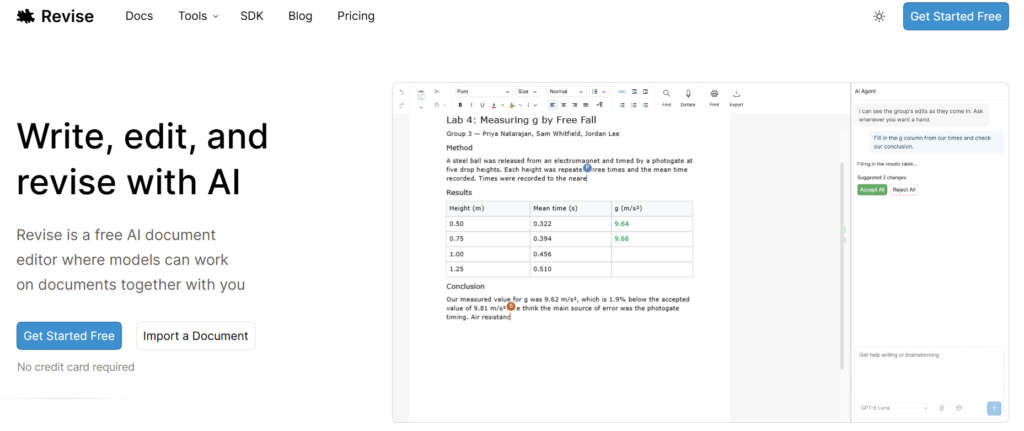
AI writing tools have become common, but many are still focused mainly on generating and editing text. Revise takes a different approach by combining AI assistance with a full-featured document editor. The new web-based platform is designed to work with real documents, including contracts, reports, manuscripts, and other files that require more than basic text formatting.
A Document Editor Built for Real Files
Tools such as Type.ai and Lex Editor are mainly designed for writers creating articles, blog posts, and other online content. They offer features such as headings, bold and italic text, alignment, and images, but can be limited when working with traditional Word documents.
Features such as page layouts, tables, indentation, headers, and other Word-specific elements can be difficult to manage in these editors. Some tools may also not preserve every DOCX feature when a document is exported. Revise is designed to address these limitations by focusing on document editing rather than just text generation.
AI Editing With DOCX Support
Revise allows users to import existing DOCX files and edit them with AI without having to start from a blank page. The platform combines text editing, formatting, and document layout controls in one interface.
It also aims to preserve important Word features, including tracked changes, comments, section layouts, and watermarks. This makes the platform more suitable for users who regularly work with complex documents and need to maintain their existing structure while making AI-assisted changes.
Built-In AI Agent for Document Work
A key feature of Revise is its built-in AI agent, which is designed specifically for document editing. The agent can view the document in the same context as the user and make suggested changes directly to its content and structure.
The AI can work with text, lists, tables, formatting, page layouts, and document structure. Its changes are presented as tracked edits, allowing users to review them before accepting or rejecting them. This gives users more control instead of allowing AI changes to be applied automatically.
AI-Powered Review and Comments
Revise also includes tools for reviewing documents. Users can highlight a section and ask the AI to comment on it through a discussion thread. The agent can also review an entire document and identify possible issues.
Rather than automatically changing everything it finds, Revise can flag problems for the user to review manually. This approach can be useful for documents where accuracy and editorial control are important.
Templates and More Control
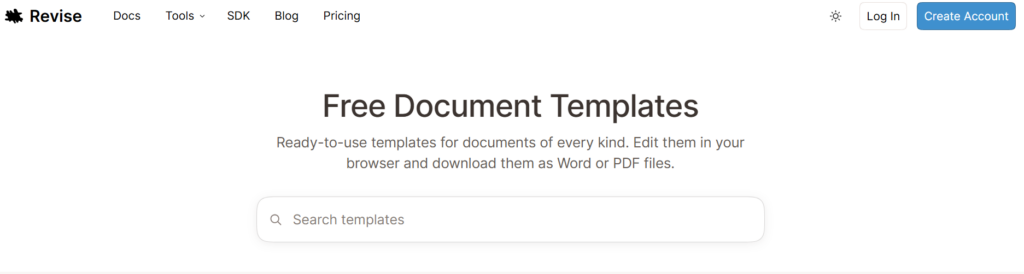
For users who do not want to create a document from scratch, Revise includes a template directory with ready-made documents. This provides another starting point while keeping the editing and AI features within the same platform.
Overall, Revise aims to bridge the gap between AI writing tools and traditional document editors. By combining AI-assisted editing, DOCX compatibility, document review, formatting, and layout controls, it is positioned as a tool for more complex document workflows where simple text editing is not enough.

Comments