
Add GIZMOCHINA on Google:
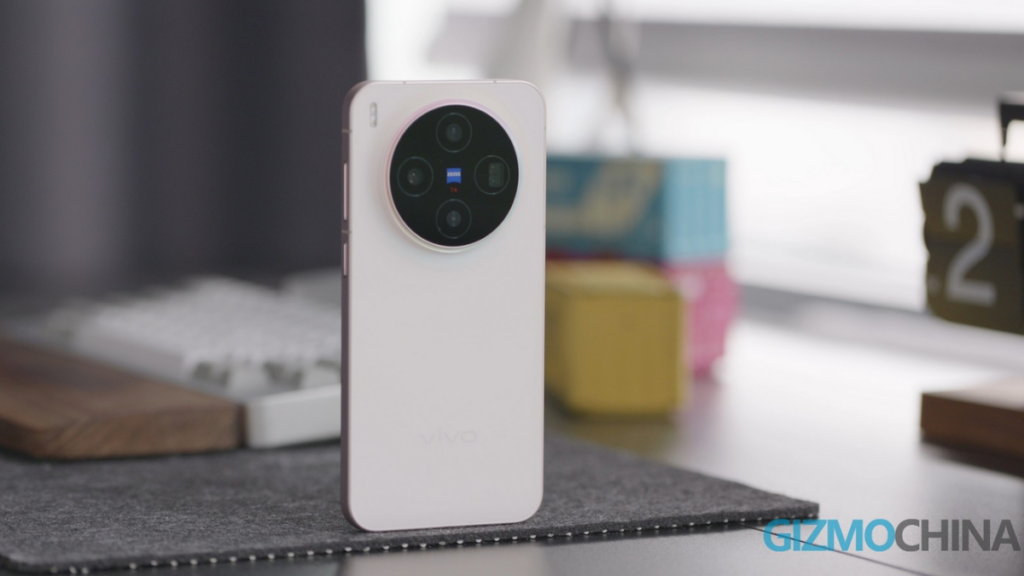
After weeks of testing, Vivo is finally rolling out the Android 17-based OriginOS 7 update to the Vivo X300 series phones, including the X300 FE. It’s a pretty significant upgrade with tons of upgrades, more powerful AI features, and stronger cross-ecosystem connectivity. We’ve a complete changelog later in this post.
Initially, the update for Vivo X300, X300 Pro, and X300 FE is rolling out in India to a limited set of users through the trial program (also known as release candidate build). The company should soon begin a wider rollout, provided the build doesn’t have any critical bugs.
As spotted by Ytechb, the OriginOS 7 update carries the following firmware version:
- Vivo X300: PD2527MF_EX_A_17.1.5.5.W30
- Vivo X300 Pro: PD2502BF_EX_A_17.1.12.0
- Vivo X300 FE: PD2509F_EX_A_17.1.15.1.W30
OriginOS 7 is a big upgrade, and therefore has a hefty download size of over 5GB. So, it’s best that you ensure the device has sufficient storage and is connected to a reliable Wi-Fi connection beforehand. Also, charge the device to at least 40% before hitting the install button.
Here’s the complete changelog for OriginOS 7:
[Origin workbench]
– Added Origin workbench for seamless multitasking, supporting up to five apps at once
[Origin animation]
– Added new Fluid motion
– Optimized Spring animation to adapt to gesture intensity and swipe speed for more natural motion
– Optimized One-shot animation
– Optimized Blur transition
[Origin smooth engine]
– Added interruptible interactions in select scenarios, allowing animations and interfaces to respond instantly during fast, continuous operations for a more responsive experience
– Upgraded Ultra-core computing. Our optimized proprietary scheduler algorithms and revamped computing resource management framework deliver faster app launches, smoother swiping, and more responsive app switching
– Optimized Snap-up engine for more scenarios
[Personalized intelligence]
(Super screenshot)
– Added Smart screenshot recognition. When a flight, train, bus, event, sports, or movie ticket is recognized, Origin island will suggest creating a reminder and adding it to Google Calendar
(Al Cross-App Drag)
– Added support for extracting editable text from images by dragging and dropping them into select apps
– Added support for translating foreign-language text or images by dragging and dropping them into select apps, allowing you to instantly insert the translated text
(Phone)
– Added Call overview to display brief summaries in call logs for reference. Go to Call settings > Smart call assistant > Call overview to enable it
– Added Al Call Answering, which lets Al answer incoming calls on your behalf. Go to Call settings > Smart call assistant > Al Call Answering to enable it
(Recorder)
– Added capabilities for visualizing recordings. Key points are highlighted on the timeline. Speaker insights and speaking proportions are shown by role. Topic transitions and the overall structure are displayed in the outline
– Optimized the Recorder with enhanced materials and design details, introducing spatial blur and optical design elements, along with an updated layout and typography for a more refined, layered look
– Added Al Insights to evaluate conversation tone, and provide meeting insights, conclusions, and risks, as well as analyze team communication and collaboration issues
– Added Multi-template summary. Some templates support filtering content by role to generate more focused, structured summaries
– Added Transcript outline to quickly find key paragraphs
– Added Transcript refinement to automatically clean up and organize transcripts, making them clearer and ready to use
(Al Creation)
– Optimized prompt recommendations in Al Creation to suggest relevant prompts based on the app or page, helping you write more efficiently
– Added One-tap writing. Simply tap the button in supported apps to recognize on-screen content and generate text. View supported apps in Al Creation > More > Settings > Smart recommendation bubbles
(vivo Docs)
– Added Reader mode to intelligently format long documents such as papers and professional literature, adjusting text and image sizes for a more comfortable reading experience
(Scan)
– Added Handwriting scan to accurately recognize whiteboard content and handwritten notes, preserve the structure of text, tables, and charts, and generate editable documents
[Light & shadow aesthetics]
(System)
– Added gradient and dynamic glow effects to some Symbols icons for a more refined visual experience
– Optimized Al System Glow to provide consistent, natural lighting feedback across new Al features
– Added a responsive light effect when tapping floating dynamic controls
(Premium textures)
– Added new material effects across additional system interfaces for a more translucent, refined visual experience. Go to Settings > Home screen, lock screen & wallpaper > Visual texture to switch between multiple material effects
– Added Responsive light, providing light feedback during certain touch interactions for clearer responses and more natural-looking materials
[Origin Sticklt]
– Added Sticklt, allowing you to identify subjects in images and save them as stickers. Tap and hold the Home screen, tap Add > Stickers to open Sticklt and add stickers
[Themes]
– Added multiple personalized combinations and tricks. Go to Settings > Home screen, lock screen & wallpaper > More themes to explore
– Added Pet pals theme, featuring multiple fun, interactive pet themes. Go to Themes > Pet pals theme to explore
[Lock screen]
– Added multiple personalized lock screen clock styles
– Added new fonts for select personalized clock styles, with adjustable font weight and size
– Optimized the material effects and layout of the lock screen shortcuts at the bottom, with swipe-up and tap-and-hold gestures for easier access
– Added a tap-and-hold gesture on the lock screen to enter “Edit lock screen” and easily manage “My combination”
[Home screen]
– Optimized system default icons with updated designs and colors for an enhanced visual experience on the home screen
– Optimized dynamic icons for a more engaging, refined user experience
– Added Dark icons for a more comfortable, cohesive visual experience in Dark mode. Go to Settings > Display, brightness & eye protection > Dark mode settings > Icon effects to set theme up
– Optimized the movement and repositioning of icons and folders for a more flexible home screen organization
– Optimized System and app Ul color to support applying colors to all app icons
– Added the Time-based lighting effect, which changes icon lighting with local sunrise and sunset times for a more immersive home screen experience. Go to Settings > Home screen, lock screen & wallpaper > Icons > Time-based lighting to enable it
[Control Center]
– Optimized customization for separate and combined Control centers, with flexible layout and content options
[Dark Mode]
– Added customization for Dark mode in select third-party apps. Go to Display & brightness > Dark mode to customize it
[Seamless connection across ecosystems]
(Office Kit)
– Added support for quickly accessing your phone’s camera from desktop apps for work, live streaming, and more
– Added Call handoff, allowing you to answer phone calls on your computer
(Connection center)
– Optimized device display in Connection center with support for 1×1, 1×2, 1×4, and 2×2 card sizes
(Notification center)
– Optimized lock screen notifications for more responsive swiping and smoother expansion and collapse
– Added Temporary notification muting, allowing you to swipe left on a notification to mute the app’s notifications for 1 hour or 1 day
– Added One-tap clearing for notification groups, making it easier to manage
[More]
(Albums)
– Optimized the Albums tab, allowing you to customize the sort order and hide album groups
– Optimized Albums layout, streamlining it and merging the “Recommended” tab into the “Albums” tab
(Global search)
– Optimized the global search box by moving it from the top of the page to above the keyboard for a more focused look
(Notes)
– Export as Markdown”>Added Markdown document import and export. To import, drag an MD document into Notes in Origin island, or select Notes from “Open with” in the share panel. To export, go to Note details > Export as Markdown
(Settings)
– Optimized the storage compression algorithm to improve compression ratios and free up storage space
(Simple Mode)
– Added a default-on option for call blocking to block advertising and telemarketing calls
– Optimized battery display and Lockscreen Poster interactions in Simple Mode, while reducing some system and app ads, extending the default auto-lock time, and enabling Haptic feedback by default
(Security & Privacy)
– Added Security shield to block installations of unknown apps, prevent automatic connections to malicious Wi-Fi networks, and perform daily security scans
– Added Device security scan to automatically check the protection status of Find Hub for easier security management
– Added Permission suggestions to detect unusual app permission access and help you revoke unnecessary permissions. Go to Settings > Security & privacy > More privacy activity logs > Permission suggestions to try it out
(BlueVolt system)
– Added heterogeneous computing space, adding support for heterogeneous computing in select system apps to improve battery life
– Added Adaptive battery management to automatically adjust system strategies when power consumption is higher than usual, improving battery life
(Display, brightness & eye protection)
– Optimized brightness adjustment for Nighttime eye protection in low-light environments, delivering softer light tones and clearer dark details
(Sound and vibration)
– Added music-synced vibrations for custom call, message, and notification ringtones
– Optimized Audio redirect, allowing your phone’s speaker and Bluetooth devices to play audio from different apps simultaneously. Go to Settings > Sounds & vibration > Sound quality & effects > Audio redirect to try it out
If you have a Vivo X300 series phone, you can now upgrade to OriginOS 7. If the update notification hasn’t arrived yet, go to Settings > About Phone > System updates > version Trial > Trial version and then install the new version.
If you own a different Vivo phone, check the complete rollout schedule here for Vivo devices and iQOO devices to find out when it’s your turn.
For the latest stories, visit our News section.
New: Gizmochina is now on WhatsApp. Follow our WhatsApp Channel for the day’s top stories.
You can also join our Telegram community or get Gizmochina Daily, our morning newsletter with our take on the day’s news.
FREE NEWSLETTER
Get Gizmochina Daily
Every morning: the phone and gadget news that matters, with our take. 4 minutes.




Comments