
Add GIZMOCHINA on Google:
Samsung’s One UI 9 update (based on Android 17) started rolling out to the Galaxy S24 series this month. Most people seem fine with it, but a few owners are reporting noticeably worse battery drain on certain models, including the Galaxy S24 Ultra.

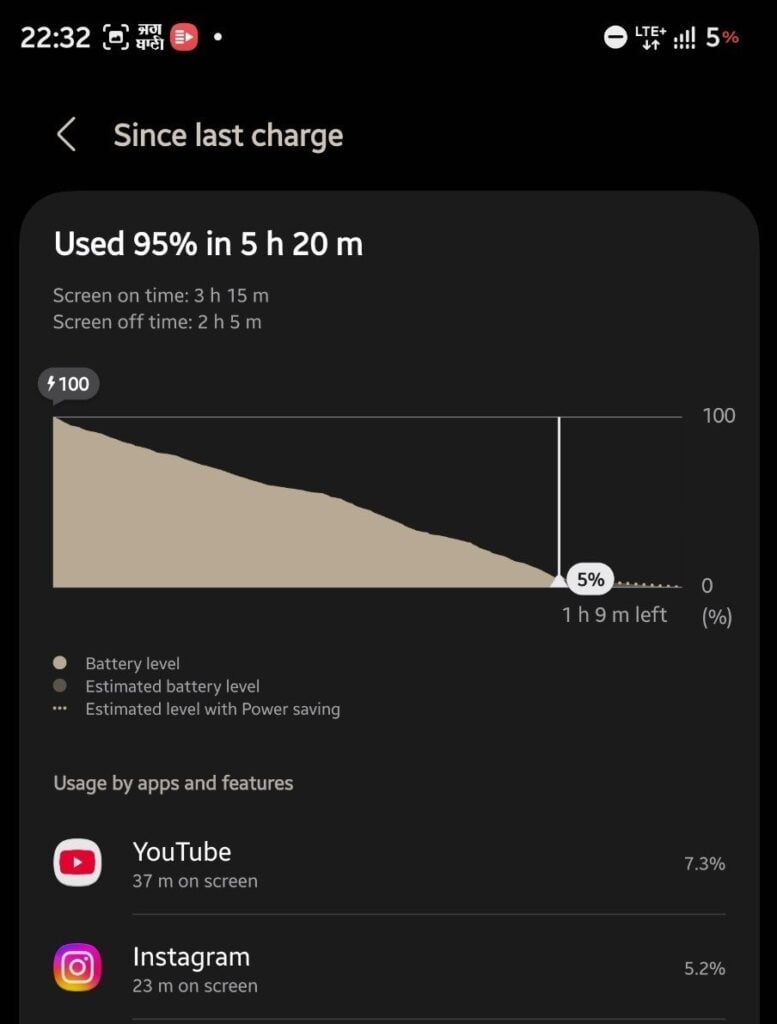
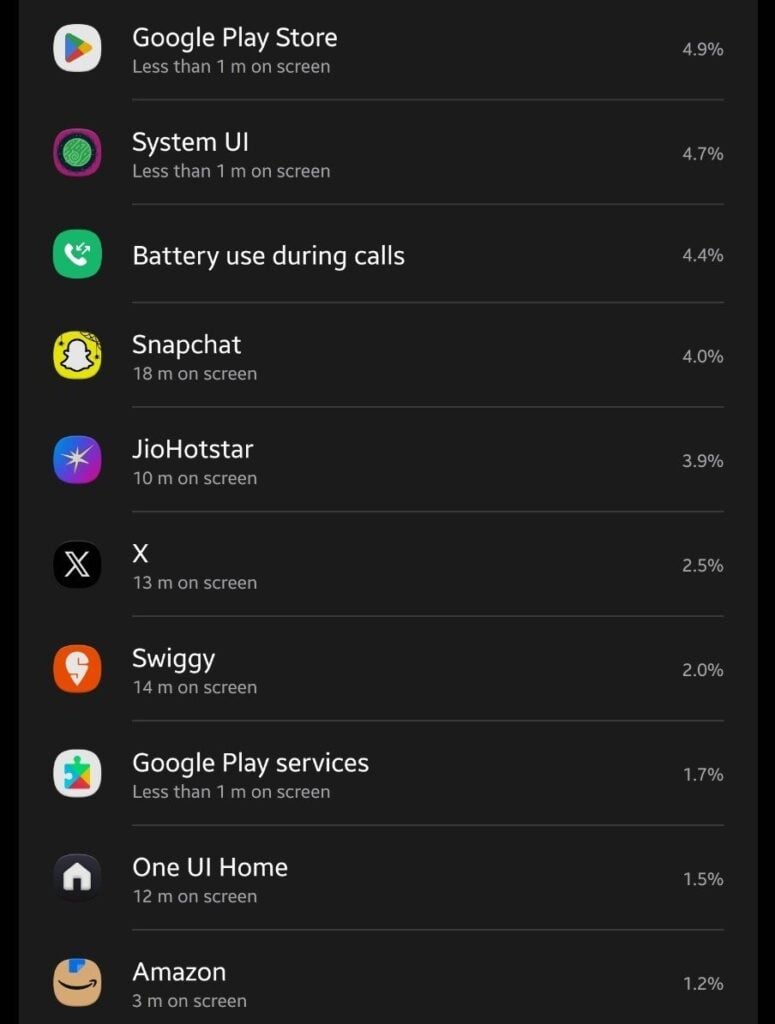
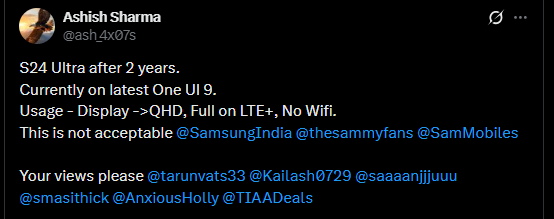
One of the more talked-about cases involves a two-year-old S24 Ultra that burned through 95% of its battery in just 5 hours and 20 minutes, with only 3 hours and 15 minutes of screen-on time. The phone was running at QHD resolution the whole time and stuck on mobile data (LTE+), with no Wi-Fi. However, the owner was only using media and social apps like YouTube, Instagram, Snapchat, and streaming services, with no intensive tasks like gaming, editing, or camera use involved.
Back when it launched, the S24 Ultra got a lot of praise for its battery life, usually delivering 6–8 hours of realistic daily screen-on time (sometimes more) in mixed-use tests. A big drop after a major OS update isn’t unheard of, though.
One UI 9 is already available on several Galaxy models. The severe drain reports still seem pretty isolated rather than a widespread problem. Samsung’s Indian team replied to at least one affected customer and suggested visiting an authorized service center for a proper check.
Hardware tweaks alone rarely fix this kind of thing. The usual practical steps are: fully update all your apps, clear the system cache partition, restrict background activity for apps you don’t use much, switch to the Light performance profile, and turn on Battery protection (which limits charging to 80-85%) to reduce long-term wear. You can also check battery health in the Samsung Members app under Diagnostics → Battery. “Normal” health covers a pretty wide range (roughly 80% and up), so more specific capacity or cycle data, if available, gives a clearer picture.
Giving the phone a few more days of regular use often lets the post-update optimization settle down. If the extreme drain keeps going or battery health looks weak, following Samsung’s advice and booking a service appointment is a next step.
Don’t miss a thing! Join our Telegram community for instant updates and grab our free daily newsletter for the best tech stories!
For more daily updates, please visit our News Section.
(Source: @ash_4x07s on X)




Comments