
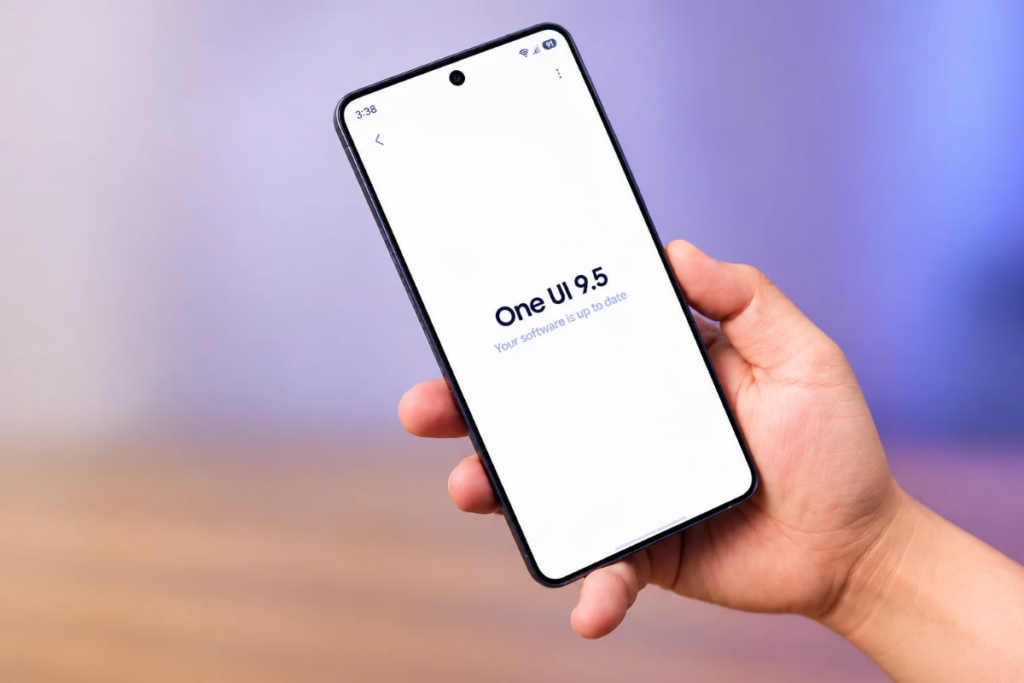
The first One UI 9.5 beta is out and it brings a surprisingly good number of upgrades than we initially thought. While most of them are minor incremental upgrades, there are seven upgrades that I found to be a lot useful.
1. A native app lock, finally
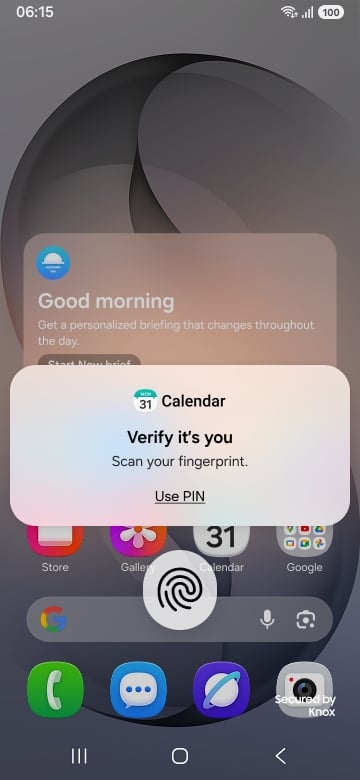
Samsung is finally bringing the native app lock feature to its devices with One UI 9.5. The feature has been added into the first beta, and should eventually make it to the final build.
Almost all other Android brands have had this feature on their phones for a long time, and now it’s coming to Galaxy phones. That said, Samsung phones already have Secure Folder, which is technically more secure than an app lock. It creates a completely isolated space with separate logins.
An app lock basically adds another authentication layer to chosen apps on top of your screen lock, which is what we often need for some apps, and so it’s welcoming to see a native app lock.
To lock an app, press and hold an app icon and click the lock icon from the pop-up window. Once done, you’ll need to authenticate yourself every time you open locked apps.
2. Live effect gives lock screen wallpapers a 3D-like effect
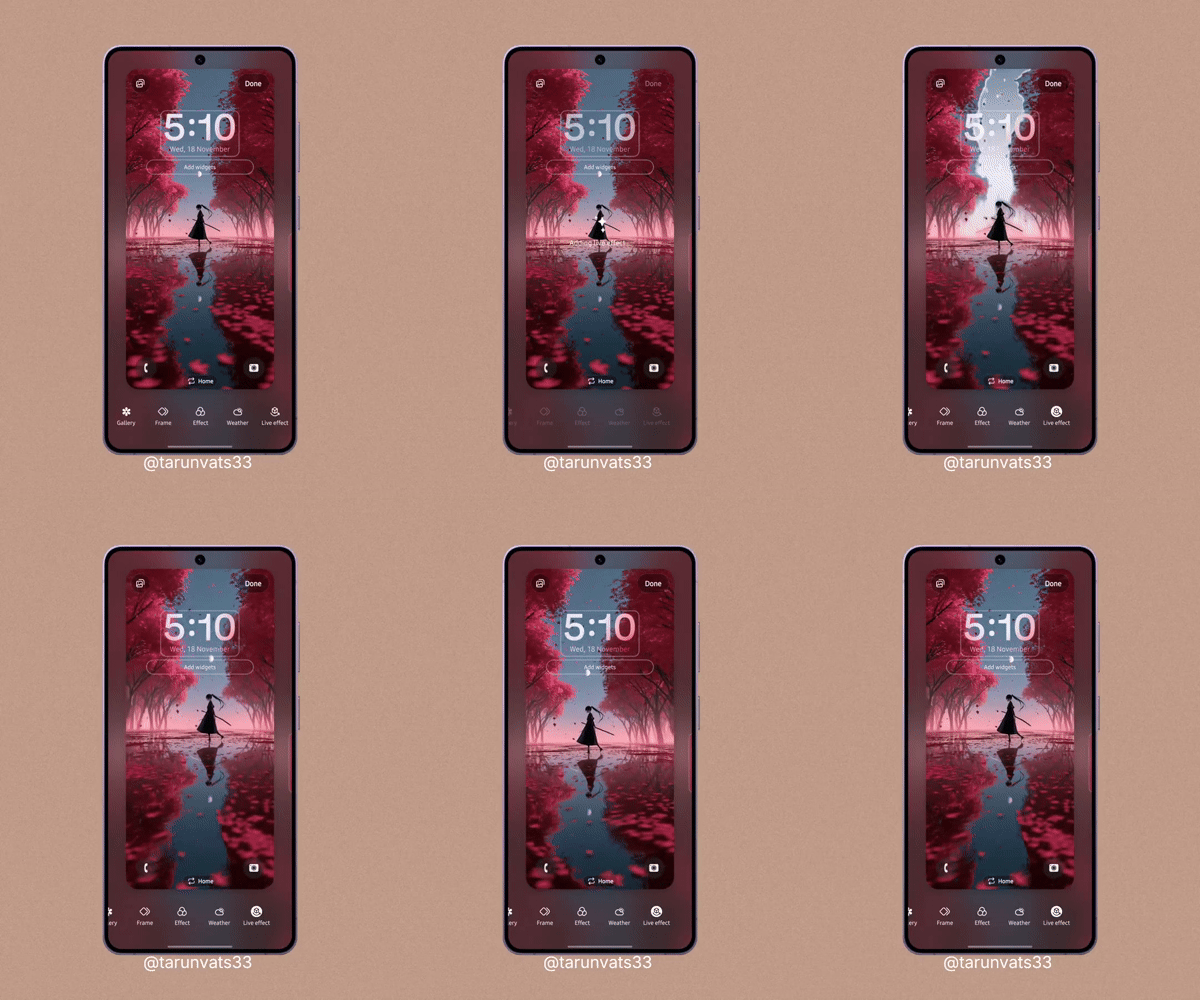
The new Live effect feature adds depth to a lock screen wallpaper by making different elements in the image shift as you tilt your Galaxy device. It gives regular wallpaper a 3D-like effect, making the lock screen feel more lively.
Samsung already lets users apply Live effect to an image via the Gallery app, and use the result as a wallpaper. However, the result is a video that’s played on the lock screen, and the movement doesn’t follow how you move the device.
The Live effect feature is available directly in the lock screen wallpaper editor. To access it, you can press and hold the lock screen wallpaper, and you’ll find the option sitting in the bottom-right corner.
Unfortunately, the feature is only supported on high-end devices, including Galaxy S-series (FE models too), Galaxy Z foldables, and Galaxy tablets. Only Galaxy S26 owners are currently able to access it via the One UI 9.5 beta program.
3. Camera app becomes cleaner and more customizable
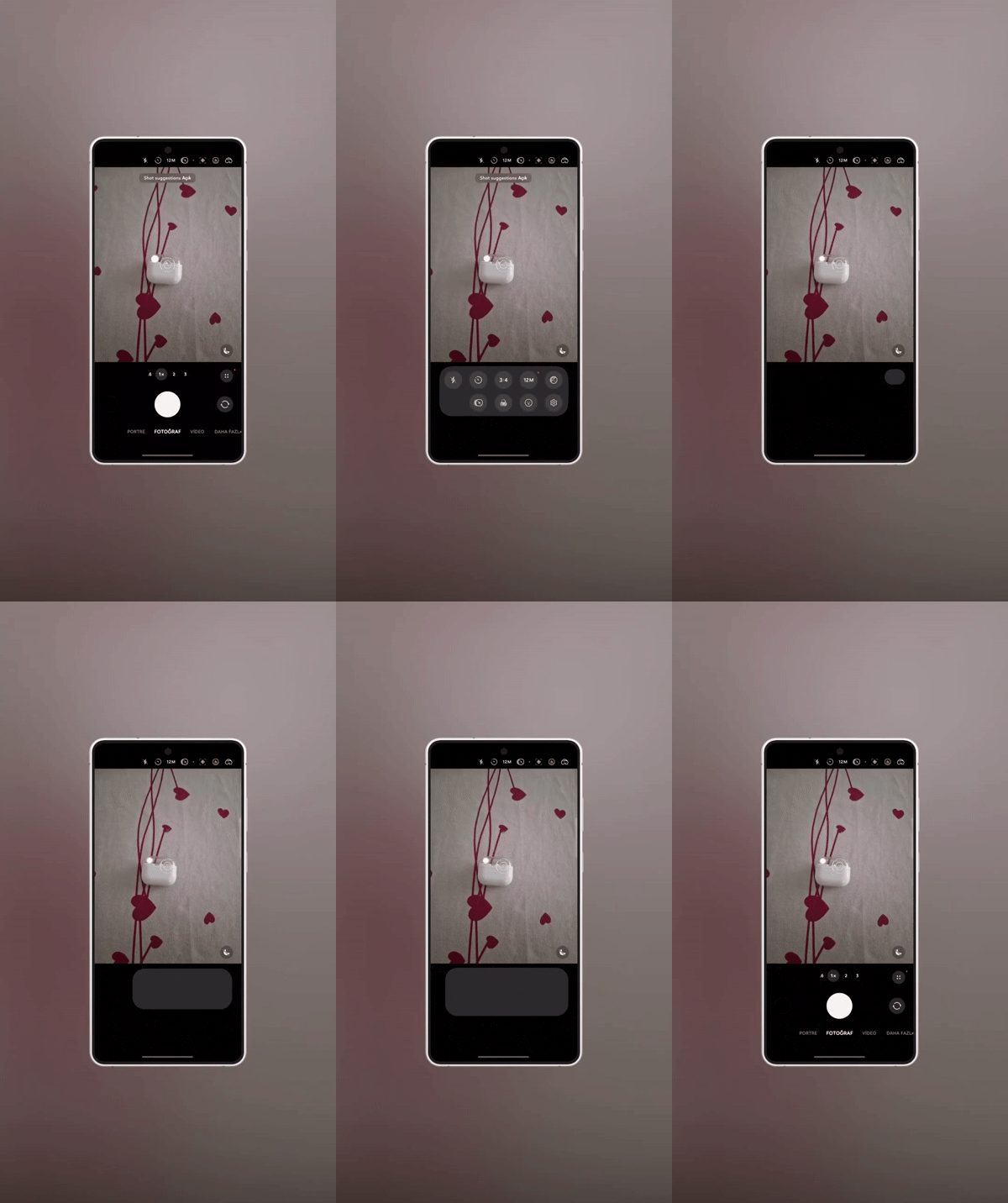
One UI 9.5 makes it easier to navigate through camera shortcuts. The first beta brings a redesigned camera quick controls section with all the options visible together. You no longer need to scroll through the controls to find your desired camera control.
The redesigned panel includes icons for flash, timer, aspect ratio, resolution, exposure, and white balance. There’s also a shortcut for camera settings.
The update also brings more customizations in Pro and Pro video modes. Users can now put frequently used controls on either side of the shutter.
In Pro mode, the available options include Camera settings, exposure lock (AEL), Timer, Aspect ratio, Metering, Histogram, Focus peaking, and autofocus area selection (AF area). In the Pro video mode, users get to choose from Camera settings, Smooth zoom, Ratio, Histogram, Focus peaking, and AF area.
4. Quick Share gets Tap to Share feature
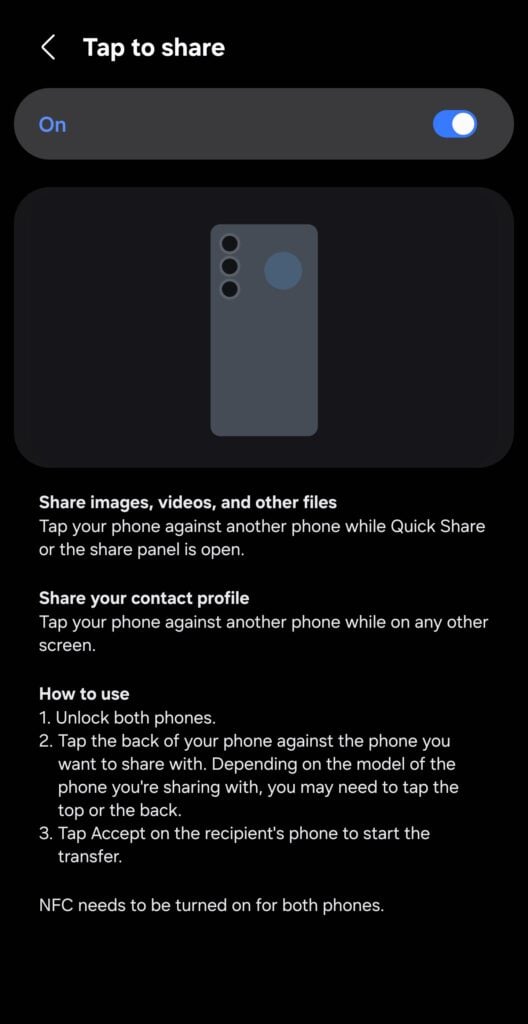
The new software brings Tap to Share capability to Quick Share. It works similar to the AirDrop on Apple iPhones. You tap the back of your compatible Galaxy phone against another phone you want to share files with.
Both phones must have NFC, Bluetooth, and Wi-Fi features, and must be unlocked for this feature to work. Once you are done with file selection, select Quick Share from the sharing menu, and then tap the phone against a compatible phone. The receiver must tap Accept on their phone for the transfer to begin.
5. Document your thoughts with Mindful note
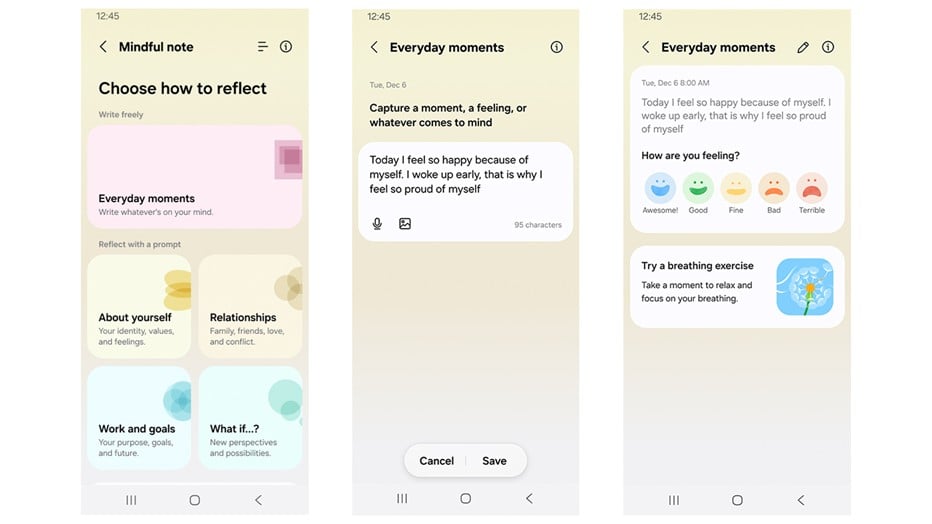
Samsung has added a new Mindful note feature inside Samsung Health. You can use it to write about your day, describe your feelings, or whatever you want to.
The interface has a Everyday moments section where you can write whatever you want. You can also choose from available prompts such as About yourself, Relationships, Work and goals, and What if…?
You’ll be given a question along with a short explanation to help you reflect more on the topic. You can always click the refresh button at the top to switch to another prompt in the same category.
These features were spotted in the first beta build of One UI 9.5. There will be more beta builds in the coming weeks, which will further polish the software experience and could introduce more exciting features. It’s also very much likely that Samsung may be hiding some exciting changes behind the curtains to show up at the Galaxy S27 launch early next year.
FREE DAILY NEWSLETTER
Joel Explains
What matters in phones and gadgets, before it reaches you. From Gizmochina’s editor-in-chief, every morning.
Join 1,500+ readers. One email a day, unsubscribe in one click.

Comments