
Do you want to know how to make amazing and interactively stunning photos with the CapCut online photo editor? Don’t worry!
It is the easiest and most fun thing to do because this online photo editor has AI-based functions and tools. You do not need to be a professional photo editor to make stunning photos; with just one click, you can use the CapCut online photo editor to make impressive changes to the photos.
Here are some tips.
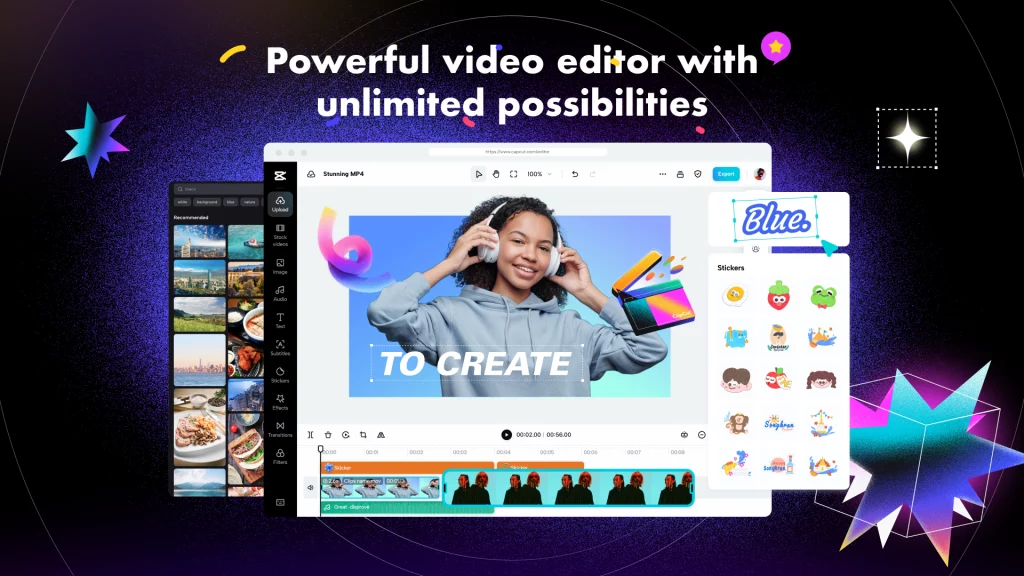
How to Use CapCut Online Photo Editor?
Table of Contents
To use the CapCut online photo editor, you need to follow the steps below.
- Step 1: Create an Account
First, go to the official CapCut website and click on the “signup” button to make a free account. This is easy to do and does not require any basic editing skills. Once you have made an account, log in and click on “magic tools.” From there, click on “online photo editor” to open it on your screen.
- Step 2: Import
Import your photo to this online photo editor to transform it in any way you want. You can use your Google Drive or your Dropbox to choose any photo and import it here.
- Step 3: Customize
Then, you can easily and quickly customize your photo by using the editor’s AI-based creative tools and functions. By using the CapCut online photo editor’s tools e.g. background remover, background generator, color optimizer, portrait generator, image upscaler, etc. you can make stunning photos with incredible transformations.
- Step 4: Export
Once you are done, use the export button to choose the photo size and format, and then click on the download button.
Why Choose CapCut Online Photo Editor for Stunning Transformations?

There are a lot of online editors for editing pictures. Why should you choose CapCut? This is a question that a lot of people either ask or think about. Read on to find out the answer!
- It is a completely free editor and saves money
The ultimate reason to use this online photo editor is that it helps save money through its free-to-use interface. Not just the signup, but all of the other things are also free to use here. For example, you can use the editor’s photo editing functions and features without paying anything to the editor in return.
- Helps you enjoy stress-free transformations
You do not have to spend hours learning how to use basic skills to make stunning changes. This editor uses AI technology to make changes stress-free. No matter how hard the change you want to make to your photo is, it is always easy to make with this editor’s AI functions and features. This takes away all the stress of making hard changes or getting accurate results.
- There are a variety of personal/commercial templates
To help you make photos that look the most professional, this amazing online photo editor also has a huge library of templates. These templates range from personal to commercial, so you can pick the one you like best, add your own photo and text, and then save the changes to your device.
- It is rich with photo editing Functions and Tools
It also has a lot of different tools and functions that can be used to make amazing changes to photos. This editor has so many great tools and functions that you can not help but do amazing things with your photos. For example, it has a sticker maker, image upscaler, portrait generator, style transfer, background remover, background generator, old photo restoration, photo colorize, color corrector, etc. All of these tools and functions are AI-based and generate 100% precise and accurate results within seconds.
- Comes with free cloud storage and team collaboration
Last but not least, you can enjoy having free cloud storage with team collaboration to save your photos to this online editor. From there, you can either share them with your virtual teams for review or may also share your final work as a presentation to any of your team members or anyone else.
Conclusion
CapCut is an online photo editor with a very simple layout but a huge number of interactive tools for editing photos to make them look amazing. You can use this amazing online photo editor to make the most amazing works of art for free.

Comments