
Add GIZMOCHINA as Preferred Source on Google
Xiaomi always stuns its users with new smartphones and other smart products. The company is always known for its smart take on the daily use products. Along with China, it is quite popular in India and some other countries in terms of the total smartphone market share.
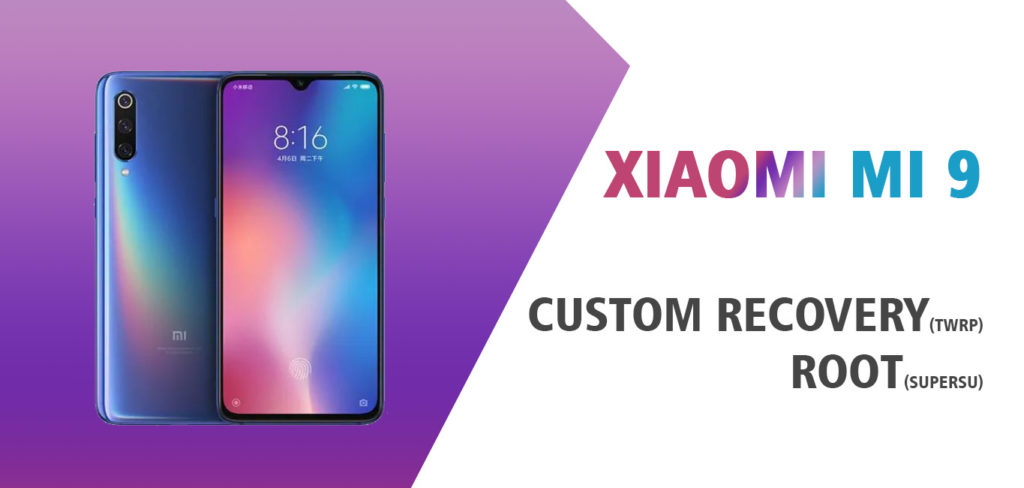
Xiaomi recently announced its new flagship device – Xiaomi Mi 9 with some high-end specifications. It carries a 6.39-inch HD+ display with an aspect ratio of 19.5:9. It is powered by a Qualcomm Snapdragon 855 chipset coupled with a 6 GB RAM. There’s a triple rear camera module with a 48-megapixel primary camera, a 12-megapixel secondary camera, and another 16-megapixel camera. On the front, there’s a 20-megapixel camera for selfies. It runs on the Android 9.0 Pie atop MIUI 10. The device is available with 128GB internal storage variant. The connectivity includes a Bluetooth 5.0, Wifi, USB Type-C, 3G and4G support.
Amid huge popularity, Xiaomi unveiled its Kernel source code. It facilitates third-party developers to tinker its code and develop various new custom ROMs and MODs. To use the new modifications, users need to root Xiaomi Mi 9 after unlocking its bootloader. Follow the guide carefully to successfully root Mi 9 without any issue.
Note: This guide is only for Mi 9 device bearing codename Cepheus. Tinkering the firmware of your device is not permitted by any manufacturer, it will void the warranty. GizmoChina.com is not responsible for any damage to your device and data. You’re are performing this modification on your own.
Merits of rooting Xiaomi Mi 9
- It allows modifying the firmware as per the need.
- Users can overclock the processor to attain maximum performance.
- It can also improve battery life
- The major problem of bloatware on Xiaomi devices is another major reason to root it.
- Customize every setting using the Xposed framework.
Pre-Requisites:
- Backup important data on the cloud or on other physical media.
- Laptop or PC is required for the root process.
- Keep your phone 70% charged at least.
- Download and Install the latest Xiaomi USB Drivers.
- Download ADB and Fastboot drivers and extract it on your pc.
- Download Chainfire SuperSu.zip to root the Xiaomi Mi 9.
- Get supported TWRP for Mi 9 (cepheus).
- Ensure the Xiaomi MI 9 bootloader is unlocked.
- Download disable force encryption zip to disable the Encryption.
- DM Verity disabler download
Steps to root Xiaomi Mi 9 using SuperSU
Follow every step carefully to successfully attain root access on the device.
- Install required Xiaomi USB drivers on the PC.
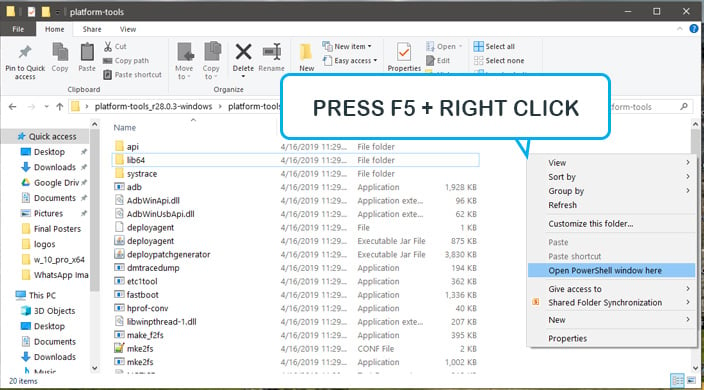
- Extract the ADB and fastboot utility on the PC and open the command prompt or terminal by pressing shift + right-click anywhere in the extracted window. Also, move the downloaded TWRP.img into the same folder.
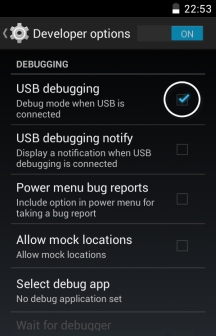
- Enable USB Debugging Mode by going to settings -> Open developer option -> Enable USB Debugging.
- Connect the Mi 9 to the PC using the USB cable.
- Reboot the Mi 9 into bootloader mode by pressing and holding the volume keys + Power key for about 10 seconds or by typing the below command:
adb reboot bootloader
- Tap OK, when your device will ask for permission to “Allow USB debugging“.
- To flash the TWRP on the device, type the following command. (Note: replace the recovery.img with the actual name of twrp recovery.img file.)
fastboot flash recovery recovery.img
- Now, wait for the flashing process to complete. Once done, reboot the device by executing the following command:
fastboot reboot
- While the phone is booting, press and holds power + volume up to reboot into TWRP Recovery. (Note: This step is performed to disable force encryption before booting the device.
- Once in the TWRP, disable the encryption by flashing the Disable Force Encryption zip.
- Now reboot the phone and enjoy!
You have successfully installed the TWRP on Xiaomi Mi 9. Now, to attain the root priveleges we need to flash SuperSu zip via TWRP recovery.
Steps to root Xiaomi Mi 9 using SuperSu
It is always a cumbersome process to root any Android device. We have to install third-party recovery to run SuperSu or Magisk to get root privileges. Follow the steps below to root the Xiaomi Mi 9:
- Download the SuperSu zip and no verity encrypt zip from the Pre-Requisites section above and copy them to the Phone’s internal storage.
- Now, reboot Xiaomi Mi 9 into the TWRP recovery.
- Take a backup from the TWRP recovery if you want of your current ROM. Tap backup> Select Partitions > data, system, boot > and swipe to take backup.
- Now, tap install and select the SuperSu zip file from the phone storage. You need to “Swipe to confirm” flash.
- Once done, flash the no variety encrypt zip file in a similar way.
- Reboot system.
- Hurray!! Your device is rooted.
We hope you have successfully rooted Xiaomi Mi 9 using our guide. If you have any problem or error, just let us know via comments below.



Comments