
Add GIZMOCHINA as Preferred Source on Google
Are you a proud owner of the Xiaomi Mi Band 4? Then, you should look at this transparent looking custom watchface for the Mi Band 4. It is developed by a Reddit user named ranashok. He has inserted a picture of the skin as a background on the watchface to give a transparent impression while wearing it in on the wrist.
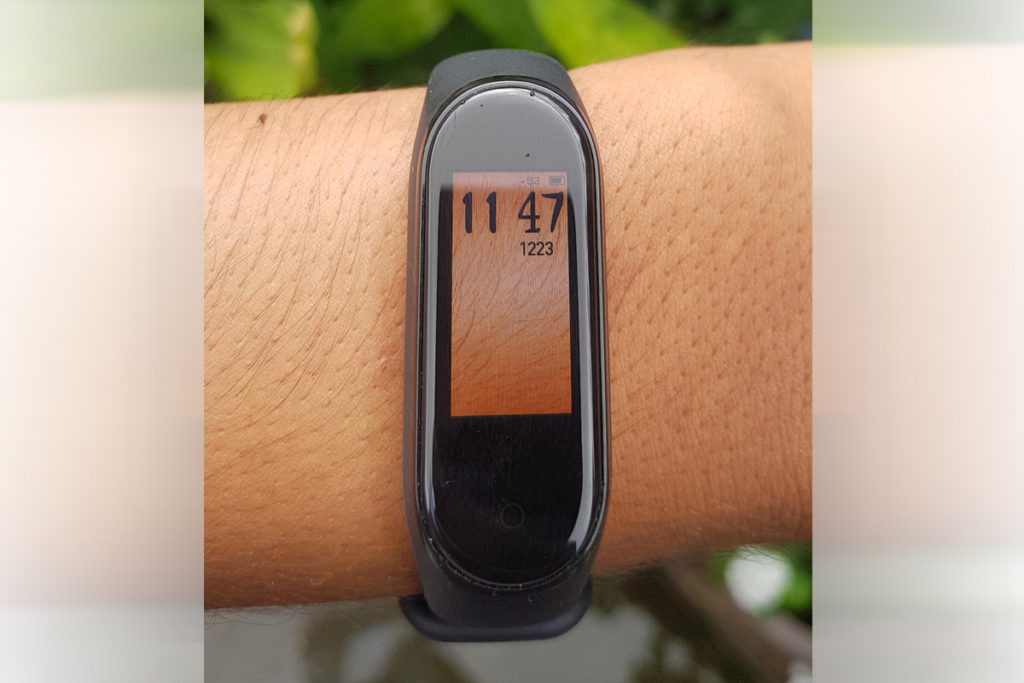
It is somewhat different from the already present massive bundle of watchfaces available at the Amazfit store. Along with the background, the developer added time, step counter and battery status helping users to keep a tap on the important metrics. Are you looking to try this cleverly designed watchface? Then follow the steps below carefully:
Pre-Requisites:
- MiFit App
- File Manager – Most of the devices always have some default file manager.
- Download the new Transparent custom Watchface.
Steps to Install the WatchFace on Mi band 4:
- Download the custom watchface from the link above.
- Install the Mi Fit application on your phone.
- Follow this guide to install the Watchface on Mi Band 4.
The ability to install custom watch faces on Mi band 4 has opened ways for customization on smart fitness bands. Many advanced users have appreciated the move to install custom watchface.




Comments