
Add GIZMOCHINA as Preferred Source on Google
Have you got bored using the same Android Home screen from months? Then Android offers you the power to customize the Home screen up to any extent. There are different launchers, icon packs, and screen savers that provide you the ability to completely change. We have crafted some Android Home screen setups that you can use after grabbing the resources as provided.
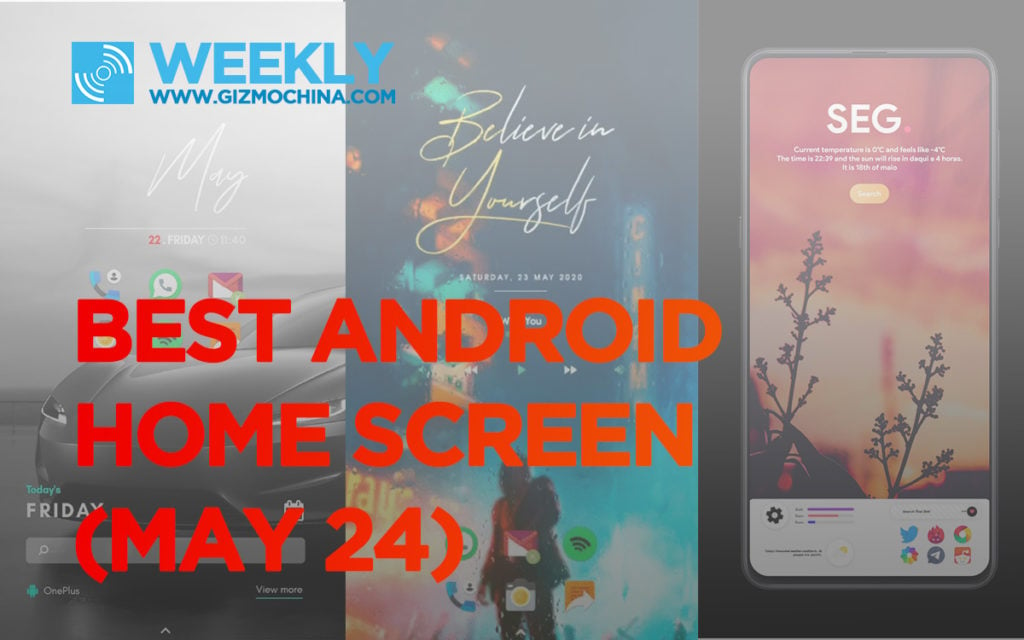
Must See: Best Cheap Gaming Phones of 2020
The new layouts will amplify your smartphone’s typical home screen layout. The new layouts will be like a breath of fresh air on your tidy home screen setup. Some of the setups below will offer minimal experience while others will bring denser information in a well-defined way.
Every week we publish some best Android Home setups, and you can check our last week’s setup guide here.
Unlike last week, today we have got some different types of setups using black and white wallpaper, small widgets, and a background rain effect. Moreover, some of the works below are from their respective authors.
Note: You need to download third-party apps, wallpapers, skins, and setups to get the actual look of depicted Android Home screens.
Best Android Home Screen Setups
Below you can download all the pre-requisites that you will need while arranging the setups on your Android smartphones.
Prerequisites:
- Nova Launcher – 12 x 6 Grid size
- KWGT Widget Pro
- Mini-ism for KWGT
- Rainpaper for Rain effect on any wallpaper.
- Minty Free Icon Pack
- WallsPy Wallpaper App
You might need to purchase KWGT Widget Pro, and Rainpaper app.
Joker Raining Street
A minimalist, powerful yet dynamic Android Home screen setup with music controls. The rain effect in the background brings animation to the static display using Rainpaper for Rain Effect. The Minty Icon pack looks fantastic at the bottom of the display. You can open App drawer by swiping up from the bottom.
Music lovers can control music from the widget and can see the completion status in a small circle ring around the play/pause button. Joker on a street wallpaper is downloaded from the Wallpsy app.
Items Required:
Download Links are present under the pre-requisites subheading above.
- Wallpaper from WallsPy
- Mini-ism KWGT – Minimal 128
- Ornate KWGT – Ornate Widget 51
- Minty Icon Pack
Process:
- The user needs to first setup Wallpaper from the Wallpsy app. Then Set grid size to 12 x 6 on desktop, hide notification bar, hide icons dock from the home screen, and turn on the swipe up/down to open/close drawer using Nova launcher settings. Now, take a screenshot of the empty home screen.
- Install Rainpaper app, open it, and choose Background > My Images, Select the screenshot you just took.
- Now, Play KWGT 4 x 4 KWGT widget and place Minimal 128 from Mini-ism KWGT. Place it in the appropriate place.
- Next is to place a 4 x 2 widget and select Ornate Widget 51 for the music widget. Set the scalability of the device after resizing it.
- Use Minty Icon Pack and place the required icons at the same place as it is in the above image.
Black and White Tesla
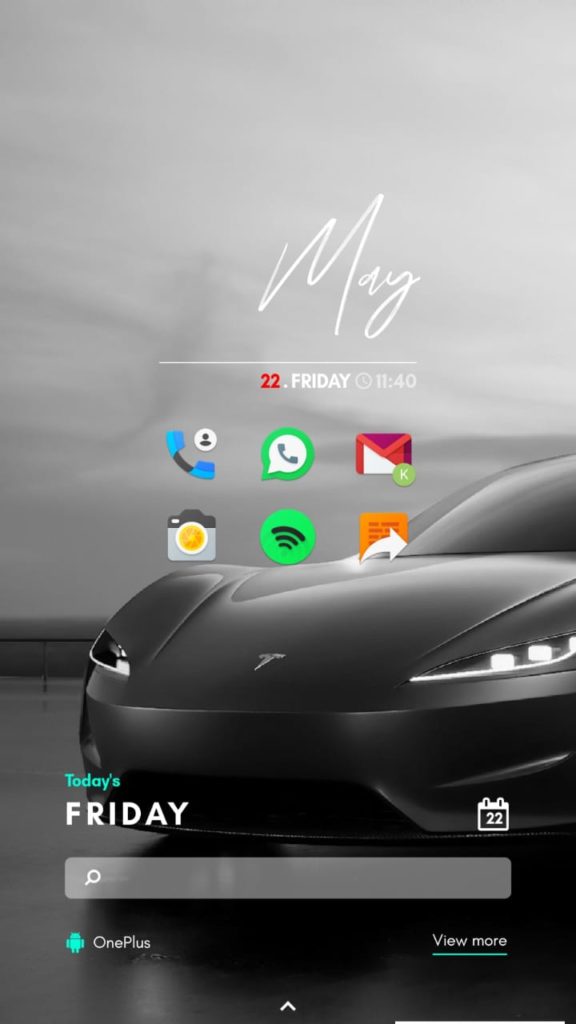
Yes, you read it right. We have tested a black and white Tesla wallpaper to bring a subtle yet crafty Android Home screen. The beautiful Minimal 153 widget from Mini-ism KWGT is the main attraction of this layout. Another Minimal 049 widget at the bottom featuring a calendar, search bar, and app drawer ‘view more’ button at the bottom.
The icons from Minty as in the previous setup is placed in the center for a more attractive look.
You can easily create this setup using the wallpaper from the WallsPy app.
Items Required:
- Wallpaper from WallsPy App
- Mini-ism KWGT – Minimal 049 and Minimal 153 widget
- Minty Icon Pack
Landscape Theme
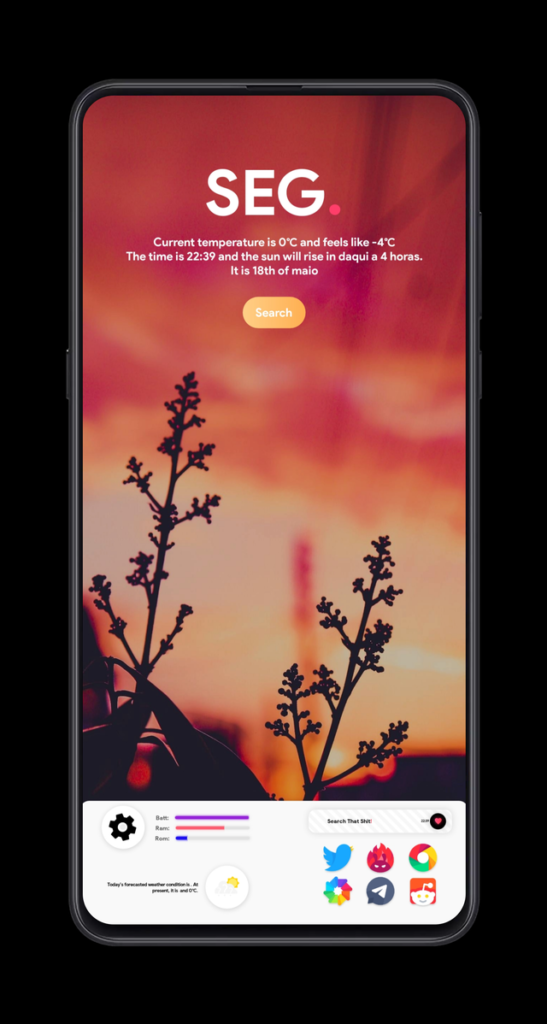
It is a perfect pack for nature lovers, as the beautiful wallpaper itself speaks a lot about the never-ending cycle of day and night. The widget from Fuchsia for KWGT is a single widget offering weather, date, and time information. You will also found a search button within the same widget.
The dock at the bottom is also created from Fuschia showing weather, and other utilities. The wallpaper link will be provided in the link below.
Items Required:
We hope you love today’s Android Home Setups. You can stay connected with us for weekly Android Home setups. If you have any recommendation then do let us know via the comments below.




Comments