
Add GIZMOCHINA as Preferred Source on Google
At WWDC, Apple unveiled the next-generation iOS operating system for the iPhones — iOS 14, which comes with several improved features and significant changes. Here’s the list of major features coming with the newer version.
Home screen and Widgets
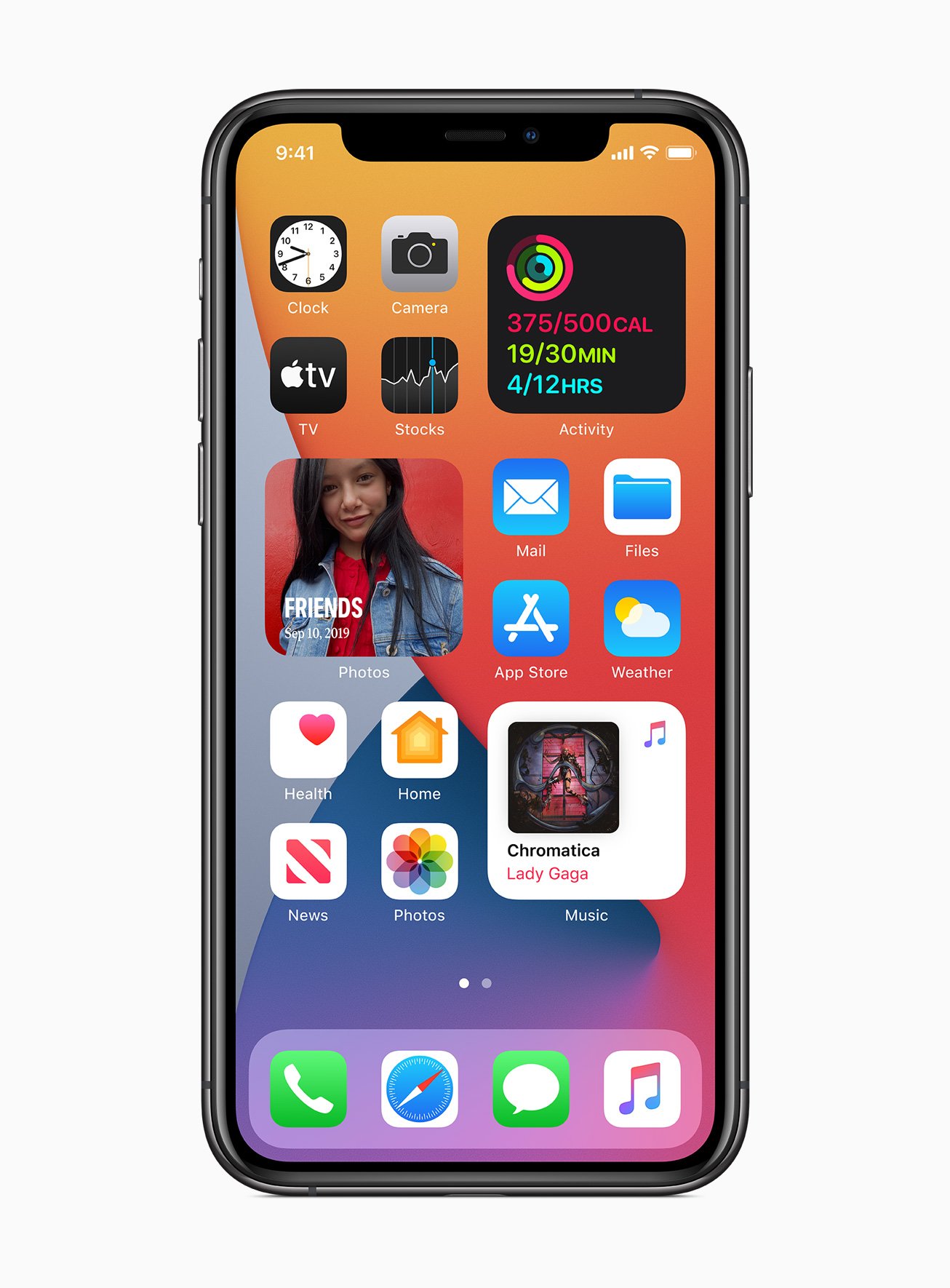
The first major change that you’ll notice in the iOS 14 is the redesigned home screen. For the first time ever, it now supports widgets which can be dragged from the Today screen to the home screen. Also, the widgets can be pinned to the home screen in different sizes.
Swiping right from the home screen is a new App Library where every application on the device has bene organized neatly into the folder system. You can also remove apps from the home screen but keep them in the App Library.
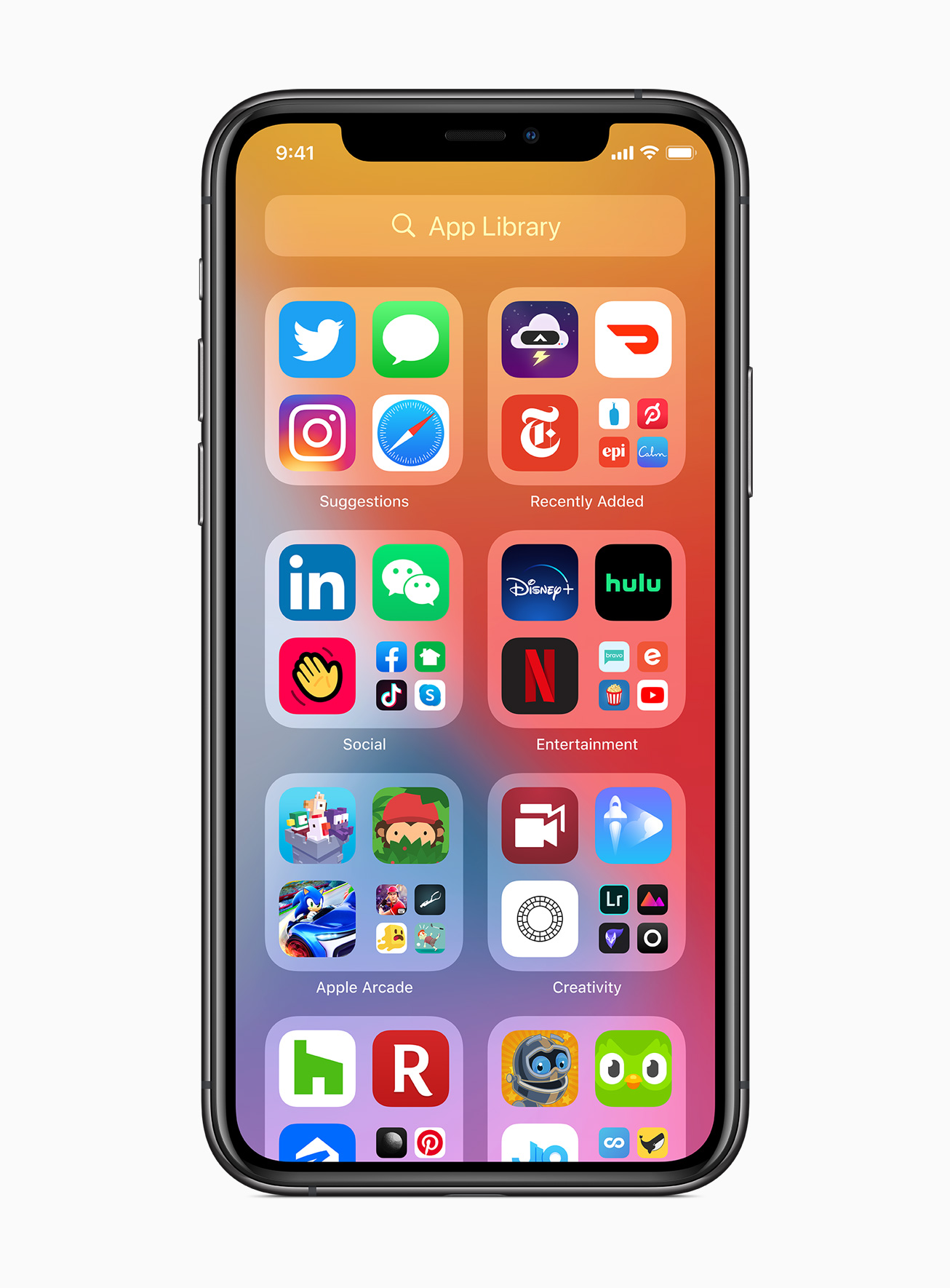
There’s also a new Smart Stack feature that intelligently stacks widgets based on time, location, and activity. Through the widgets gallery, you will now be able to choose widgets from the app as well as customize them.
Compact Calling Screen
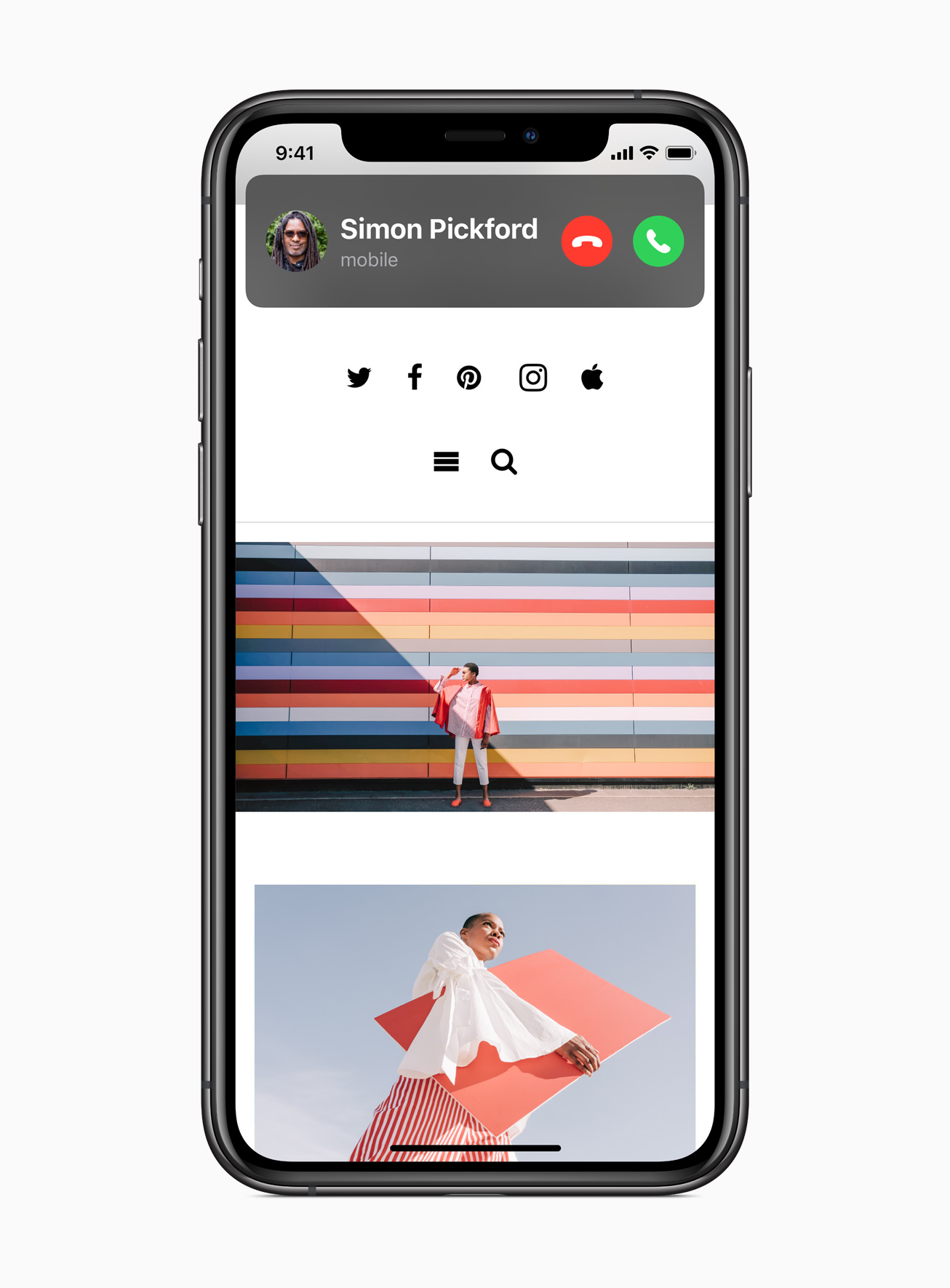
Till now, whenever you receive a call, it covered the full screen on the phone. But now, with the new iOS 14, the incoming phone calls appear as a notification on the top instead of taking over the entire screen.
New Siri Interface
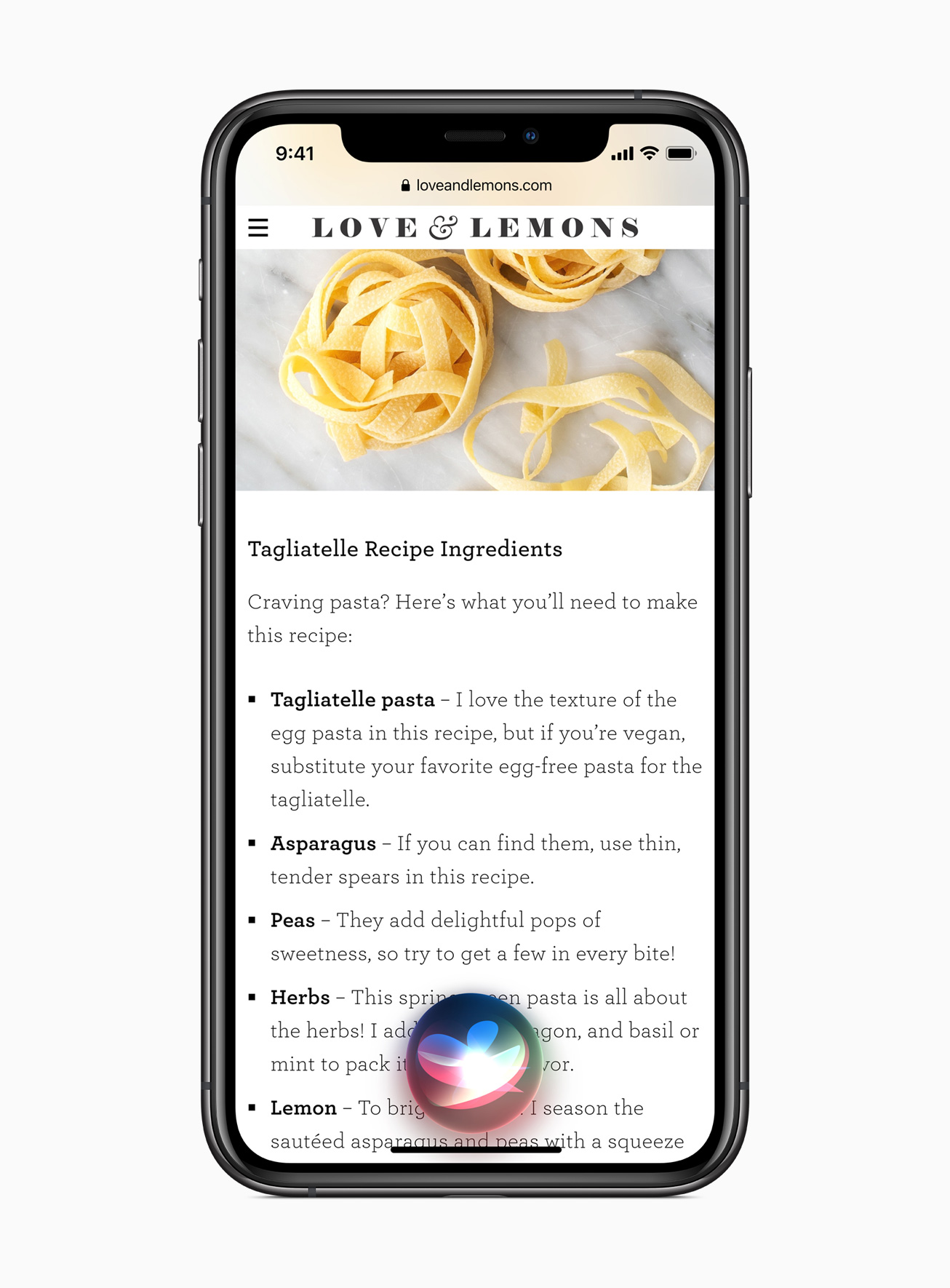
Similar to the new compact calling screen, the Siri interface has also been redesigned. Instead of taking over the whole display area, the new interface just opens up a Siri blob at the bottom of the screen when triggered. The output result is then displayed on top of the screen as rich notifications.
App Clips
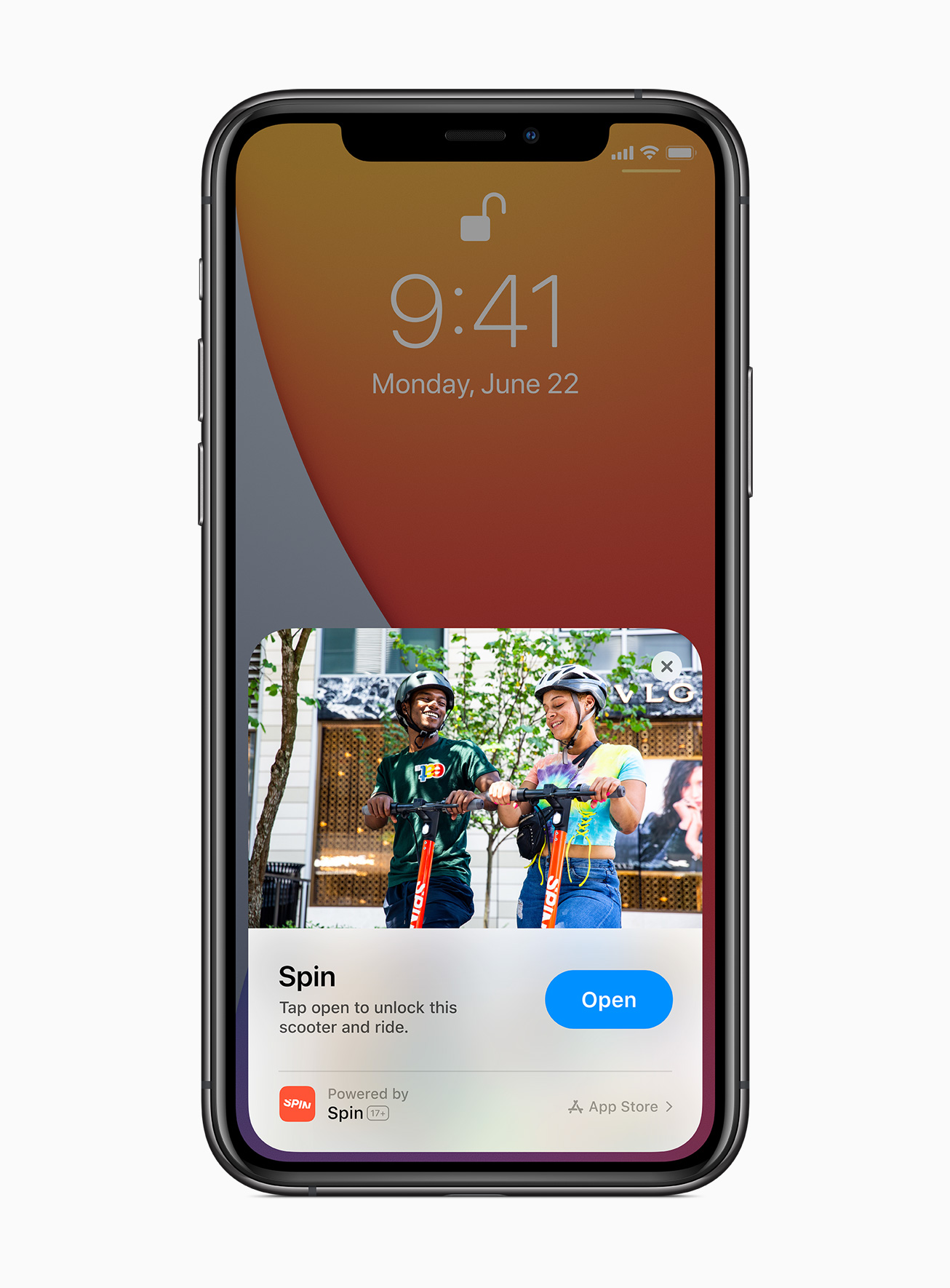
Apple has also added a new App Clips support to iOS 14. This enables users to take advantage of some app features without the need to download the full application. So, you will be able to do things like purchase coffee, make restaurant reservations, etc. just by scanning a code without downloading the app.
The company added that the App Clips work through Apple-designed App Clip codes, NFC tags, or QR codes, and can also be shared in Messages or from Safari.
Picture-In-Picture
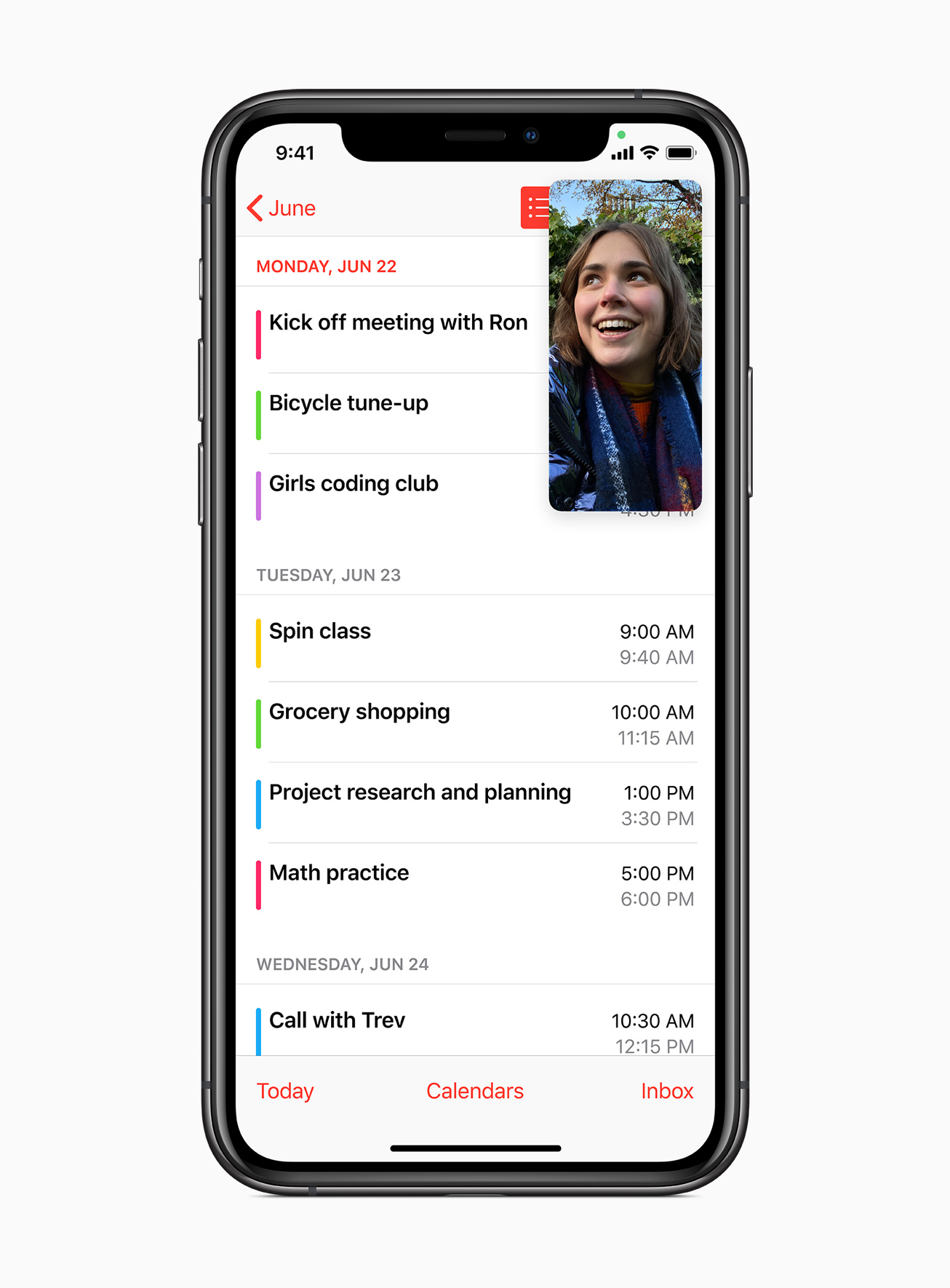
This picture-in-picture mode, which was already available on the iPad, is now finally making its way to the iPhone with iOS 14. With this feature, the FaceTime video call can continue in a small floating window, allowing you to keep using your phone at the same time. You can also drag the box anywhere on the screen.
Messages
The Messages application has received several major improvements. The company has now added support for pinning nine conversations at the top of the app. It also comes with support for new in-line replies so that you can reply to a specific message in a conversation instead of a general message.
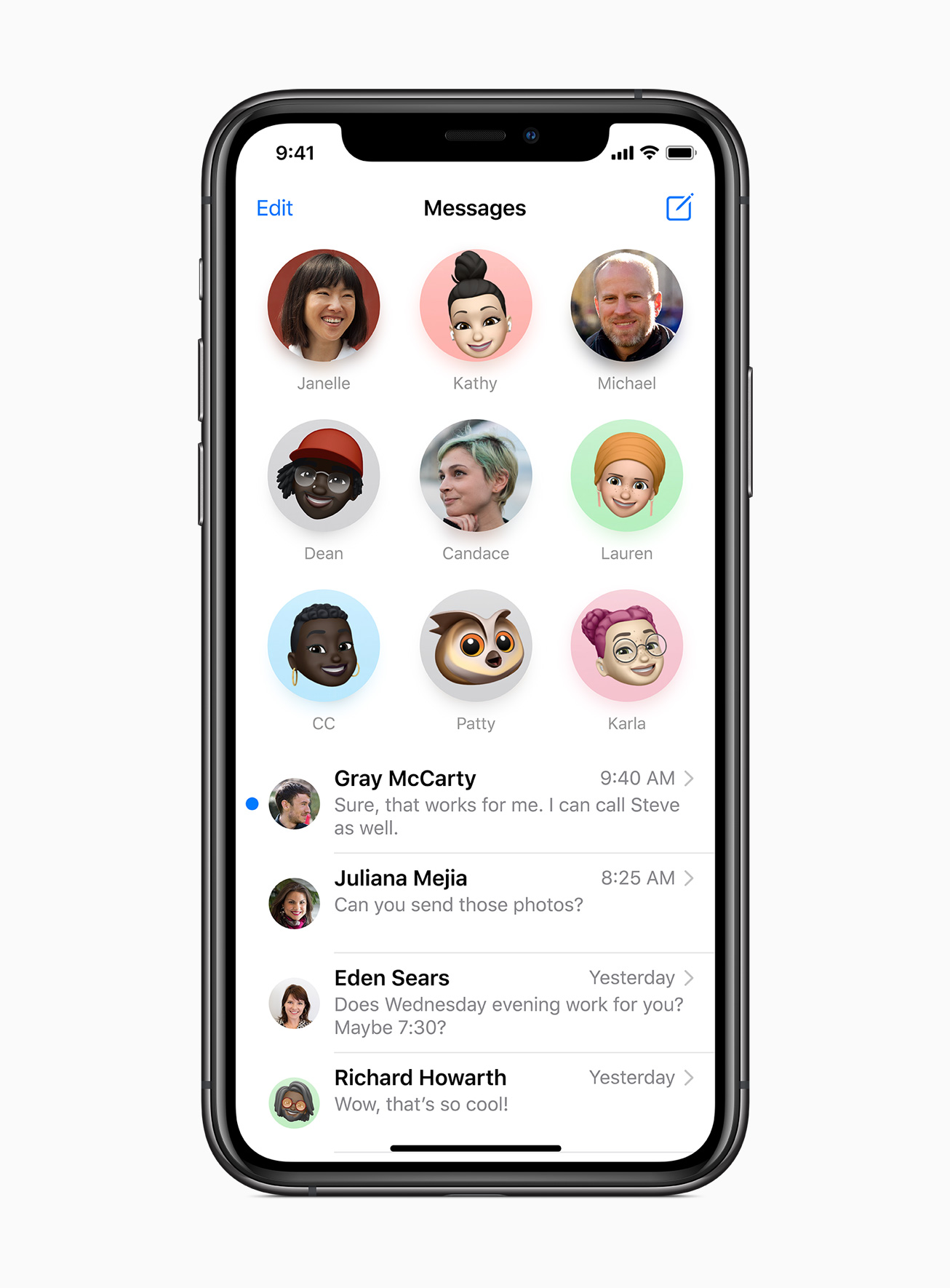
Further, it now has support for mentions, allowing you to mention a user and then send a message so that only that person will get notified. The group chat name, as well as the photo, can now be customized.
It also comes with new Memoji option that includes additional hairstyles, face coverings, age, headwear, and more Memoji stickers. With the revamped facial and muscle structure, the feature has now become more expressive.
EDITOR’S PICK: Xiaomi Mi Band 5 Review: A Worthy Upgrade to the Mi Band 4
Maps
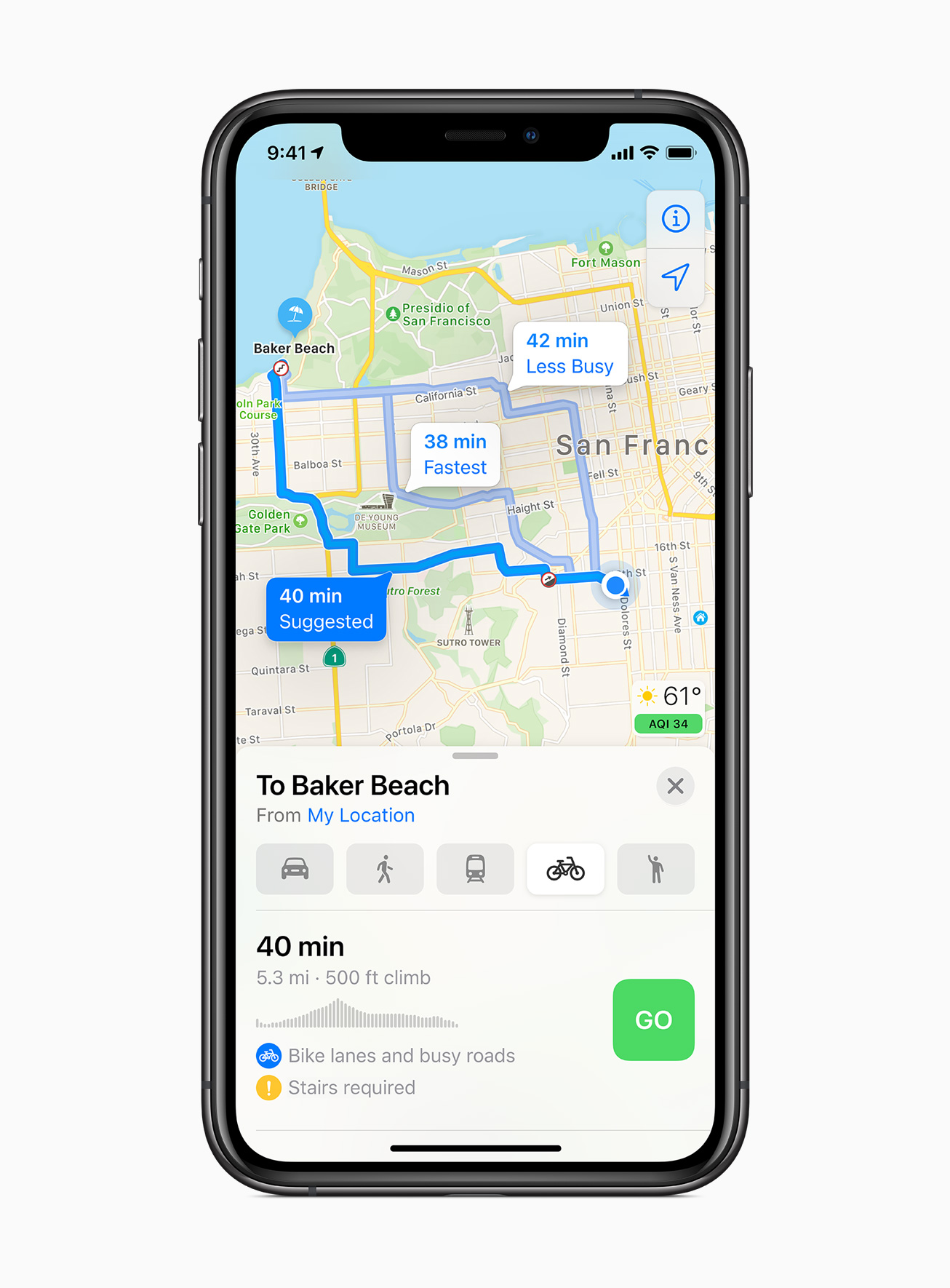
Apple has been making some solid improvements in Maps. The company said that it will start rolling out new map data to more countries this year. Further, the company is adding cycling directions that can take into account elevation changes, bike lanes, and stairs.
It will also show location of known speed cameras and red light cameras. The Maps is now being updated to provide specialized electric vehicle routes. It also enables you to keep track of things like current charge status, and show compatible chargers on route.
Translate App
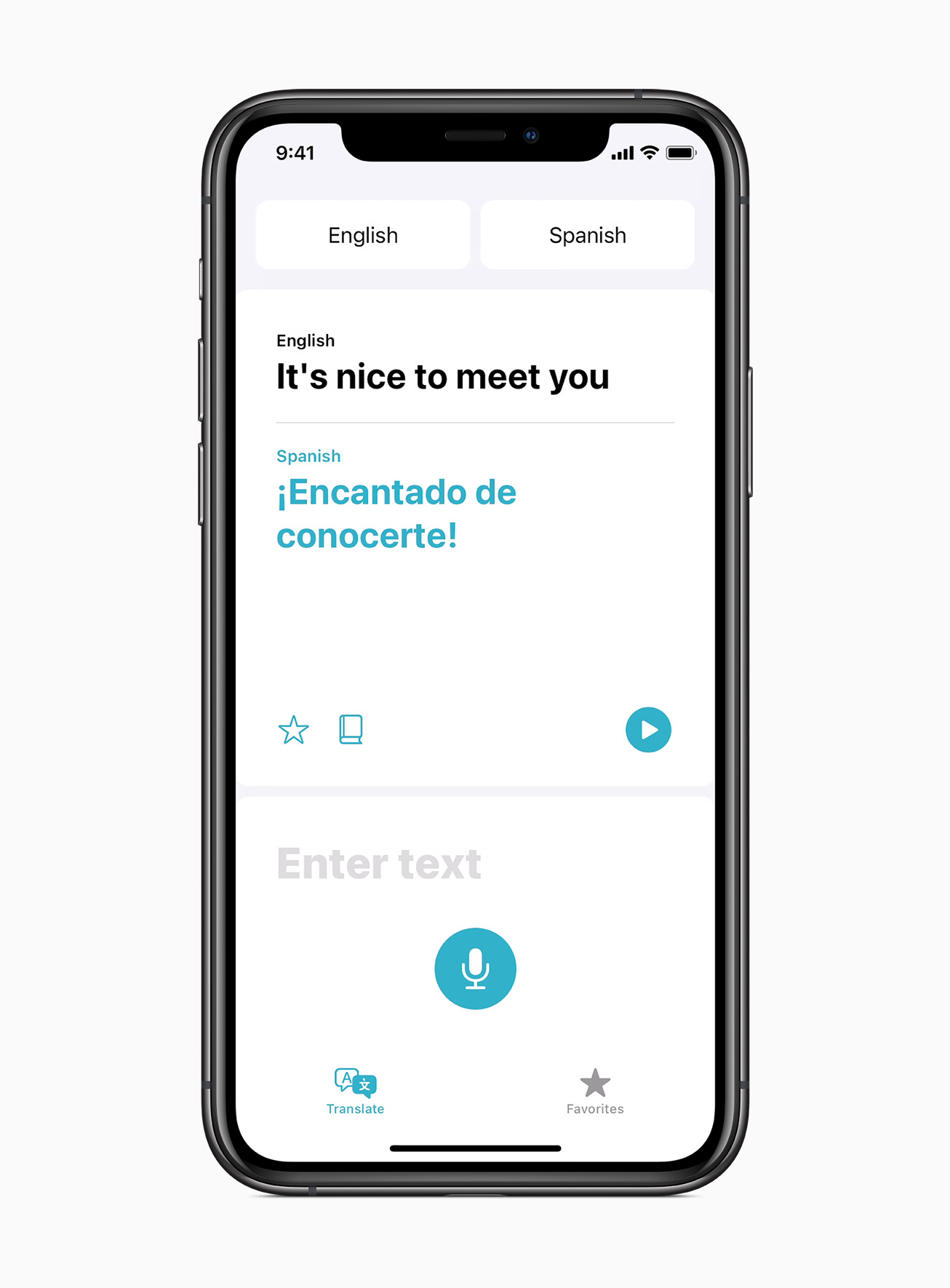
The company is adding a new first-party application with the iOS 14 — Translate. Similar to the Google Translate app, you can choose two languages and hit the mic button. The app will then listen to your voice and provide text as well as voice translations. The app works offline and allows you to download more languages.
Car Keys
The Digital car keys feature allows you to unlock and start your car with the iPhone or even Apple Watch. With the new update, the company is adding support for U1 chip, which will be able to unlock cars without the need to take your iPhone out of the pocket. Also, the car keys can be shared through Messages.
Updated Privacy Protections
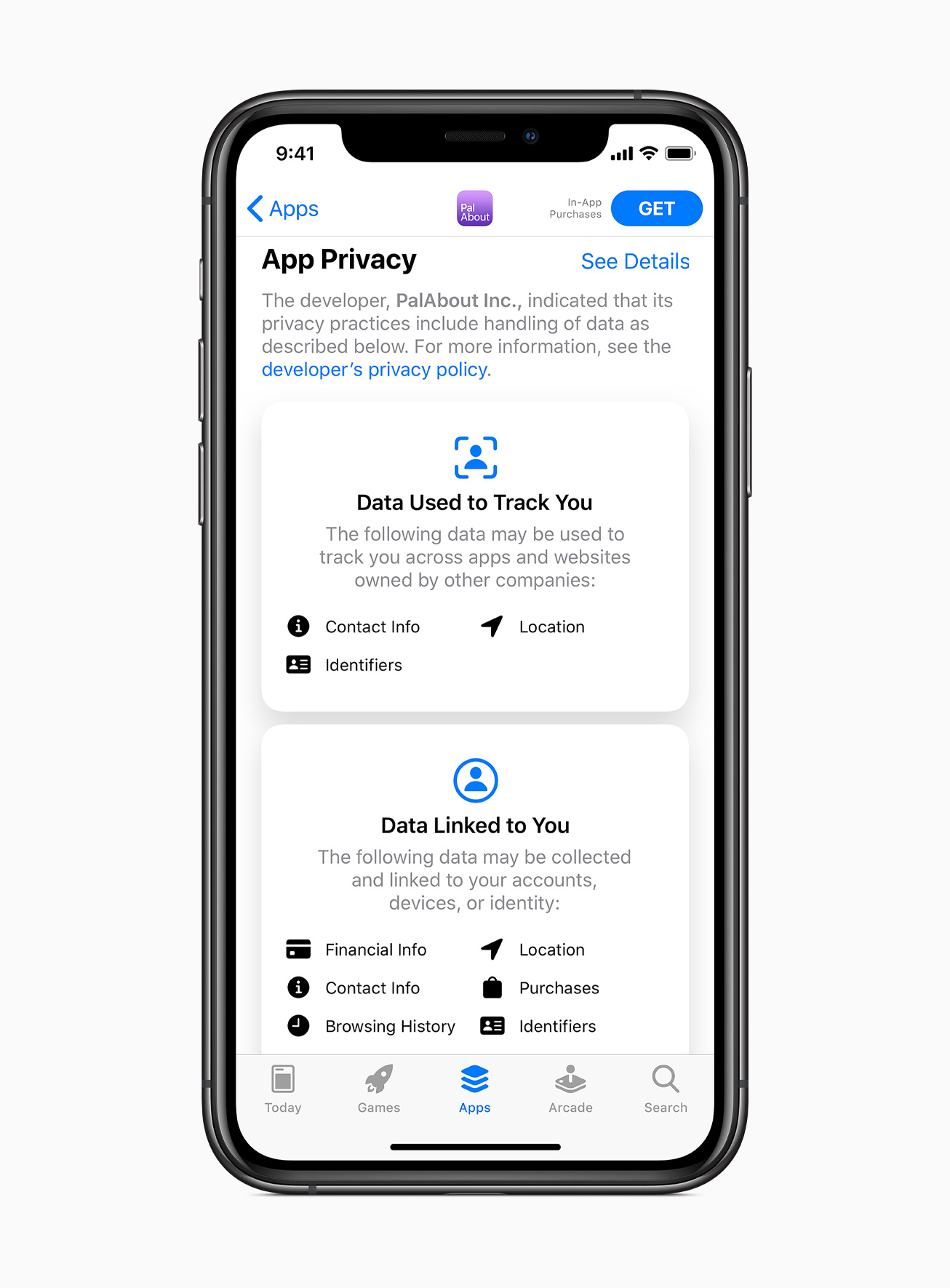
The newly updated privacy protections in the iOS 14 now require developers to get permission before accessing devices on local network. Apple has also introduced new options for limiting access to select photos or providing apps with only approximate location data. Further, apps need to get permission before tracking across websites. There’s a new icon that shows on the home screen when the app is using camera or mic.
Apart from these, there are few more new features added with the iOS 14 that include password monitoring, built-in Safari translation, support for third-party products, and accessories in Find My app, among others.
iOS 14 Release Date
Apple has not revealed the exact date for the rollout of this new iOS 14 update but has said that it will be available later this year. Typically, the new iOS rollout begins in September, just in time for the new iPhone launch. However, it remains to be seen if Apple sticks to the same timeline.
Before releasing the public version, Apple is set to start offering a public beta test version from July this year.
Supported Devices for iOS 14
- iPhone 11 Pro
- iPhone 11 Pro Max
- iPhone 11
- iPhone SE (2020)
- iPhone XS
- iPhone XS Max
- iPhone XR
- iPhone X
- iPhone 8
- iPhone 8 Plus
- iPhone 7
- iPhone 7 Plus
- iPhone 6s
- iPhone 6s Plus
- iPhone SE (2016)
- iPod touch (7th generation)
UP NEXT: Redmi Dimensity 1000+ phone might launch in July, followed by Mi 10 Pro Plus in August and Mi Mix 4 in Q4 2020




Comments