
Add GIZMOCHINA as Preferred Source on Google
vivo has officially announced the second iteration of its OriginOS today, bringing in new and customizable card-style elements on the homescreen, an optimized camera UI, and a smart nano music player. In fact, the homescreen gets a significant revamp with more colors, rounder UI elements, and better customizations.
Here’s a quick overview of what’s new on vivo’s ORIGIN OS Ocean.
1Customizable Icons and Folders

vivo’s new Origin OS Ocean brings rounder and customizable icons in a card-type layout. The icons can be resized in small, medium, and large sizes, and you can even add custom folders with different colors. Android 12’s Dynamic themeing also makes it to the new OS with the icons and folders picking up the colors of the wallpaper and theme in use.
2Origin Cover Lock Screen

vivo’s new lock screen, called officially as the Origin Cover supports quick actions like opening your favorite apps by simply dragging the fingerprint button to the designated app on the lock screen.
3Revamped Control Center

vivo OriginOS Ocean gets a redesigned control center that offers more information on the battery, network, and sensitive permissions at a glance.
4New Special Oceans Live Wallpaper

Apart from the wallpapers available last year, the vivo OriginOS Ocean gets a new custom wallpaper created in collaboration with Star Trek’s special effects team called the Ocean Live Wallpaper.
5Nano Origin Music Player
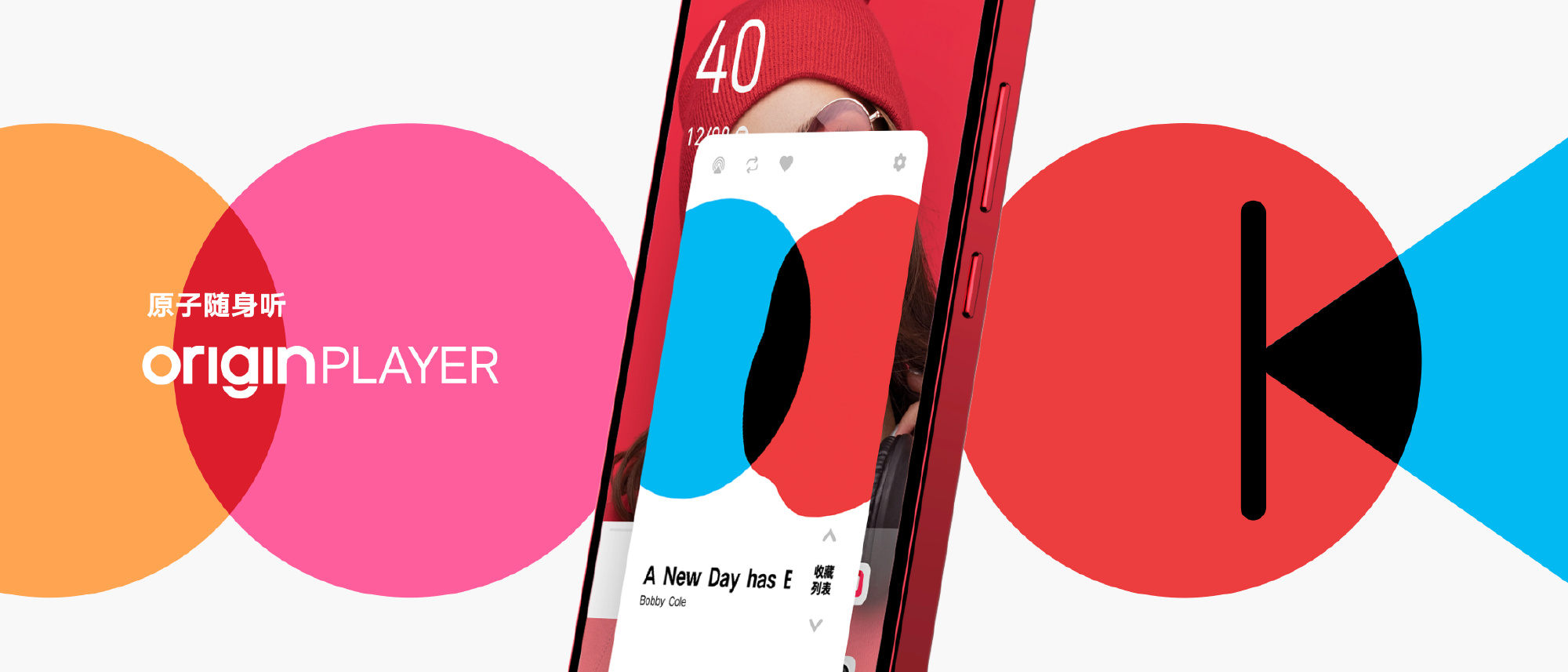
vivo’s Nano Music player is still available on the OriginOS Ocean iteration. You can control the music player with just an icon on the lock screen allowing for a simple and non-intrusive listening experience.
6Nano Notifications

Nano notification gets new optimizations in the Ocean OS with more colors and improvements in the way the small notifications on the icons are displayed. vivo also adds that more apps and services now support nano notifications.
7New Caller UI

vivo’s OriginOS Ocean brings a dynamic caller UI. Unsaved and unfamiliar calls and contacts will get a different caller UI than the ones saved as your favorites. This allows you to identify the significance of the call at a glance. The animations while receiving and making calls have also become more bright and colorful.
8Emergency Calls

In a first in the industry, vivo’s OriginOS Ocean will use a 3-channel information transmission system for emergency calls. The OS sends out emergency calls via phone call, text message, as well as a flash message (home screen alert). Simultaneously, the location of the caller will be displayed to the emergency contact.
9Nano Reading + New Font

vivo’s Nano reading adds breakpoints in a long article with a page-flip-like animation when moving on to the next section. vivo says this enables a real life-like experience to the reader. The OS also comes with Zhu Zhiwei’s custom fonts and other reader optimization options like typesetting, background, and word spacing.
10New Multi Window Interaction

The new OS gets an improved multi-window interaction. You can basically swipe up from the bottom left corner of the display to resize an app into a smaller window. You can drag / drop this window for a split-screen configuration.
11Faster Payments from Home Screen
Like last year’s OriginOS, the Ocean iteration also comes with one-tap payments via on-screen fingerprint recognition.
12New Camera UI with Multi-Functional Focus Ring

The vivo OriginOS Ocean comes with a multi-functional focus ring which can also control the stabilization, focus length, exposure etc. Further, custom swipe gestures can add real-time effects on the viewfinder, enabling users to add quick and accurate effects to your videos.
13Memory Slimming + Nano motion
vivo’s memory slimming and memory fusion technology reduces unnecessary processes and saves memory space. vivo says this can increase up to 50% of memory storage. Further, transitions between animations are smoother and more natural than before.
14Privacy Features
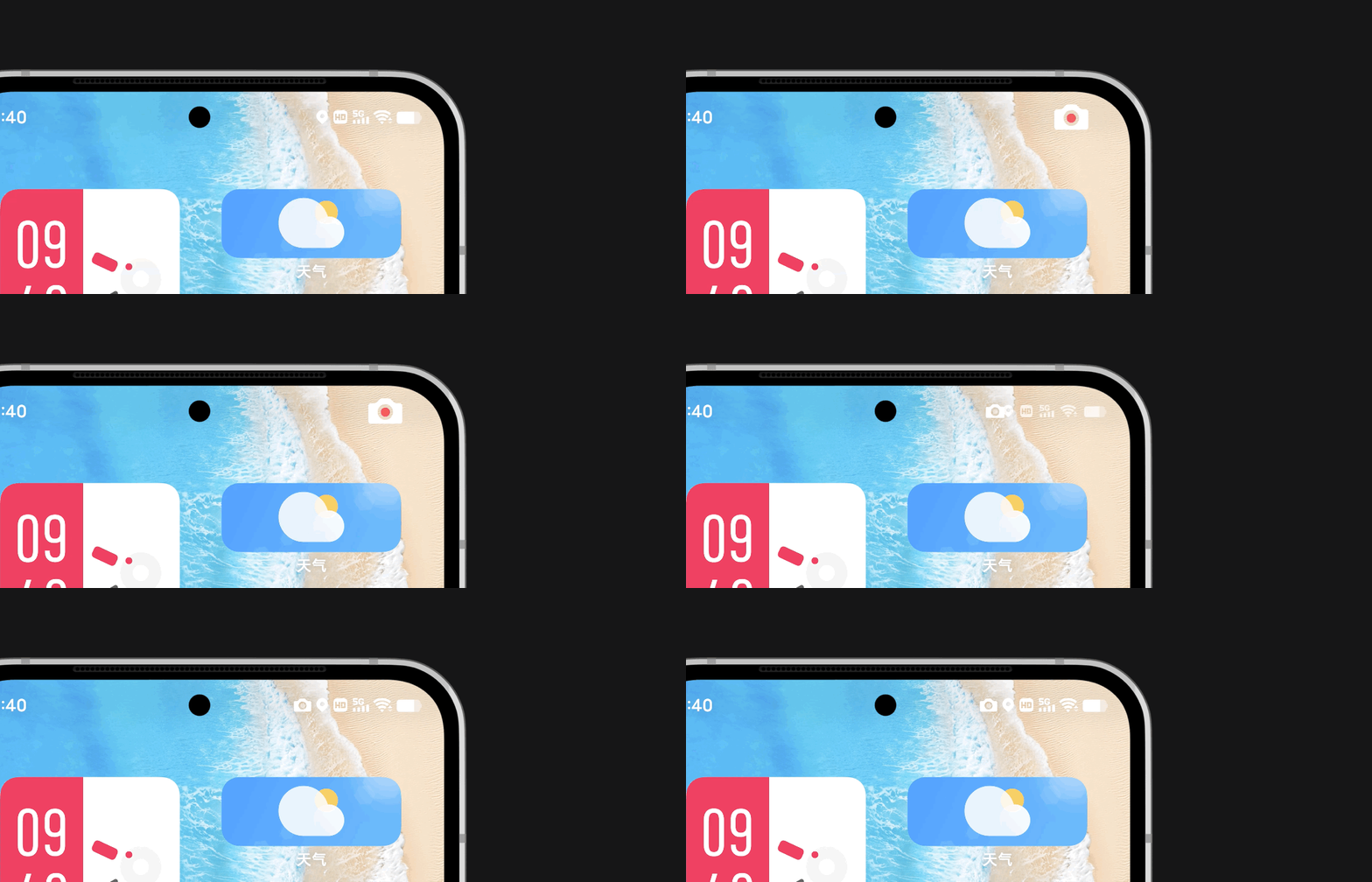
When using vital services like camera, recording, and position, respective icons pop up on the right side of the status bar. You can slide down those icons for more information. The Origin OS Ocean also comes with a Privacy System wherein you can swipe left from the bottom dock and enter your dedicated private space after verifying with your fingerprint. vivo adds that this private space features multiple layers of security by way of biometric verification as well as hardware-level encryption.
15OTHER FEATURES
QUANTUM KIT, much like Huawei’s multi-device collaboration software, supports collaborative editing, cross-device file transfer, and seamless drag and drop transfer among other devices.
Nano Notes get a revamp too, with better fingertip interaction for editing a note or a document.
For more details on the vivo OriginOS Ocean update rollout schedule, check out this article.


Comments