
Add GIZMOCHINA as Preferred Source on Google
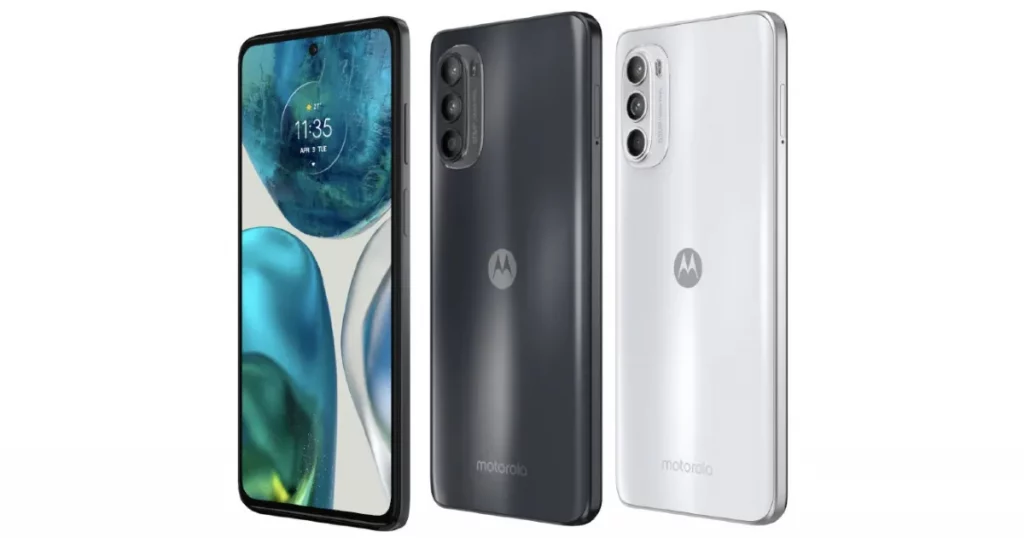
Moto G52 sits just about in the middle of Motorola’s mid-range phone lineup in terms of pricing, offering a stunning display, a decent battery backup, excellent speakers, and clean software. It’s almost a perfect mid-ranger but its cameras fall short. The handset ships with a 50MP primary sensor accompanied by an 8MP ultra-wide and 2MP macro camera. The device takes fairly average photos, even in broad daylight, with overprocessed elements dominating the frame. Luckily, you can improve your Moto G52’s camera capabilities with an appropriately ported GCam.
In this post, we have gathered some of the best GCam APKs for Motorola Moto G52. We have added the most stable and user-recommended versions that are expected to work for most people.
For the uninitiated, Google Camera (GCam) is a camera app developed by Google for Android OS. Initially, it was supported on all Android 4.4 and higher devices, but it became only officially supported on Google Pixel devices over time. Fortunately, some developers unofficially port GCam to other Android phones and modify versions with features only available on Pixel phones.
GCam adds plenty of impressive features to the phones, and its post-processing algorithms fairly improve the pictures. It offers a number of advantages over the stock camera, giving better exposure, greater detail, and cleaner images. Further, GCam comes with some useful features like Night Sight, Panorama, Motion Photos, Lens Blue, Astrophotography mode, and more. However, to make the best out of GCam, you’d have to tune it correctly. You can adjust it the way you want to get the best pictures.
Download GCam for Motorola Moto G52
Moto G52 comes with Camera2 API enabled, so you can easily install the GCam port on it. However, it is important that you download the appropriate port, which is supported by your device. The most stable one is GCam v8.4 port by BSG. This version offers significant improvements over Motorola’s stock camera app.
Download GCam for Motorola Moto G52 from here
The stock camera of the phone produces photos that are over-sharpened, and the colors as well as dynamic range performances are not up to the mark. On the contrary, GCam produces images that look realistic and have better colors. It offers better details, especially in low-light situations, and there’s also better noise reduction. It eliminates the over-sharpening issue and provides a better dynamic range.
Download Urnyx05 GCam
Alternatively, you can download GCam 7.3 by Urnyx05. This port is also perfectly compatible with the Moto G52 and brings significant camera improvements. It goes without saying that both GCams listed in this post are not as good as the official version and may have some bugs.
Download GCam 7.3 by Urnyx05 for Moto G52 from here
How to Install GCam on Motorola G52
Follow the steps given below to install the GCam port on your Moto G52:
- Download the GCam APK file from the above links
- You will be asked to give permission for the system to install apps from unknown sources as soon as you open the APK file.
- Give the permission by going to the Settings > Security/Privacy > Enable Installation from Unkown Sources.
- Now, launch the installer package or APK file again.
- Wait for the process to complete, and you’re all set.
Steps to load config files in GCam 7.3 by Urnyx05
- Download the config file from here.
- Create a new folder and name it GCam.
- Next, open GCam folder and create another folder inside with configs7 name.
- Move the config file to the configs7 folder.
- Now, open the Google Camera app and double-tap on the area around the shutter button.
- Select the config file and press the restore button.
- Head to the app drawer and then open the app again.
To recall, Moto G52 was launched earlier this year with a 6.6-inch pOLED display that offers an FHD+ resolution and a 90Hz refresh rate. It is powered by the Snapdragon 680 chipset, paired with up to 6 GB of RAM and 256 GB of native storage. The G52 packs a 5,000mAh battery that supports 30W fast charging. It runs Android 12 OS with MyUX skin on top.
RELATED:
- Download iPhone 14 and iPhone 14 Pro official wallpapers [QHD+ Resolution]
- Download the best GCam APK for POCO F4
- Download the Best GCam APK for POCO M4 Pro
- Download the Best GCam APK for Nothing Phone (1) from here




Comments