
Add GIZMOCHINA as Preferred Source on Google
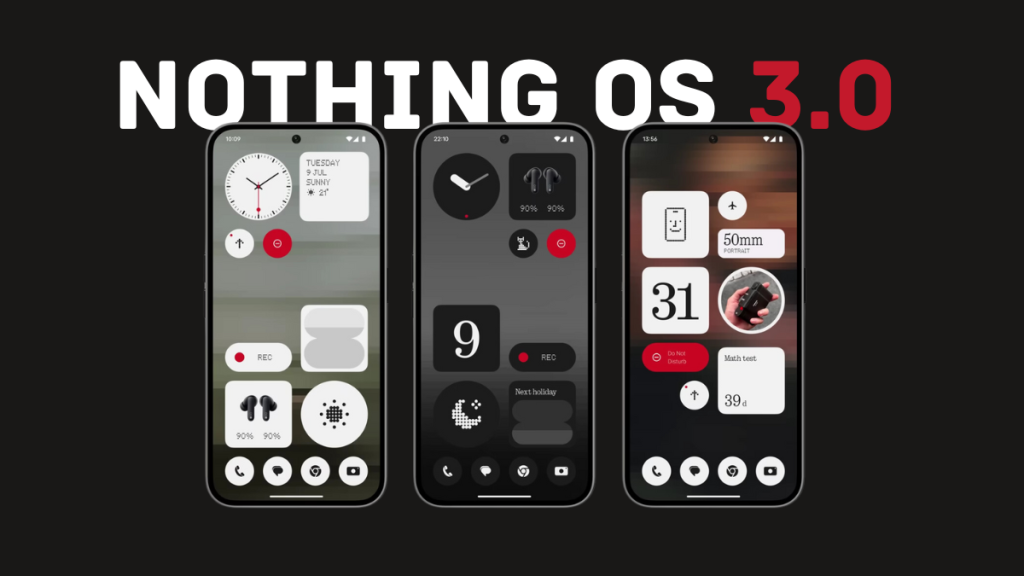
Apart from a unique design, Nothing phones stand out because of a great software experience. In fact, Nothing OS 2.5 was one of the best custom skins based on Android 14. Hence, expectations are high with Nothing OS 3.0, which will be based on Android 15.
The brand has already announced the much-anticipated Nothing OS 3.0, sharing details about the beta and stable release, as well as the new features and improvements it brings.
Here’s everything you need to know about Nothing OS 3.0.
Nothing OS 3.0 Release Timeline
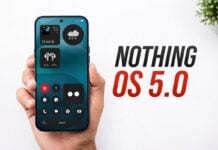
Nothing OS 3.0, based on Android 15, was launched on September 24 via the company’s official YouTube channel. While it didn’t share a roadmap with exact dates, Nothing confirmed that the open beta will arrive in early October 2024, and if everything goes as planned, the stable build will begin rolling out in December.
Nothing Phone (2a) Plus, Nothing Phone (2a), and Nothing Phone (2) should be the first in line to get the Android 15-based Nothing OS 3.0 update, followed by CMF Phone 1 and Nothing Phone (1).
Nothing OS 3.0 Eligible Devices
- Nothing Phone (2a) Plus
- Nothing Phone (2a)
- Nothing Phone (2)
- Nothing Phone (1)
- CMF Phone 1
Nothing promises three Android upgrades for all smartphones, except for the CMF Phone 1, which will only get two OS upgrades.
The Nothing Phone (1) is the oldest device on the list released with Android 12 out of the box. So, Android 15 would be the final OS upgrade for this device.
What’s New in Nothing OS 3.0?
Here are the new features and improvements in Nothing OS 3.0:
1. Nothing Gallery App
Nothing OS 3.0 is confirmed to bring the Nothing Gallery app. Users had been requesting it for a long time, and the company finally listened to them. As shown during the launch, the new Nothing Gallery app opens a photo as soon as the user taps on it.
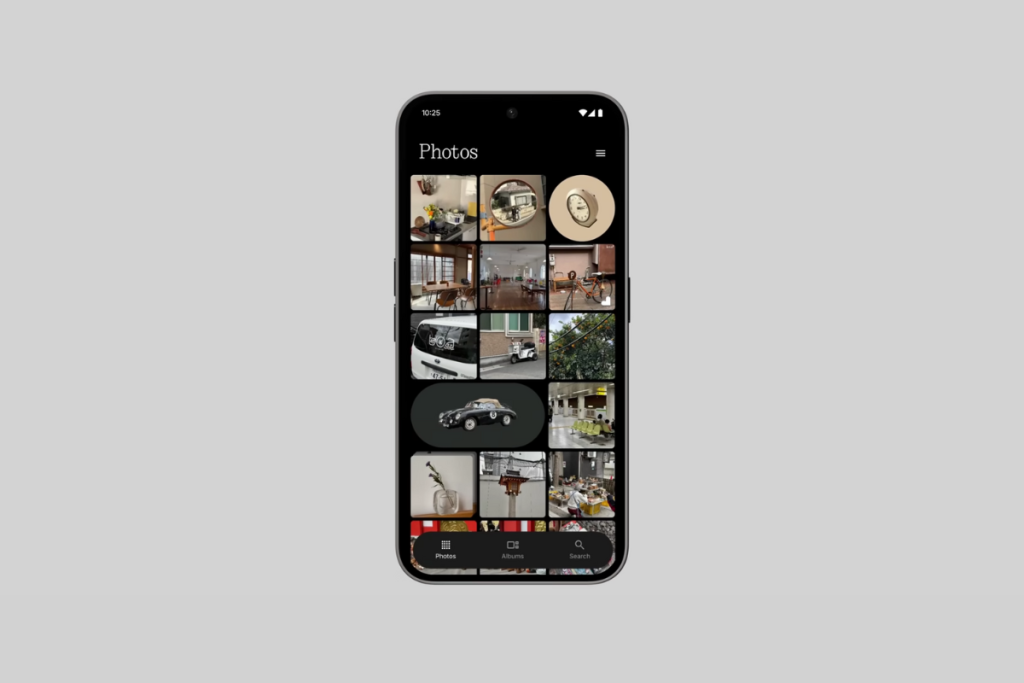
The Gallery app uses artificial intelligence (AI) to find key moments within your photos and displays them in a bigger thumbnail to make them quickly noticeable. It also has AI image segmentation to highlight the key object and segment it out from the rest of the image in the thumbnail to make it easy to find.
Nothing is aware of the long transition time from Camera to Google Photos. According to the brand, the transition to Nothing Gallery should be 1.4 seconds faster. Also, the processing time for HDR and portrait effects will be up to 25% faster.
The brand has also confirmed that it will add more automatic AI image categorization, natural language search, and many more AI features in the future. AI upscaling, Super Resolution, and AI image generation capabilities will also be introduced sometime in the future.
2. Redesigned Lock Screen
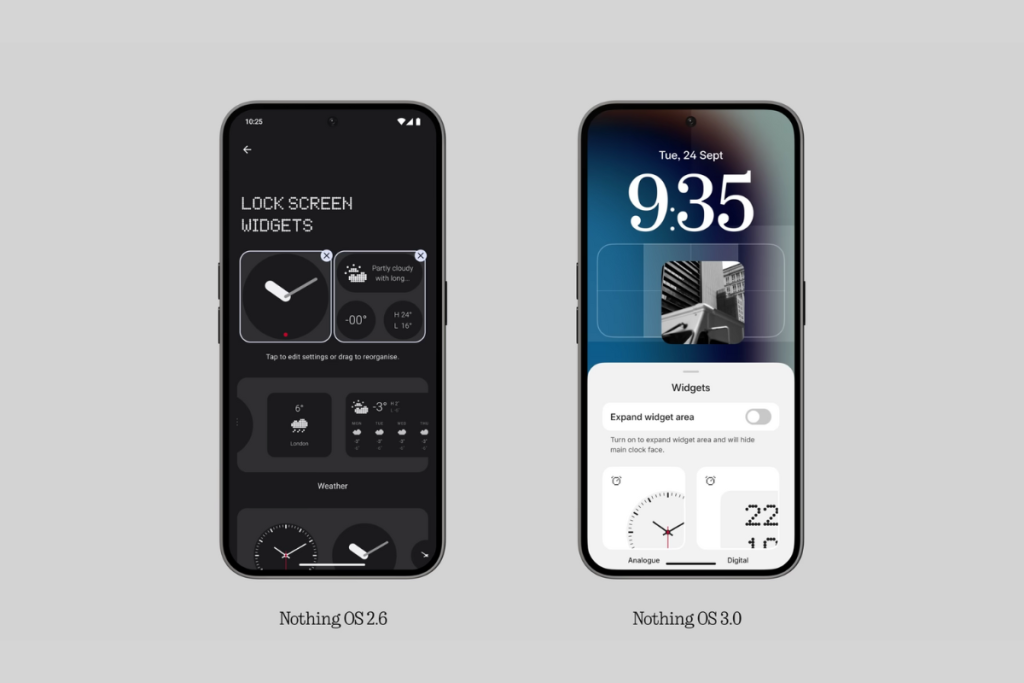
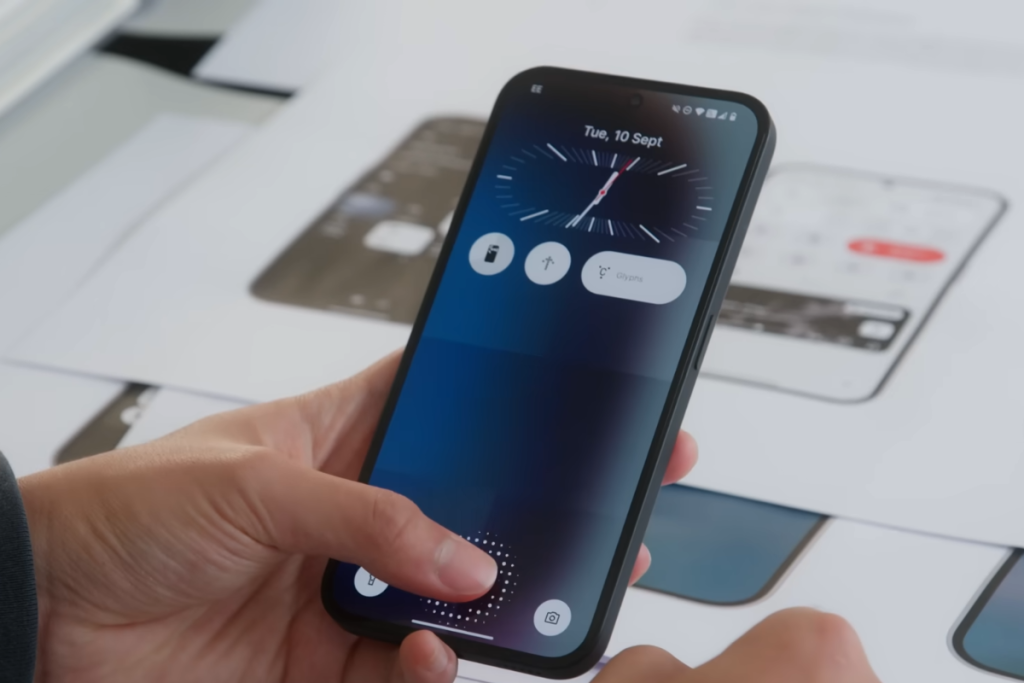
The lock screen in Nothing OS 3.0 is customizable in many more ways. First, you have multiple clock faces to choose from. Some are inspired by Apple’s iOS, and some are completely unique.
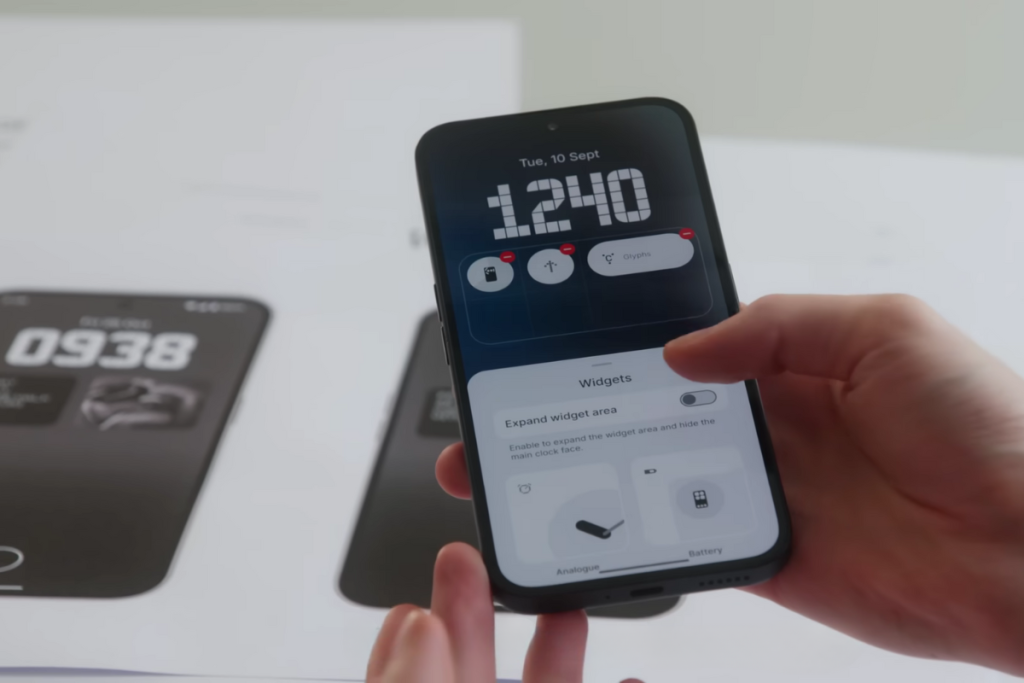
You can tap the widget area and toggle on Expand widget mode to add more widgets to the expanded widget area.
3. New Animations
Nothing OS 3.0 also brings some cool animations. First is the new fingerprint animation, where the dots move and breathe outwards when you press and hold your finger.
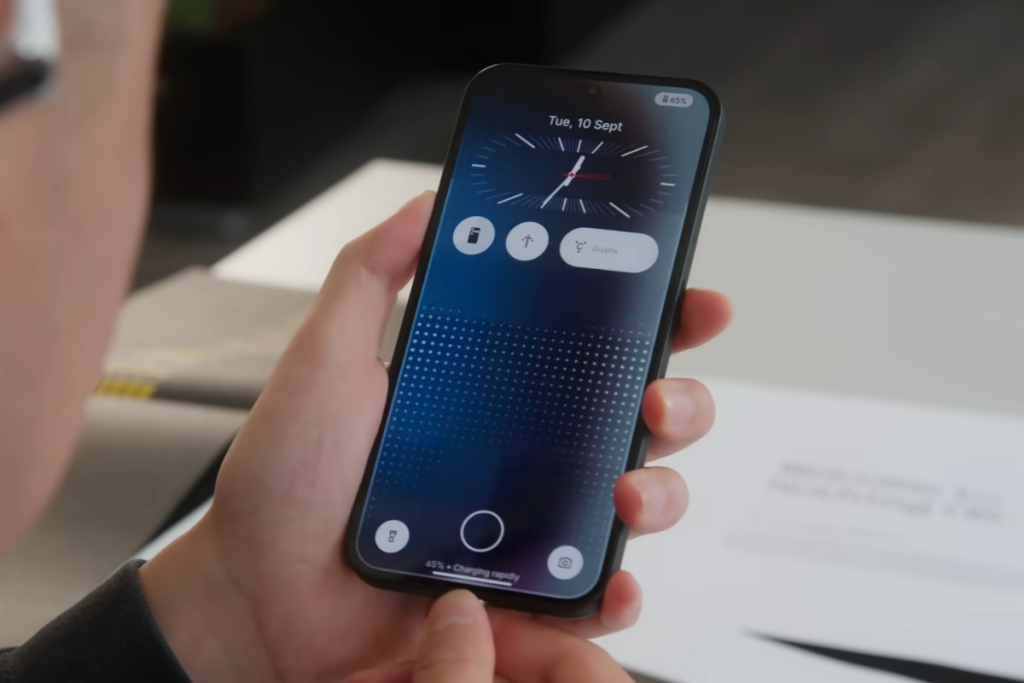
The new OS also has a new charging animation. Again, it’s a dot design language that makes it the Nothing’s way. When you connect the charger, the dots move from the bottom to the top, which looks a lot better than before.
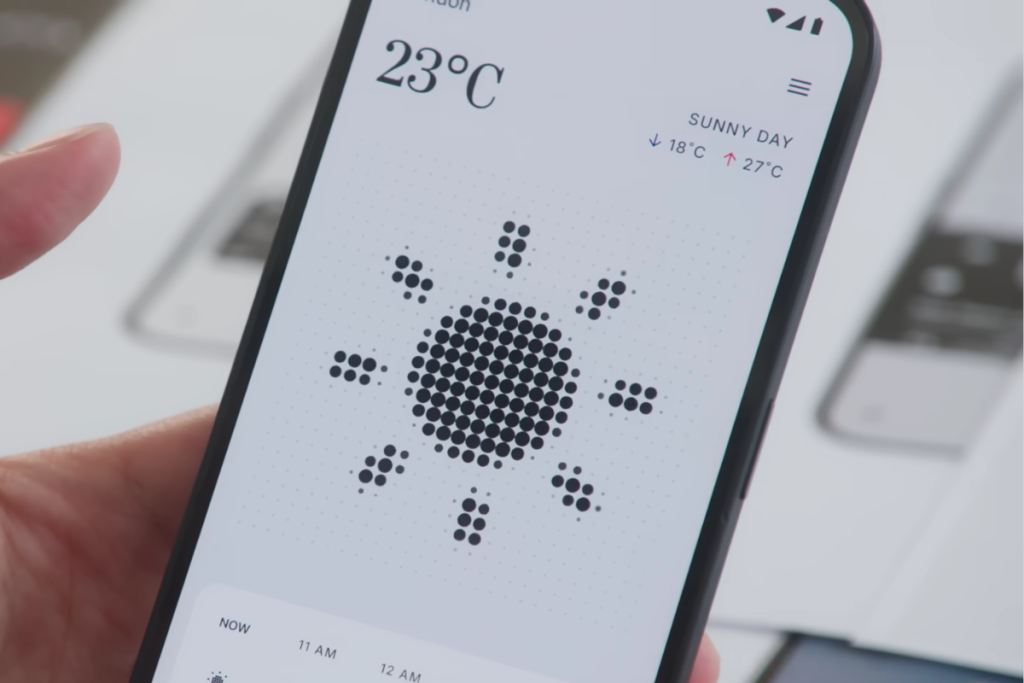
The Weather app now shows the icon in a cool dot matrix style, which can be animated as well.
4. Redesigned Quick Settings
With Nothing OS 3.0, the Quick Settings panel is getting a significant upgrade. It looks cleaner than before and resembles Nothing’s design language. First, the Wi-Fi and Bluetooth icon sizes have been reduced significantly to accommodate more icons.
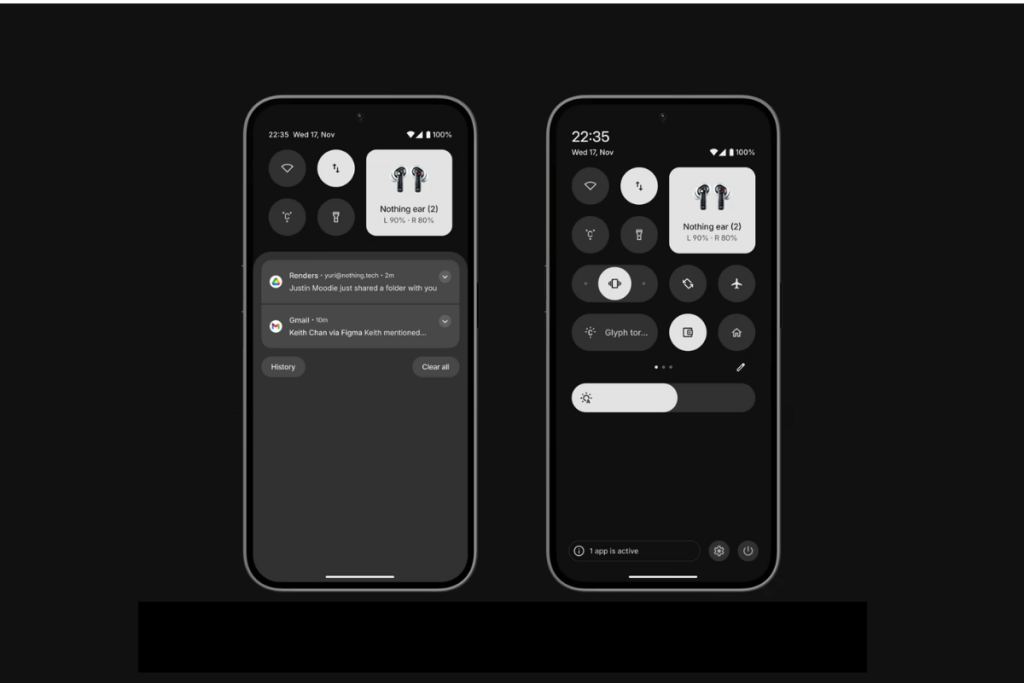
The OS 3.0 allows users to customize the size of the tiles, similar to home screen widgets. Some tiles give you more options when you increase their size. For example, the 1×2 audio tile gives you the option to set the sound profile to vibrate or mute.
The active tile now becomes red for quick differentiation from inactive tiles. While it’s a subtle change, the red accent adds to a better aesthetic. And finally, the brightness slider has been added.
5. App Pinning and Categorization
Nothing OS 3.0 makes useful changes to the app drawer to access the required app quickly. First, it lets you pin your favorite apps at the top of the app drawer. Pinning the apps you open frequently might save you a lot of time.
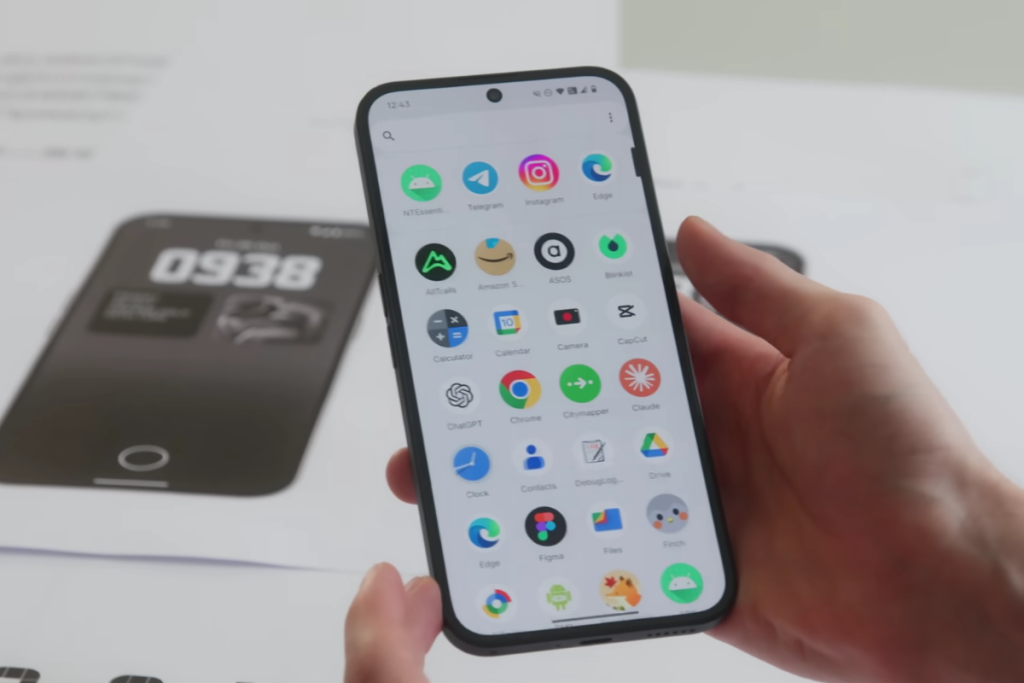
Another useful feature of the Nothing OS 3.0 is the app categorization, which Nothing calls Smart Drawer. Inspired by iOS, this feature automatically sorts all your apps into different categories.
First, you have a row with four AI-suggested apps, followed by categories of apps.
6. Redesigned Settings App
The Settings app menu in Nothing OS 3.0 gets a new look. The sizes of the Network & Internet and Connected devices options have been shrunk and placed horizontally, similar to the rest of the options, which, in my opinion, adds fluidity to the menu. All the menu options are now separated by a small gap.

Another change is that the Dot Matrix text has been replaced with Roboto. It’s one of the most readable fonts and has been applied across the system.
7. New Widgets and Widget Sharing
Nothing phones already have over 20 widgets, and the company promises to keep expanding the bucket to allow users to easily access more information without having to open the app. In the Nothing OS 3.0, there’s a new countdown widget.
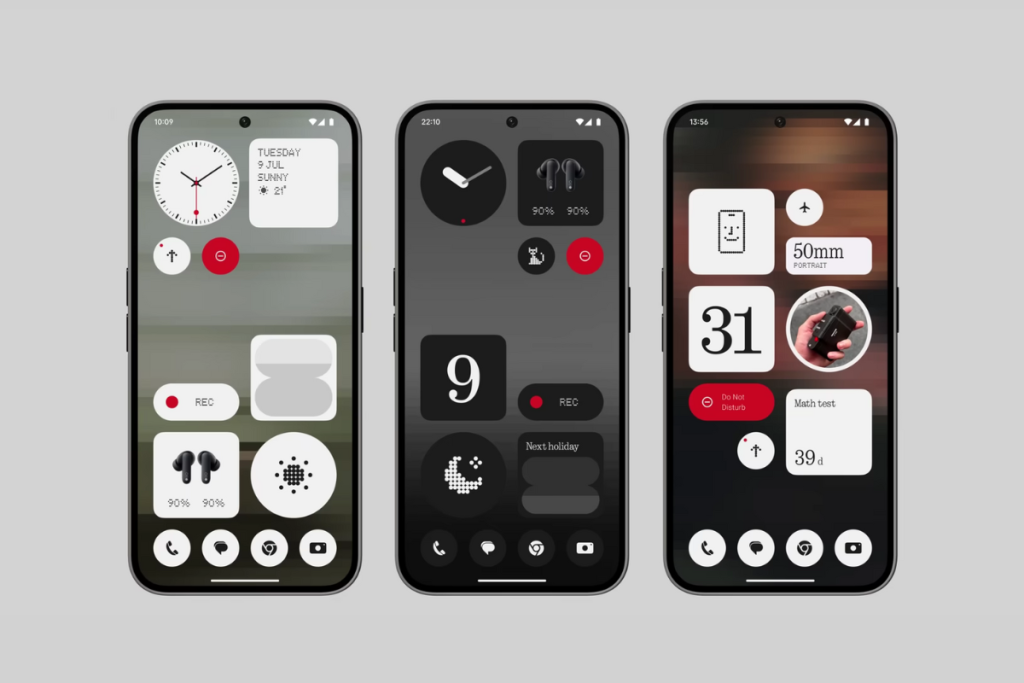
The new widget allows you to track time towards a specific date. You can also use it to display year’s progress or your birthday.
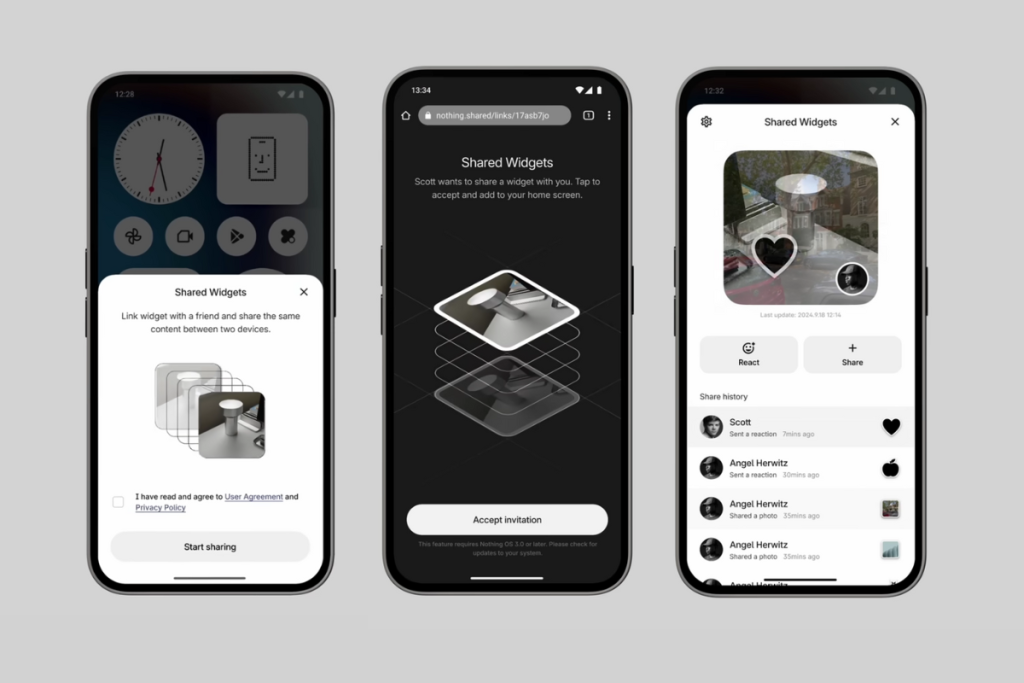
The new software also introduces Shared Widgets. This feature allows you to share widgets with someone. It’s a nice way to share your fitness progress or screen time.
Android 15 Features (Unconfirmed)
The above are features developed by Nothing’s development team. However, the next upgrade will bundle more features as part of Android 15.
Nothing hasn’t revealed which Android 15 features have been roped into the next upgrade. These could be on the list:
1. Private Space
Android 15 introduces Private Space to keep your data and apps safe from others with an additional layer of security. Anything you do inside the Private Space isn’t visible to other users on the device. It can be an excellent place to put your dating and financial apps.
2. Theft Detection Lock
This is one of the most useful Android 15 features designed to protect others from stealing your data. The theft detection lock uses Google’s AI to determine if your phone has been snatched from your hands. Once detected, the device locks itself automatically to prevent any data theft.
If the thief manages to factory reset the device, he won’t be able to activate it until he knows the Google account details previously used on the device.
3. App Archiving
Android 15 will allow users to uninstall unnecessary apps while keeping the user data around. It works similarly to offloading apps on iPhones. There won’t be any data loss; you can continue where you left off after reinstalling/unarchiving the app.
Android phones already have app archiving via the Google Play Store, allowing you to archive and restore apps. However, Android 15 integrates this feature at the OS level, allowing users to archive/restore apps, even those installed outside of the Google Play Store.
Nothing OS 3.0 seems like an exciting upgrade. Which new feature(s) do you like the most? Share your thoughts in the comment section below.


Comments