
Add GIZMOCHINA as Preferred Source on Google
OnePlus has begun the rollout of its latest OxygenOS 15 Android 15 update for the OnePlus Nord 4 smartphone in India. This follows the recent release of the stable update for the OnePlus 12, 12R, and the Nord CE 4 Lite 5G.
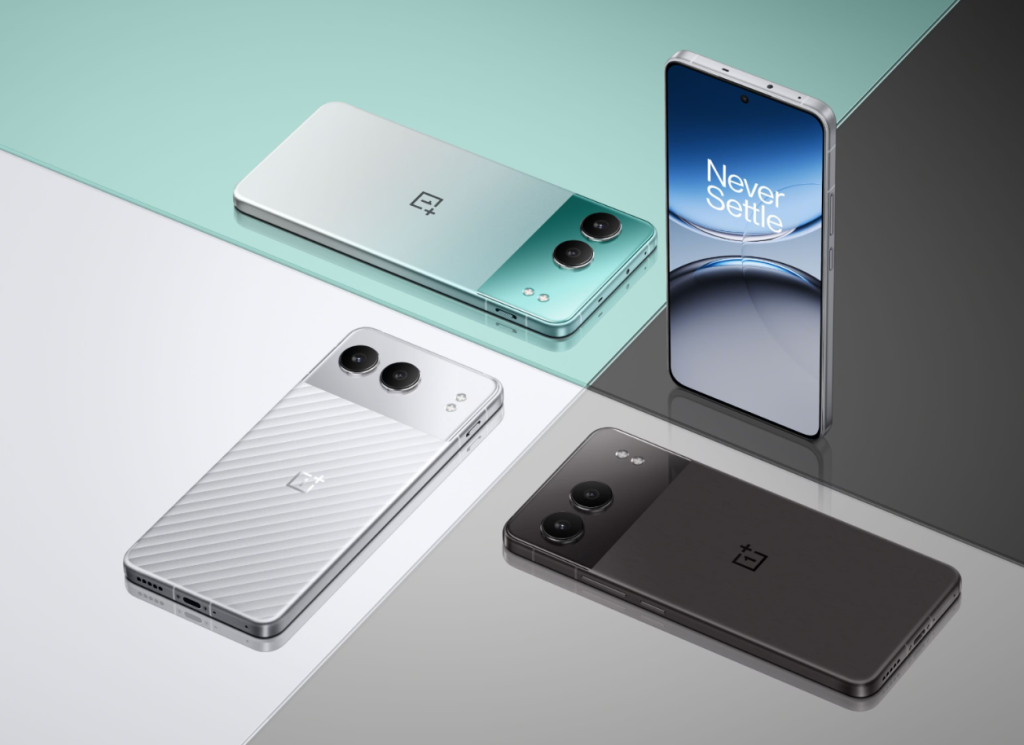
This update, called CPH2661_15.0.0.300 includes several improvements to make the user experience smoother and more enjoyable. The system’s animations and graphics have been upgraded to ensure seamless performance, even during multitasking. The update also introduces a fresh look with redesigned icons, rounded corners, and better widgets for easier use.
Customization has been improved with new themes, options for Always-On Display, and updated tools for Lock Screen adjustments. Privacy features have also been enhanced with better data management tools and a “Charging Limit” feature that helps protect battery health. Notifications and Quick Settings have been redesigned for easier access, while file sharing with iOS devices is now supported through OnePlus Share. If you wish to know more about the update, we have shared the complete official changelog below.
OnePlus Nord 4 OxygenOS 15 update changelog
Animations
- A cutting-edge system graphics engine is available to deliver superior rendering and animation performance. Its innovative parallel drawing architecture ensures smooth, uninterrupted visuals, even when switching between multiple apps or pushing the system to its limits. Stability and fluidity are guaranteed under any conditions.
- Parallel animation covers more elements like widgets, components, and folders, ensuring seamless transitions and smooth animations, even during frequent interruptions.
- System-wide swipe consistency is extended to third-party apps, including WebView interfaces, for a uniform scrolling experience across the entire system.
Visual effects
- The Home screen is revamped with newly designed icons, presenting a fresh look with balanced proportions and enhanced colors for fuller and sharper visuals.
- Numerous system function icons are overhauled for improved visual uniformity throughout the system.
- The rounded corner design is enhanced for uniformity and continuous curvature is applied throughout the system.
Themes
- The new flux themes feature a vast array of high-quality themes, allowing customization with system wallpapers and personal photos for a personalized touch.
- Extensive customization is added for Always-On Display, the Lock screen, and the Home screen. Flux and classic modes are supported for Always-On Display. Clock color blending, blurred wallpapers, AI depth effects, AI auto-fills, and more are supported for the Lock screen. Blurred wallpapers, and more are supported for the Home screen.
- The new flux themes present fluid and seamless transition animations among Always-On Display, Lock screen, and Home screen for improved visual consistency.
Live Alerts
- The new Live Alerts design is concentrated on efficient information visualization, positioned centrally for a balanced and streamlined display.
- The new Live Alerts interaction allows capsules to expand into detailed cards with a tap, providing efficient access to multiple live activities by swiping in the status bar.
- The new Live Alerts animation system brings a fluid, elastic design and dynamic blurring effects in real time, making card visuals smoother and more refined.
Livephotos
- The live photo duration is lengthened to 3 seconds, allowing more moments to be captured.
Photo editing
- The new globally reversible photo editing capability saves previous edit settings for seamless subsequent edits, ensuring uninterrupted creative flow.
- The integration between Camera and filters is enhanced, allowing for the post-editing, changing, or removing of applied filters in Photos.
Floating Window and Split View
- The new Floating Window gestures: you can swipe down a notification banner to open a floating window, swipe down to enlarge it, swipe up to close it, and swipe sideways to hide it.
- The resizable Split View windows allow you to drag the divider or tap the window for a more extensive display area.
Notifications & Quick Settings
- The new Split mode allows separate access to the notification drawer (top-left swipe) and Quick Settings (top-right swipe), with swipe left or right to switch.
- Quick Settings is revamped with a more visually appealing and consistent layout, along with refined and enhanced animations.
OnePlus Share
- The new file transfer capability with iOS devices, easily connecting and sharing files through OnePlus Share.
- Now you can easily share live photos with nearby iOS devices.
Battery & charging
- The new “Charging limit” feature halts charging at 80%, helping to extend battery life and minimize degradation.
- The new battery protection reminder activates the Charging limit feature if the device remains charging for too long, enhancing battery protection.
More
- Exclusive OxygenOS Always-On Displays and Lock screen clock styles are added for a unique visual experience.
- The new Home screen clock widget gives you the flexibility to resize as desired.
- An easter egg is added in Calculator and will pop up when you input “1+=”, embodying OnePlus’s enduring “Never Settle” mentality.
- New wallpapers are added to infuse your device with OnePlus’s signature style.
- Exclusive app icon designs for OxygenOS are added, offering a fresh visual experience.
- Now you can swipe up to the left to quickly enable Split View when an app is displayed in full screen.
- Now you can search for notes by pinyin and attachments like audio in your notes.
- The style and visuals of the Notes widgets are enhanced, making them more appealing and practical.
- Apps in large folders can now be displayed in 3 × 3 grids.
- Optimizes the widgets of Clock on the Home screen.
- Optimizes the widgets of Notes on the Home screen.
- The multitasking experience is enhanced by automatically guiding you to the last used app in the recent tasks view for easier app switching.
- The Drawer mode is optimized to keep the existing Home screen app layout upon initial entry.
Privacy
- The Private Safe is optimized by implementing categorized views for images, videos, and documents, simplifying data management.
- A new Home screen entry is added for hidden apps, allowing quick access by tapping the folder and verifying your privacy password.
Wi-Fi
- The multi-network experience is enhanced to deliver more efficient, accurate, and uninterrupted transitions between networks
The update is being rolled out in batches and should reach all users in India within a week. A rollback option is available for those who prefer Android 14, and global users can expect the update in the coming weeks.
(Source)


Comments