
Add GIZMOCHINA as Preferred Source on Google
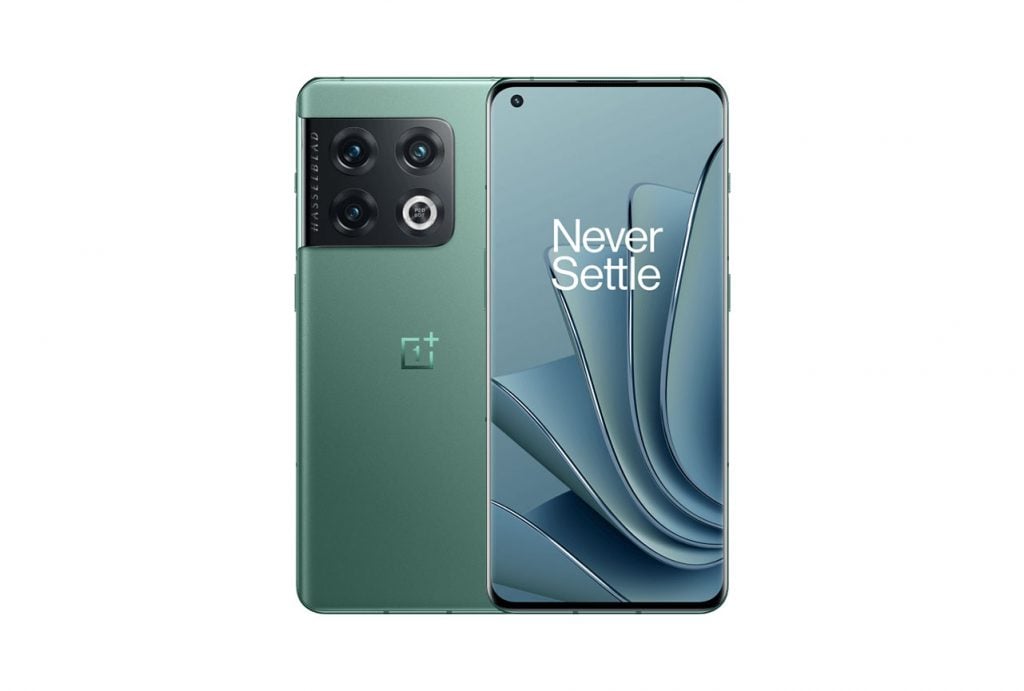
OnePlus has started the rollout of OxygenOS 15 for the OnePlus 10 Pro 5G in India (version NE2211_15.0.0.401(EX01)). The update introduces a variety of improvements focused on usability, customization, and system performance. That said, it is worth mentioning that the update does not come with AI features, that are present in the OxygenOS 15 versions of more recent OnePlus flagships.
Key Features:
Ultra Animation Effects
The parallel rendering architecture improves multi-app switching under heavy use. Animations for widgets, folders, and other components are more fluid, while system-wide scrolling is now consistent across third-party apps.
Luminous Rendering Effects
Rounded corner designs have been standardized to create a more uniform appearance.
Flux Themes
Customizable settings for Always-On Display, Lock screen, and Home screen are now available. Flux themes enable smooth transitions, with additional options for wallpapers and clock styles.
Live Alerts
Live Alerts now display information more clearly, with interactive capsules that can expand into cards. Users can swipe between activities and see updates like torch status directly on the alerts. Layout improvements include better Spotify integration and a fix for overlapping icons.
Photo Editing
A reversible editing feature allows users to apply previous settings to new edits, while filters used during capture can be modified later.
Multitasking Updates
Split View windows are now resizable, and new Floating Window gestures provide improved control over app views. Notifications and Quick Settings have been redesigned with separate swiping gestures for better navigation.
OnePlus Share
File sharing with iOS devices is now supported, including live photo transfers.
Battery and Charging
The new “Charging limit” feature caps charging at 80% to protect battery health, along with reminders for long charging periods.
Privacy Features
Private Safe now organizes files into categories, and hidden apps are accessible via a new Home screen folder.
We have also included the detailed official changelog below for readers eager to know the nitty-gritty of this update.
OnePlus 10 Pro 5G OxygenOS 15 Changelog
Ultra animation effects
- Introduces the industry’s first parallel rendering architecture, offering parallel response and unified rendering to elevate multi-app switching to a new level. Even under extreme usage conditions, the display remains consistently smooth and seamless, ensuring unwavering stability.
- Adds parallel animation for a wider range of scenarios, including widgets, components, folders and more, ensuring smooth animations even when frequently interrupted.
- Adds system-level swiping curve coverage for third-party apps, including WebView interfaces, ensuring a consistent scrolling experience throughout the system.
Luminous rendering effects
- Optimises the rounded corner design by standardising its specifications and extending the application of a continuous curvature.
Flux themes
- Introduces new flux themes with a huge collection of high-quality themes. Customise them with system wallpapers and photos for your unique touch.
- Introduces customisation for Always-On Display, the Lock screen and the Home screen. Always-On Display supports flux and classic modes. The Lock screen supports clock colour blending, blurred wallpapers, AI depth effects, AI auto-fills and more. The Home screen supports blurred wallpapers and more.
- Introduces flux themes with one-take transition animations, enabling seamless and smooth transitions between Always-On Display, Lock screen and Home screen, significantly enhancing visual continuity.
Live Alerts
- Adds a new Live Alerts design that is focused on the visualisation of information, offering better information display efficiency. Live Alerts is also positioned in the centre, creating a more balanced display.
- Optimises the way you interact with Live Alerts capsules – just tap a capsule and see it expand into a card. You can quickly switch between multiple live activities simply by swiping left or right on the capsules in the status bar, making it more efficient to view information.
- Introduces a new Live Alerts animation system featuring elastic design, seamless expansion and dynamic real-time blur to enhance the visuals of cards.
- Now you can see the status of the torch on Live Alerts.
- Fixes a display issue with existing icons on the status bar when a Live Alerts capsule is displayed. Improves the layout of Spotify on Live Alerts and adds smart recommendations.
Photo editing
- Introduces globally reversible photo editing capability that remembers the settings for your previous edits so they can be applied to subsequent edits, keeping the creative flow uninterrupted.
- Improves integration between Camera and filters, so filters that are applied to photos when taken can be edited, changed and removed later in Photos.
Floating Window and Split View
- Introduces new Floating Window gestures: pulling down a notification banner to bring up a floating window, pulling down a floating window for full screen display, swiping up to close a floating window and swiping to a side to hide a floating window.
- Now you can drag a floating window to change it to full screen.
- Introduces resizable Split View windows. Simply drag the divider to resize the window not fully displayed for a larger display area. You can also achieve this by tapping the window.
Notifications & Quick Settings
- Adds the Split mode for the notification drawer and Quick Settings. Swipe down from the upper-left to open the notification drawer, swipe down from the upper-right for Quick Settings and swipe left or right to switch between them.
- Redesigns Quick Settings with an optimised layout that offers more appealing and consistent visuals and more refined and rich animations.
OnePlus Share
- The new file transfer capability with iOS devices, easily connecting and sharing files through OnePlus Share.
- Now you can easily share live photos with nearby iOS devices.
Battery & charging
- Introduces “Charging limit” to stop charging at 80% to extend battery lifespan and slow down degradation.
- Introduces battery protection reminder to turn on Charging limit when your device is connected to a charger for too long.
More
- Introduces exclusive OxygenOS Always-On Displays and Lock screen clock styles.
- Introduces the new Home screen clock widget that can be resized to your preference.
- Plants a “1+” easter egg in Calculator to be displayed when punching in “1+=” as a show of OnePlus’ “Never Settle” philosophy.
- Introduces more wallpapers to bring the unique style of OnePlus to your phone.
- Introduces exclusive OxygenOS app icon styles.
- Now you can swipe up to the left to quickly enable Split View when an app is displayed in full screen.
- Now you can migrate live photos from iOS devices with Clone Phone.
- Retouch appearance in video calls now supports more apps.
- Boarding passes can now be recognised in Photos and added to Google Wallet.
- Optimises the style and visuals of the Notes widgets on the Home screen for a more attractive and practical experience.
- Apps in large folders can now be displayed in 3 × 3 grids.
- Optimizes the widgets of Clock on the Home screen.
- Optimizes the widgets of Notes on the Home screen.
- Optimises your multitasking experience by navigating you to the last used app once you enter the recent tasks view, making app switching more convenient.
- Optimises the Drawer mode by retaining the Home screen app layout when you enter Drawer mode for the first time.
Privacy protection
- Improves Private Safe with the new categorised browsing features for images, videos and documents, making it easier to manage private data.
- Introduces a new Home screen entry for hidden apps. You can tap the Hidden apps folder on the Home screen and verify your privacy password to see the apps.
(Source)



Comments