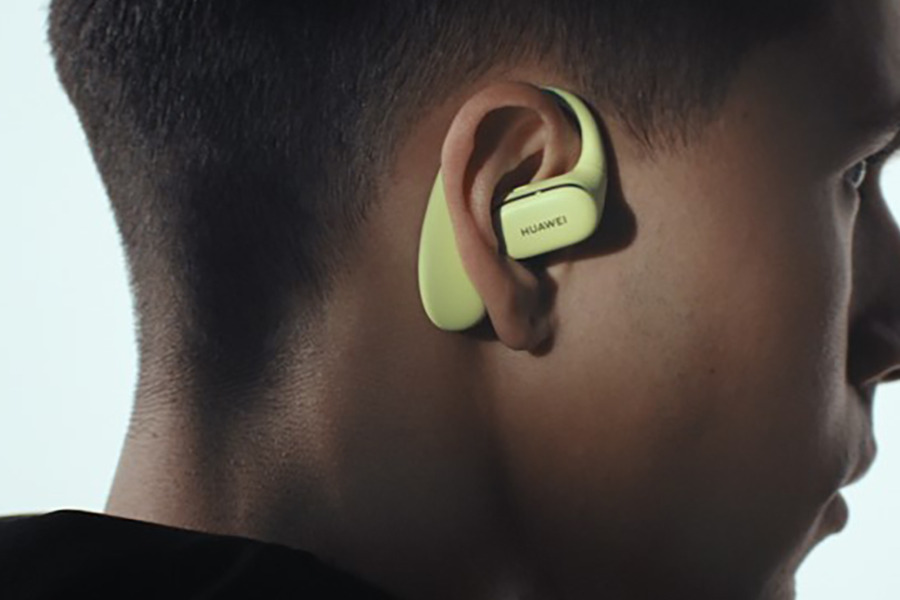
Like it or not, Bluetooth earbuds have largely taken over the wired earphone market in recent years. A big part of that shift comes down to smartphone brands as it is rare for a 2025 to have a headphone jack. This makes wireless audio the default option for most users.
That doesn’t mean Bluetooth earbuds are a bad product—far from it. In fact, they’ve become an essential accessory that offers the convenience of wireless freedom for listening to music, taking calls, and watching videos on the go.
But there’s a common frustration many users run into: battery life that drains faster than expected. One of the less obvious factors contributing to this problem is the distance between the earbuds and the connected device. Here’s a breakdown of how distance impacts battery life in wireless earbuds and what you can do to manage it.
Bluetooth technology operates using short-range radio waves to transmit data between devices. In the context of earbuds, the process involves pairing them with a smartphone, tablet, or computer to stream audio. The Bluetooth standard is designed to work efficiently within a certain range—typically around 10 meters (33 feet) for most consumer devices.
However, the quality and strength of the connection can vary based on several factors, including interference from other devices, physical obstacles like walls, and the specific Bluetooth version your device uses.
2. Why Distance Matters
As the distance between your Bluetooth earbuds and the connected device increases, the signal strength weakens. When the connection weakens, your earbuds have to work harder to maintain a stable link, which requires more power.
Bluetooth operates on adaptive transmission power, meaning it adjusts the signal strength based on the proximity of the connected device. When the device is nearby, the earbuds can maintain the connection using minimal power. But as you move further away, they boost their transmission power to keep the audio stream uninterrupted. This increase in power consumption directly affects battery life.
3. Real-World Scenarios
Consider these everyday situations:
Home Use: If you’re listening to music on your earbuds while cleaning your house, you may frequently move in and out of the Bluetooth range of your phone or laptop. Each time the connection weakens and strengthens, your earbuds expend more energy.
Office Environment: In an office with multiple Bluetooth devices and potential physical obstructions, your earbuds might need to work harder to maintain a stable connection, especially if your phone is left at your desk while you move around.
Outdoor Activities: When jogging or walking, the position of your phone—whether it’s in your pocket, armband, or bag—can affect the distance and signal quality. If the connection intermittently drops or weakens, the earbuds will consume more power to reconnect.
4. Impact on Battery Life
The extent to which distance affects battery life varies based on the specific model of earbuds and their Bluetooth technology. Newer versions, such as Bluetooth 5.0 and above, are more power-efficient and offer longer ranges compared to older versions.
Nevertheless, even with advancements in Bluetooth technology, increasing the transmission power to maintain a connection over longer distances will inevitably drain the battery faster. This can be particularly noticeable if your earbuds already have a modest battery capacity.
Several other factors can exacerbate battery drain due to distance:
Audio Quality: High-quality audio streams require more data, which in turn demands a stronger and more stable Bluetooth connection. Lossless audio formats, for example, can significantly impact battery life when paired with long distances.
Interference: Wi-Fi networks, microwave ovens, and other wireless devices can interfere with Bluetooth signals, causing your earbuds to increase their transmission power.
Obstructions: Walls, furniture, and even your body can block or weaken Bluetooth signals, leading to increased power consumption.
6. Tips to Optimize Battery Life
While you can’t always control the distance between your earbuds and the connected device, there are steps you can take to minimize battery drain:
Keep Devices Close: Whenever possible, keep your phone or other connected device nearby. This reduces the need for your earbuds to boost their signal strength.
Update Firmware: Manufacturers often release firmware updates that optimize battery performance and connection stability.
Optimize Audio Settings: Lowering the audio quality can reduce the amount of data transmitted, which can help conserve battery life over longer distances.
Avoid Interference: Stay away from areas with high wireless interference to maintain a stable and efficient Bluetooth connection.
7. The Role of Bluetooth Versions
It’s worth noting that newer Bluetooth versions are designed to address some of these issues. Bluetooth 5.0 and later versions offer extended range, faster data transfer, and improved power efficiency. Devices equipped with these versions can maintain stable connections over longer distances with less power consumption.
However, both your earbuds and the connected device need to support the same Bluetooth version to fully benefit from these improvements.
8. Conclusion
Distance is a subtle but significant factor that can affect the battery life of your Bluetooth earbuds. While advancements in Bluetooth technology have improved power efficiency, maintaining a stable connection over longer distances still comes at a cost.
By understanding how distance impacts battery life and taking practical steps to minimize its effects, you can get the most out of your earbuds and enjoy a better listening experience.
For more daily updates, please visit our News Section.
We use cookies on our website to give you the most relevant experience by remembering your preferences and repeat visits. By clicking “Accept”, you consent to the use of ALL the cookies.
This website uses cookies to improve your experience while you navigate through the website. Out of these, the cookies that are categorized as necessary are stored on your browser as they are essential for the working of basic functionalities of the website. We also use third-party cookies that help us analyze and understand how you use this website. These cookies will be stored in your browser only with your consent. You also have the option to opt-out of these cookies. But opting out of some of these cookies may affect your browsing experience.
Necessary cookies are absolutely essential for the website to function properly. This category only includes cookies that ensures basic functionalities and security features of the website. These cookies do not store any personal information.
Any cookies that may not be particularly necessary for the website to function and is used specifically to collect user personal data via analytics, ads, other embedded contents are termed as non-necessary cookies. It is mandatory to procure user consent prior to running these cookies on your website.