Add GIZMOCHINA as Preferred Source on Google
As an Amazon Associate, Gizmochina earns from qualifying purchases. Links on this page may earn us a commission at no extra cost to you.
If you use a MacBook Pro and an iPhone, you already know Apple’s chargers don’t always keep up with real life. The official adapters are either too big, too expensive, or limited to a single port.
Enter GaN (gallium nitride) chargers. They’re smaller, cooler, and more powerful than traditional silicon chargers, and many of them come with multiple ports so you can power your MacBook, iPhone, and AirPods at the same time.
We looked through a long list of options and narrowed it down to five chargers that balance portability, power, and versatility. These work well for Apple’s top-end MacBooks and iPhones.
1. Anker 140W 4-Port PD 3.1 Charger
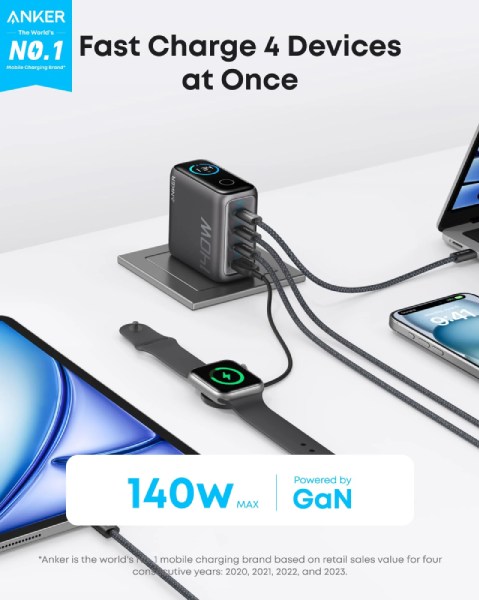
- Dimensions: 6.9 × 6.9 × 3.6 cm
- Weight: 275 g
- Connections: 3× USB-C (2× 140W PD 3.1, 1× 40W), 1× USB-A (33W)
- Color: Silver or Gray
- Price: $99.99
If you own a 16-inch MacBook Pro, this charger is probably the best replacement for Apple’s bulky adapter. It supports PD 3.1, meaning it can fast-charge the biggest MacBook using Apple’s MagSafe 3 cable. Unlike Apple’s official brick, it has four ports, so you can keep your iPhone and AirPods powered while topping up your laptop.
The design is also a little more practical: all the ports are on the bottom, so cables don’t stick out awkwardly from the wall. It even has a small display to show charging status and temperature, which is rare for wall chargers. At 275 grams, it’s heavier than a simple single-port adapter, but it’s compact for the amount of power it offers.
| Preview | Product | |
|---|---|---|

|
Anker Laptop Charger, 140W MAX USB C Charger, 4-Port Multi-Device Fast Charging, Advanced GaN Power… | Check Price on Amazon |
Please Note: When you buy something using the links in our articles, we may earn a small commission at no cost to you.
2. Ugreen Nexode Pro 160W 4-Port GaN Fast Charger
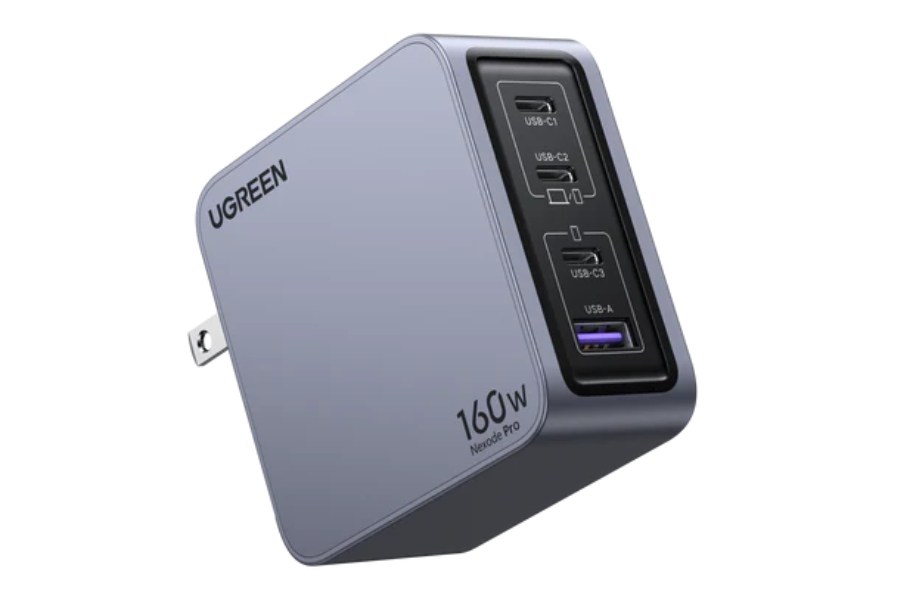
- Dimensions: 7.1 × 4.3 × 3.3 cm
- Weight: 304 g
- Connections: 1× USB-C (140W PD 3.1), 1× USB-C (100W PD 3.0), 1× USB-C (30W), 1× USB-A (22.5W)
- Color: Gray
- Price: $94.99
Ugreen’s Nexode Pro 160W strikes a good balance between power and portability. It’s slightly heavier than Anker’s 140W model, but still much smaller than Apple’s original 140W charger. The top USB-C port can fast-charge the 16-inch MacBook Pro, while the second one can handle a 14-inch MacBook Pro at 100W.
If you’re charging multiple devices, you can split power across two laptops (65W each) and still have room to charge a phone or iPad. For people who juggle multiple Apple devices at once, this versatility makes it one of the best picks.
| Preview | Product | |
|---|---|---|

|
UGREEN 200W USB C Charger, Nexode 6-Port GaN Desktop Charger, USB C Charging Station for MacBook… | Check Price on Amazon |
Please Note: When you buy something using the links in our articles, we may earn a small commission at no cost to you.
3. Anker Prime Charger 100W (3 Ports)
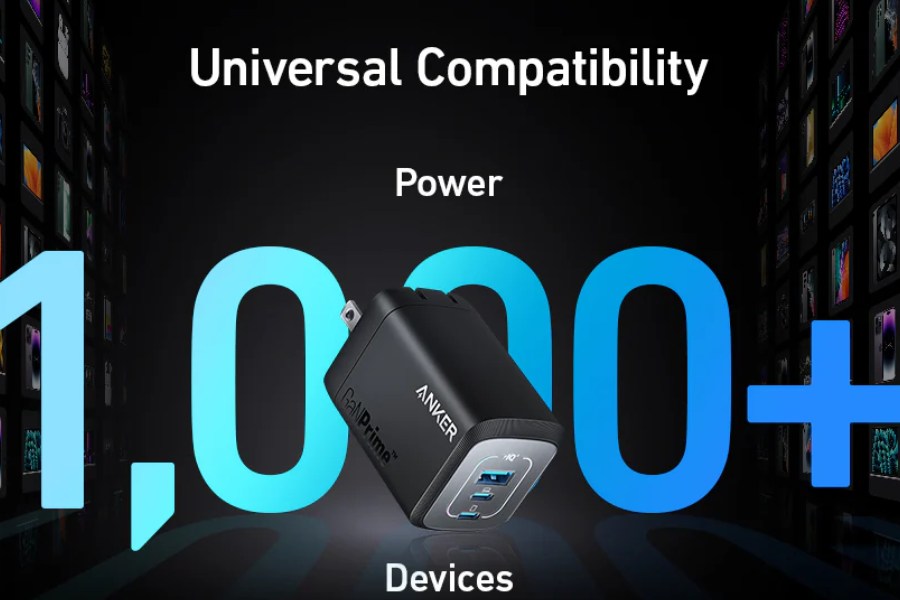
- Dimensions: 4.4 × 2.9 × 6.8 cm
- Weight: 170 g
- Connections: 2× USB-C (100W PD 3.0), 1× USB-A (22.5W)
- Color: Gray
- Price: $84.99
If you don’t need the full 140W, the Anker Prime 100W is a sweet spot. It’s smaller and lighter than most high-wattage chargers, making it easier to carry around. At 100W, it can easily charge a 14-inch MacBook Pro or keep a 16-inch model going at standard speed, though not full fast charge.
With three ports, it’s enough for a laptop, iPhone, and AirPods. The design has been tweaked recently to prevent it from slipping out of sockets, which was an issue in earlier Anker models. For commuters and frequent travelers, this one balances power and portability really well.
| Preview | Product | |
|---|---|---|

|
Anker Prime Charger 100W (3 Ports) | Check Price on Amazon |
Please Note: When you buy something using the links in our articles, we may earn a small commission at no cost to you.
4. Belkin BoostCharge Pro 140W 4-Port GaN Wall Charger
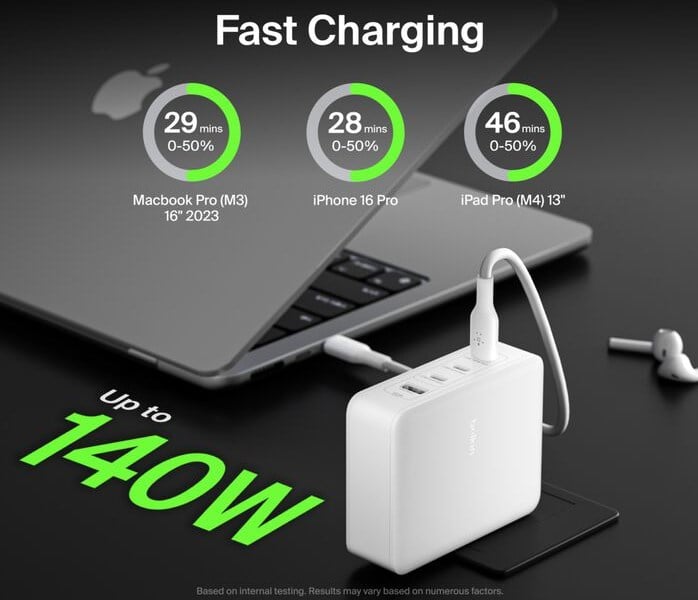
- Dimensions: 3.1 × 7.6 × 9.6 cm
- Weight: ~ (comparable to 140W wall chargers)
- Connections: 1× USB-C (140W PD 3.1), 2× USB-C (65W), 1× USB-A (12W)
- Color: White
- Price: $129.99
Belkin’s BoostCharge Pro is a strong rival to Anker’s high-wattage chargers. It has a single 140W USB-C port that can fast-charge the MacBook Pro 16-inch, plus two more USB-C ports for mid-powered devices, and a USB-A port for legacy cables.
The big advantage here is flexibility: you can run two MacBook Airs at once, or a MacBook Pro, iPhone, and Apple Watch together. Belkin’s chargers also tend to feel sturdier than budget alternatives, though this comes at a slightly higher price. If you’re an Apple household with multiple devices in rotation, this charger cuts down the number of bricks you need.
| Preview | Product | |
|---|---|---|

|
Belkin 140W 4-Port Gan Wall Charger | Travel Plug USB -C PD Fast Charge | Compatible For iPhone,… | Check Price on Amazon |
Please Note: When you buy something using the links in our articles, we may earn a small commission at no cost to you.
5. Ugreen Nexode 200W 6-Port Desktop Charger
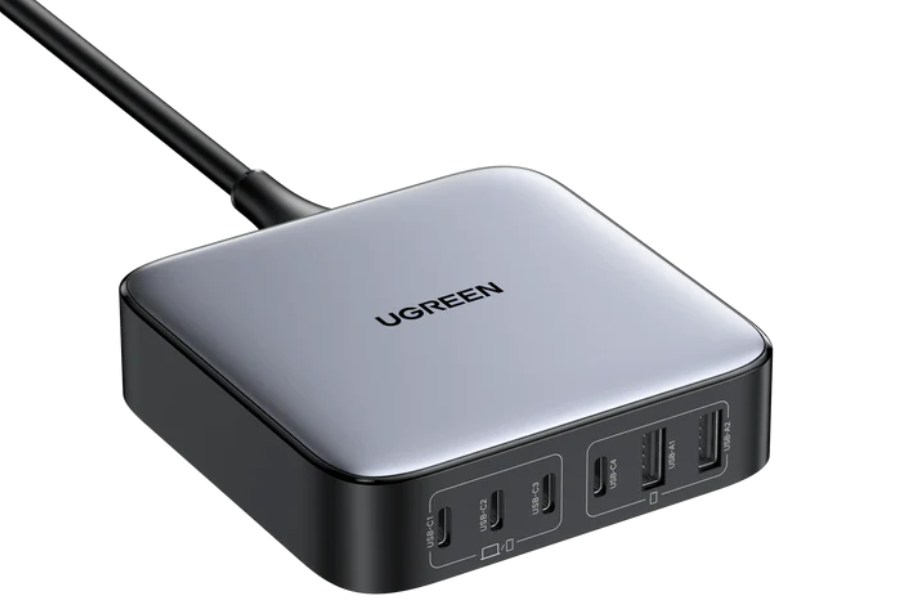
- Dimensions: 10.1 × 10.1 × 3.23 cm
- Weight: 517 g
- Connections: 2× USB-C (100W), 2× USB-C (65W), 2× USB-A (22.5W)
- Color: Gray
- Price: $119.99
Not all chargers are meant for wall sockets. Ugreen’s Nexode 200W is more like a mini charging station for your desk. With six ports, you can charge up to four MacBooks and two smaller devices at once. Each USB-C port goes up to 100W, so you won’t run into power limits unless you’re trying to fast-charge multiple large laptops at the same time.
It comes with a 1-meter cable that plugs into the wall, so the brick can sit on your desk for easier access. At over 500 grams, it’s not something you’ll toss in a backpack for daily travel, but if you want a single charger for your home office setup, it’s one of the best.
| Preview | Product | |
|---|---|---|
|
|
UGREEN 200W USB C Charger, Nexode 6-Port GaN Desktop Charger, USB C Charging Station for MacBook… | Check Price on Amazon |
Please Note: When you buy something using the links in our articles, we may earn a small commission at no cost to you.
Why GaN chargers matter for Apple users
Apple’s own chargers are good, but they’re often one-port solutions. If you’re using a MacBook Pro, an iPhone, and maybe an iPad, you’ll quickly find yourself running out of outlets or carrying around multiple adapters. GaN chargers solve this problem by offering multiple high-power ports in a smaller footprint.
They’re also more efficient, generating less heat compared to older silicon chargers. That means you can get 100W or even 200W in a block that’s smaller than Apple’s single-port charger. For people who travel or work in shared spaces, these compact, high-power GaN chargers can make life a lot simpler.
For more daily updates, please visit our News Section.
Stay ahead in tech! Join our Telegram community and sign up for our daily newsletter of top stories! 💡