
Add GIZMOCHINA as Preferred Source on Google
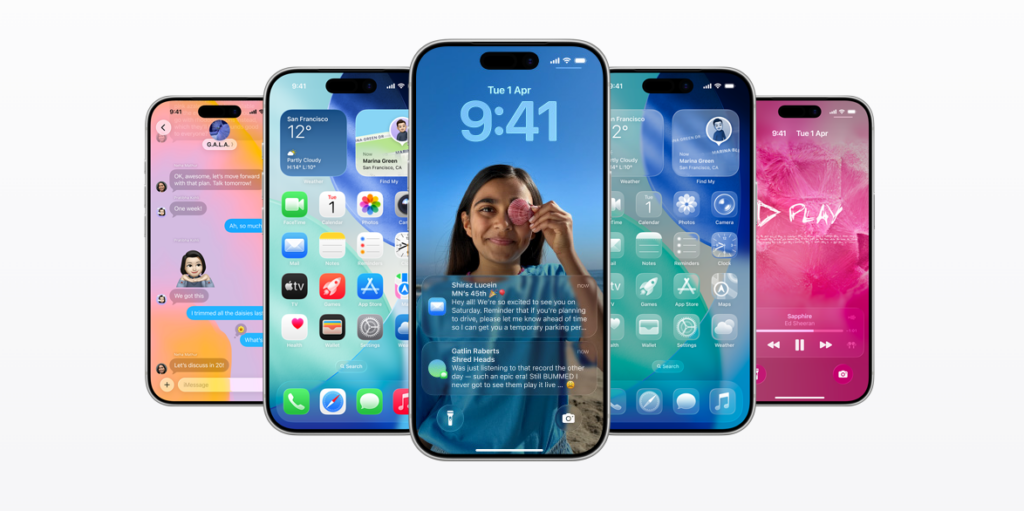
Apple’s iOS 26 is here with its most ambitious redesign in years, introducing “Liquid Glass” visuals, a redesigned camera app, and more AI features. But despite the hype, you might want to think twice and hold off on the update. From battery drain to confusing new UI elements, here’s everything you should consider.
Battery Drain & Overheating Issues
Shortly after the update rolled out, iPhone users began reporting unusually fast battery depletion. Many say their phones lose 20 to 40% battery charge within just an hour after a full charge. Overheating during regular use is also a common complaint. Apple claims this is partly due to background tasks like indexing and data re-optimization, but for people who rely heavily on their iPhones throughout the day, this kind of battery behavior can be a dealbreaker.
Massive Update Size & Storage Demands
Before moving to iOS 26, your iPhone likely needs to pass through iOS 18.7 if you haven’t already. Beyond that, iOS 26 requires a substantial amount of free space for download, unpacking, and installation. Users are being warned to free up at least 10GB of space. If your phone has limited storage or many large apps/data, this process can become frustrating and time-consuming. The download size alone is over 6GB, so this could be an issue for users who’ve nearly maxed out their iPhones.
UI Redesign
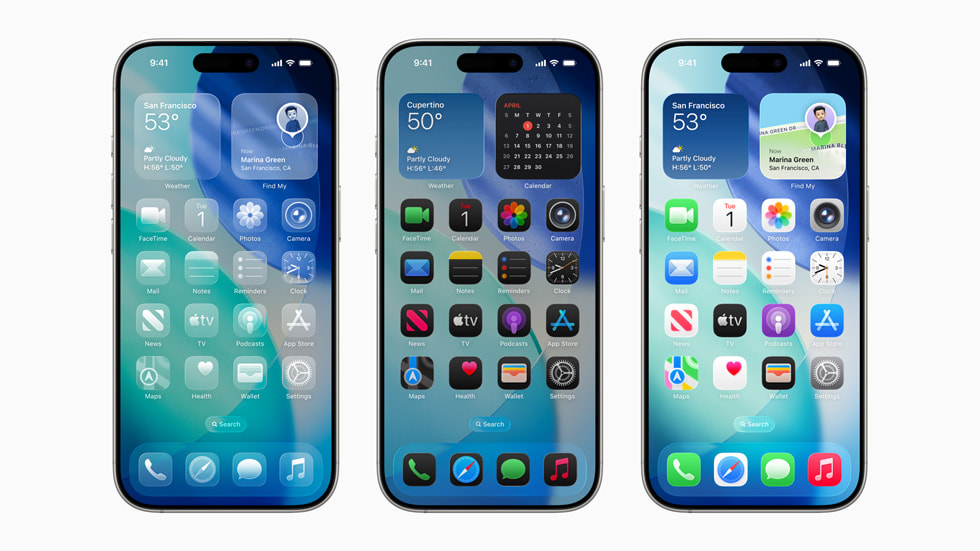
The “Liquid Glass” design is Apple’s new aesthetic translucent elements, dynamic visuals, and bold changes. But not everyone is happy. Key controls in apps like Camera have been moved, labels hidden in sub menus, and familiar features are less directly accessible. Users say this makes navigation less intuitive, particularly for longtime iPhone users.
Camera App Overhaul Could Be Jarring

The Camera app in iOS 26 has been redesigned in a way that hides previously visible toggles and options. For example, features like Live Photos or Exposure controls now live deeper in menus instead of being immediately visible. Users report that this increases friction when trying to adjust settings quickly. If you often use your Camera in manual or semi-manual mode, this change might frustrate you.
Bugs, Incomplete Features & Mixed Developer Feedback
As with many major OS updates, not all features are polished at launch. There are reports of CarPlay issues, Face ID problems, camera failures, and connectivity glitches. Some users feel that aspects of iOS 26 feel like beta software instead of a polished public release. Developers especially point out usability trade-offs in the redesign.
Final Verdict: Hold Off on iOS 26 Unless You’re Ready for These Changes
If your iPhone is your daily driver and you need reliability, battery life, and no surprises, it might be smarter to wait a few weeks. Let others report bugs, updates stabilize, and Apple patch the rough edges. But if you are looking to update:
- Make sure your device is backed up
- Free up plenty of storage (more than 10GB)
- Charge overnight, and avoid gaming immediately after updating
- Try toggling off controversial features (like some of the Liquid Glass / redesigned camera toggles) for better familiarity.
Upgrades are exciting, but sometimes patience gives you a better version from the start.
For more daily updates, please visit our News Section.
Tech enthusiast? Get the latest news first! Follow our Telegram channel and subscribe to our free newsletter for your daily tech fix! ⚡



Comments