
Add GIZMOCHINA as Preferred Source on Google
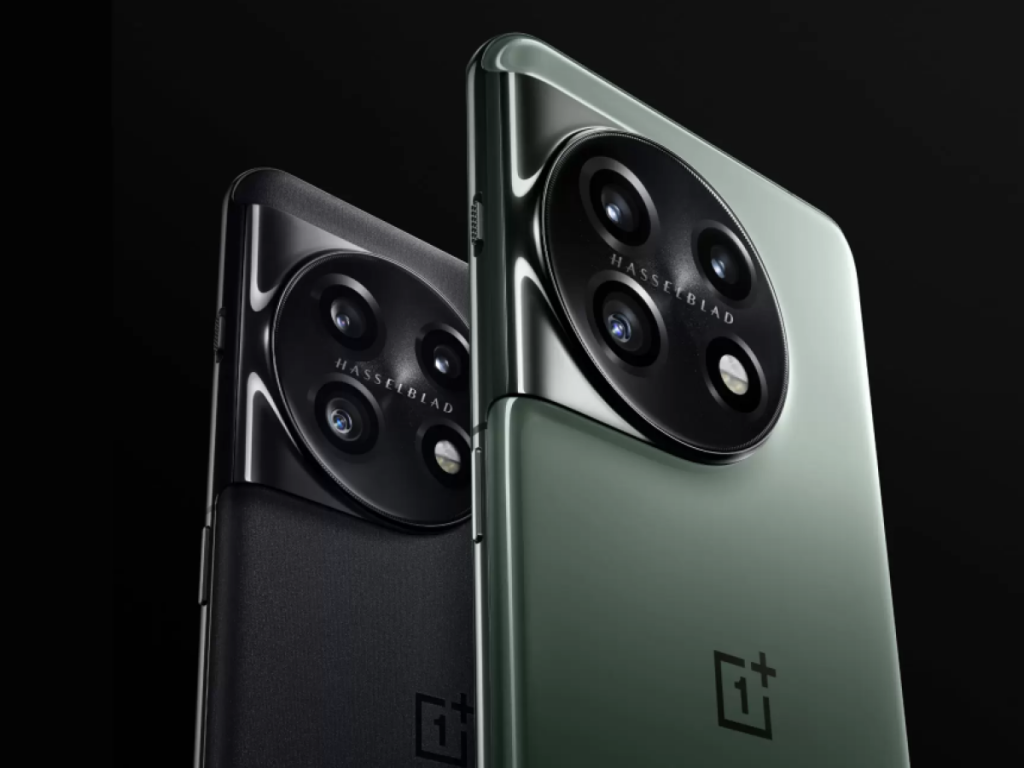
OnePlus released its Android 16-based OxygenOS 16 operating system last month, and has been rapidly rolling it out for its devices. The nearly three year old OnePlus 11 is the latest smartphone to receive this major update. At launch, the brand promised 4 major update for the device, which means it is also eligible for the OxygenOS 17 update next year. The update is available as version CPH2447_16.0.1.300(EX01), and the company says more regions will receive it in batches.
OxygenOS 16 introduces major changes to animations, performance, AI features, visuals, and system controls. The new Parallel Processing upgrade brings smoother transitions across system apps. Icons, widgets, folders, and the Smart Sidebar now react with cleaner drag and drop behavior. The text selection magnifier fades in and out more naturally. The status bar shifts smoothly when pulling down the notification shade or Quick Settings, and the gesture can be stopped midway. Audio controls in Quick Settings have new animations, and app opening and closing in button navigation feels more consistent. Charging and fingerprint effects now use light wave patterns, and scrolling has been tuned for better precision.
Performance gets a boost with the updated Trinity Engine, which adjusts workloads in real time. Games should hold steadier frame output through smarter task prioritization. Pop up windows and video calls run more smoothly, while overall power use drops. Photo albums load faster with lower thumbnail power usage, and cached videos in supported apps preview more quickly. Power saving mode now changes performance based on battery percentage.
AI features expand across Photos, Notes, Recorder, Writer, and VoiceScribe. Photos offers clearer categories, easier album navigation, a swipe up info panel, stronger video editing tools, auto straightening, improved collages, and refined filters. Notes adds block editing, side by side image viewing, link sharing for full notes, new highlights, and more formatting. Recorder gets AI noise reduction, automatic meeting or lecture detection, a new layout, and link sharing for audio, transcripts, and summaries. Writer generates more content types and can create mind maps and tables. VoiceScribe improves call summaries with better context handling.
The interface gains new light field visuals, Aurora effects, live weather animations, redesigned Clock, Calculator, and Compass apps, and a new fingerprint animation. Flux Home brings updated icon styles, more folder layouts, text free icons, reorganized settings, category based Drawer mode, a new search bar position, improved suggestions, customizable widget names, adjustable clocks, Lock screen text options, and wallpaper-matched icon styles including Dark mode sets.
Connectivity upgrades include Touch to Share, improved OnePlus Connect with PC multi window support, cross device clipboard, grouped Device Connect settings, better car Bluetooth pairing, a new My Devices center with matching widgets, and enhanced AI LinkBoost. Users can also share phone Wi Fi with a tablet.
Other additions include an AI Doc Scanner, more Quick Settings customization with 2×1 tiles, cleaner notifications, earbuds only ringtone playback, an AI settings page, Bosnian language support, a refreshed Smart Sidebar, redesigned battery stats, faster iOS migration, improved virus scanning, better data transfer speed, and the November 2025 security patch. Apps can also be locked or hidden by holding their Home screen icons.
Don’t miss a thing! Join our Telegram community for instant updates and grab our free daily newsletter for the best tech stories!
For more daily updates, please visit our News Section.
(Source)



Comments