
Add GIZMOCHINA on Google:
As the Galaxy S26 series hits shelves, Samsung has shifted its focus back to the One UI 8.5 beta program, which began in December 2025. For a long time, it remained exclusive to the Galaxy S25 series, but that changed today, as the brand has just released the first One UI 8.5 beta for the Galaxy Z Fold 7 and Galaxy Z Flip 7.
We knew it was coming. Earlier this week, One UI 8.5 beta builds for the Galaxy Z Fold 7 and Galaxy Z Flip 7 were spotted on Samsung’s servers, and shortly after, Samsung created One UI 8.5 beta program sections for the devices on its community forum.
For the Galaxy Z Fold 7 and Galaxy Z Flip 7, the first One UI 8.5 beta comes with a firmware version ending in ZZC5 (via) and a hefty download size of 4.2GB. As of writing this post, the beta has been spotted in India and South Korea. It will also expand to a few more regions, including the US, the UK, Poland, and Germany.
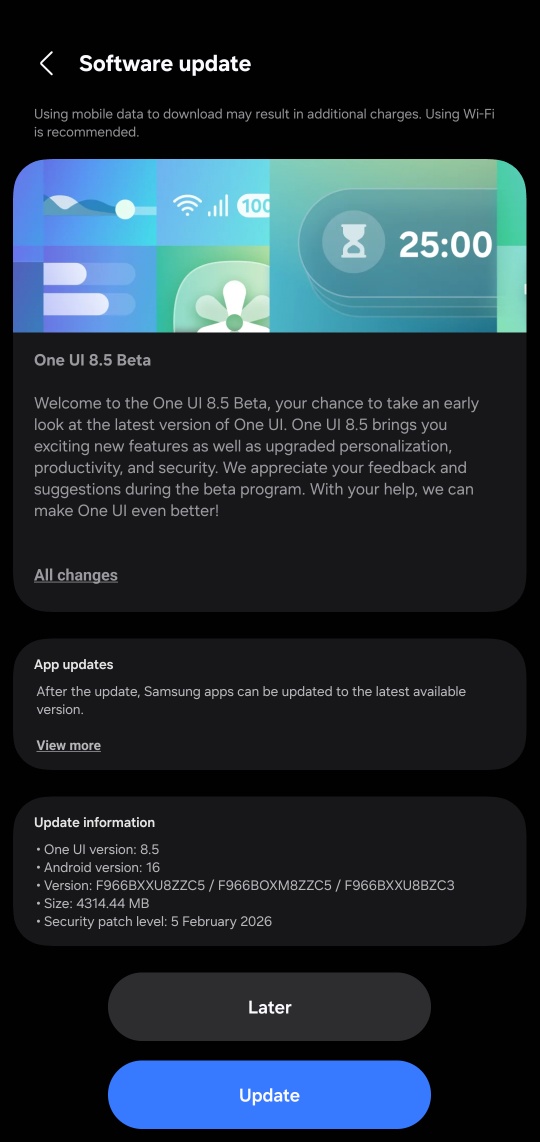
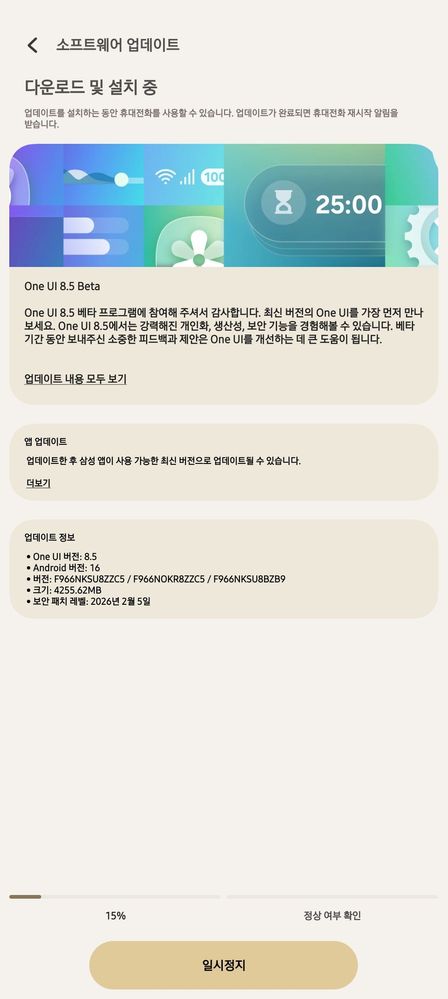
If you’re rocking either of these foldable phones, you may have a chance to get early access to the latest features and upgrades in One UI 8.5. For this, you’ll need to sign up for the One UI 8.5 beta program, as mentioned in the following section.
Also read:
1. One UI 8.5 update: Here’s the full list of eligible devices
2. One UI 8.5 will be the last feature update for these Galaxy devices
How to get One UI 8.5 beta on your Galaxy device
Keep in mind that beta builds may contain bugs and broken features. If you are okay with that, follow these steps to get the One UI 8.5 beta on your device.
First step: Enroll in the One UI 8.5 beta program
- Open the Samsung Members app on your phone.
- Make sure you’re signed in to the app with your Samsung account.
- Tap on the One UI Beta Program banner. If you don’t see this, the beta program isn’t currently available for your device.
- After tapping on the beta banner, accept the terms and conditions to enroll in the beta program.
Second step: Download and install the update
- Go to Settings > Software updates and tap Download and install.
- Once the download is completed, tap Install now.
It’s a major upgrade, so the installation time may be longer. After upgrading to One UI 8.5, you may notice higher battery usage in the first few days. This is completely normal as the device undergoes background optimization after every feature upgrade.
We’ll keep updating you with the latest developments around One UI in our Samsung section. You can visit the section regularly for the latest updates. Alternatively, you can join our Telegram channel to get instant notifications about the latest software updates and breaking tech news.

Comments