
Add GIZMOCHINA as Preferred Source on Google
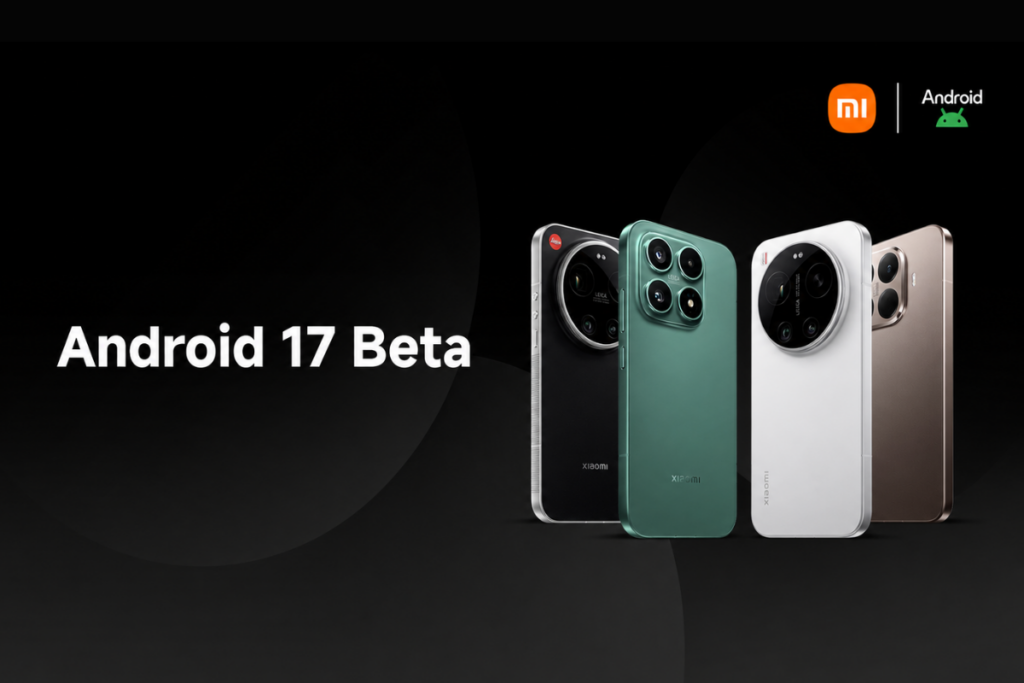
Xiaomi’s Android 17 Developer Preview program has just gone live, and it brings an unexpected upgrade to HyperOS 3.3. The company has restricted the beta program’s access to a limited number of high-end smartphones initially, with broader device support coming in the near future.
The Developer Preview program is currently available for four Xiaomi devices: Xiaomi 17, Xiaomi 17 Ultra, Xiaomi 15T Pro, and Leica Leitzphone powered by Xiaomi. If you’re rocking any of these devices, you can sign up for the testing program and get access to the upcoming features and upgrade well ahead of the public release. This release, however, signals a major shift in Xiaomi’s naming strategy for its HyperOS skin.
As spotted by Ximi Time, the Android 17 beta build for Xiaomi devices comes with HyperOS 3.3, skipping HyperOS 3.2 for some reason. This suggests Xiaomi won’t make the jump to HyperOS 4 but will pair HyperOS 3.3 with Android 17.
How to get Android 17 beta on your Xiaomi device
Remember that beta builds are prone to having bugs or unfinished features. Some apps may face compatibility issues. Therefore, it’s best to avoid such builds altogether or install them on a secondary device.
Before installing a beta build, it’s highly recommended to back up important data to cloud storage or copy it to a different device to be on the safe side.
Step 1: Ensure your phone is running the required firmware version.
- Xiaomi 17: OS3.0.301.0.WPCMIXM
- Xiaomi 17 Ultra: OS3.0.9.0.WPAMIXM
- Leica Leitzphone powered by Xiaomi: OS3.0.9.0.WPAMIXM
- Xiaomi 15T Pro: OS3.0.11.0.WOSMIXM
Step 2: Download the correct Android 17 beta build for your Xiaomi phone.
- Xiaomi 17: Download link
- Xiaomi 17 Ultra: Download link
- Leica Leitzphone powered by Xiaomi: Download link
- Xiaomi 15T Pro: Download link
Step 3: Copy the downloaded ROM upgrade ZIP file to the internal storage (if it isn’t there already)
Step 4: Go to Settings > About phone > tap the Xiaomi HyperOS logo at the top of the page.
Step 5: Tap Xiaomi HyperOS at the top for 10 times > click the three-dots icon in the top-right corner > select Choose update package.
Step 6: Select the ROM upgrade file you downloaded in step 2 and install it.
This is a major upgrade, and so the installation time could be longer. It’s best to charge your device at least 40% before the installation. Also, ensure the device has at least 10GB of free space for a smoother installation and better performance.
If you face major issues or want to revert to a previous stable build for any reason, you can download the required firmware using the links given below and flash it on your phone the same way. However, this could result in data loss. So, back up your important data beforehand.
Fallback firmware files:
- Xiaomi 17 (OS3.0.301.0.WPCMIXM): Download link
- Xiaomi 17 Ultra (OS3.0.9.0.WPAMIXM): Download link
- Leica Leitzphone powered by Xiaomi (OS3.0.9.0.WPAMIXM): Download link
- Xiaomi 15T Pro (OS3.0.11.0.WOSMIXM): Download link
We’ll keep tracking the latest developments on Android 17 and post them in the Xiaomi section on this website. Remember to visit the page at least once in a while to get fresh details. Or, you can follow our Telegram channel to get instant updates.



Comments