Add GIZMOCHINA as Preferred Source on Google
Samsung’s wider foldable design opens up new ways to use the Galaxy Z Fold 8 beyond simply unfolding it into a larger screen. From watching videos at a comfortable angle to running three apps simultaneously, the device offers several practical ways to take advantage of its unconventional form factor. Here are seven ways I enjoyed using it.
2Read, type, and multitask in portrait orientation
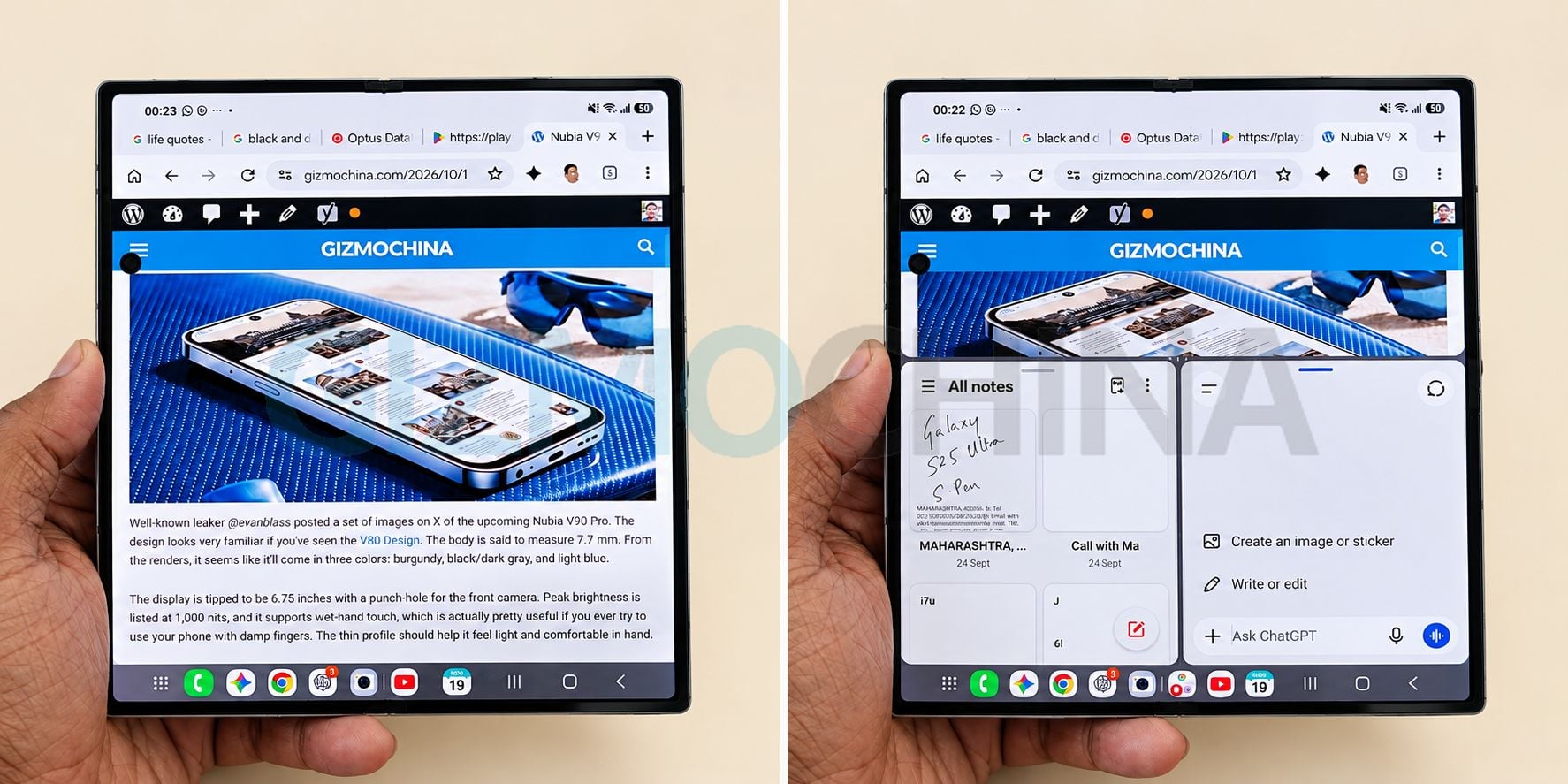
I particularly like holding the unfolded Fold 8 vertically when reading articles or typing. The larger display provides more room than a conventional phone, while Samsung’s multitasking interface lets you open multiple apps in a single view.
As shown in my photos, you can keep a webpage open across the upper portion of the screen while using Samsung Notes and another application below it. You can also stack apps vertically, making it easier to reference information while writing or responding to messages.
This arrangement is useful for researching a topic while taking notes, reading an article while chatting, or checking information without repeatedly switching between apps.