Add GIZMOCHINA as Preferred Source on Google
Samsung’s wider foldable design opens up new ways to use the Galaxy Z Fold 8 beyond simply unfolding it into a larger screen. From watching videos at a comfortable angle to running three apps simultaneously, the device offers several practical ways to take advantage of its unconventional form factor. Here are seven ways I enjoyed using it.
3Run two or three apps horizontally
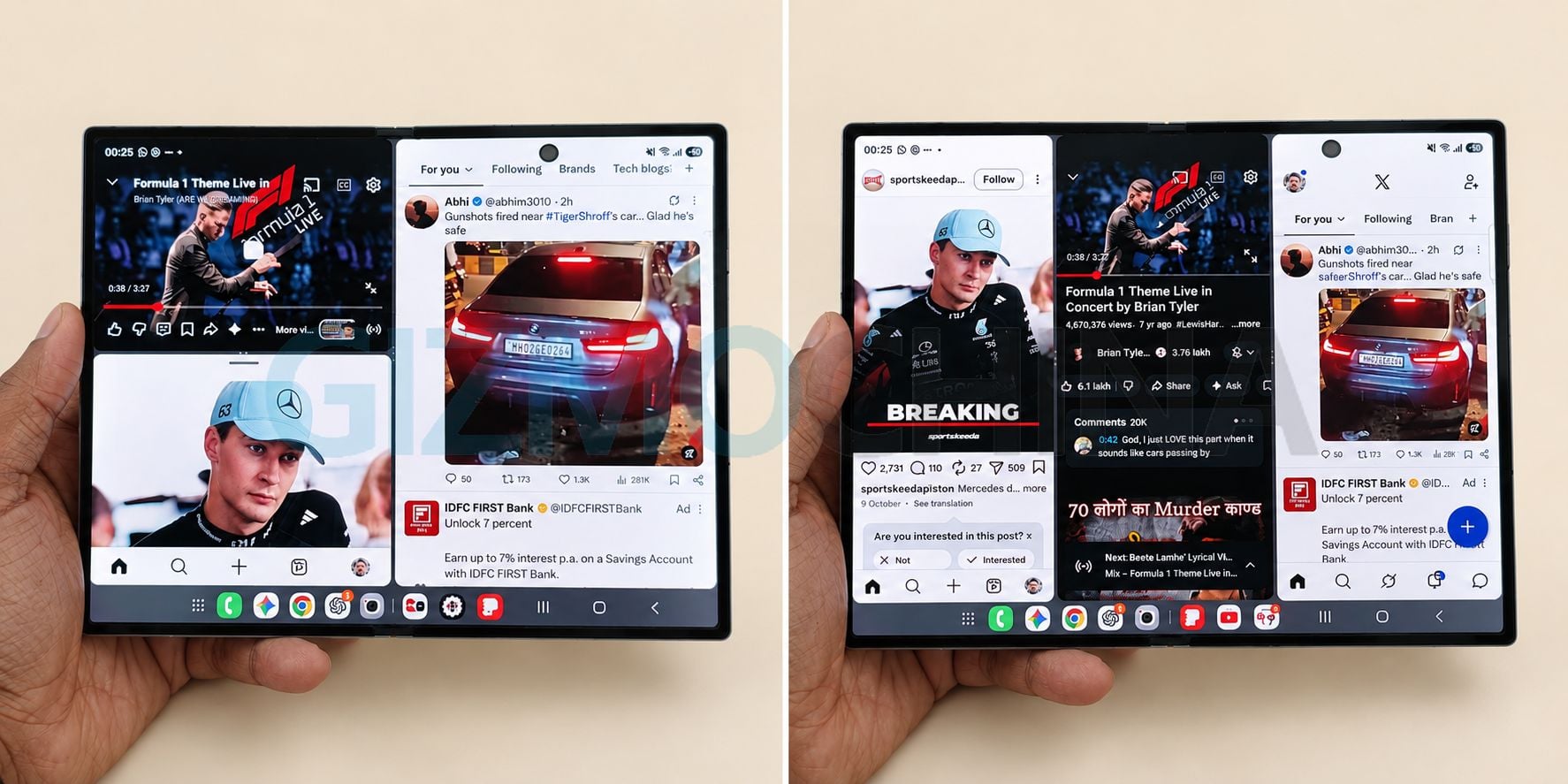
The wider inner display also works well when you unfold the phone horizontally and run two or three apps side by side. In my setup, I could keep X and Instagram open alongside YouTube, allowing me to browse social media feeds while watching a video.
Whether you stack the three vertically or horizontally, you can adjust their sizes for a better viewing experience.
There are several other possibilities. You could follow live updates on social media while watching a sports match, monitor messages while attending an online meeting, or keep a browser and messaging app open alongside a video tutorial.
The ability to see multiple applications simultaneously makes the Fold 8 useful for people who regularly juggle different tasks.