Add GIZMOCHINA on Google:
A projector can give you a much bigger screen than most TVs without taking up a huge amount of space in your living room. It also makes movie nights feel a little more like going to the cinema. But can you actually use one as your main TV in 2026?
The answer is yes, but there are a few things you must be prepared for. You see, newer laser projectors get plenty bright, support 4K gaming at 120Hz, and come with Google TV or another built-in smart platform. The catch is that a projector still works differently from a TV, and it has different needs to set it up right.
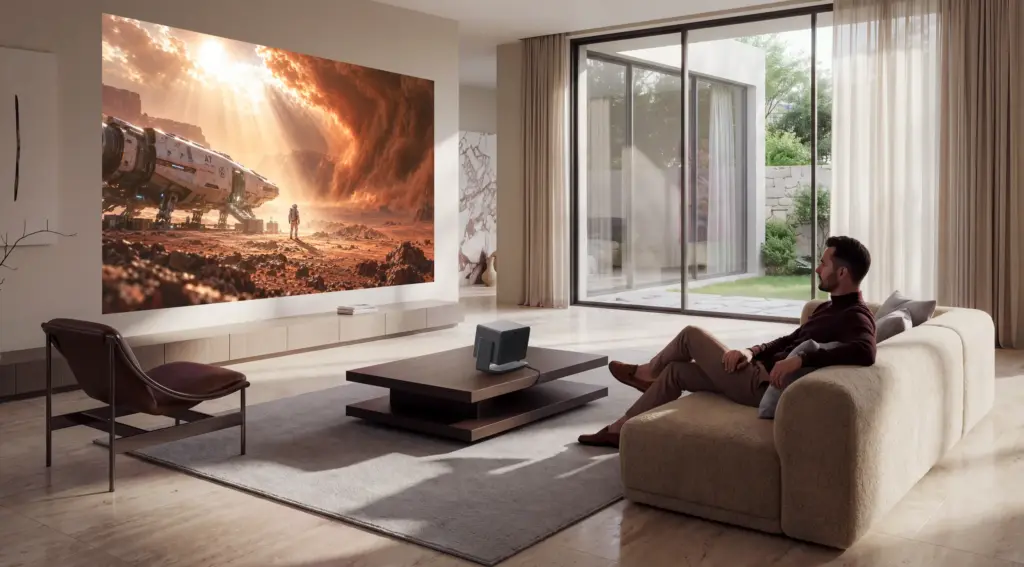
Daylight can wash out the picture, getting the placement right takes some planning, and a good model can cost as much as a large television. You might also need to spend extra on a screen or soundbar, as projectors aren’t known for having the best audio.
So if you’re thinking about making the switch, here’s what you should know and which new projectors are worth a look.
What you give up when you replace your TV
No guessing here: the biggest problem of any projector is daylight. A TV produces its own light, so it can keep the picture visible even when sunlight comes through the windows. A projector sends light onto a wall or screen, and some of it gets lost when the room is bright. Even the more powerful models look better with the curtains drawn.
You can get around some of this with an ultra-short-throw projector and an ambient light rejecting screen. These screens help preserve contrast in a brighter room, but they also add to the cost. If you plan to watch TV during the day, it’s worth factoring in the price of a screen before buying a projector.
Sound is another thing to consider. Some projectors have surprisingly good built-in speakers, especially the larger models, but they don’t all sound as full as a TV paired with a decent soundbar.
There’s also the question of live TV. Most smart projectors don’t have a built-in TV tuner, so if you rely on cable or an antenna, you’ll probably need a separate set-top box. Streaming apps are usually much easier to deal with.
1. How to choose a projector
There are plenty of specifications to look through, but you don’t need to understand every one of them to find a good projector. Start with brightness, how far the projector needs to sit from the wall, and what you plan to watch. And that’s probably enough.
To talk about brightness, look for ANSI or ISO lumen values, as they use standardized measurements. There are other brightness ratings too, but they aren’t always directly comparable.
As a rough guide, something rated at around 3,000 lumens or more gives you more flexibility in a partly lit living room. Models rated at just 300 or 400 lumens are better suited to dark rooms.
Next, think about where you’ll put the projector. A traditional long-throw model should always sit several feet away from the wall, usually on a shelf, table, or ceiling mount. An ultra-short-throw (UST) projector can sit closer to the wall and send the image upward. If you want something that feels more like a TV, UST models are usually the easiest place to start.
For example, the XGIMI MIRA 4K can project a 100-inch image from around 19.3cm away. That means you don’t need to run a projector across the room or find a place to mount it behind your sofa.
And if you’re a gamer, you should check the refresh rate and input lag. A 4K projector with 120Hz support can make games feel smoother, while features such as variable refresh rate (VRR) help reduce screen tearing. Finally, check the smart platform. Google TV, Samsung Tizen, and Roku don’t all have the same apps, so make sure yours supports the services you use.
2. Best long-throw projector
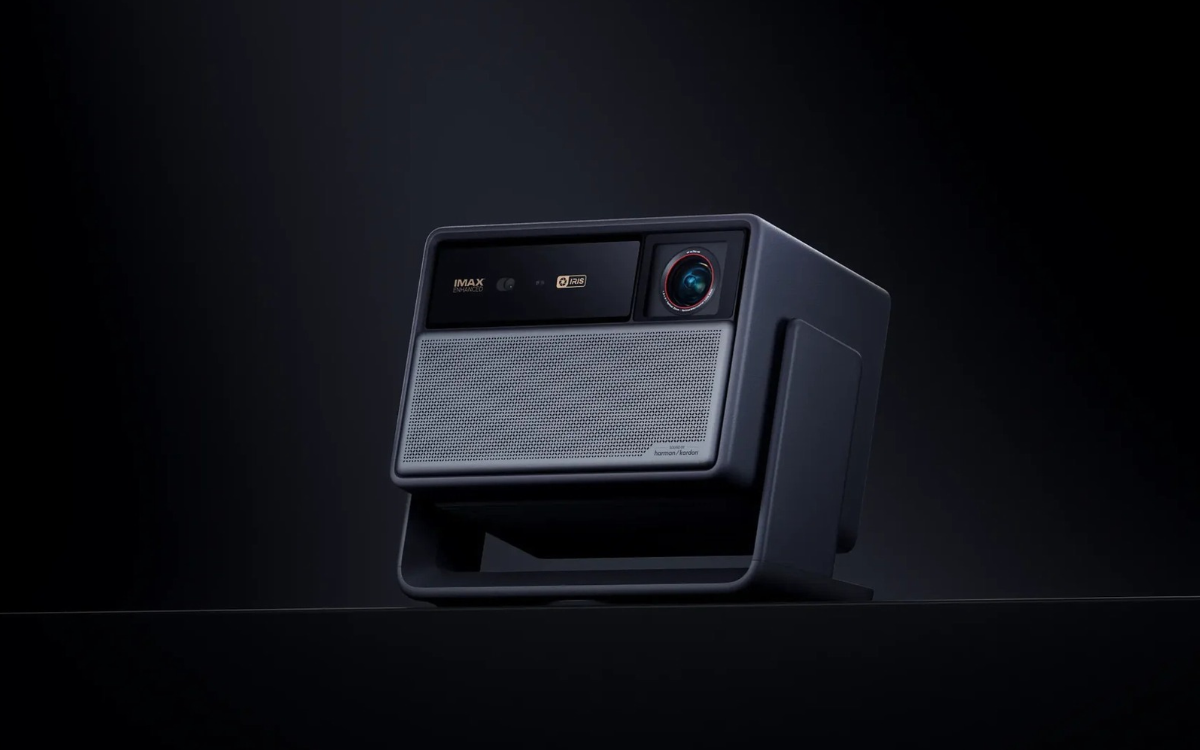
XGIMI announced three new models in its Horizon 30 lineup this month: the Horizon 30 Pro, Horizon 30 Max, and Horizon 30 Ultra Max. All three use RGB triple-laser light sources, support 4K at 120Hz, and run Google TV.
The main difference is brightness. The Horizon 30 Pro is rated at 4,800 ISO lumens, the Max reaches 5,300 ISO lumens, and the Ultra Max goes up to 6,000 ISO lumens. Their rated native contrast ratios also increase across the range, from 8,000:1 on the Pro to 9,000:1 on the Max and 10,000:1 on the Ultra Max.
XGIMI says the new models deliver up to 15% more brightness, seven times the native contrast, and double the refresh rate compared with the Horizon 20 series, according to Android Authority. Those are manufacturer claims, so real-world performance will still depend on the room and screen.
There’s plenty here for gaming, too. The projectors support VRR, ALLM, and AMD FreeSync, while XGIMI claims input lag as low as 1.9ms at 4K and 120Hz. Optical zoom and lens shift should also make it easier to get the picture into the right position without moving the projector every time.
The Ultra Max is the brightest option, but it also costs the most. US prices are $2,499 for the Pro, $2,999 for the Max, and $3,499 for the Ultra Max. Preorders run through October 31, with regular sales scheduled to begin on November 1.
These are still long-throw projectors, so you’ll need enough room to place one at the right distance from the wall. XGIMI is including a floor stand or ceiling mount, two pairs of 3D glasses, and a discount on its Ascend screen with preorders. You can find the full specifications in our earlier coverage of the Horizon 30 series.
There’s also a cheaper option if you happen to be in China. The XGIMI RS30 Pro High Brightness Edition costs 7,299 yuan, or around $1,092. It offers 4,500 CVIA lumens and 4K at 120Hz, but it’s currently a China-only model.
3. Best ultra-short-throw projector for movies
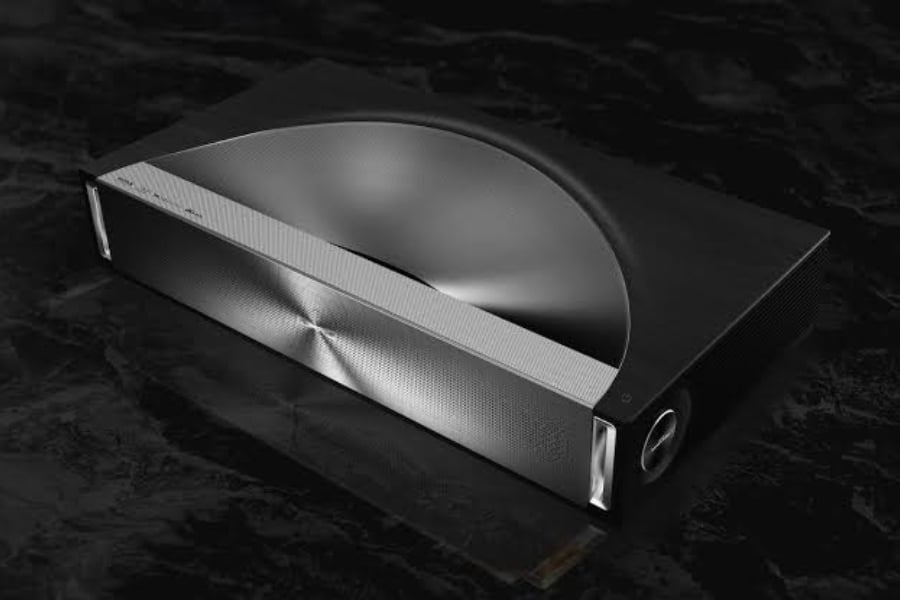
If you don’t want a projector sitting behind your sofa, the Hisense PX4 Pro is worth a look. It went on sale in the US in September for $3,999.99 and is available through Hisense, Amazon, and Best Buy.
The PX4 Pro uses an RGB triple-laser light source rated at 3,500 ANSI lumens. It can project an image between 80 and 200 inches, and supports Dolby Vision and IMAX Enhanced. Hisense has also included speakers tuned by Devialet with Dolby Atmos support, so you may not need to buy a separate sound system right away.
Gaming is another part of the package. Hisense says the PX4 Pro is the first ultra-short-throw laser projector to receive AMD FreeSync Premium certification. It also has two HDMI 2.1 ports with VRR and ALLM, making it possible to connect a console and a streaming device.
As with other UST models, the PX4 Pro sits close to the wall instead of taking up space behind the viewer. That’s convenient if you’re replacing a TV in a smaller living room, although you’ll still need to make room for the projector itself.
Its 3,500-lumen rating is lower than the brightest Horizon 30 models, so don’t expect it to solve every daylight problem. A good screen and some control over the room’s lighting will still help.
If you have a larger room and prefer a traditional long-throw setup, Hisense also sells the XR10. It reaches 6,000 ANSI lumens and can project an image up to 300 inches, making it a better fit for people with plenty of space.
4. Best ultra-short-throw projector for 4K gaming
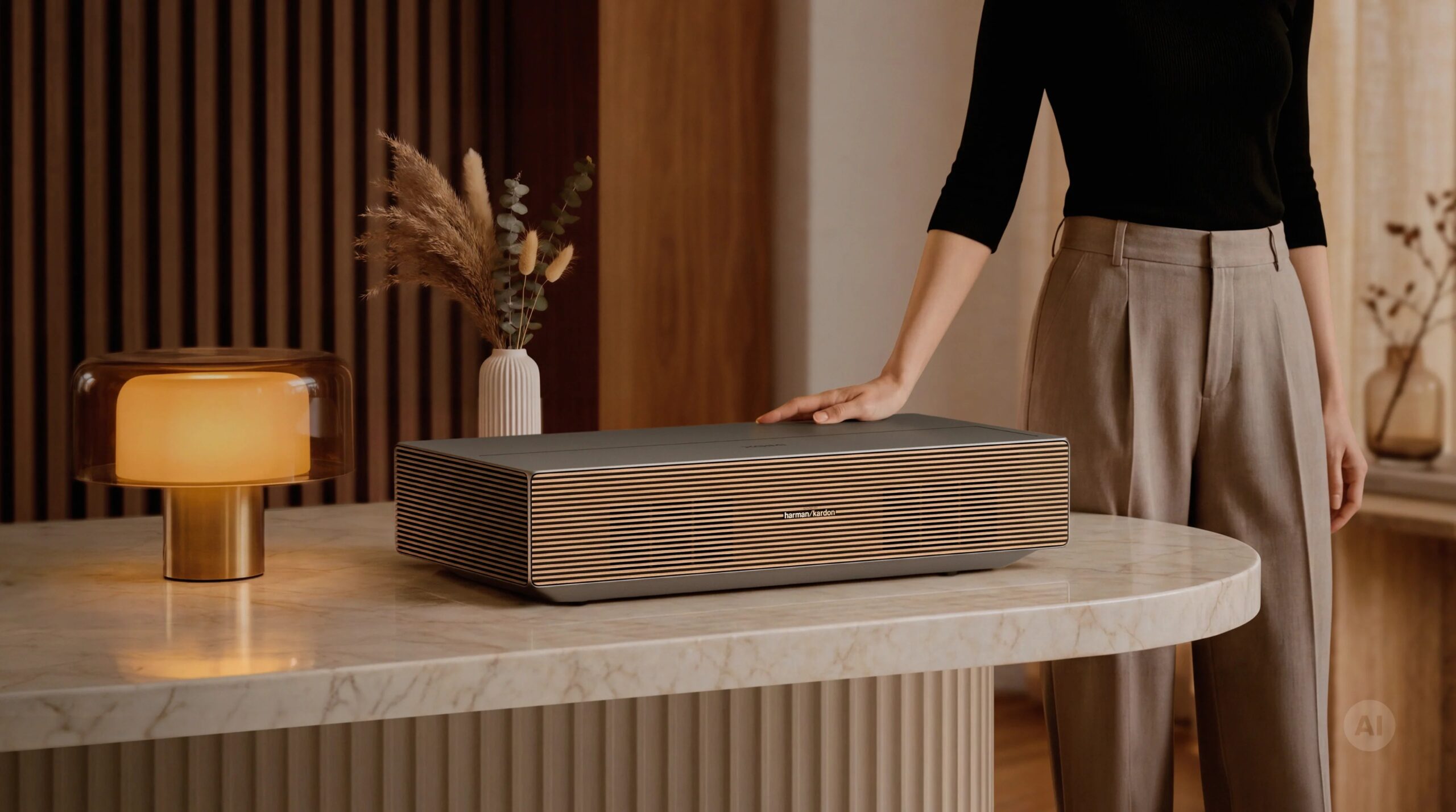
The XGIMI Aura 3 Max and Aura 3 Pro are another pair of UST projectors worth considering, especially if gaming is high on your list. XGIMI describes them as the first ultra-short-throw projectors to support 4K at 120Hz.
The Aura 3 Max is rated at 5,700 ISO lumens, while the Aura 3 Pro reaches 4,100 ISO lumens. Both can produce a 120-inch picture from around eight inches away from the wall, with a maximum image size of 200 inches.
They also come with Google TV, Dolby Vision, HDR10+, and IMAX Enhanced support. Audio comes from an 80W Harman Kardon system with Dolby Atmos, and XGIMI includes two pairs of 3D glasses.
The big question is the price. The Aura 3 Max and Pro are being offered through Kickstarter for $2,399 and $2,199, respectively. A $50 deposit gets you an additional $200 discount on either model. XGIMI lists retail prices of $4,999 for the Max and $3,999 for the Pro, according to Notebookcheck.
Those early prices look considerably better, but there’s a catch: these are crowdfunding offers, and a confirmed shipping date hasn’t been announced. You’ll need to be comfortable paying upfront and waiting for delivery. If you’d rather buy something already available, the Hisense PX4 Pro is a more straightforward option.
5. Best budget pick
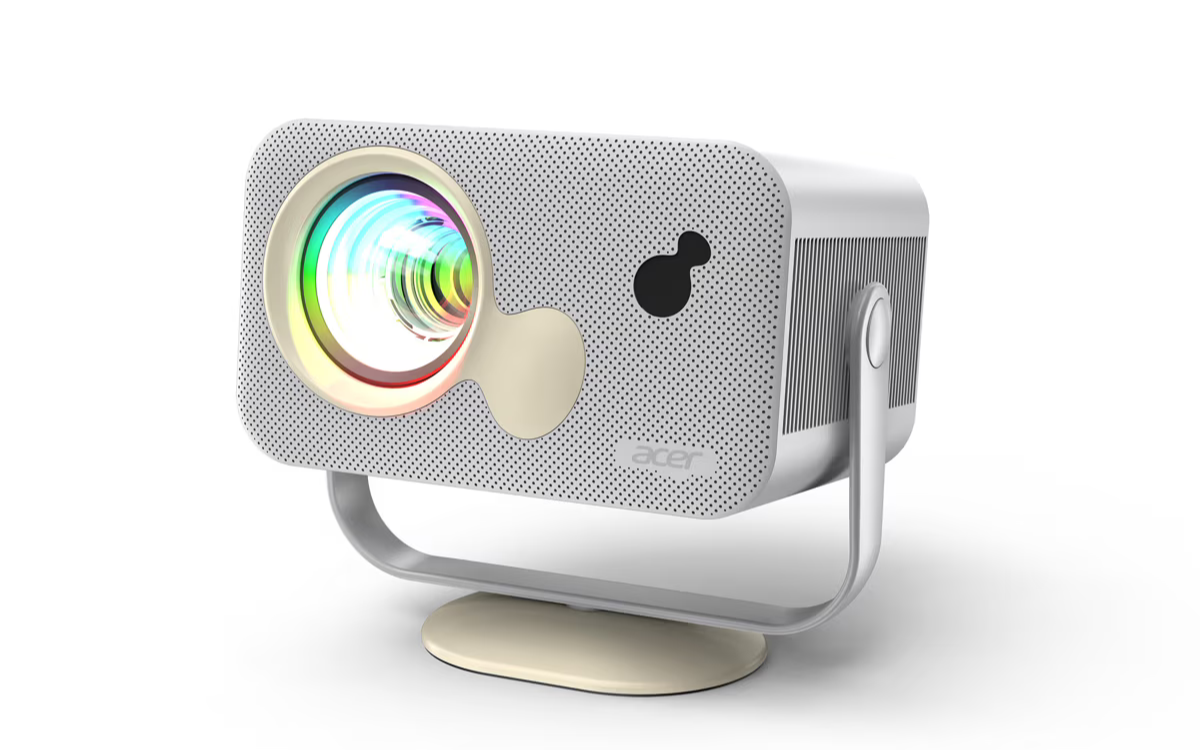
You don’t need to spend thousands of dollars to try a projector, although cheaper models come with some obvious trade-offs. The Acer HD1500 is one example. Acer announced it at €149 for the EMEA market, with a Q3 2026 release planned under the AOpen QP30t name.
It uses an LCD panel with native 1080p resolution and an LED light source. Brightness is rated at just 350 ANSI lumens, so this is one for a dark room rather than a living room where the curtains stay open. Netflix and YouTube are built in, which saves you from having to connect a separate streaming stick.
The 1.29:1 throw ratio lets it project a 70-inch image from two meters away. Acer has also included a swivel stand, allowing the projector to rotate 360 degrees and tilt 180 degrees. That should make it easier to point the image at a wall or even the ceiling.
At this price, the HD1500 makes more sense as a second screen for a bedroom or occasional movie nights. Its brightness and 1080p resolution aren’t ideal if you want to replace the main TV in your living room, but it could be a cheap way to see whether projector life suits you.
6. Best portable pick
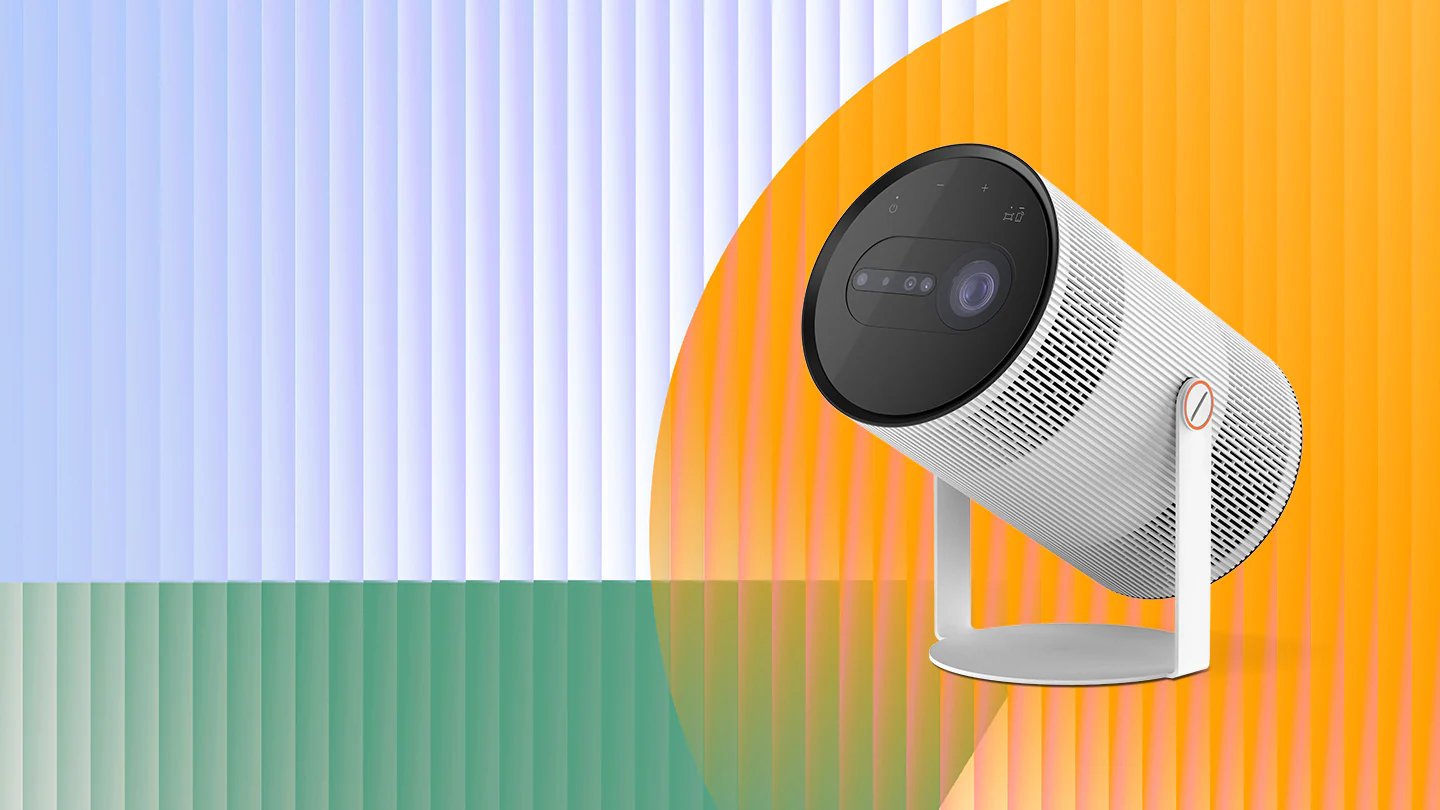
The Samsung Freestyle+ launched in the US in July at $1,199.99. It’s a portable DLP projector with Full HD resolution, up to 430 ANSI lumens, and a maximum image size of 100 inches. It runs Tizen with Samsung’s TV apps and Gaming Hub, supports AirPlay 2, and has a built-in 360-degree speaker, so it works fine without any extra gear.
The small size makes it convenient to move between rooms or take on a trip. You don’t need to build a permanent setup around it, either. But at nearly $1,200, it’s difficult to recommend as a full TV replacement when brighter 4K projectors are available.
The Freestyle+ makes more sense if you want something portable for a bedroom, occasional movie nights, or travel. If you want a similar kind of flexibility but would rather try another brand, the XGIMI Z6X Pro 2026 is another portable option, with a tri-color laser light source and a built-in gimbal.
7. So, should you replace your TV with a projector?
You can, if you have a room you can darken, a wall or screen big enough, and a budget of about $2,500 or more for a 4K model you’ll be happy with every day. If you mostly watch in the evening, play games, or watch movies, a projector like the Horizon 30 Pro or the PX4 Pro gives you a much bigger picture than a TV at the same price.
We’d still recommend choosing a TV if your living room gets a lot of daylight, if you watch live TV through a tuner, or if you’d rather not think about screens and placement. A TV is still easier to set up and easier to live with. For plenty of people, a projector works best as a second screen for movie nights, not a full replacement.
For daily updates, please visit our News Section.
Stay ahead in tech! Join our Telegram community and sign up for our daily newsletter of top stories.