
Add GIZMOCHINA as Preferred Source on Google
As an Amazon Associate, Gizmochina earns from qualifying purchases. Links on this page may earn us a commission at no extra cost to you.
When you hear the term Android laptop, it is easy to picture a tablet with a keyboard case attached to it. For a long time, that is exactly what the budget Android computing space offered. You usually had to choose between a low-cost Windows machine that might struggle with basic updates or a Chromebook that relies heavily on an internet connection.
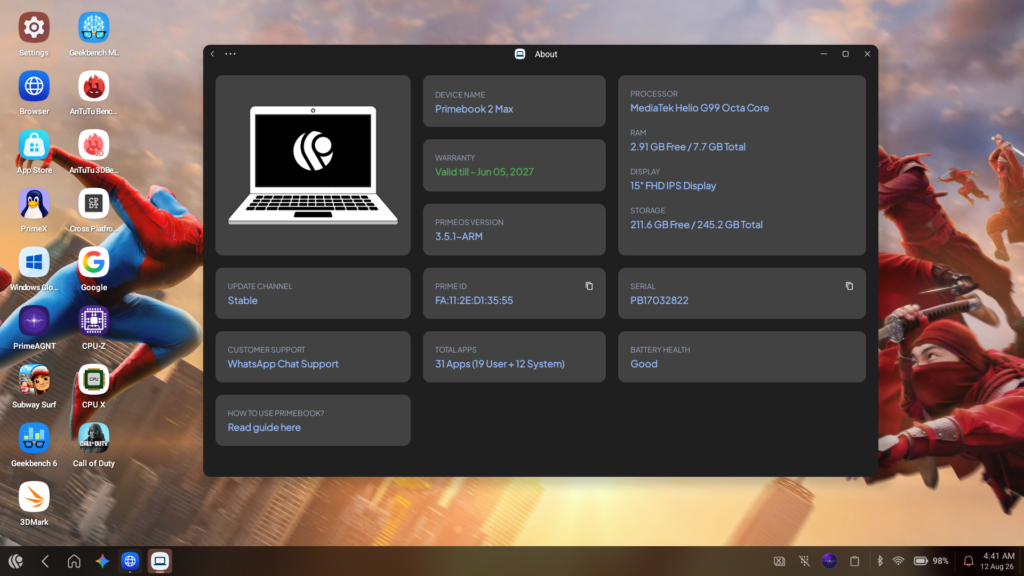
Recently, Primebook sent me their new Primebook 2 Max (2026) to test. Priced at Rs. 27,990, it takes a different approach. Instead of trying to run Windows on entry-level hardware, it uses PrimeOS 3.0, an operating system based on Android 15 but designed to look and function like a traditional desktop. It comes with an integrated AI tool, a 15.6-inch screen, and a MediaTek Helio G99 processor.
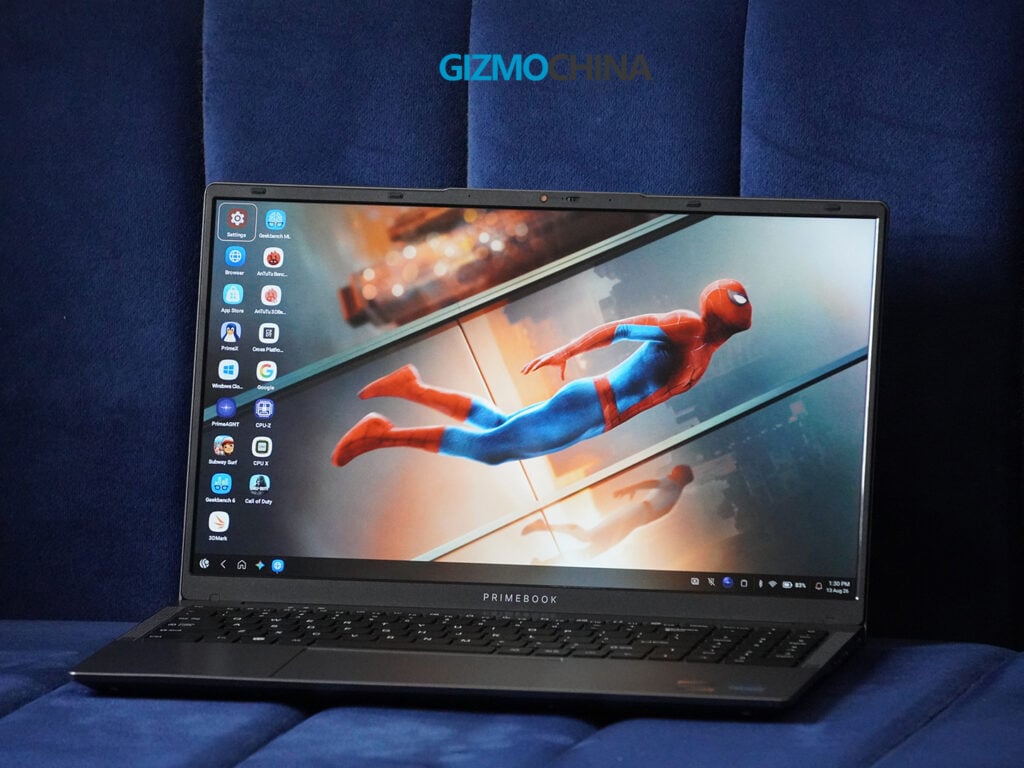
I went into this review with moderate expectations. I have used the Helio G99 in budget tablets, where it performs adequately, but a laptop environment is usually more demanding. After using the Primebook 2 Max as my primary computer for the past two weeks, I am really surprised and found it to be a capable machine. It has clear limitations, but it also offers a practical alternative for people who primarily need a device for basic tasks and long battery life. Here is a detailed look at how it holds up in daily use.
Design and Build Quality
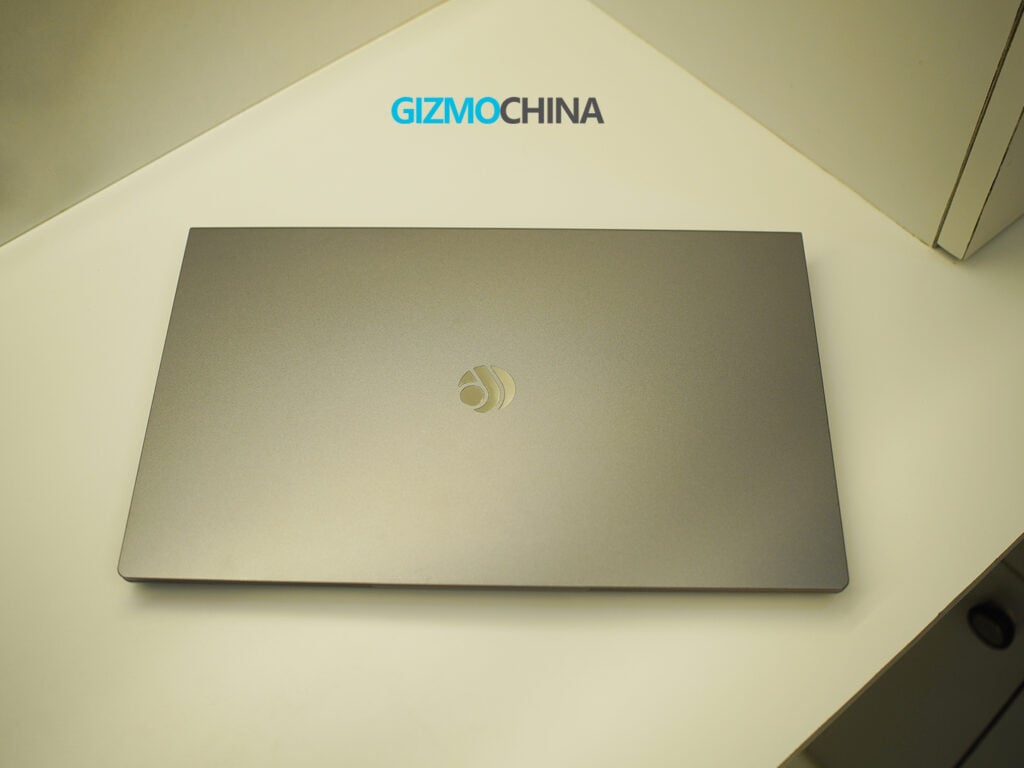
The Primebook looks just like any other laptop. It weighs 1.61 kg and is 20mm thick, making it relatively easy to carry around in a backpack. The chassis is made entirely of plastic. It feels reasonably sturdy for the price, without too much creaking when you rest your wrists on it.
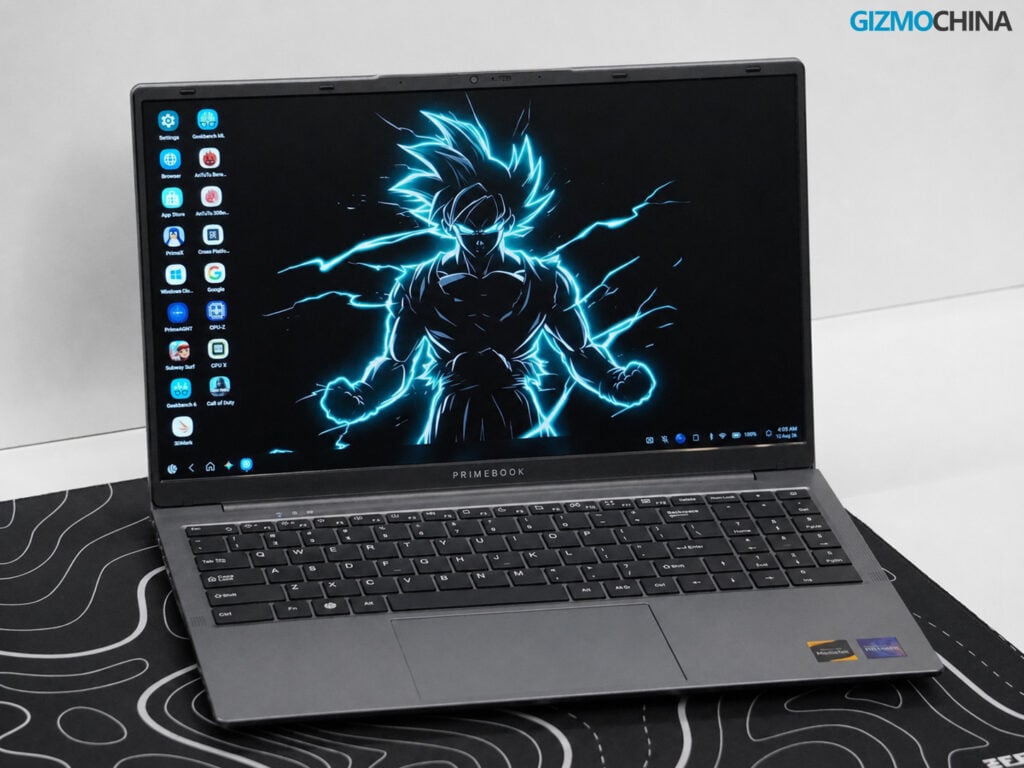
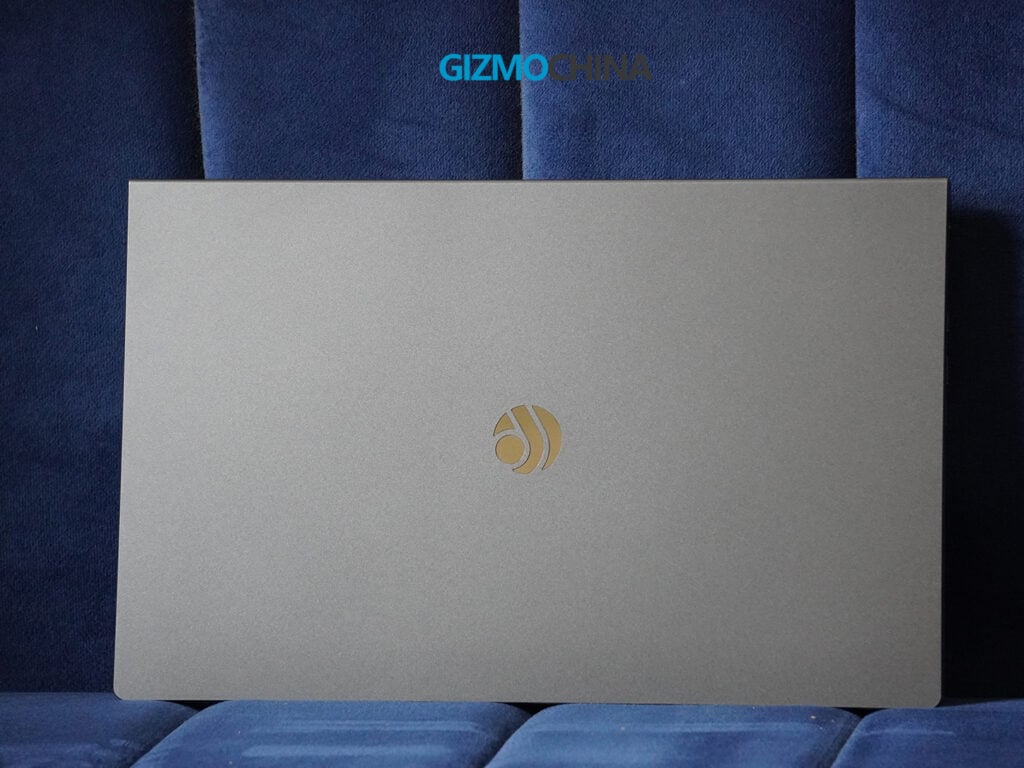
The model I tested comes in a matte Chill Grey finish. It looks clean out of the box, but the review unit I received had a bit of a scratch near the logo. I am not so sure about how scratch-proof it is since I use my devices very carefully, but I hope the paint stays like this for a long time.
Now, coming to another part which you might not expect in this price range is the hinge. The laptop can actually open a full 180 degrees, so it can lie completely flat.
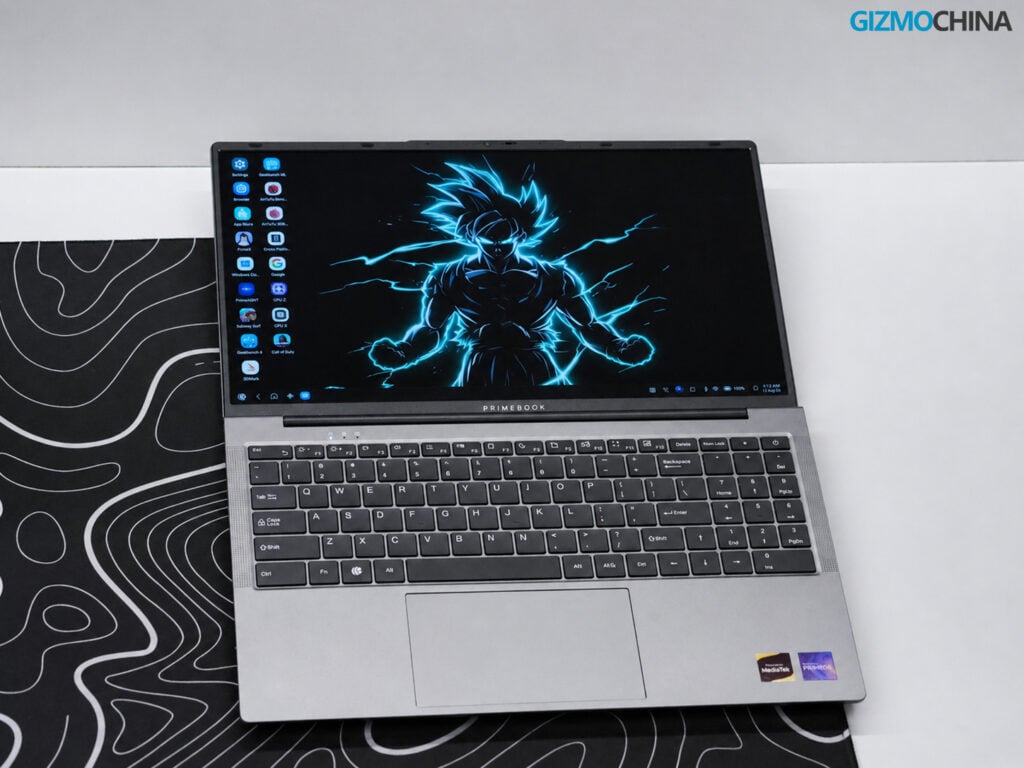
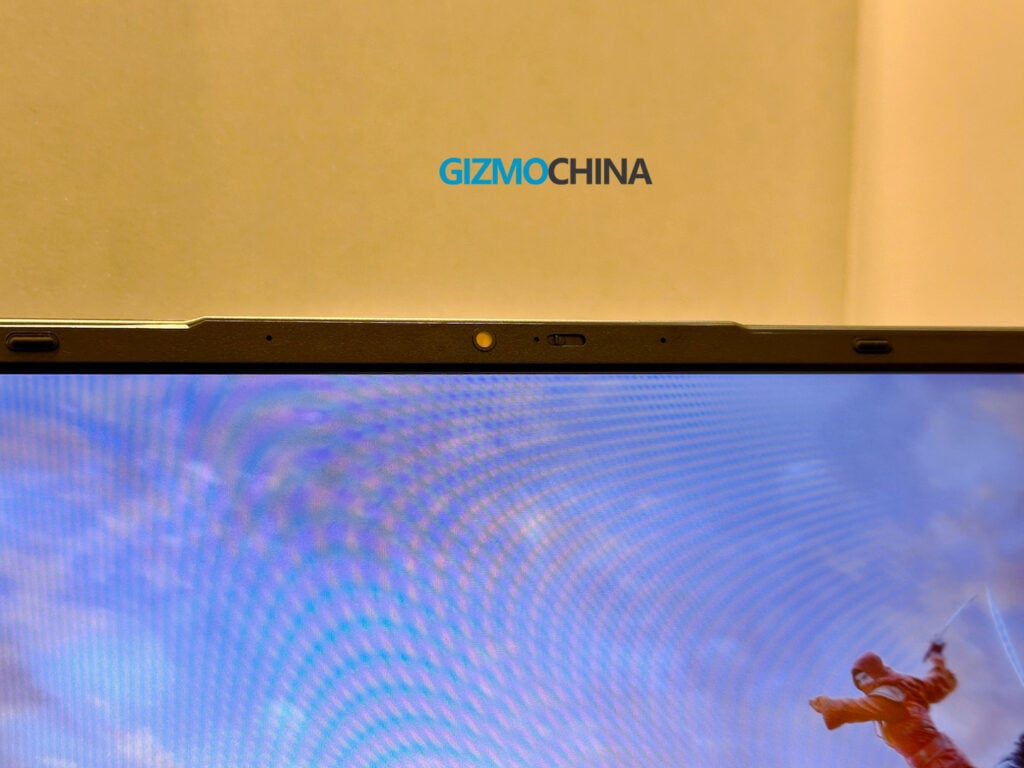
However, you can’t open the lid one-handed, as the base lifts off the table when you try, but the small notch at the top makes it easy to open with both hands. That notch also houses a 1440p webcam. The camera quality is good enough for video calls, and it includes a physical privacy shutter, which is a practical addition.
Display
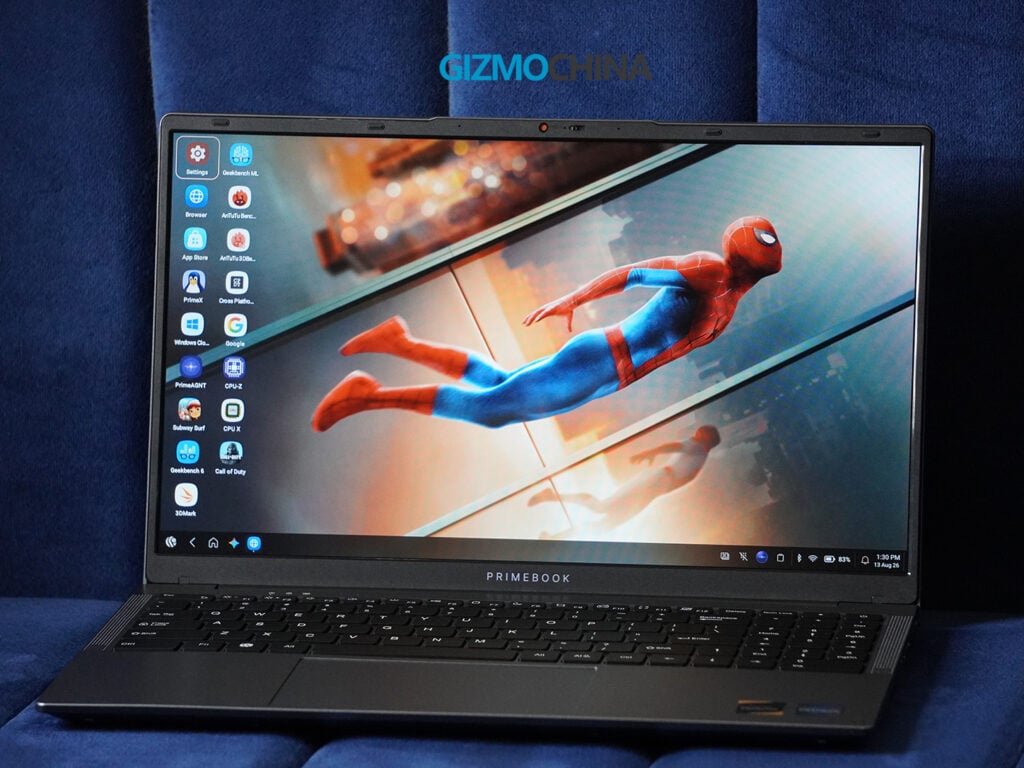
The laptop features a 15.6-inch Full HD (1920 x 1080) IPS LCD screen with a standard 16:9 aspect ratio. For a laptop that costs under Rs. 30,000, the display is decent. It has a matte, anti-glare finish, which I prefer for working because it cuts down on reflections from overhead lights.
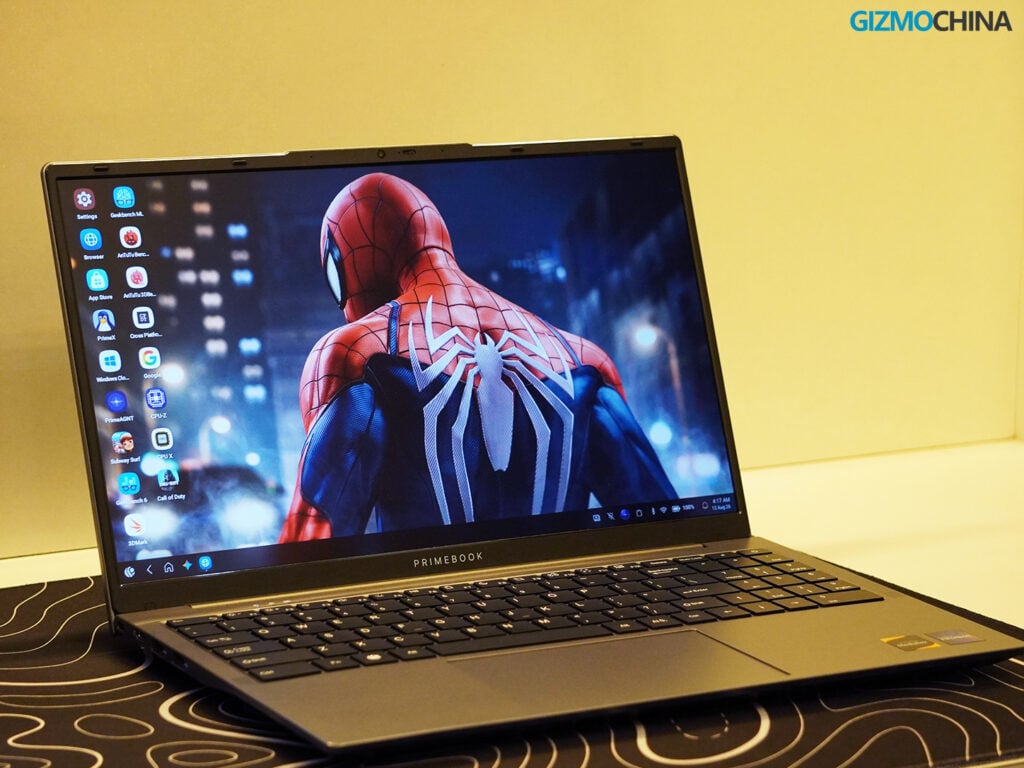
The colors (covering 45% of the NTSC color space) are fine for everyday tasks like reading, writing, and watching casual videos. The viewing angles are also good; the screen remains readable even if you look at it from the side. However, if you are watching dark scenes in a movie, you might notice some color banding, which is typical in this price range.
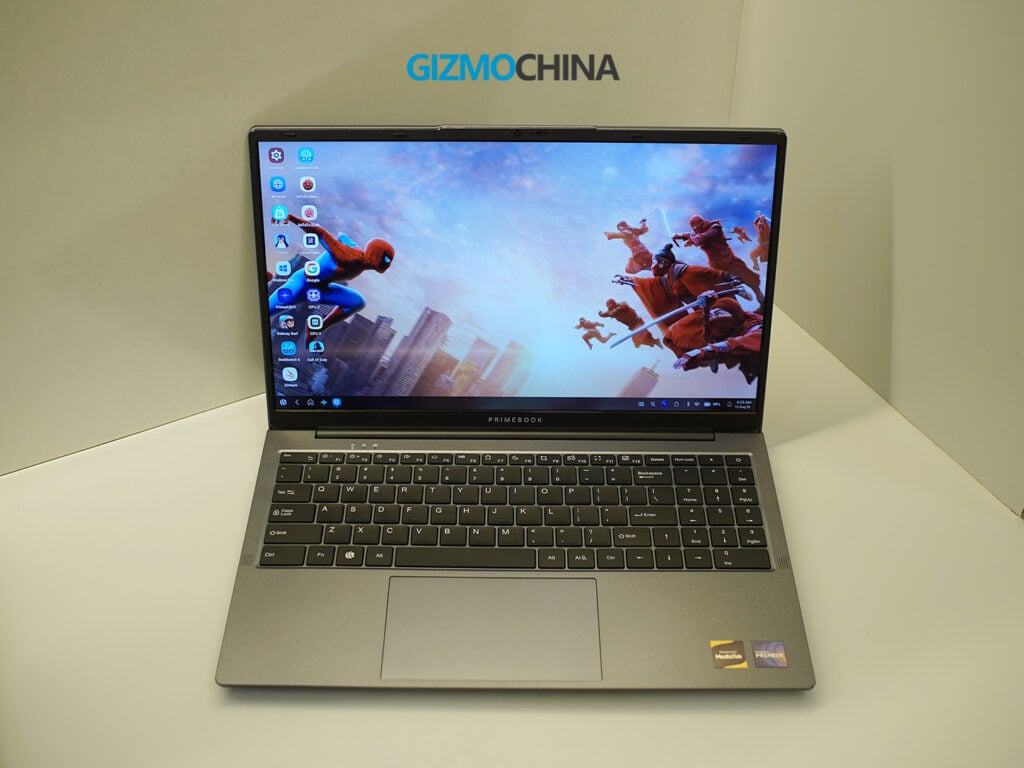
The main limitation is the brightness. The panel maxes out at 250 nits. This is perfectly adequate for indoor use, but if you try to work outside, you will likely struggle to see the screen clearly.
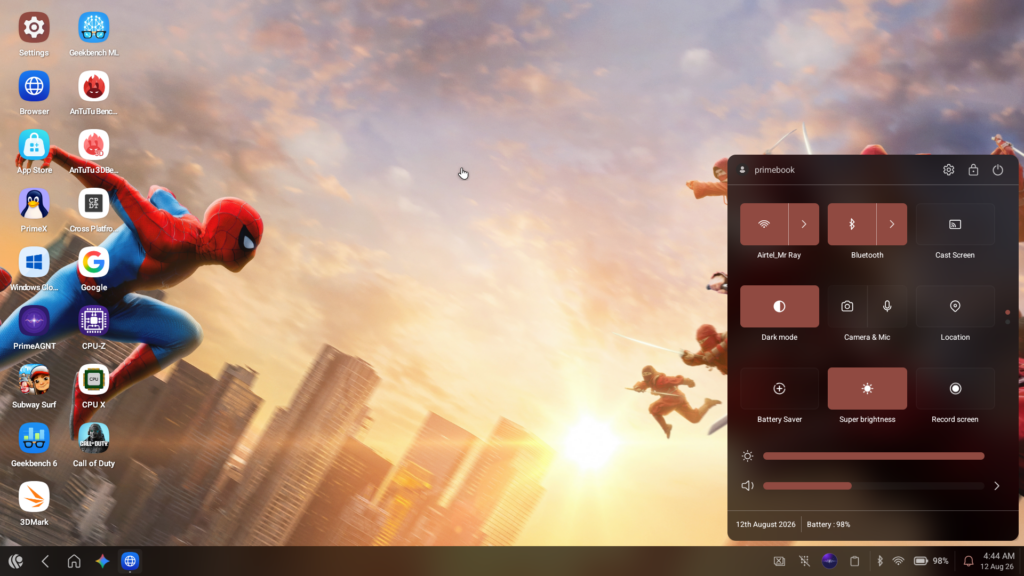
There is a Super Brightness setting in the software that helps slightly, but it is still primarily an indoor display.
Keyboard and Trackpad
The keyboard on the Primebook 2 Max is an absolute delight. It’s a full-sized chiclet keyboard complete with a number pad, which is a massive win for students dealing with spreadsheets. It’s also backlit, a feature that is criminally omitted from many budget laptops.
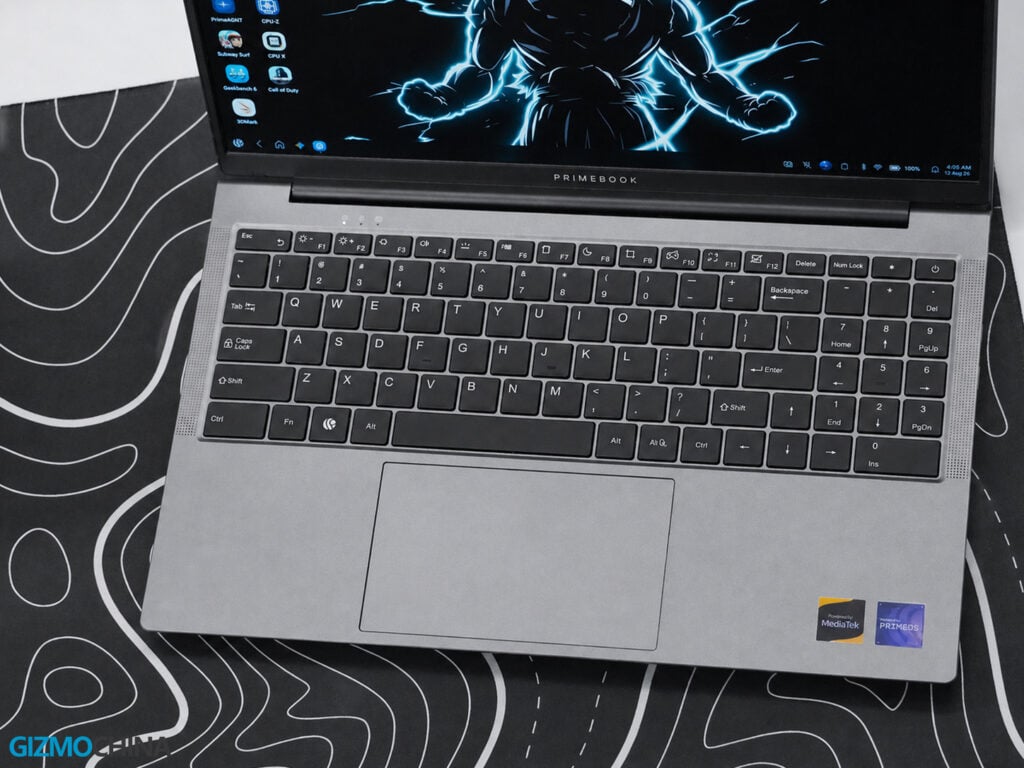
Because this is an Android-first machine, the function row is populated with a different set of shortcut keys tailored specifically to the OS. I found these incredibly useful for daily tasks, allowing me to quickly manage my system without diving into menus.
The key travel is comfortable, and the typing experience is silent, perfect for quieter environments like libraries or late-night dorm rooms. If you’re coming from a standard Windows keyboard, it might take a day or two to adjust your muscle memory, but once you do, it’s smooth sailing.
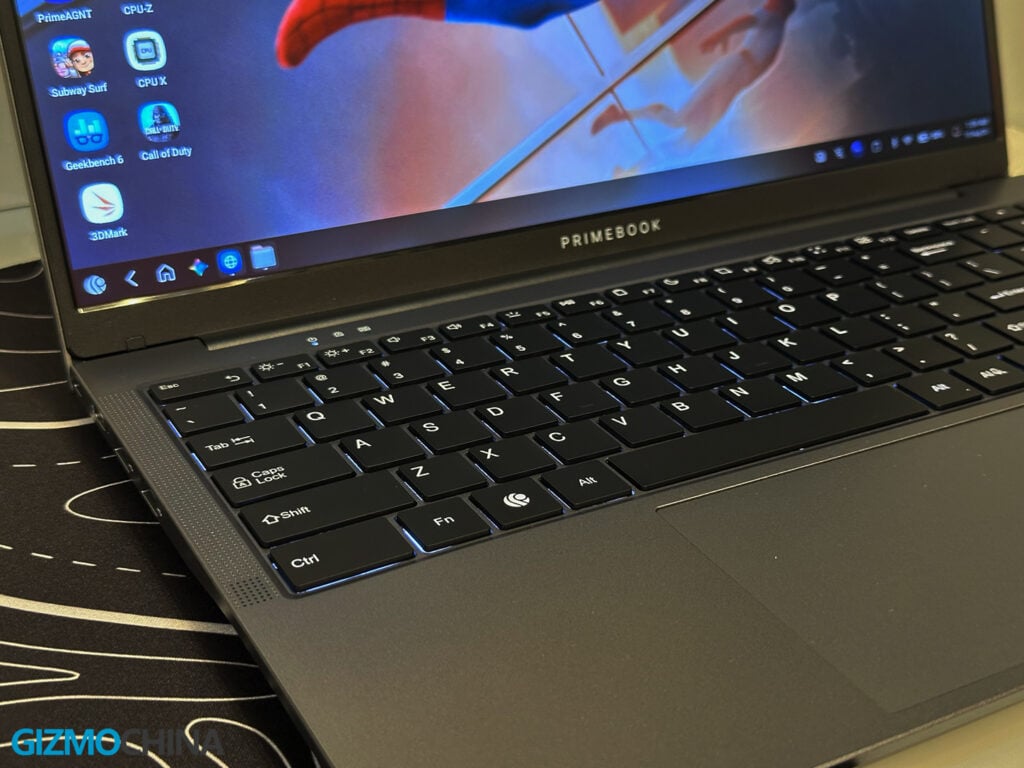
The trackpad, however, is a slightly different story. Physically, it’s great. It’s a large, expansive surface area, and my fingers hovered and swiped across it without any physical friction. But in practice, the mouse pointer feels just a bit sluggish. It’s not exactly where I want it to be at the exact right time.
I often found myself having to wait a fraction of a second to click on something because my fingers had already completed the swipe, but the on-screen pointer was playing catch-up. It’s not a total dealbreaker, but it is noticeable. I’m hoping this is just a software quirk that Primebook can patch in a future update, rather than a hardware polling limitation.
Connectivity
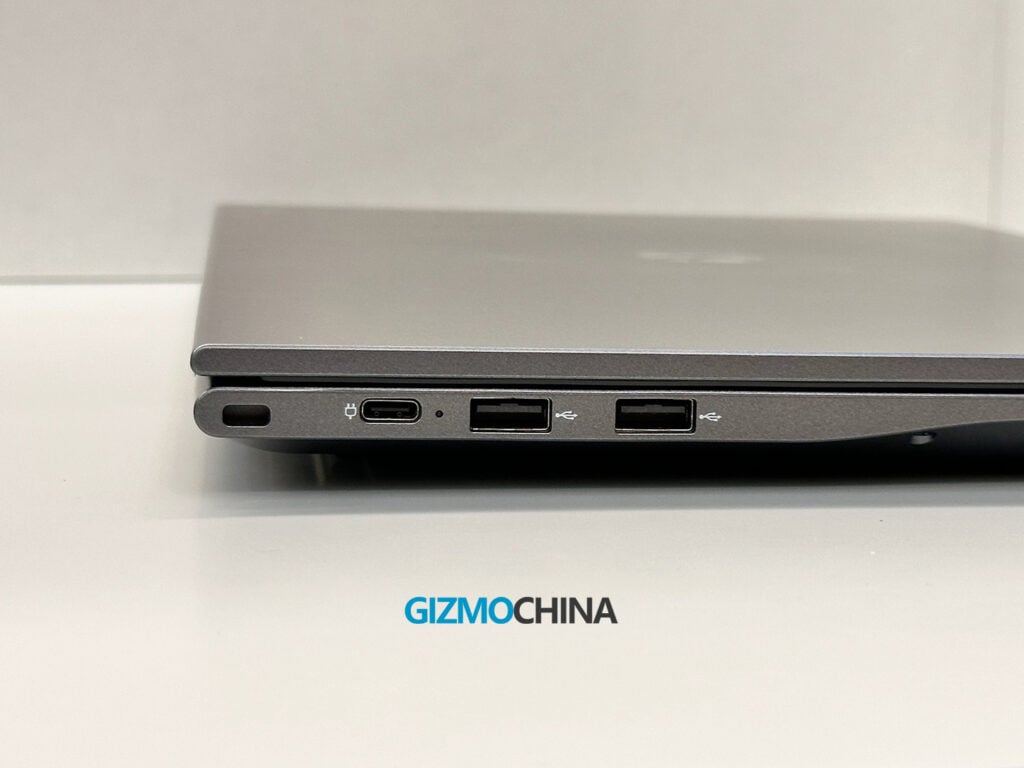
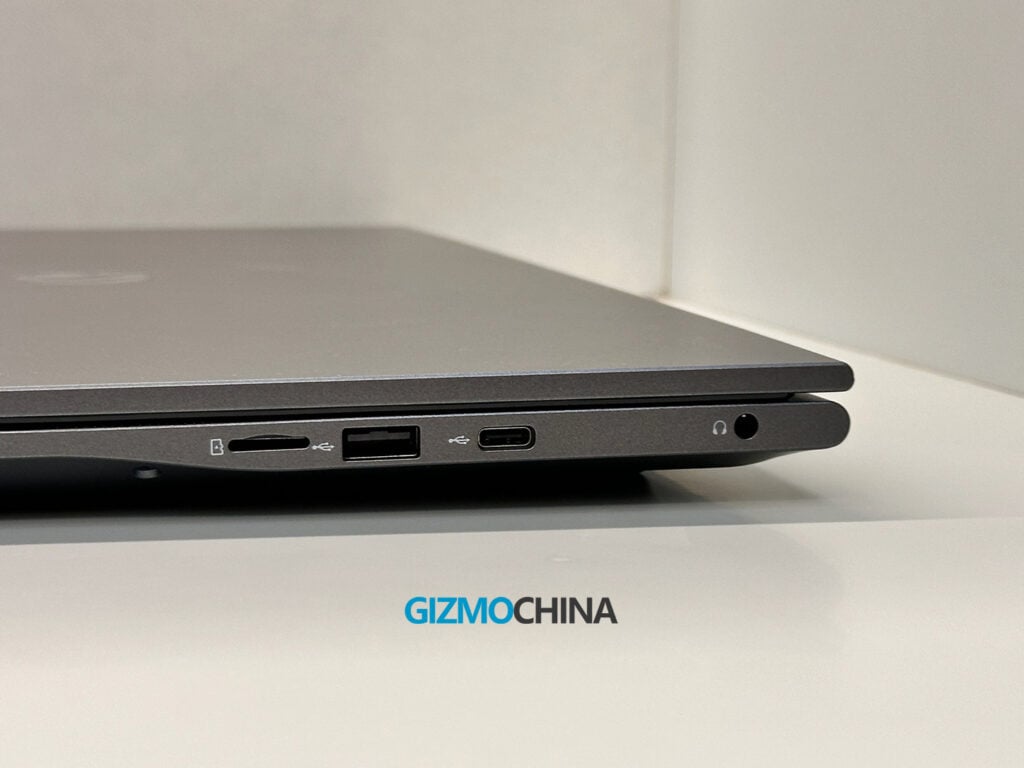
The Primebook 2 Max includes a standard set of ports. On the right side, there is a 3.5mm audio jack, a USB-C port (which supports data and OTG), a USB Type-A 2.0 port, and a microSD card slot that can read cards up to 1TB. On the left side, you will find a dedicated USB Type-C port used specifically for charging, along with two more USB Type-A ports.
For wireless connections, it supports dual-band Wi-Fi and Bluetooth 5.1. I had no issues maintaining a stable internet connection or pairing wireless headphones. Because it runs on Android hardware, the laptop also includes a built-in GPS and a gyroscope, which allows certain mobile apps to function as they would on a phone.
There are a couple of omissions to note. The USB-C ports do not support DisplayPort output, meaning you cannot easily connect the laptop to an external monitor using a standard Type-C cable. Also, it lacks a native wireless file-sharing feature like Quick Share.
Performance and Benchmarks
Inside, the laptop runs on a MediaTek Helio G99 processor, paired with 8GB of LPDDR4X RAM and 256GB of UFS 2.2 storage. This is hardware you typically find in mid-range Android tablets.
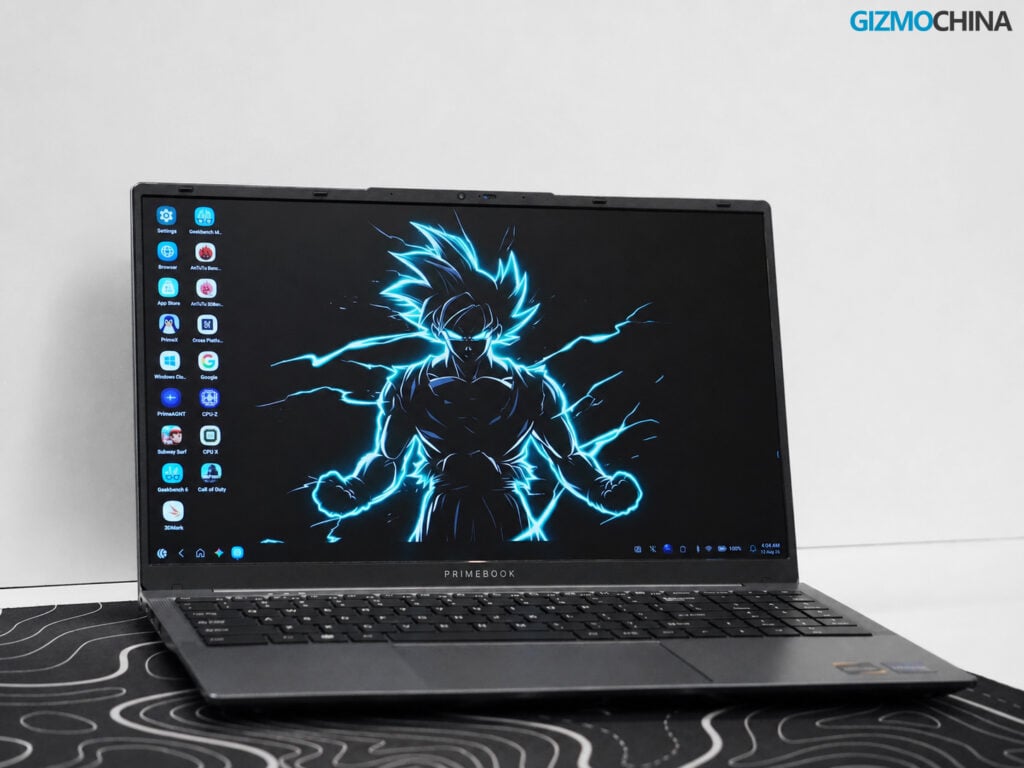
In practice, the performance is suitable for basic computing. It boots up quickly, and navigating the desktop interface is generally smooth. I was able to use a web browser with several tabs open, type up documents, and listen to music at the same time without much issue.
However, you will notice the hardware limits if you try to push it. If you open more than ten heavy browser tabs or try to run multiple demanding Android apps in the background, the system starts to slow down. The animations become less fluid, and switching between apps takes longer.
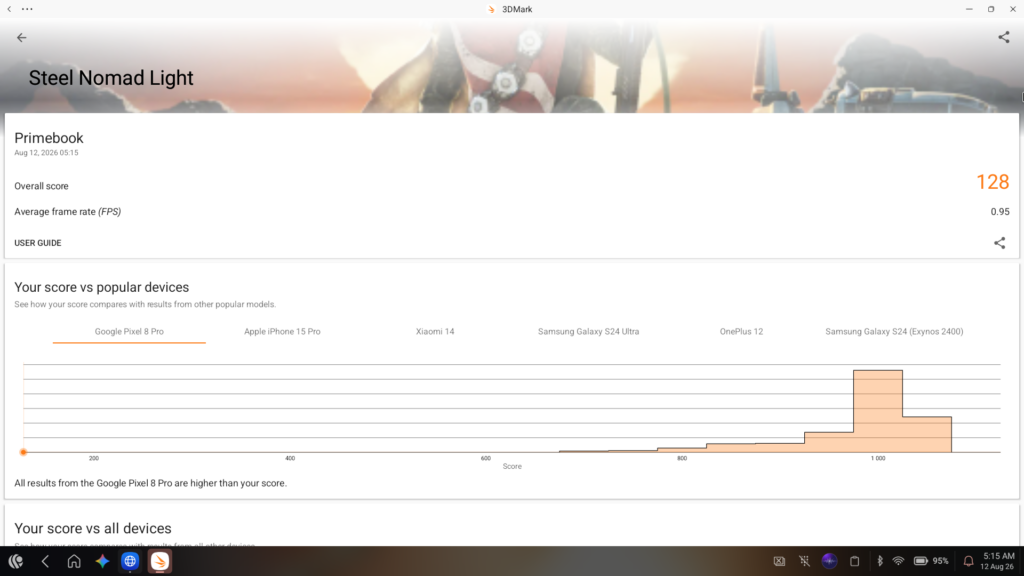
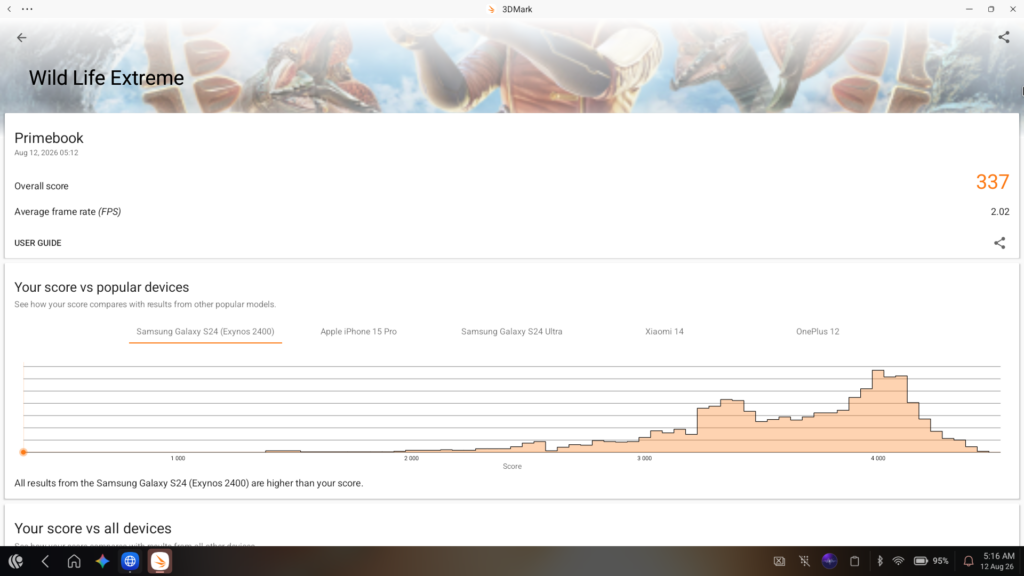
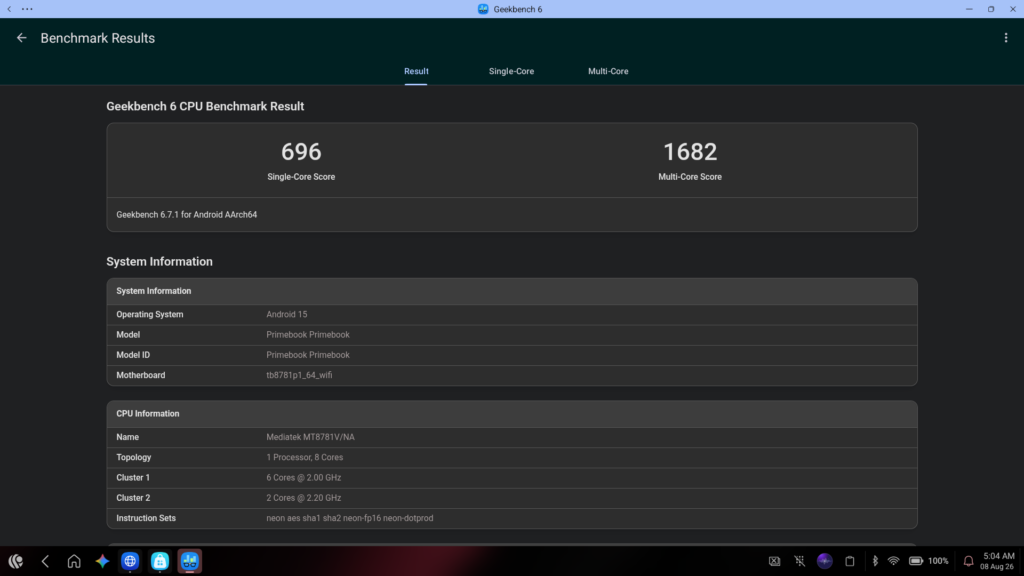
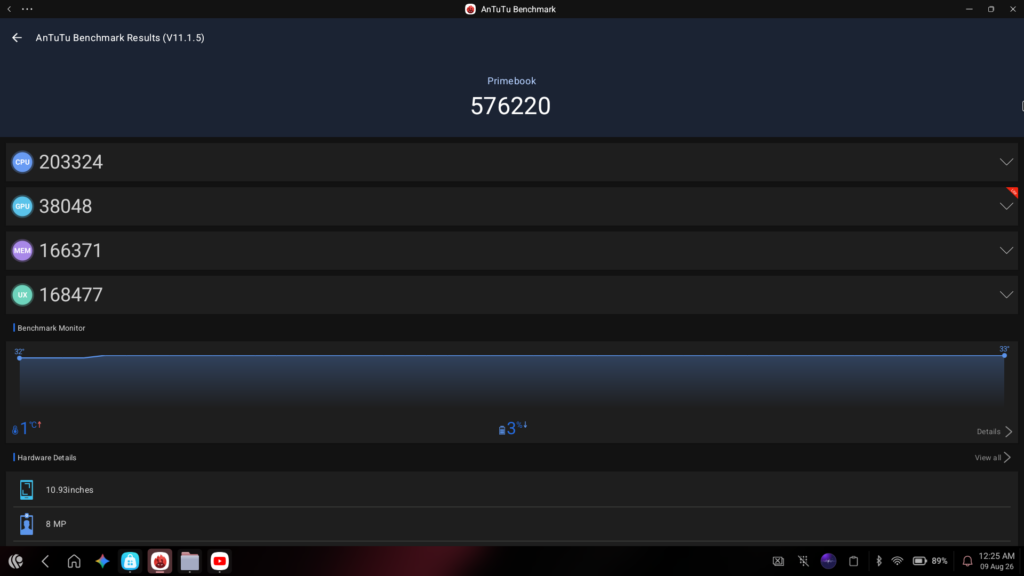
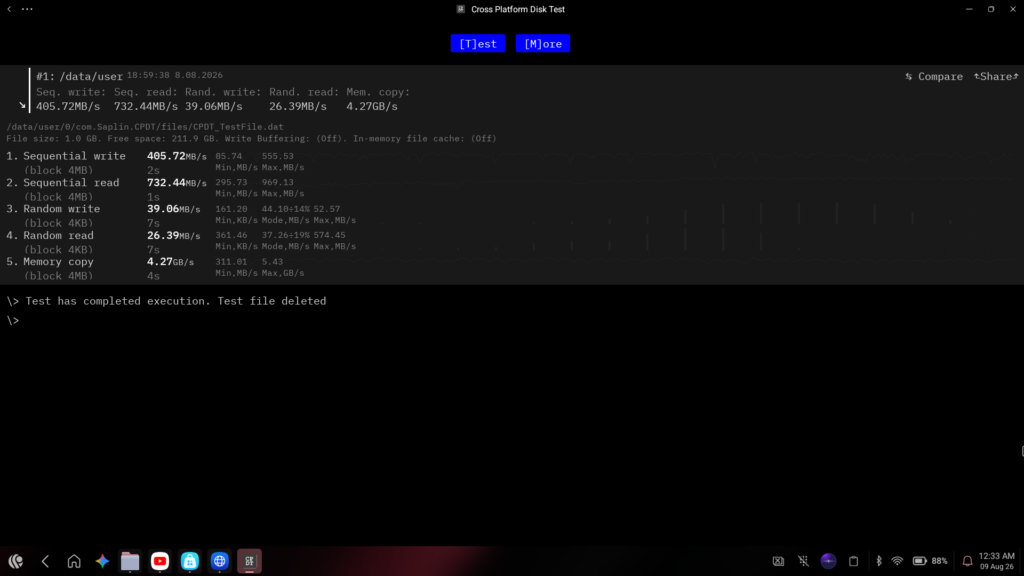
The benchmark numbers reflect this experience. In Geekbench 6, it scored 696 in single-core and 1,682 in multi-core. In AnTuTu, it reached a total score of 576,220. Storage speeds are reasonable for the price, with sequential read speeds around 732 MB/s and write speeds around 405 MB/s, which helps apps load relatively quickly.
Graphics performance is where the hardware struggles the most. In the 3DMark Wild Life Extreme test, it scored just 337, averaging about 2 frames per second. This means the laptop is not meant for heavy 3D gaming.
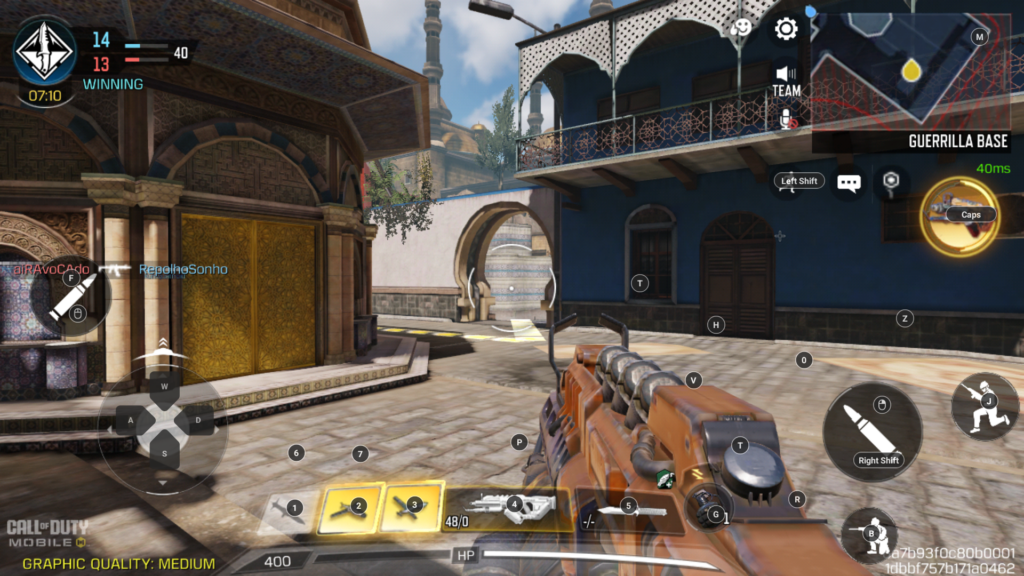
You can play standard Android games like BGMI, Call of Duty, or Subway Surfers, but you will need to keep the graphics settings on low or medium for a smooth experience. The built-in keymapping software is quite helpful here, allowing you to assign keyboard keys to on-screen touch controls.
Software and AI
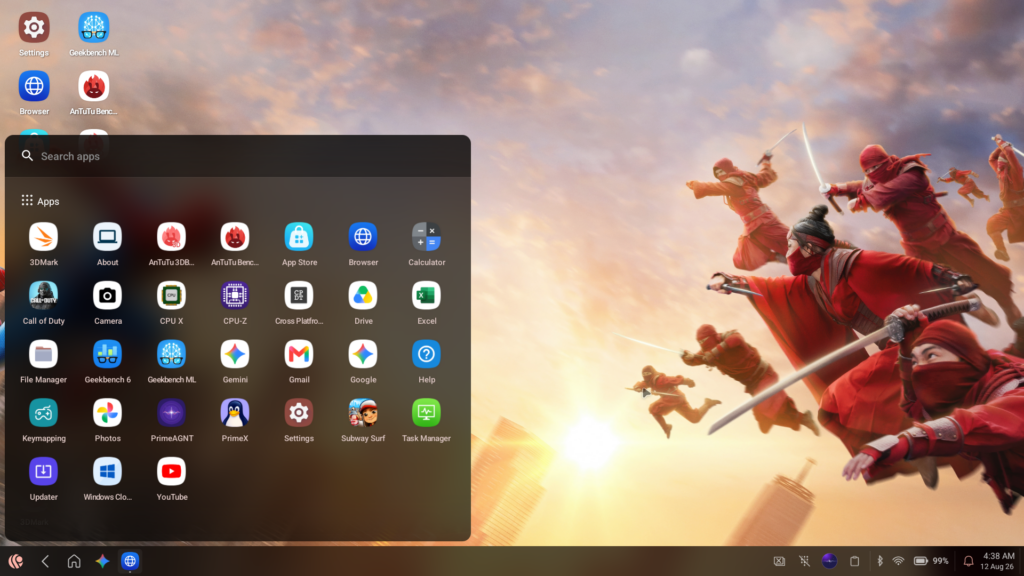
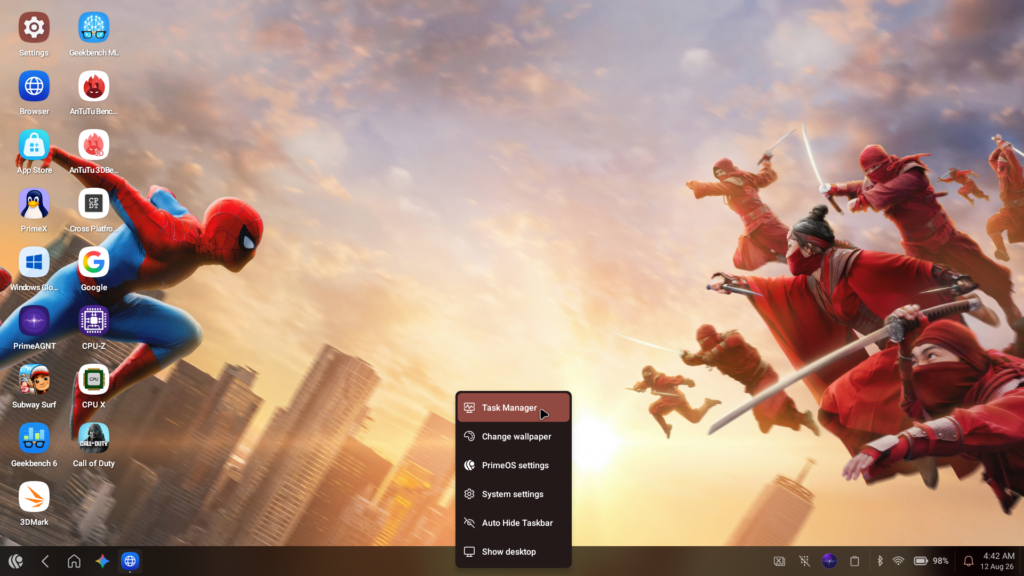
The software is the most interesting part of this laptop. It runs PrimeOS 3.0, which is based on Android 15 but modified to look and act like a desktop operating system. You get a taskbar, a start menu, and a task manager. You can open apps in resizable windows, snap them to the sides of the screen, and use familiar keyboard shortcuts like Alt+Tab.
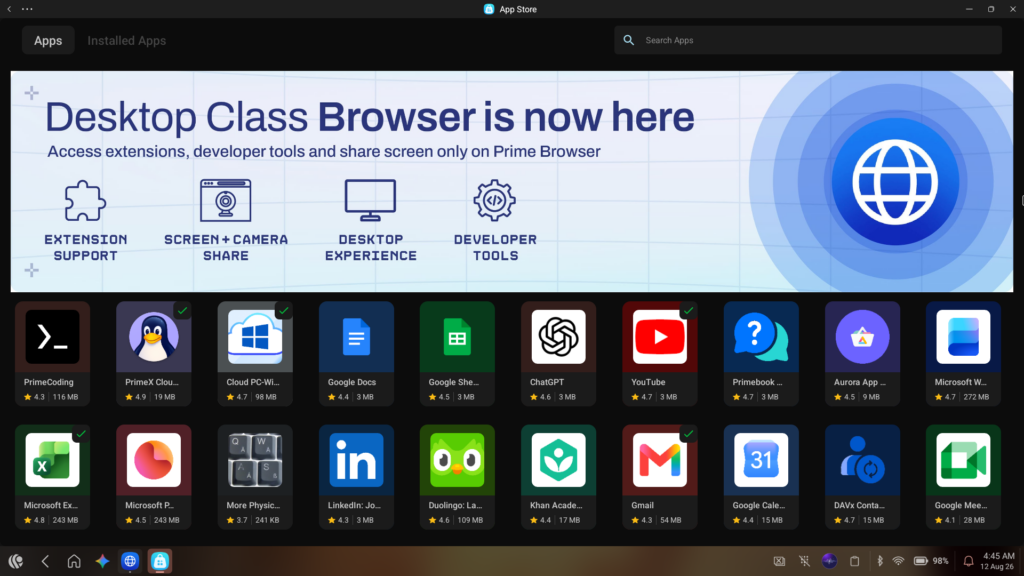
Because it is a custom OS, it does not come with the Google Play Store. Instead, you download apps from the Primestore. The store has a good selection of common apps, and there is an option to request apps that are missing.
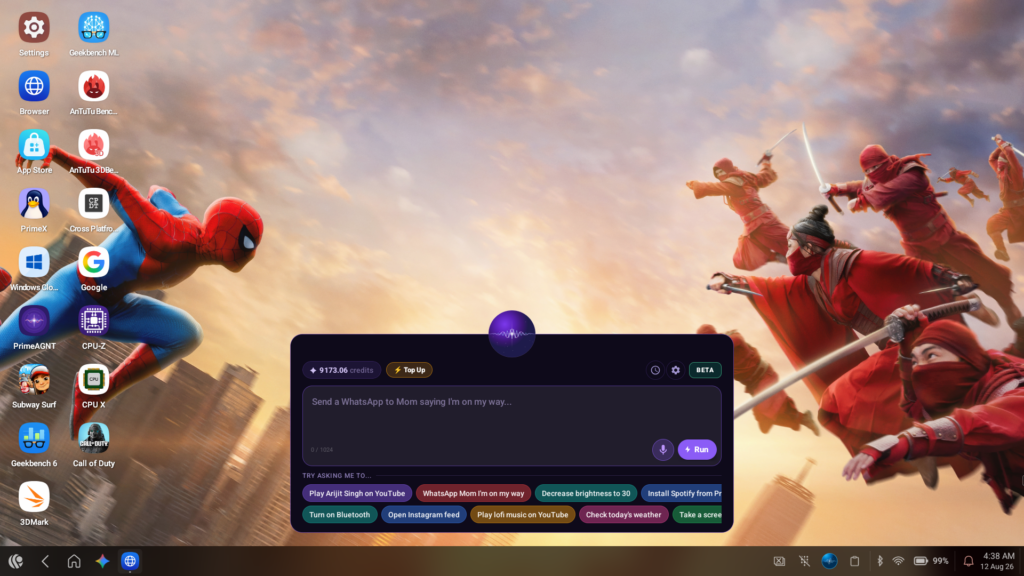
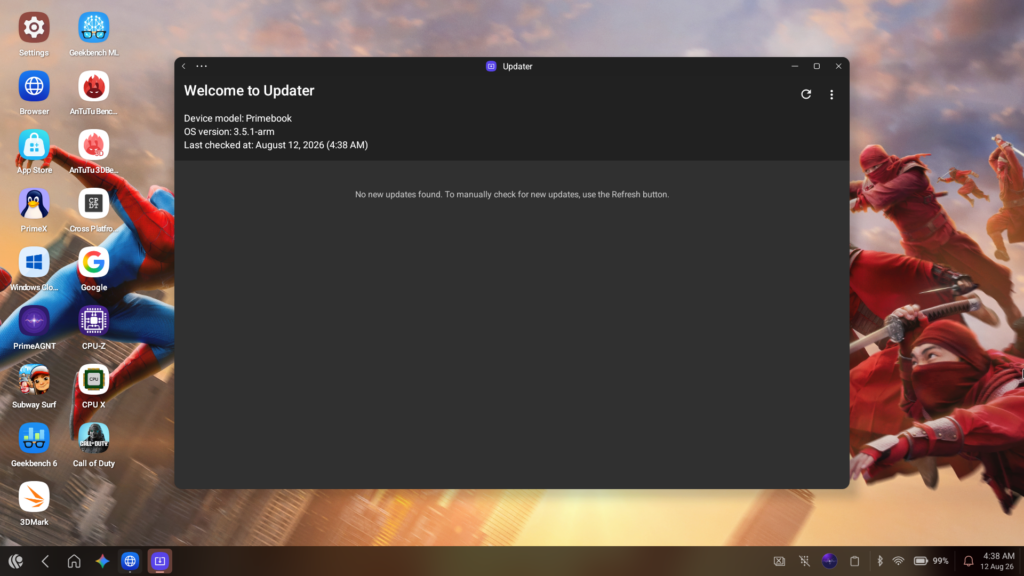
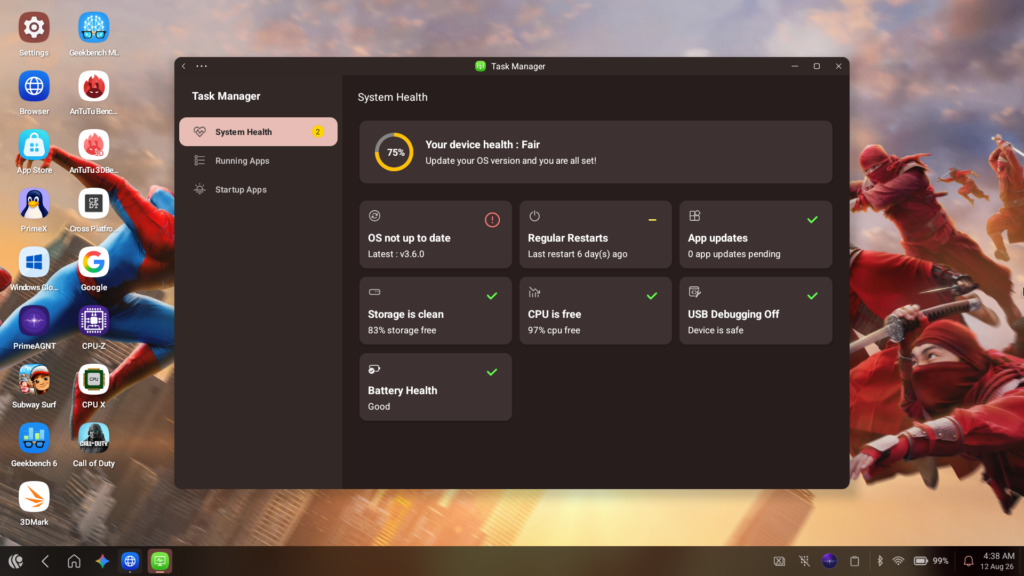
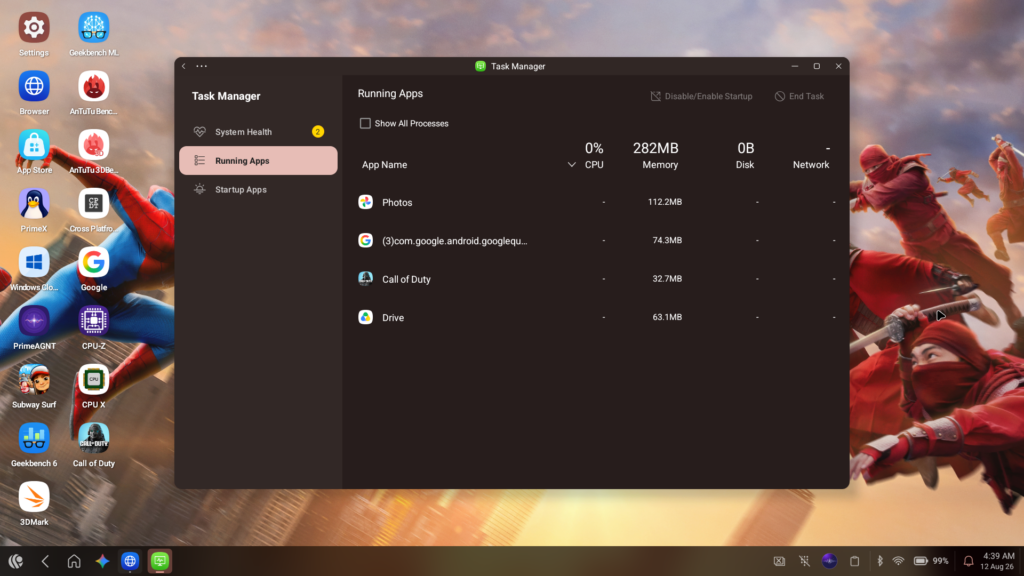
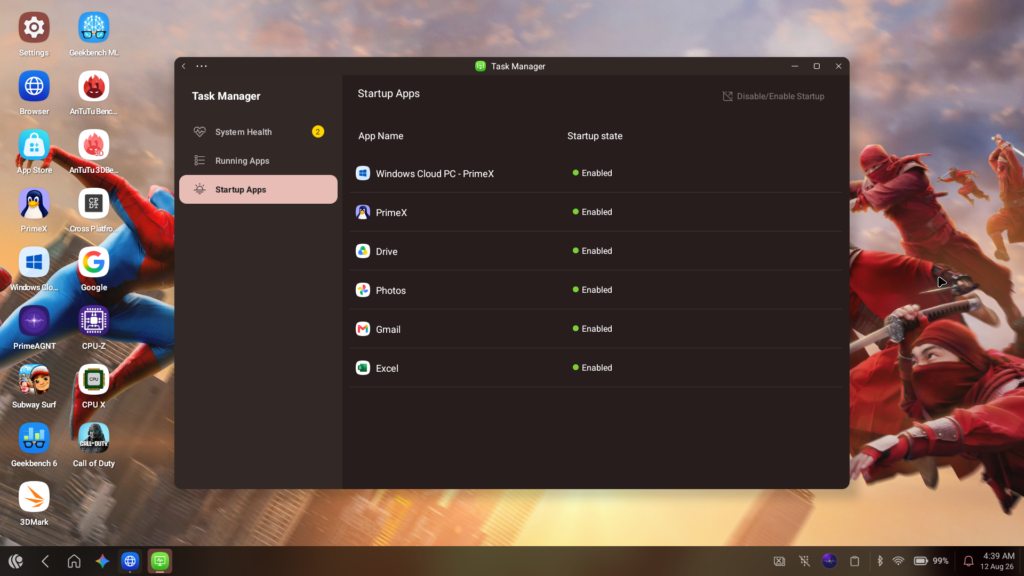
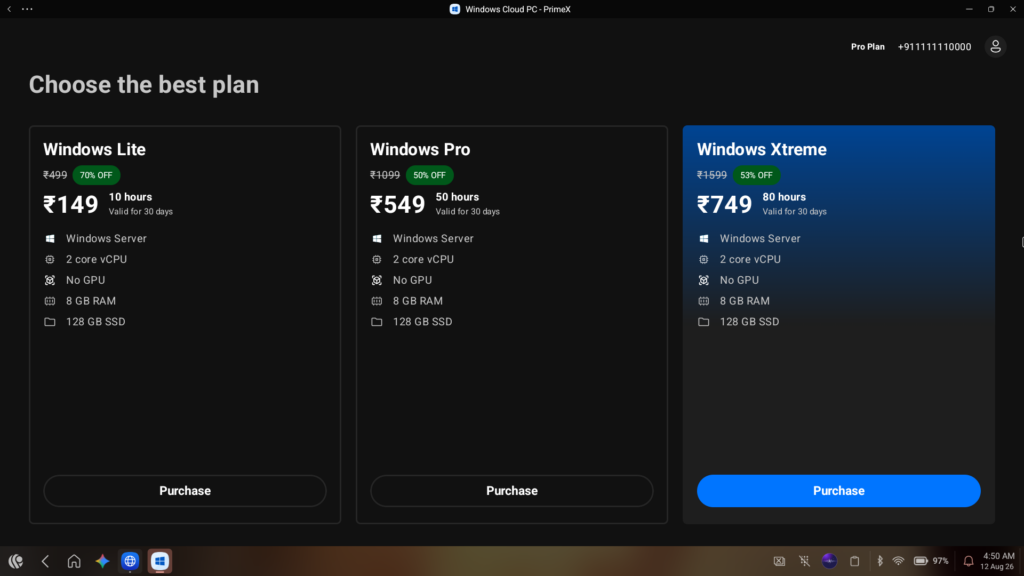
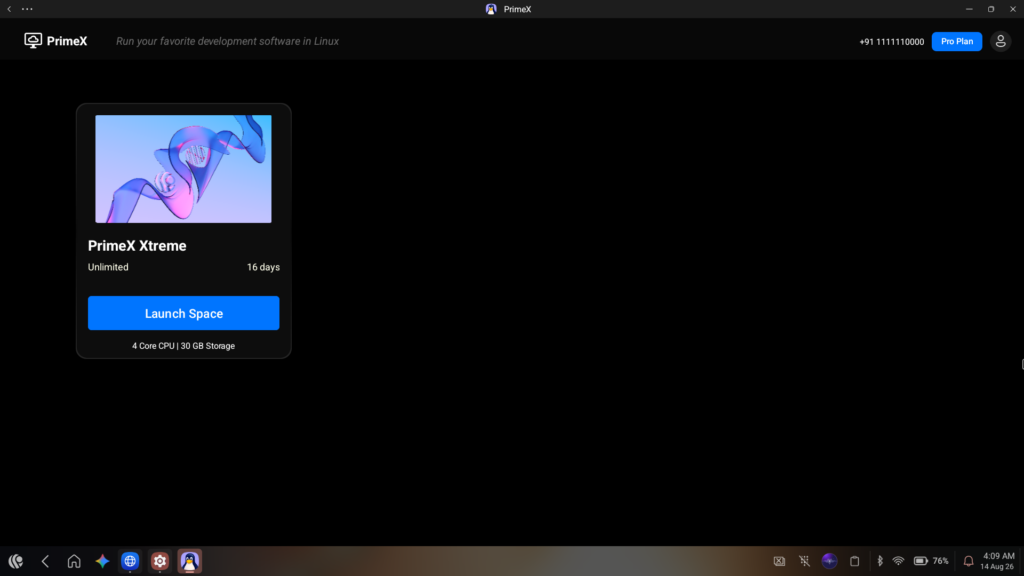
If you occasionally need to use full Windows or Linux applications, Primebook offers a feature called PrimeX, which is a Cloud PC service. By paying a subscription fee (starting at Rs. 499 per month), you can stream a virtual desktop to the laptop. I tried this on a stable Wi-Fi connection, and it worked well enough for running desktop software.
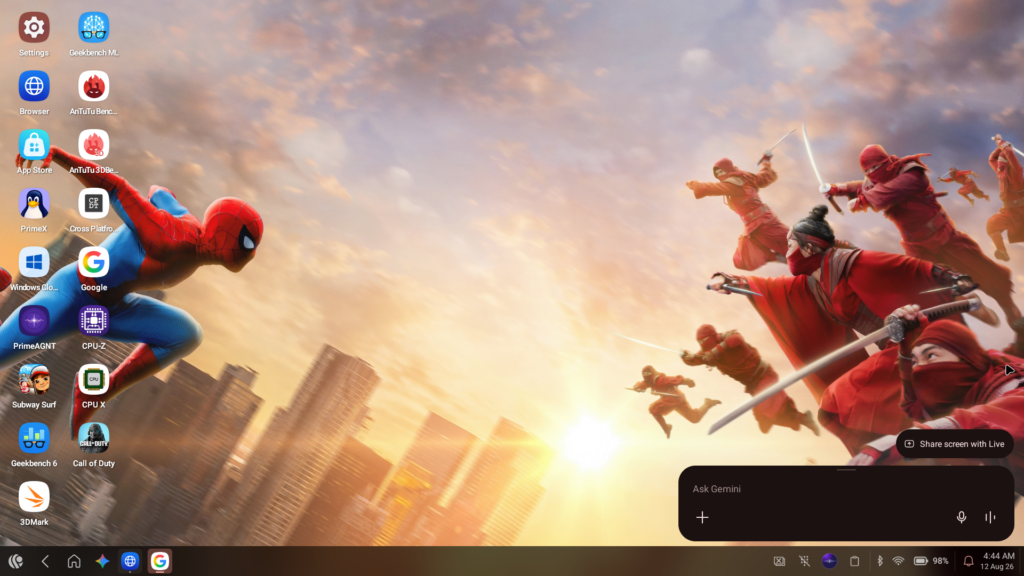
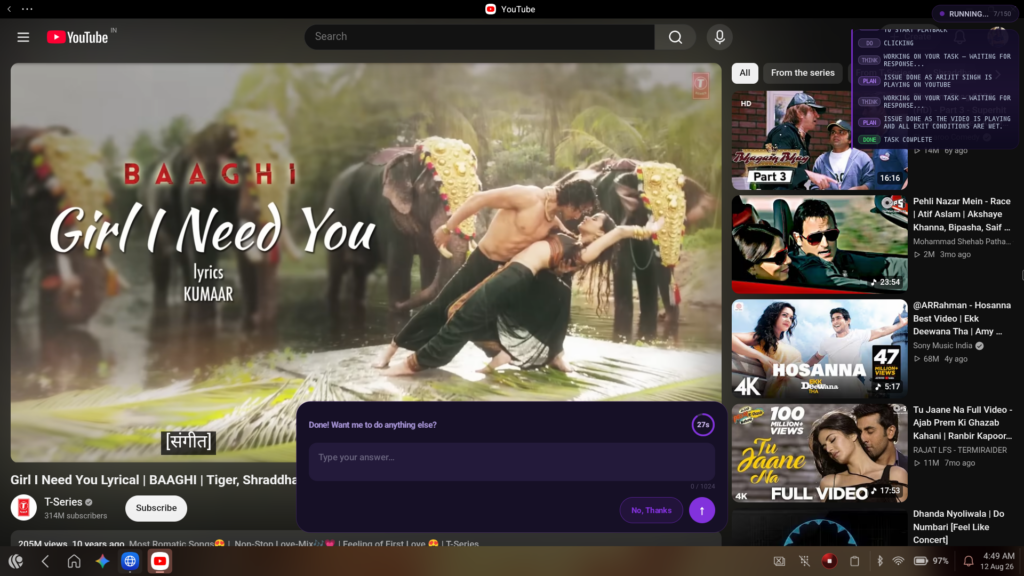
The OS also includes an AI feature called PrimeAGNT. It is powered by models like Gemini and Qwen and can perform tasks like reading your screen, summarizing text, or changing system settings. It operates on a credit system; the laptop comes with a set amount of free credits, and once you run out, you have to purchase more. It is a neat addition for basic automation, though it feels like a feature that is still evolving.
One notable software limitation is media streaming. The laptop only has Widevine L3 certification. This means that if you watch Netflix or Amazon Prime Video, the stream will be capped at standard definition (480p or 540p). It can play local 1080p video files perfectly fine, but the lack of high-definition streaming for major platforms is a drawback if you watch a lot of movies online.
Sound and Battery Life
The audio comes from dual stereo speakers located on the bottom, with secondary grilles near the keyboard. They get quite loud and are fine for watching YouTube videos or attending online meetings in a quiet room. However, they lack bass, and if you turn the volume up past 80%, the sound begins to distort.
Battery life is easily the laptop’s strongest feature. It has a 60.3Wh battery, and because the mobile processor is quite power-efficient, it lasts a long time. In my daily use, which consisted of web browsing, writing, and watching some videos, I consistently got around 10 to 12 hours of screen-on time. If you use it lightly, you can easily go a couple of days without plugging it in.
Charging, on the other hand, is less convenient. The laptop comes with a proprietary 36W charger, and it takes about two and a half hours to charge from zero to full. It does not support USB Power Delivery (PD) charging, which means you cannot use a standard high-speed Type-C phone or laptop charger to power it up. You have to carry the specific Primebook charger with you.
Verdict
The Primebook 2 Max (2026) is a practical machine that knows its target audience. By combining an Android-based operating system with a traditional laptop form factor, it offers a functional environment for people whose daily tasks revolve around web browsing, document editing, and mobile apps.
It gets the basics right: the screen is comfortable to look at, the keyboard is suitable for typing, and the battery life is excellent. The desktop-style interface of PrimeOS 3.0 makes navigating Android apps much easier than on a standard tablet.
It is not a laptop for power users. However, at Rs. 27,990, it provides a viable option for students or casual users who want a device with a long-lasting battery for basic daily work. If your computing needs are light and you want to avoid the sluggishness of entry-level Windows laptops, the Primebook 2 Max is worth considering.
You can buy the Primebook 2 Max from the official Primebook website.
For more daily updates, please visit our News Section.
Stay ahead in tech! Join our Telegram community and sign up for our daily newsletter of top stories!



Comments